
1. Introduction
This manual provides essential information for the installation, operation, and maintenance of your Aquaguard Select Designo 9-Stage Under Counter Water Purifier. Please read these instructions carefully before using the appliance to ensure proper function and longevity.
The Aquaguard Select Designo UTC water purifier is designed to fit under your modular kitchen sink, providing purified water through a dedicated faucet. It incorporates advanced purification technologies to deliver safe and clean drinking water.
2. Product Overview and Key Features
The Aquaguard Select Designo water purifier offers a multi-stage purification process and several features for user convenience and water quality assurance.
2.1. Design and Storage
This unit is specifically designed for under-sink installation in modular kitchens, ensuring a clutter-free countertop. It includes a separate faucet for dispensing purified water.

Image: The Aquaguard Select Designo water purifier components, including the main unit and storage tank, are shown installed neatly under a kitchen sink, with a dedicated faucet visible above the counter.
- Under-Sink Installation: Designed to fit discreetly under the kitchen sink.
- 8-Liter Storage Tank: Equipped with a large storage tank for purified water.

Image: An illustration highlighting the 8-liter high-capacity storage tank, emphasizing its capacity for purified water.
2.2. Purification Technology
The purifier utilizes a 9-stage purification process, combining RO (Reverse Osmosis) and UV (Ultraviolet) technologies, along with Active Copper technology.
- 9-Stage Purification (RO+UV): Provides comprehensive purification, reducing bacteria by 99.9999% and viruses by 99.99%. It also offers enhanced removal of dust, dirt, and chemical contaminants.
- 3-in-1 Patented Active Copper Technology: Infuses the appropriate amount of copper into the purified water from the first drop, adhering to BIS norms. This technology is suitable for all age groups and features a clean-free design.
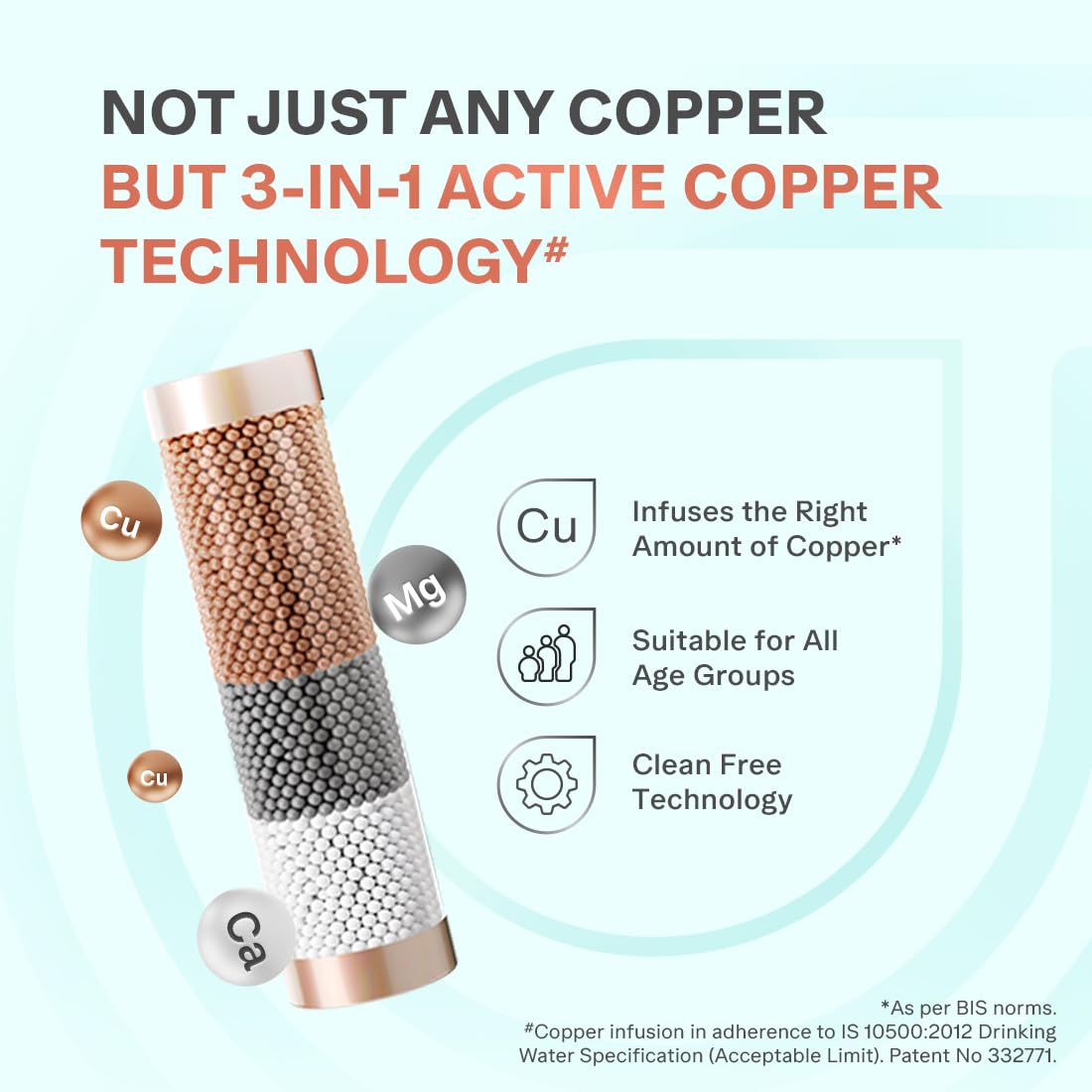
Image: A visual representation of the 3-in-1 Active Copper Technology, showing how copper, magnesium, and calcium are infused into the water, ensuring the right amount of copper as per BIS norms.
- 5th Gen UV LED Instant Purification: Offers faster purification with zero wait time, a longer 10-year life, and is mercury-free for safer operation.

Image: An illustration depicting the 5th Generation UV LED technology, highlighting its benefits of faster purification, longer lifespan, and mercury-free operation.
- Nanopore Long-Life Filters: Features advanced filters designed to remove microplastics, pesticides, lead, mercury, and arsenic.

Image: A cutaway diagram illustrating the Nanopore Long-Life Filters and their effectiveness in removing various contaminants like microplastics, pesticides, lead, mercury, and arsenic from water.
2.3. Performance and Convenience
- Zero-Pressure Pump: An inbuilt pump ensures consistent water flow even under low or no water pressure conditions.

Image: A detailed view of the inbuilt pressure pump, indicating its function to maintain water flow even at low pressure.
- Water Saving RO Technology: Advanced technology designed to save up to 40 liters of water daily compared to standard RO purifiers.

Image: An illustration demonstrating the water-saving RO technology, emphasizing its ability to save up to 40% of water daily.
- Taste Adjuster: Allows adjustment of water taste to user preference.
- Smart LED Indication: Provides alerts for service reminders, end-of-cartridge life, and electronic errors.
- Versatile Water Source Compatibility: Effectively purifies water from municipal, borewell, or tanker sources.
3. Setup and Installation
The Aquaguard Select Designo is designed for professional installation. It is recommended to contact authorized service personnel for installation to ensure proper setup and warranty validity.
3.1. Unpacking the Unit
Carefully unpack all components from the packaging. Retain the packaging for future transport or service needs.
Included Components:
- Water Purifier Unit
- Input Pipe
- Diverter Valve
- Warranty Card
- Reject Pipe
- Dedicated Faucet
3.2. Site Selection
Choose a location under your kitchen sink that provides sufficient space for the purifier unit and allows easy access for maintenance. Ensure proximity to a water supply line and an electrical outlet.
3.3. Installation Steps (Professional Service Recommended)
- Water Connection: Connect the input pipe to the main water supply using the provided diverter valve.
- Faucet Installation: Install the dedicated faucet on the kitchen countertop.
- Purifier Placement: Position the main purifier unit and storage tank securely under the sink.
- Pipe Connections: Connect the input pipe, purified water pipe (to faucet), and reject water pipe to the appropriate ports on the purifier.
- Electrical Connection: Plug the power cord into a grounded electrical outlet.
- Leak Check: Thoroughly check all connections for leaks after turning on the water supply.
- Flushing: Flush the system as per the technician's instructions to remove any manufacturing residues.
4. Operating Instructions
Once installed, operating your Aquaguard Select Designo water purifier is straightforward.
4.1. Initial Use
- Ensure the power supply is connected and switched on.
- Allow the storage tank to fill completely. The purifier will automatically stop when the tank is full.
- Dispense and discard the first few liters of purified water to ensure optimal taste and purity.
4.2. Dispensing Water
To obtain purified water, simply open the dedicated faucet installed on your countertop.
4.3. Taste Adjuster
The purifier features a taste adjuster. Consult your installation technician or the service manual for instructions on how to adjust the taste of the purified water to your preference.
4.4. Smart LED Indications
The Smart LED indicators provide important status updates:
- Service Reminder: Indicates when routine maintenance is due.
- End of Cartridge Life: Alerts you when filters need replacement.
- Electronic Errors: Signals any internal malfunctions.
Refer to the detailed service manual or contact customer support for specific interpretations of LED patterns and recommended actions.
5. Maintenance
Regular maintenance is crucial for the optimal performance and longevity of your water purifier. It is recommended to schedule maintenance with authorized service personnel.
5.1. Filter Replacement
The purifier's filters have a finite lifespan. The Smart LED indicator will alert you when filter replacement is necessary. Using expired filters can compromise water quality and damage the unit.
- Always use genuine Aquaguard replacement filters.
- Contact Aquaguard customer service to schedule filter replacement by a trained technician.
5.2. Routine Cleaning
Periodically wipe the exterior of the purifier and faucet with a soft, damp cloth. Do not use harsh chemicals or abrasive cleaners.
Internal cleaning and sanitization should be performed by authorized service personnel during scheduled maintenance visits.
5.3. Service Schedule
Adhere to the recommended service schedule provided by Aquaguard. The Smart LED indicator will remind you when service is due.
6. Troubleshooting
If you encounter any issues with your water purifier, refer to the following common troubleshooting steps. For complex problems, contact Aquaguard customer support.
| Problem | Possible Cause | Solution |
|---|---|---|
| No water dispensing |
|
|
| Slow water flow |
|
|
| Unusual taste/odor |
|
|
| Water leakage |
|
|
| LED indicator showing error |
|
|
7. Specifications
| Feature | Detail |
|---|---|
| Brand | Aquaguard |
| Model Name | DESIGNO UTC RO+UV+MTDS |
| Item Model Number | GWPDDSGNO03B00 |
| Installation Type | Under Sink |
| Purification Stages | 9-Stage (RO+UV+Active Copper Tech) |
| Storage Capacity | 8 Liters |
| Special Features | Change Filter Indicator, Reduce TDS, Inbuilt Pressure Pump, Taste Adjuster |
| Product Dimensions (L x W x H) | 28.5L x 19.5W x 27.5H Centimeters |
| Item Weight | 10.2 Kilograms |
| Power Source | Electric |
| Maximum Flow Rate | 15 Liters Per Hour |
| Operating Pressure Range | Up to 3 Kilograms Per Square Centimeter |
| Supported Water TDS Level Maximum | 2000 PPM |
| Manufacturer | Eureka Forbes Ltd. |
8. Warranty and Support
Aquaguard provides comprehensive support for your water purifier.
8.1. Free Service Plan
Your purchase includes a free service plan worth ₹2500 for the first year, which covers:
- Free Installation: Professional installation by a trained technician.
- 1 Free Maintenance Visit: One complimentary maintenance visit within the first year.
- Unlimited Repair Visits: Unlimited repair visits within the first year of purchase.

Image: A visual representation of the Aquaguard free service plan, detailing benefits such as free installation, free cleaning service, and unlimited repair visits for the first year.
This service is backed by India's widest service network, accessible across 17,000+ pin-codes.
8.2. Certifications
The Aquaguard Select Designo water purifier is certified by the National Accreditation Board for Testing and Calibration Laboratories (NABL) and Water Quality Impact Assessment (WQIA), ensuring product reliability and performance.
8.3. Contact Information
For service requests, technical support, or warranty claims, please refer to the contact details provided on your warranty card or visit the official Aquaguard website.
Manufacturer: Eureka Forbes Ltd., No. 143,C-4,Bommasandra Industrial Area, Off Hosur Road, Bangalore, Karnataka -560099, India.
Customer Service: Refer to your warranty card or product documentation for the most current contact numbers and online support options.