
Introduction
Thank you for choosing the lukg BK07 Wireless Earbuds. These earbuds feature advanced Bluetooth 5.3 technology, 4 ENC noise-cancelling microphones, and an IP7 waterproof rating, designed to provide a superior audio experience for various activities. This manual will guide you through the setup, operation, and maintenance of your new earbuds.
Package Contents
Please check the package for the following items:
- 1x Charging Case
- 2x Wireless Earbuds (Left and Right)
- 1x Type-C Charging Cable
- 4x Earbud Tips (various sizes)
- 1x User Manual
Setup
1. Charging the Earbuds and Case
Before first use, fully charge the earbuds and the charging case. Place the earbuds into the charging case. Connect the Type-C charging cable to the charging port on the case and plug the other end into a USB power adapter (not included).
- The LED power display on the charging case will show the current battery level.
- A full charge for the earbuds takes approximately 1.5 hours.
- The charging case provides up to 40 hours of additional playback time.
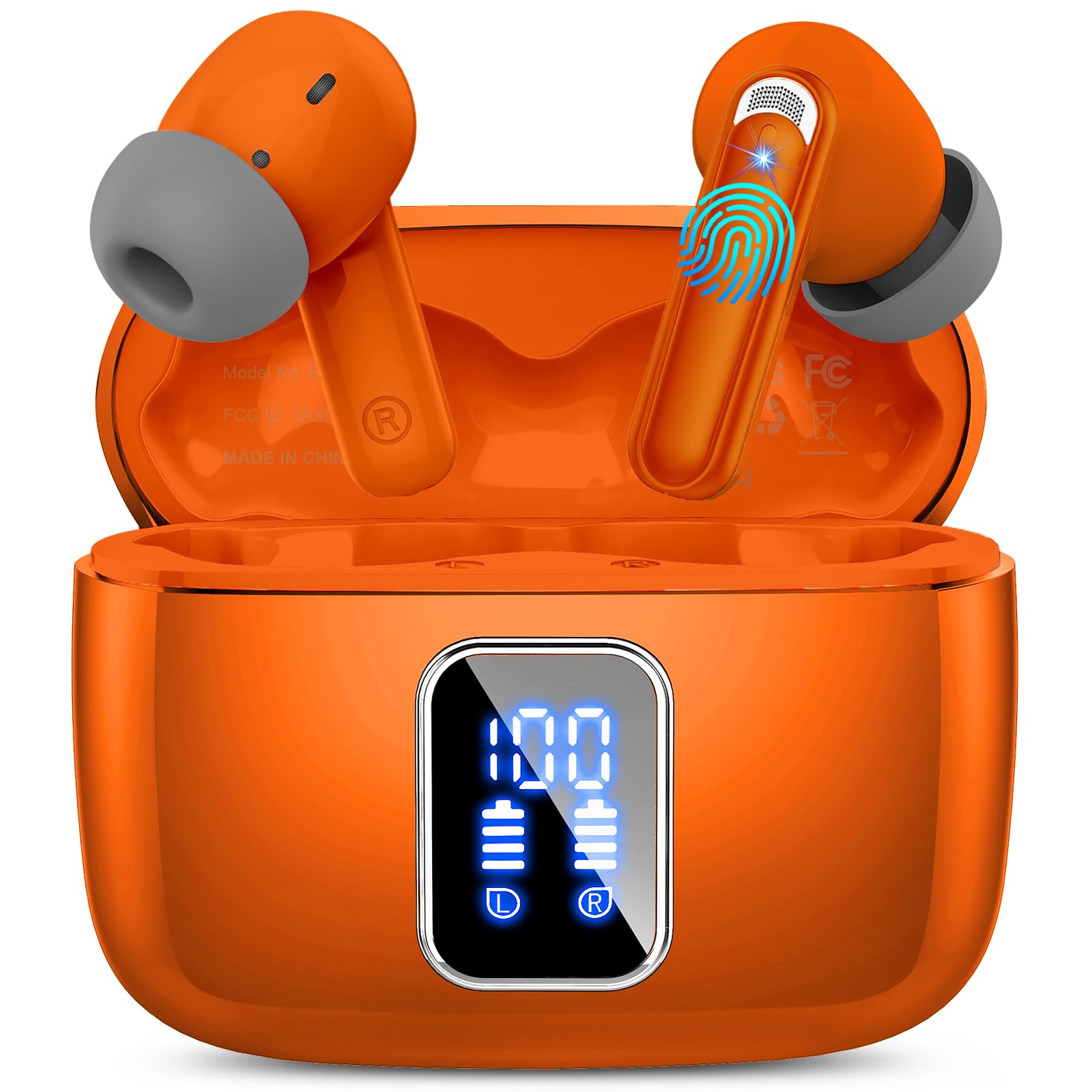
Image: The lukg BK07 wireless earbuds inside their orange charging case, with the Type-C charging port visible.
2. One-Step Pairing
The earbuds support Bluetooth 5.3 for stable and fast connections.
- Open the charging case. The earbuds will automatically power on and enter pairing mode.
- On your device (smartphone, tablet, etc.), enable Bluetooth.
- Search for "BK07" in the list of available Bluetooth devices and select it to connect.
- Once connected, you will hear a confirmation tone, and the earbuds will be ready for use.
- The earbuds will automatically reconnect to the last paired device when taken out of the case.
Operating Instructions
Touch Controls
The lukg BK07 earbuds feature a capacitive touch interface for easy control of music and calls.
| Action | Left Earbud | Right Earbud |
|---|---|---|
| Play/Pause Music | Single Tap | Single Tap |
| Next Track | Double Tap | Double Tap |
| Previous Track | Triple Tap | Triple Tap |
| Answer/End Call | Single Tap | Single Tap |
| Reject Call | Long Press (2s) | Long Press (2s) |
| Activate Voice Assistant | Long Press (2s) | Long Press (2s) |
| Volume Up | N/A | Press and Hold |
| Volume Down | Press and Hold | N/A |
Wearing the Earbuds
For optimal sound quality and comfort, choose the earbud tips that best fit your ear canal. Gently insert the earbuds into your ears and rotate them slightly to ensure a secure and comfortable fit.

Image: A person wearing the lukg BK07 earbuds, demonstrating a comfortable and secure fit.
Maintenance
Cleaning
Regular cleaning helps maintain the performance and longevity of your earbuds. Use a soft, dry, lint-free cloth to wipe the earbuds and charging case. For stubborn dirt, a slightly damp cloth can be used, but ensure no moisture enters the charging port or speaker grilles.
Water Resistance (IP7)
The earbuds are IP7 waterproof, meaning they are protected against immersion in water up to 1 meter for 30 minutes. This protection is effective against sweat and rain, making them suitable for workouts. However, the charging case is not waterproof. Do not expose the charging case to water or excessive moisture. Ensure earbuds are dry before placing them back into the charging case to prevent damage.
Troubleshooting
If you encounter any issues with your lukg BK07 earbuds, please refer to the following common solutions:
- Earbuds not pairing: Ensure both earbuds are charged. Place them back in the case, close it, then open it again to re-enter pairing mode. Check your device's Bluetooth settings and try reconnecting.
- Only one earbud working: Try placing both earbuds back into the charging case, close the lid, wait a few seconds, then open the lid and take them out again. This often resynchronizes them.
- No sound: Check the volume level on both your device and the earbuds. Ensure the earbuds are properly connected to your device.
- Poor sound quality: Ensure the earbuds are clean and free of debris. Try adjusting the fit in your ear. Move closer to your connected device to avoid interference.
- Charging issues: Ensure the charging cable is securely connected to both the case and the power source. Check if the charging port is clean.
If the problem persists, please contact customer support for further assistance.
Specifications
Detailed technical specifications for the lukg BK07 Wireless Earbuds:
| Brand | lukg |
| Model Number | BK07 |
| Ear Placement | In Ear |
| Form Factor | In Ear |
| Connectivity Technology | Wireless |
| Wireless Technology | Bluetooth |
| Bluetooth Version | 5.3 |
| Bluetooth Range | 15 Meters |
| Audio Driver Size | 13 mm |
| Frequency Range | 20 Hz - 20,000 Hz |
| Sensitivity | 115.52 dB |
| Impedance | 32 Ohms |
| Battery Life (Earbuds) | 6-8 hours (music playback), 3-4 hours (talk time) |
| Total Playtime (with case) | Up to 48 hours |
| Charging Time (Earbuds) | 1.5 Hours |
| Charging Case Battery Capacity | 400 mAh |
| Water Resistance Level | IP7 (Earbuds only) |
| Microphones | 4 (with ENC Noise Cancelling) |
| Earbud Weight | 0.13 ounces (each) |
| Charging Case Dimensions | 58.7 x 47.7 x 26.6 mm |
| Compatible Devices | iOS 9.0/Android 5.0 or above and Bluetooth 4.0 or later enabled devices |
Warranty Information
lukg offers a 30-day return or exchange policy for any reason. Additionally, we provide after-sales service for 180 days from the date of purchase. Please retain your proof of purchase for warranty claims.
Customer Support
If you have any questions, concerns, or require technical assistance, please contact our customer support team. Refer to the contact information provided with your purchase or visit the official lukg website for support details.