
Product Overview
The newpad KJ-460 is a versatile air purifier designed to improve air quality in various home environments. It features a 3-stage filtration system, smart control options, and flexible placement, including wall-mounting, floor stand, or desktop use. This manual provides essential information for the safe and effective operation and maintenance of your air purifier.
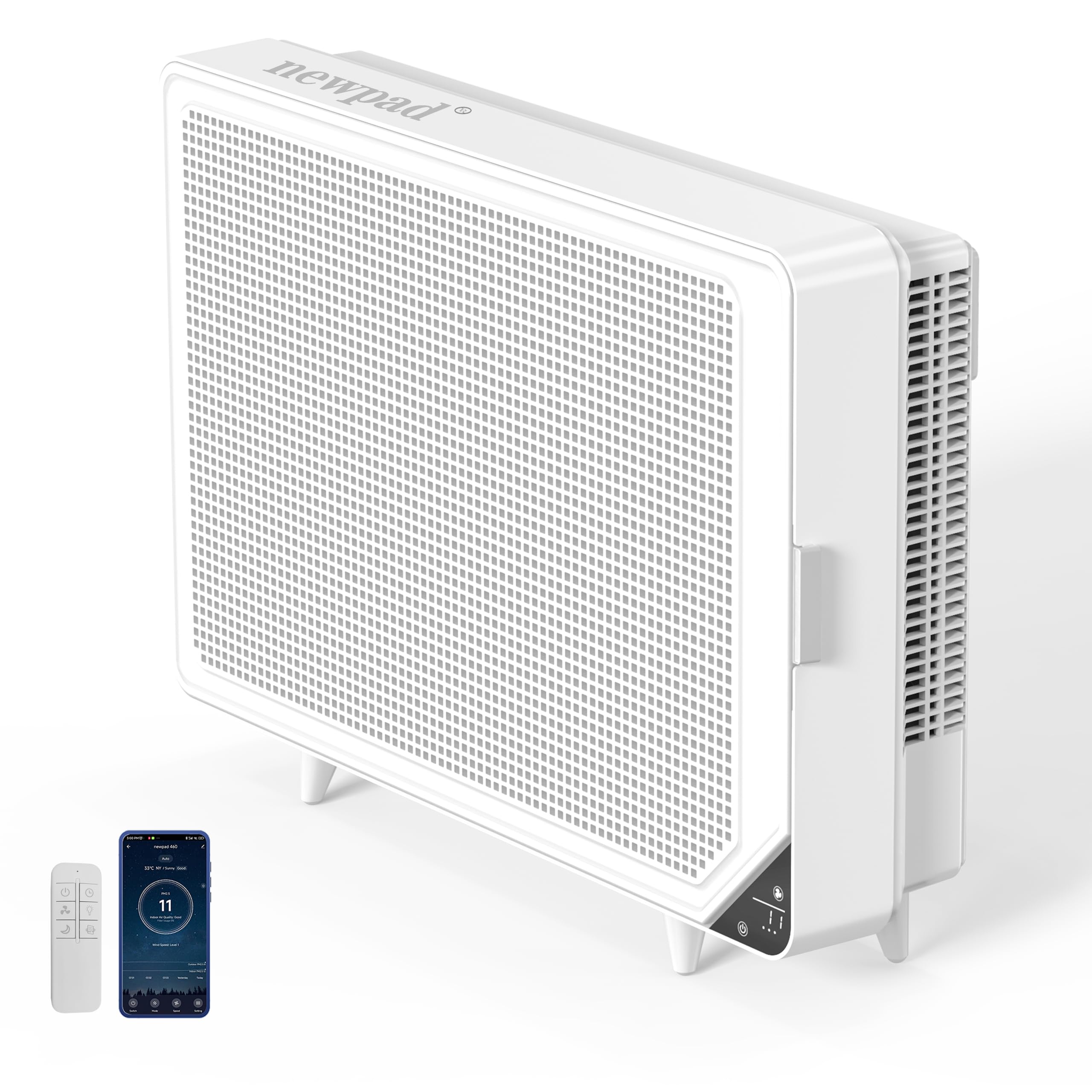
The newpad KJ-460 air purifier, designed for home use, featuring a sleek white design and digital display.
Setup Instructions
The newpad KJ-460 air purifier offers multiple placement options to suit your space:
- Wall Mount: The unit can be securely mounted on a wall to save floor space. A mounting kit is included for installation.
- Floor Stand: Attach the provided feet to position the air purifier on the floor.
- Desktop: The unit can also be placed on a desk or table using the provided feet.
Ensure the air purifier is placed in a location with adequate airflow and away from obstructions. Connect the power cord to a suitable electrical outlet.

The newpad KJ-460 air purifier shown with its remote control and a smartphone displaying the control application. It can be used as a floor stand or desktop unit.

The newpad KJ-460 air purifier installed on a wall, demonstrating its space-saving wall-mount capability.
Operating Instructions
The newpad KJ-460 air purifier offers several operating modes and control options:
- Power On/Off: Press the power button on the unit, remote control, or through the mobile app to turn the device on or off.
- LCD Display: The integrated LCD screen provides real-time air quality information, including PM2.5 levels.
- Smart Auto Mode: In Auto Mode, the air purifier automatically adjusts fan speed based on readings from its highly sensitive air quality sensor.
- Sleep Mode: Activate Sleep Mode for quiet operation (as low as 22dB) and all display lights will turn off, ensuring an undisturbed environment.
- Fan Speed Adjustment: Manually adjust the fan speed using the controls on the unit, remote, or app.
- WiFi & Remote Control: Control the air purifier remotely via the dedicated mobile application (compatible with Google Assistant, Amazon Alexa, and Tuya Smart) or the included physical remote control. The app allows for setting schedules, checking filter life, and changing modes.
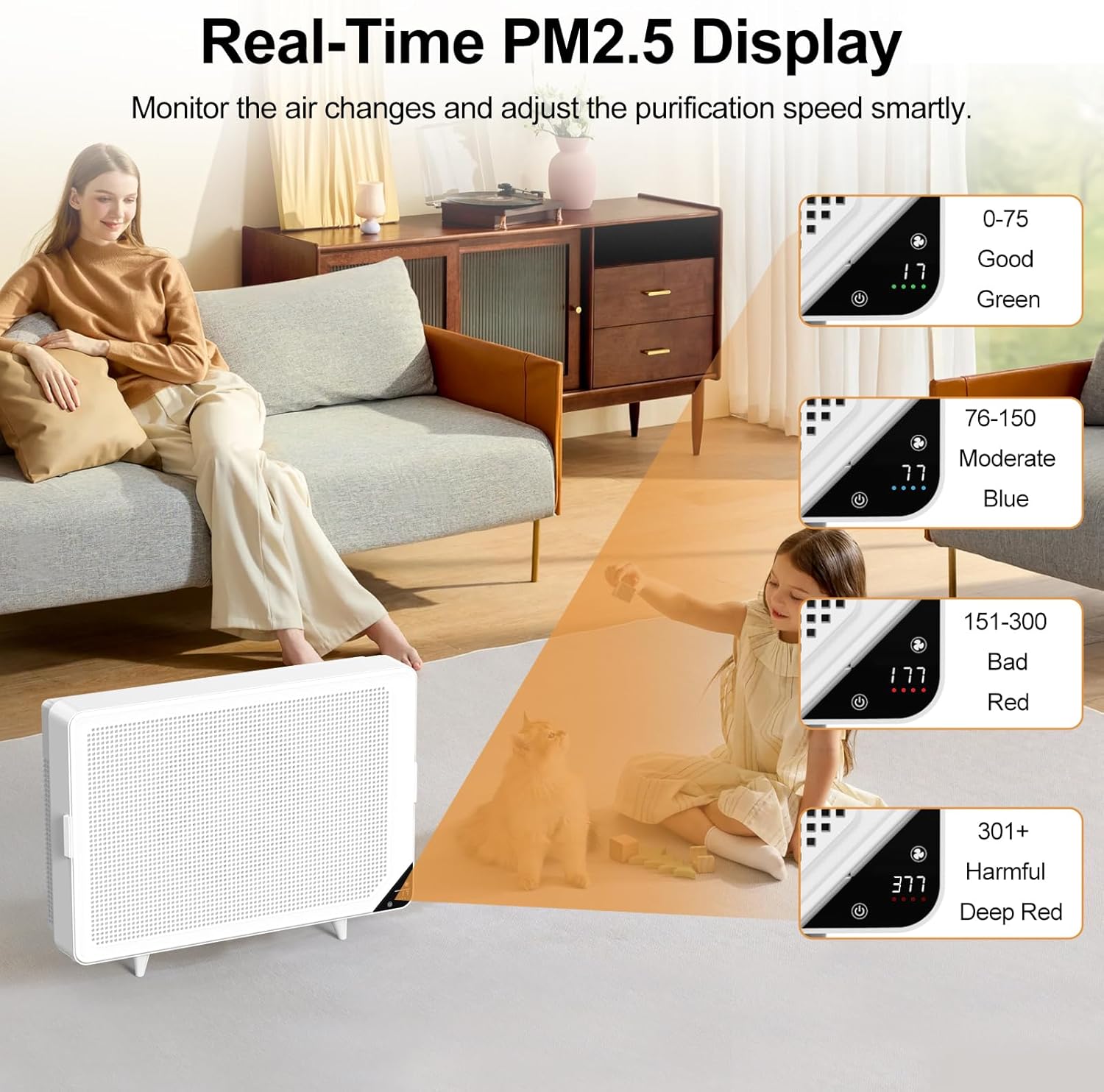
The air purifier's LCD screen showing real-time PM2.5 readings and corresponding air quality levels (Good, Moderate, Bad, Harmful) indicated by color changes.

The air purifier operating in sleep mode, designed for quiet operation at 22dB, with lights off for an undisturbed night.

Screenshots from the mobile application demonstrating how users can customize settings such as scheduling, light control, fan speed, operating modes, monitor filter lifespan, and perform filter resets. The app also supports integration with Google Assistant and Amazon Alexa.
Maintenance
Regular maintenance, particularly filter replacement, is crucial for optimal performance.
3-Stage Filtration System
The newpad KJ-460 utilizes a 3-stage filtration system:
- Pre-filter: Blocks large particles over 10 microns.
- H13 HEPA filter: Captures 99.97% of dust, smoke, wildfire smog, and pet dander as small as 0.3 microns.
- Activated Carbon filter: Removes odors and cooking smells.

An illustration detailing the multi-layer filtration system of the air purifier, comprising a protective outer shell, a pre-filter, an H13 HEPA filter, and an activated carbon layer. It also includes a chart explaining PM2.5 levels and corresponding air quality indicators.
Filter Replacement
The filter can last at least five months with continuous use, or up to a year with reasonable scheduling. Replace the filter when the filter life indicator prompts you.
To obtain official replacement filters, search for 'B0BJZPMW53' or 'newpad replacement filter for KJ-460'.
Filter Reset
After replacing the filter, reset the filter life indicator using one of the following methods:
- Mobile App: Use the one-click reset option in the newpad mobile application.
- Touch Panel: Hold the designated button on the unit's touch panel until it beeps (when the machine is on standby).
- Remote Control: Hold the designated button on the remote control until it beeps.
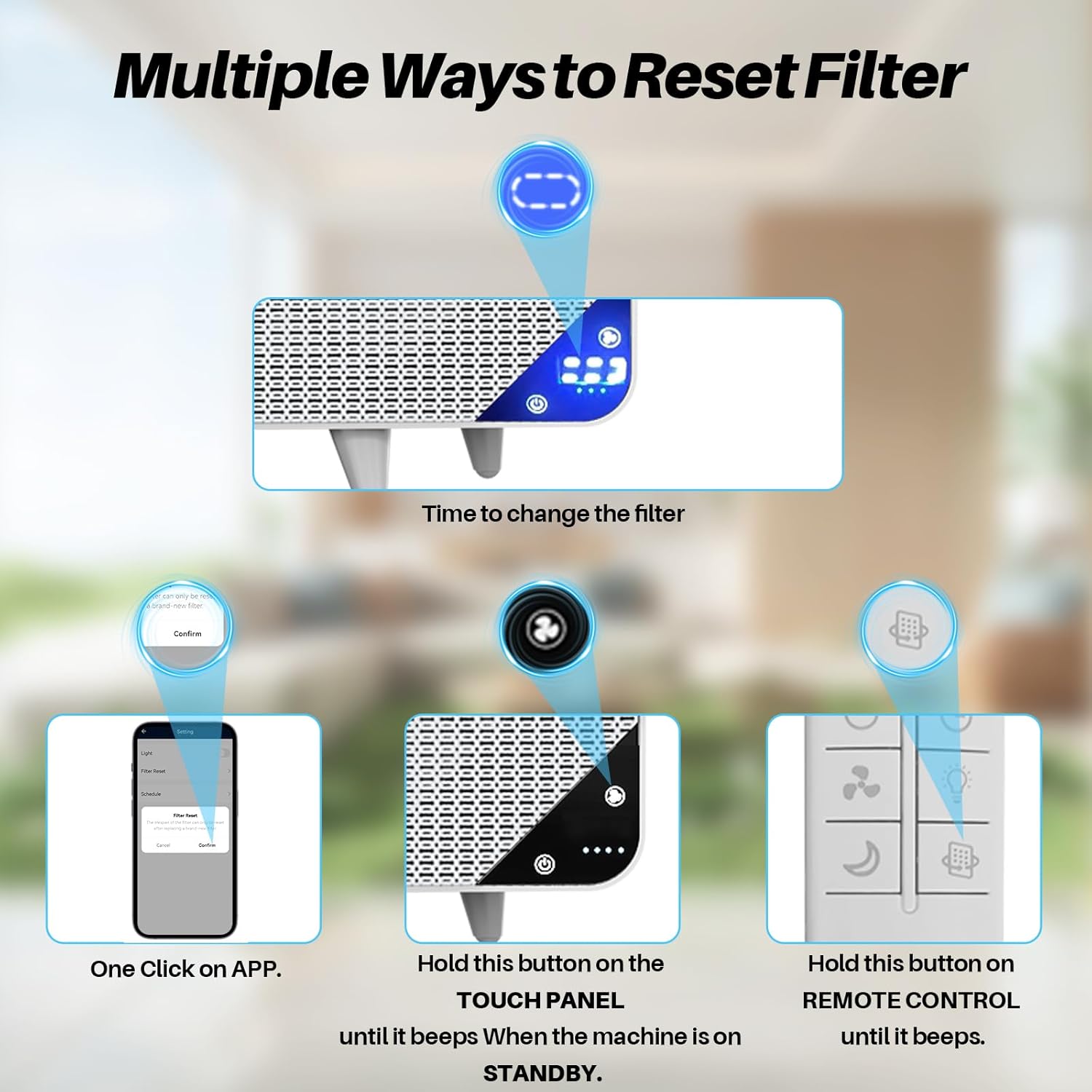
Visual guide demonstrating three methods to reset the filter indicator: via the mobile application, by holding the button on the touch panel, or by holding the button on the remote control.
Troubleshooting
If you encounter any issues with your newpad KJ-460 air purifier, please consider the following general troubleshooting steps:
- No Power: Ensure the power cord is securely plugged into both the unit and a working electrical outlet. Check if the outlet has power.
- Poor Airflow/Performance: Check if the filter is dirty and needs replacement. Ensure there are no obstructions around the air intake or outlet.
- Unusual Noise: Verify that the filter is correctly installed. Check for any foreign objects inside the unit.
- App Connectivity Issues: Ensure your Wi-Fi network is active and the air purifier is within range. Restart the app and the air purifier.
- Filter Indicator Not Resetting: Follow the filter reset instructions carefully after replacing the filter.
For persistent issues, please contact customer support.
Specifications
| Feature | Detail |
|---|---|
| Model Number | KJ-460 |
| Product Dimensions | 4.5"D x 17.9"W x 12.1"H |
| Item Weight | 8.8 Pounds |
| Power Source | AC |
| Color | White |
| Filter Type | H13 HEPA, Activated Carbon, Pre-filter |
| Coverage Area | Up to 1345 sq.ft (1 hour), 269 sq.ft (12 min) |
| Noise Level | 22dB (Sleep Mode) |
| Control Options | LCD, Remote Control, WiFi App (Google Assistant, Amazon Alexa, Tuya Smart) |
Certifications
The newpad KJ-460 air purifier holds the following authoritative certifications, ensuring its quality and safety:
- CARB Certified
- ETL Certified
- EPA Certified
- FCC Certified
- Energy Star Certified
Warranty and Support
For warranty information, technical support, or any inquiries regarding your newpad KJ-460 air purifier, please refer to the contact information provided with your product packaging or visit the official newpad website. Keep your purchase receipt for warranty claims.