
SGDDFIT K52
SGDDFIT Military Smart Watch User Manual
Model: K52
1. Introduction
The SGDDFIT Military Smart Watch is a rugged and versatile fitness tracker designed for active lifestyles. It features a 1.39-inch HD screen, Bluetooth calling capabilities, comprehensive health monitoring, and 5ATM waterproofing. This manual provides detailed instructions for setting up, operating, and maintaining your smart watch.
Product Overview

Image: The SGDDFIT Military Smart Watch featuring a silver metal strap, with additional brown leather and orange silicone straps visible in the background. The watch face displays time, steps, calories, and distance.
What's in the Box
- SGDDFIT Smart Watch with TPU Silicone Strap (x1)
- Stainless Steel Strap (x1)
- Leather Strap (x1)
- Magnetic Charger (x1)
- User Manual (English, French, Spanish, German, Italian) (x1)
2. Important Safety Information
- Consult your doctor before starting any new exercise regimen or if you have pre-existing health conditions.
- This device is not a medical device and should not be used for diagnosing or treating any medical condition.
- Avoid exposing the watch to extreme temperatures (hot or cold) or direct sunlight for prolonged periods.
- Do not attempt to disassemble or repair the watch yourself. This will void the warranty.
- Keep the watch and its accessories out of reach of children and pets.
- Ensure the charging contacts are clean and dry before charging to prevent corrosion or damage.
3. Getting Started: Setup
3.1 Charging the Device
Before first use, fully charge your smart watch. Connect the magnetic charger to the charging contacts on the back of the watch. Plug the USB end of the charger into a standard USB power adapter (not included) or a computer USB port. A full charge takes approximately 1.5 hours and provides up to 10 days of work time or 30 days of standby.

Image: A collage illustrating various features of the smart watch, including a close-up of the watch face displaying a charging battery icon, indicating the charging process.
3.2 App Installation and Pairing
- Download the App: Scan the QR code in the included user manual or search for "FitCloudPro" in your smartphone's app store (Google Play Store for Android, Apple App Store for iOS).
- Install and Open: Install the "FitCloudPro" app and open it. Follow the on-screen prompts to create an account or log in.
- Enable Bluetooth: Ensure Bluetooth is enabled on your smartphone.
- Pair the Watch: In the "FitCloudPro" app, navigate to the device section and select "Add Device." The app will search for available devices. Select "K52" or the name corresponding to your watch. Confirm the pairing request on both your phone and the watch.
- Compatibility: The smart watch is compatible with iOS 8.0 or above and Android 4.4 or above, and uses Bluetooth 5.0 for connection.
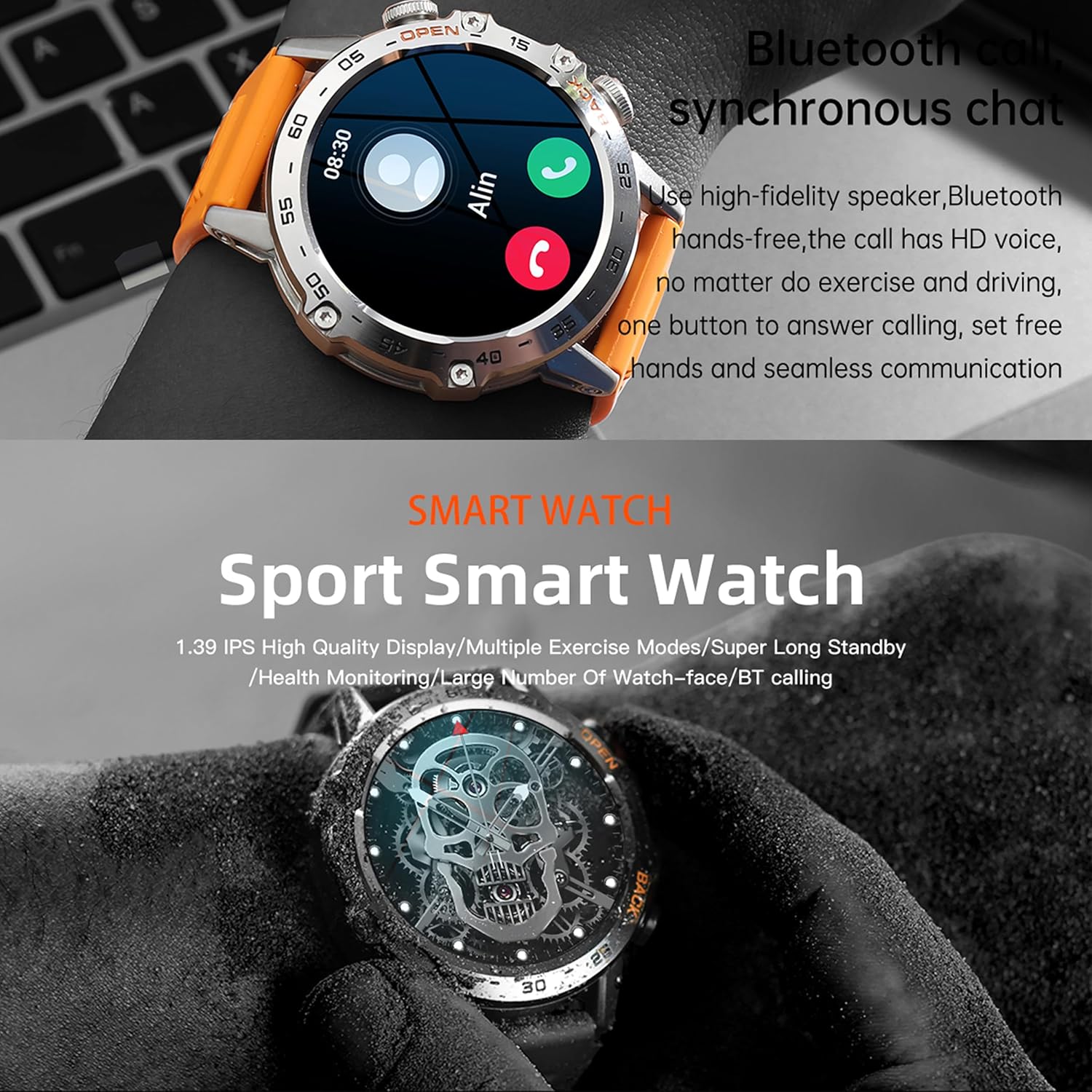
Image: A close-up of the smart watch on a wrist, showing an incoming call notification with the name 'Alin' and options to answer or decline, demonstrating the Bluetooth call feature.
4. Operating Instructions
4.1 Basic Navigation
- Touch Screen: Swipe left/right to access different functions, swipe up/down to view notifications or quick settings.
- Side Buttons: The watch features side buttons, typically labeled 'OPEN' and 'BACK', for navigation and quick access to features. Refer to the specific functions detailed in the app.
4.2 Bluetooth Call and Message Functions
Once paired, the smart watch allows you to make and receive calls directly from your wrist using its built-in speaker and microphone. It also displays notifications for incoming calls, SMS messages, and alerts from social media apps like Facebook, WhatsApp, and Twitter.
4.3 Health Monitoring
The watch is equipped with a dynamic optical heart rate sensor to automatically monitor your heart rate in real-time. It also supports manual measurement of blood oxygen saturation (SpO2) and blood pressure. The high-performance motion sensor monitors sleep status (deep sleep, light sleep, wake-up time) and provides comprehensive sleep quality analysis. All data can be viewed on the watch or in the "FitCloudPro" app.
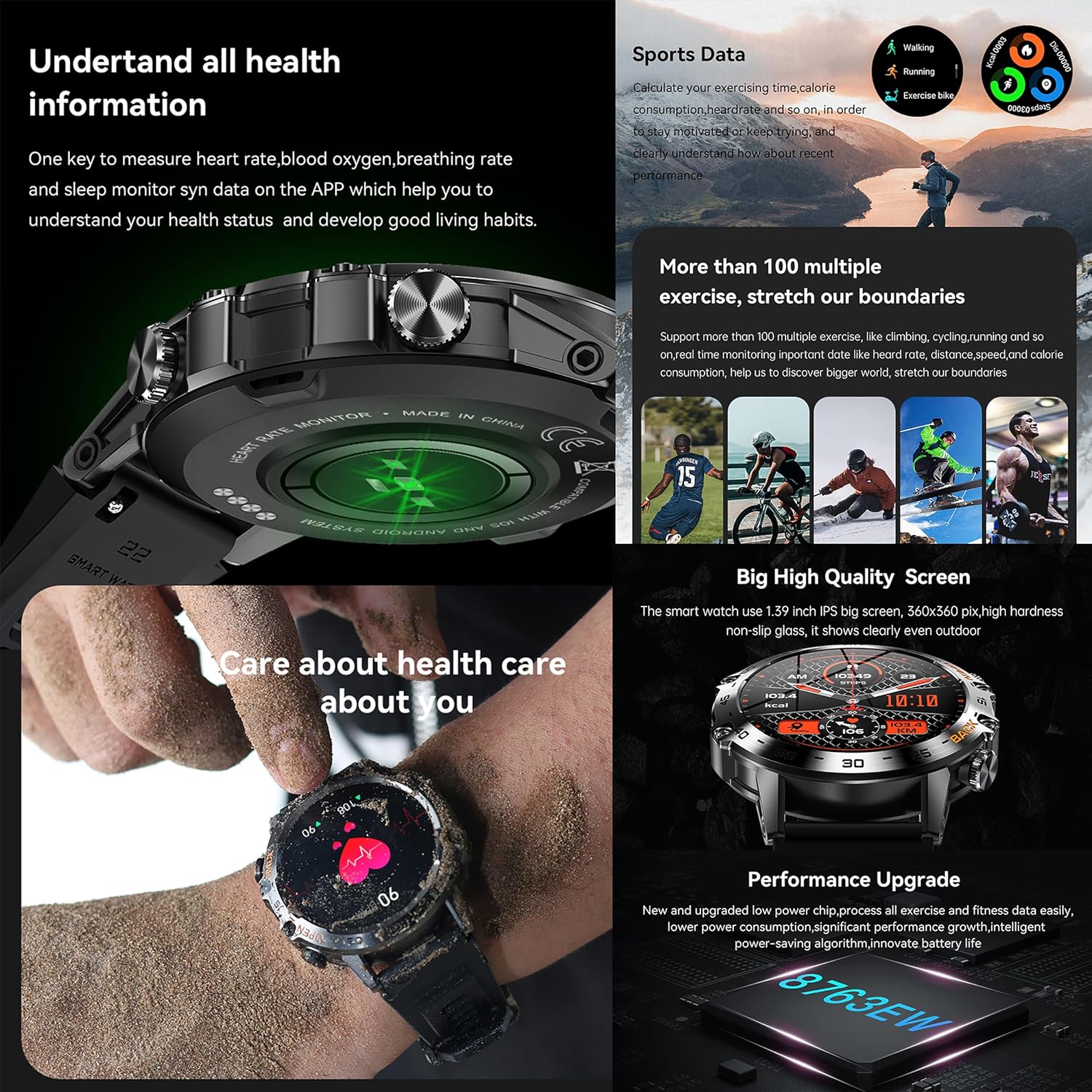
Image: The smart watch on a wrist showing health metrics like heart rate, blood oxygen, and breathing rate. Adjacent to it is a collage depicting various sports activities such as walking, running, cycling, and climbing, indicating the watch's multi-sport tracking capabilities.
4.4 Activity Tracking and Sports Modes
The fitness tracker records your activity data, including heart rate, workout durations, sleep phases, and burned calories. It supports over 100 sports modes, displaying data in animated charts within the "FitCloudPro" app to help you achieve your fitness goals.
4.5 Music Control
Control your smartphone's music player directly from your watch. You can play, pause, skip tracks, and adjust volume without needing to access your phone.
4.6 Remote Camera Control
Utilize the remote camera function by opening the "FitCloudPro" app and enabling "Shake to Take Pictures." Shake your arm to remotely trigger your phone's camera shutter.
4.7 Additional Features
- Brightness Adjustment
- Find Phone
- Flashlight
- Find Watch
- Weather Forecast
- Alarm Clock
- Stopwatch
- Timer
- Sedentary Reminder
- Female Health Tracking
5. Care and Maintenance
5.1 Cleaning
Regularly clean your watch and straps. Wipe the watch body with a soft, damp cloth. For silicone straps, you can wash them with mild soap and water. Ensure the watch is completely dry before charging or wearing.
5.2 Water Resistance
The watch is 5ATM waterproof, meaning it can withstand pressures equivalent to a depth of 50 meters. It is suitable for swimming and showering, but not for diving or high-pressure water activities. Avoid exposing the watch to hot water or steam, as this can compromise the waterproof seals.
5.3 Strap Replacement
Your watch comes with three interchangeable straps: TPU silicone, stainless steel, and leather. To replace a strap, locate the quick-release pins on the underside of the strap where it connects to the watch body. Slide the pin to detach the strap, then align the new strap and slide the pin back into place to secure it.
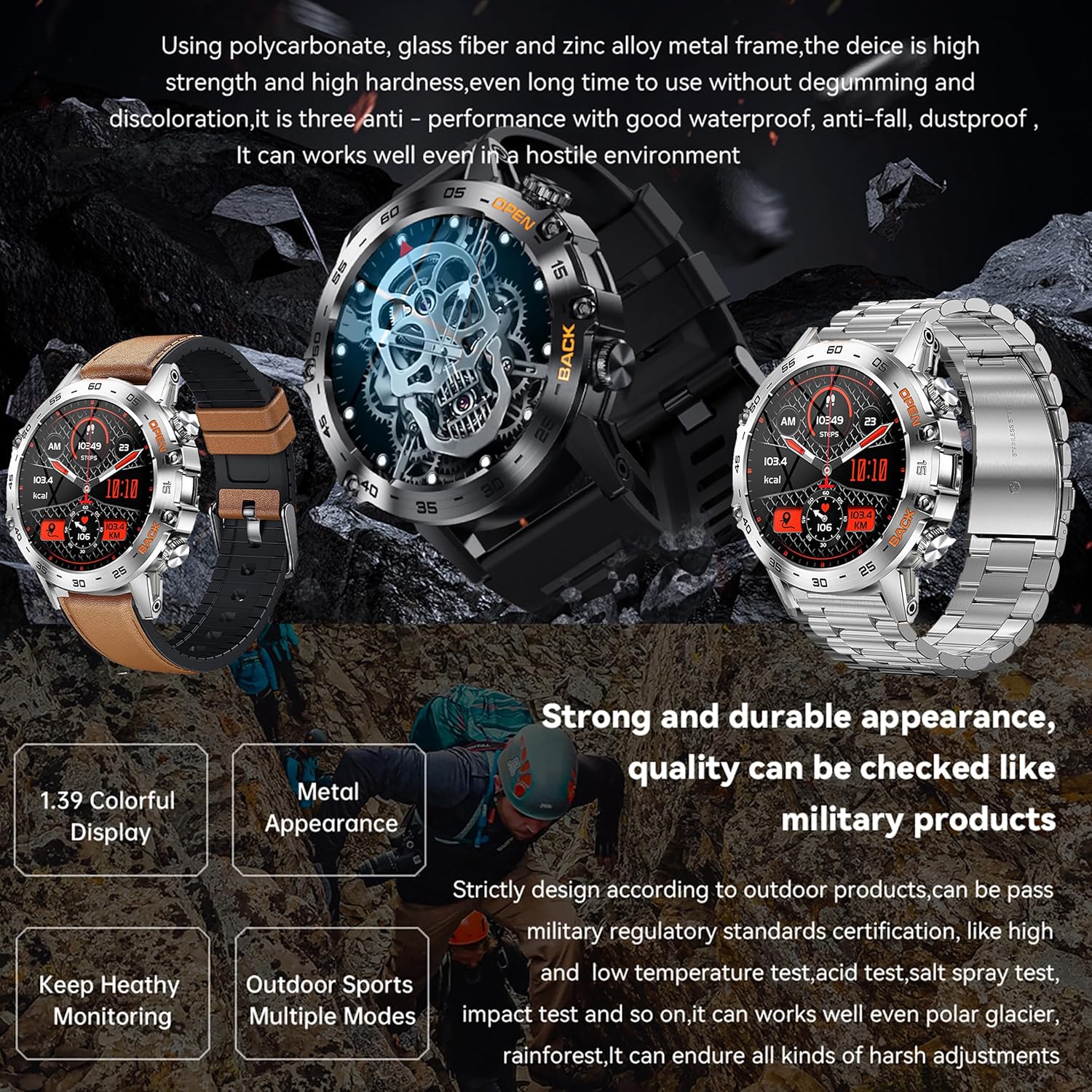
Image: A detailed view of the SGDDFIT Military Smart Watch, showcasing its robust design and the three included strap options: metal, brown leather, and black silicone. The image emphasizes the watch's durable construction.
6. Troubleshooting Guide
- Watch not turning on: Ensure the watch is fully charged. Connect it to the magnetic charger and wait a few minutes before attempting to power it on.
- Cannot connect to app/Bluetooth: Make sure Bluetooth is enabled on your phone and the watch. Restart both devices and try pairing again. Ensure the "FitCloudPro" app has necessary permissions.
- Inaccurate health data: Ensure the watch is worn snugly on your wrist, not too tight or too loose. Clean the sensor on the back of the watch. Avoid excessive movement during measurements.
- Short battery life: Reduce screen brightness, disable unnecessary notifications, and limit continuous heart rate monitoring if not needed. Ensure background app refresh is optimized on your phone.
- Notifications not appearing: Check app permissions on your phone to ensure "FitCloudPro" can access notifications. Verify that notifications are enabled within the "FitCloudPro" app settings for specific applications.
7. Product Specifications
| Feature | Specification |
|---|---|
| Model Number | K52 |
| Screen Size | 1.39 Inches |
| Display Resolution | 360x360 pixels |
| Battery Capacity | 400 mAh |
| Charging Time | Approx. 1.5 hours |
| Battery Life | Up to 10 days (typical use), 30 days (standby) |
| Water Resistance | 5ATM |
| Connectivity | Bluetooth 5.0 |
| Compatibility | Android 4.4+, iOS 8.0+ |
| Operating System | Proprietary (compatible with Android/iOS apps) |
| Sensors | Heart Rate, SpO2, Motion Sensor |
| Materials | Special composite materials, metal shell |

Image: A collage presenting various aspects of the smart watch, including customizable watch faces, a multi-icon interactive interface, and a section detailing product parameters such as dimensions, chipset, memory, and battery capacity.
8. Warranty and Support
8.1 Warranty Information
The SGDDFIT Military Smart Watch comes with a 24-month warranty covering manufacturing defects. Please retain your proof of purchase for warranty claims. This warranty does not cover damage caused by misuse, accidents, unauthorized repairs, or normal wear and tear.
8.2 Customer Support
For further assistance, troubleshooting, or warranty inquiries, please refer to the official user manual provided in the box or contact SGDDFIT customer support through the contact information available on the product packaging or official website.
You can also access the digital user guide here: SGDDFIT Smart Watch User Guide (PDF)
Ask a question about this manual
Ask about setup, troubleshooting, compatibility, parts, safety, or missing instructions. Manuals+ will review the question and use this page’s manual context to help answer it.