
1. Introduction
Thank you for choosing the OKP K7 Robot Vacuum Cleaner. This intelligent robotic vacuum is designed to simplify your home cleaning routine with its powerful suction, smart navigation, and convenient control options. The K7 is ideal for various floor types, including hard floors and carpets, and is particularly effective at picking up pet hair.
Key features include multiple cleaning modes, smart app and voice control compatibility, 2000Pa super suction, a long 120-minute runtime, and advanced FreeMove Technology 2.0 for obstacle avoidance and anti-drop protection.

The OKP K7 Robot Vacuum Cleaner, ready for smart home integration.
2. What's in the Box
Upon unpacking your OKP K7 Robot Vacuum Cleaner, please ensure all components are present:
- OKP K7 Robot Vacuum Cleaner
- Charging Base
- Power Adapter
- Remote Control (with battery)
- Side Brushes (set of 4)
- High-Efficiency Filter (Sponge)
- User Manual

All components included with your OKP K7 Robot Vacuum Cleaner.
3. Setup
3.1 Initial Charging
Before first use, fully charge the robot vacuum. Place the charging base against a wall in an open area, ensuring there are no obstacles within 1 meter (3 feet) to the front and 0.5 meters (1.5 feet) to the sides. Connect the power adapter to the charging base and plug it into a wall outlet. Place the robot vacuum onto the charging base, aligning its charging contacts. The indicator light will show charging status. A full charge typically takes 4-5 hours.
3.2 App Installation and Pairing
Download the 'OKP Life' app from your smartphone's app store (iOS or Android). Follow the in-app instructions to create an account and add your K7 robot vacuum. This will enable remote control, scheduling, and mode selection.
3.3 Placement Guidelines
Ensure the cleaning area is free of excessive clutter, loose cables, or small objects that could obstruct the vacuum's path. The K7 is equipped with upgraded 6D built-in anti-collision infrared sensors and anti-drop sensors to navigate your home safely and protect furniture.
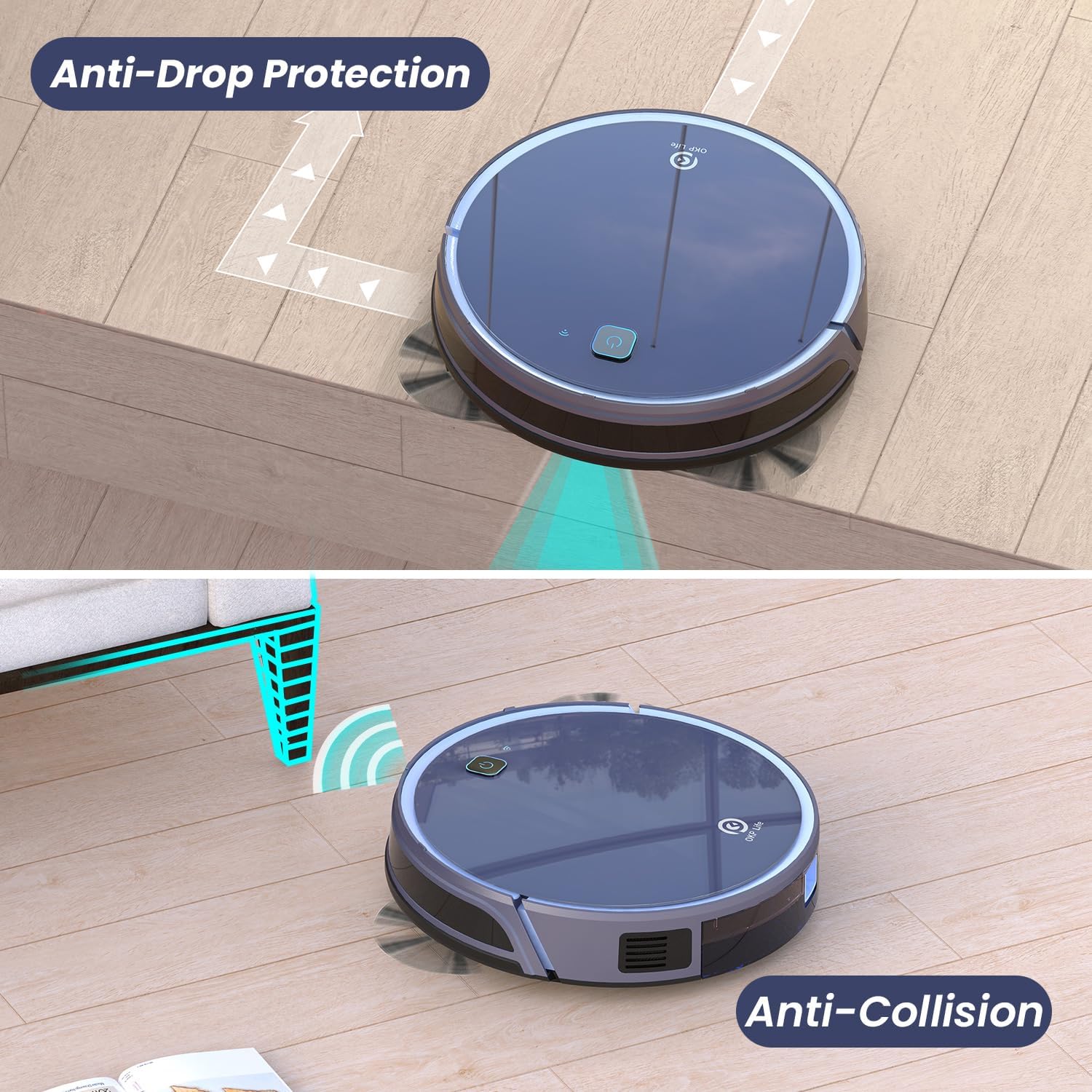
The K7's anti-drop and anti-collision features ensure safe and efficient cleaning.
4. Operating the Robot Vacuum
4.1 Multiple Cleaning Modes
The K7 Smart vacuum robot supports four distinct cleaning modes:
- Auto Clean: The robot intelligently navigates to clean the entire area.
- Random Clean: Cleans in a random pattern, suitable for smaller, less structured areas.
- Along-edge Clean: Focuses on cleaning along walls and furniture edges.
- Spot Clean: Concentrates on a specific dirty area, cleaning in a spiral pattern.
You can also manually control the cleaning direction using the remote control or the app.
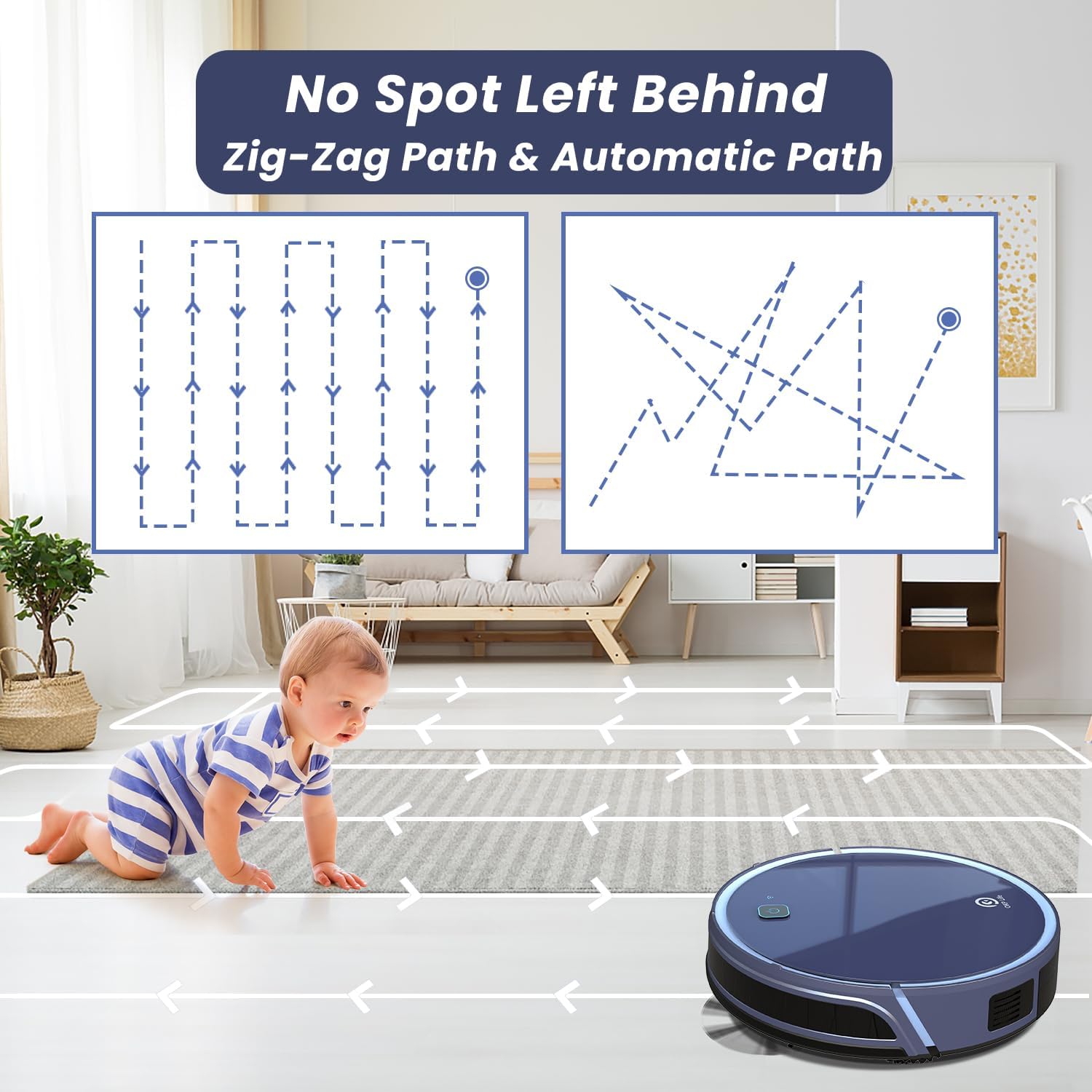
The K7 utilizes efficient cleaning paths to ensure no spot is left behind.
4.2 Smart App & Remote Control
The OKP Life app allows you to remotely control the robot vacuum from anywhere. You can start/stop cleaning, change cleaning modes, adjust suction power, create cleaning schedules, and view the cleaning track. A physical remote control is also included for direct operation.
4.3 Voice Control
The K7 robot vacuum can be controlled through voice commands using Alexa and Google Assistant. Simply link your OKP Life account to your smart home assistant to start and stop cleaning with your voice.
Official product video demonstrating the OKP K7 Robot Vacuum's features, including remote and voice control, powerful suction, and smart navigation.
4.4 Super Suction Power
The robot vacuum offers 3 levels of adjustable suction power to suit various cleaning needs. With a maximum suction power of 2000Pa, it is highly effective for cleaning hard floors and carpets, efficiently picking up dust, debris, and pet hair.

The K7 effectively sweeps corners and along walls for thorough cleaning.
4.5 Long Runtime and Self-charging
The K7 robotic vacuum cleaner can run for up to 120 minutes on a full charge, sufficient for daily cleaning of most homes. When the battery runs low, the robot automatically returns to its charging base to recharge, ensuring it's always ready for the next cleaning cycle.

Enjoy extended cleaning sessions with the K7's long-lasting battery.
5. Maintenance
Regular maintenance ensures optimal performance and extends the lifespan of your robot vacuum.
5.1 Dustbin Emptying
The K7 features a 600ml visual large capacity dust box. It is recommended to empty the dustbin after each cleaning cycle, especially if you have pets or clean frequently.
5.2 Filter Cleaning and Replacement
The included sponge filter should be cleaned regularly to maintain suction power. Tap off loose debris or use a small brush. Replace the filter every 3-6 months, depending on usage, to ensure efficient filtration.
5.3 Brush Cleaning
Periodically check and clean the side brushes and the main roller brush (if applicable) to remove tangled hair or debris. This prevents reduced cleaning efficiency and potential damage to the brushes.
6. Troubleshooting
If your OKP K7 Robot Vacuum Cleaner encounters an issue, refer to the following common solutions:
- Robot not charging: Ensure the charging base is powered on and the robot's charging contacts are properly aligned with the base. Clean the charging contacts on both the robot and the base.
- Reduced suction power: Empty the dustbin and clean or replace the filter. Check for any blockages in the suction inlet or brushes.
- Robot getting stuck frequently: Clear obstacles from the cleaning path. Ensure the robot is not attempting to climb over excessively high thresholds or thick carpets.
- App connectivity issues: Ensure your Wi-Fi network is 2.4GHz. Restart your router, smartphone, and the robot vacuum. Re-pair the device if necessary.
- Unusual noises: Check the main brush and side brushes for tangled hair or debris. Ensure all components are properly installed.
For persistent issues, please consult the detailed troubleshooting section in the full manual or contact OKP customer support.
7. Specifications
| Feature | Specification |
|---|---|
| Brand | OKP |
| Model Name | K-7N2418 |
| Special Feature | Motorized Brush Roll |
| Color | Blue |
| Product Dimensions | 19"L x 14"W x 4"H |
| Included Components | Filter |
| Filter Type | Sponge |
| Battery Life | 120 Hours (Runtime: 120 minutes) |
| Voltage | 19.6 Volts |
| Capacity | 600 Milliliters (Dustbin) |
| Power Source | Battery Powered |
| Are Batteries Included | No (for remote, 1 Lithium Ion battery required for robot) |
| Control Method | App, Remote |
| Compatible Devices | Smartphones, Amazon Echo, Tablets, Google Home |
| Form Factor | Robotic |
| UPC | 780627998279 |
| Item Weight | 9.5 pounds |
| Manufacturer | OKP |
| ASIN | B0CRQWSQTF |
| Item model number | K-7N2418 |
| Date First Available | January 8, 2024 |
8. Warranty and Support
The OKP K7 Robot Vacuum Cleaner comes with a standard manufacturer's warranty. Please refer to the warranty card included in your packaging for specific terms and conditions. For technical support, troubleshooting assistance, or warranty claims, please contact OKP customer service through the contact information provided in your product documentation or on the official OKP website.


