
1. Introduction
Thank you for choosing the XIBANY P9 LCD Display Dashboard Meter. This manual provides detailed instructions for the proper installation, operation, and maintenance of your new electric scooter display. Please read this manual thoroughly before use to ensure optimal performance and longevity of the product.
2. Product Features
- Equipped with a left-side LCD instrument for comprehensive data display.
- Full-featured design with IP65 waterproof and dustproof rating.
- Displays battery indicator, headlight control status, boost function, boost gear, and current speed.
- Tracks subtotal mileage and total mileage.
- Shows running time and supports metric unit conversion.
- Includes fault prompt functionality for diagnostics.
- Small size LCD instrument with complete functions.
- UART communication method.
- Adaptive voltage: 24V, 36V, 48V, 60V.
- Designed for 22.2mm handlebar size.
3. Setup and Installation
The XIBANY P9 LCD Display is designed for easy installation as a direct replacement for damaged or broken parts. Professional installation is recommended if you are unfamiliar with electrical connections.
- Preparation: Ensure your electric scooter's power is completely off before beginning installation. Gather necessary tools, which may include screwdrivers and wire cutters/strippers.
- Mounting: Securely attach the P9 LCD Display to your scooter's handlebar. The display is designed for a 22.2mm handlebar diameter. Ensure it is positioned for clear visibility during operation.
- Wiring Connection: Connect the 5-PIN connector from the P9 LCD Display to the corresponding port on your electric scooter's controller or wiring harness. Ensure the connection is firm and secure. This display is compatible with 24V, 36V, 48V, and 60V systems.
- Cable Management: Route the cables neatly and secure them to prevent interference with moving parts or accidental damage.
- Initial Power-On: After installation, turn on your scooter's power. The LCD display should illuminate and show initial readings. If it does not, recheck all connections.
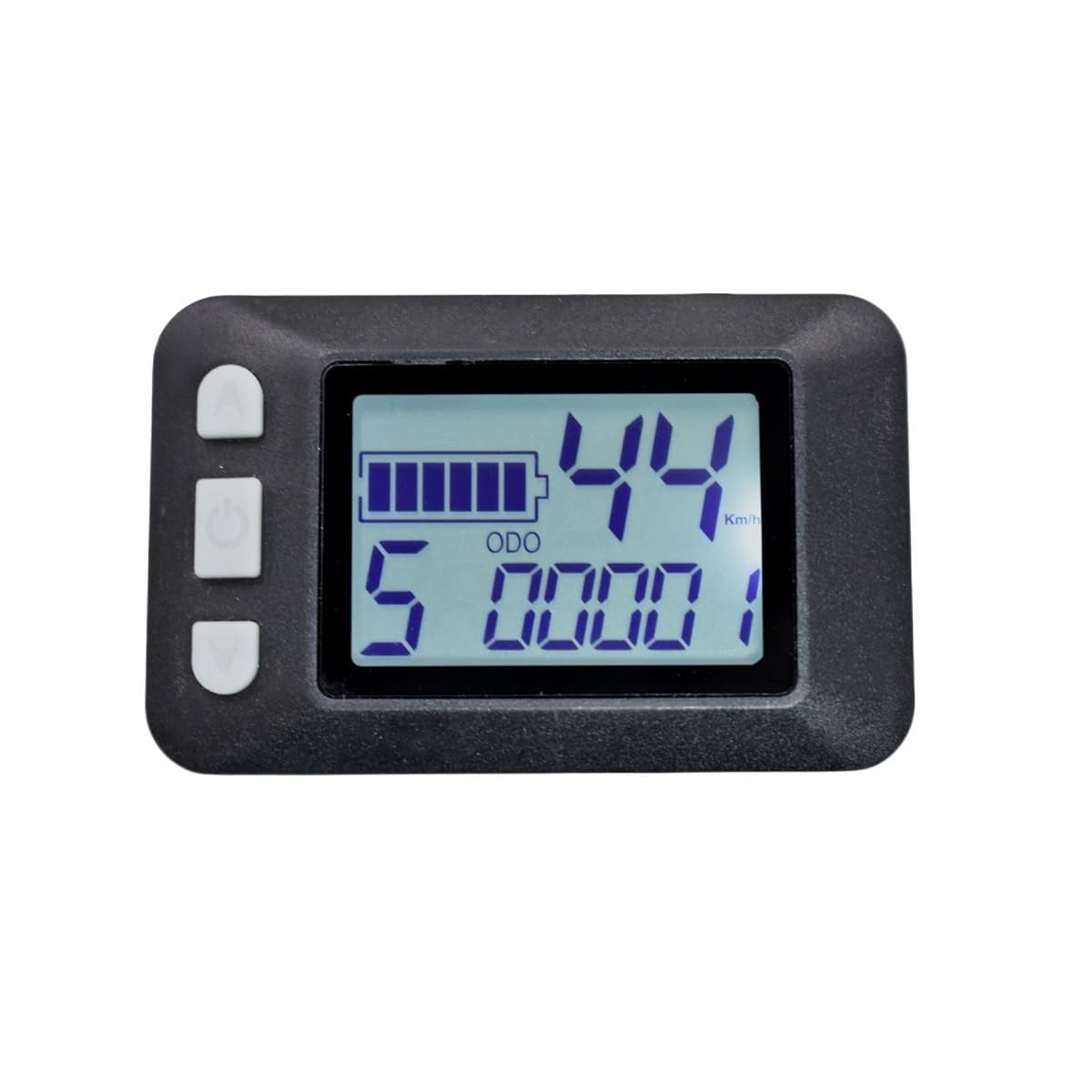
Image 1: The XIBANY P9 LCD Display Dashboard Meter, showing its compact design and 5-PIN connector. This image illustrates the general appearance of the display unit.
4. Operating Instructions
Once installed and powered on, the P9 LCD Display provides various functions to enhance your riding experience. Specific button functions may vary slightly based on your scooter's controller, but the core display information remains consistent.
- Power On/Off: Typically, the display powers on with the scooter's main power switch. A dedicated power button on the display (if present) can turn the display on/off independently or put it into standby mode.
- Battery Indicator: The display shows the current battery charge level, usually through a graphic icon or percentage. Monitor this to avoid running out of power unexpectedly.
- Speed Display: Your current riding speed is shown in real-time.
- Mileage Display:
- Subtotal Mileage: Resettable trip distance for a single ride.
- Total Mileage: Accumulative distance traveled by the scooter.
- Headlight Control: If integrated, a button on the display or scooter controls the headlights. The display will indicate if the headlights are on.
- Boost Function/Gear: This feature provides an extra surge of power. The display will show the current boost gear or if the boost function is active.
- Running Time: Displays the duration of your current ride or total operating time.
- Metric Conversion: Allows switching between metric (km/h, km) and imperial (mph, miles) units for speed and distance. Refer to your scooter's specific controller manual for how to access this setting.
- Fault Prompt: In case of a system error or malfunction, the display may show an error code or symbol. Consult the troubleshooting section or your scooter's main manual for interpreting these codes.
5. Maintenance
Proper maintenance ensures the longevity and reliable performance of your P9 LCD Display.
- Cleaning: Use a soft, damp cloth to gently wipe the display screen. Avoid abrasive cleaners, solvents, or excessive moisture, as these can damage the screen or internal components.
- Protection: While the display is IP65 rated for water and dust resistance, avoid submerging it in water or exposing it to high-pressure water jets.
- Connections: Periodically check the 5-PIN connector and other wiring for any signs of wear, corrosion, or looseness. Ensure all connections are secure.
- Storage: When not in use for extended periods, store the scooter and display in a dry, cool place away from direct sunlight and extreme temperatures.
6. Troubleshooting
If you encounter issues with your P9 LCD Display, refer to the following common troubleshooting steps:
- Display Not Turning On:
- Check if the scooter's main power is on.
- Verify that the 5-PIN connector is securely plugged in.
- Ensure the scooter's battery has sufficient charge.
- Incorrect Speed/Mileage Readings:
- This could be related to the scooter's wheel size setting in the controller. Consult your scooter's main manual for calibration instructions.
- Check for any loose sensor connections if applicable to your scooter model.
- Fault Code Displayed:
- Note down the specific fault code.
- Refer to your electric scooter's main user manual for a list of error codes and their meanings.
- If the issue persists, contact customer support.
- Buttons Not Responding:
- Ensure the display is not in a locked mode (if applicable).
- Check for any physical obstruction or damage to the buttons.
7. Specifications
| Model | P9 LCD Display |
| Brand | XIBANY |
| Communication Method | UART |
| Adaptive Voltage | 24V / 36V / 48V / 60V |
| Applicable Handlebar Size | 22.2 mm |
| Connector Type | 5-PIN |
| Dimensions (L x W x H) | 63.0 x 40.0 x 12.8 mm (approx. 2.48 x 1.57 x 0.50 inches) |
| Item Weight | 50 Grams (approx. 1.76 ounces) |
| Waterproof/Dustproof Rating | IP65 |
8. Warranty and Support
The XIBANY P9 LCD Display is manufactured with high-quality materials and undergoes strict quality control. While specific warranty details are not provided in this manual, XIBANY products are generally guaranteed against manufacturing defects. For warranty claims, technical support, or further assistance, please contact the retailer where you purchased the product or visit the official XIBANY website for customer service contact information.
Please retain your proof of purchase for any warranty-related inquiries.