
1. Product Overview
The Med-Pat D800B is a single-line analog deskset telephone designed for reliable communication in various environments, including home and office settings. It features a user-friendly interface and advanced audio capabilities to ensure clear voice transmission and reception.
Key Features:
- CLEARING AID Circuitry: Automatically adjusts frequency response to support individuals with high-frequency hearing loss.
- Adjustable Volume Control: Allows personalization of listening experience.
- Super Bright Ring Indicator: A flashing light alerts users to incoming calls.
- Heavy-Duty, Non-Slip Base: Provides stability and durability.
- Hearing Aid Compatible: Designed for use with hearing aids.
- Wall-Mountable: Offers flexible placement options.
- Easy-to-Use Dial Pad: Large, clear buttons for simple dialing.

Image 1: Key features of the Med-Pat D800B telephone, highlighting its audio enhancements and user-friendly design.
2. Setup Instructions
2.1 Package Contents
Before proceeding, ensure all components are present:
- Med-Pat D800B Telephone Unit
- Handset
- Coiled Handset Cord (11 feet)
- Line Cord (14 feet)
2.2 Connecting the Telephone
- Connect the Handset: Plug one end of the coiled handset cord into the jack on the side of the telephone base and the other end into the jack on the handset.
- Connect the Line Cord: Plug one end of the line cord into the "LINE" jack on the back of the telephone base. Plug the other end into a standard analog telephone wall jack.
- Verify Connection: Lift the handset and listen for a dial tone. If no dial tone is present, recheck all connections.
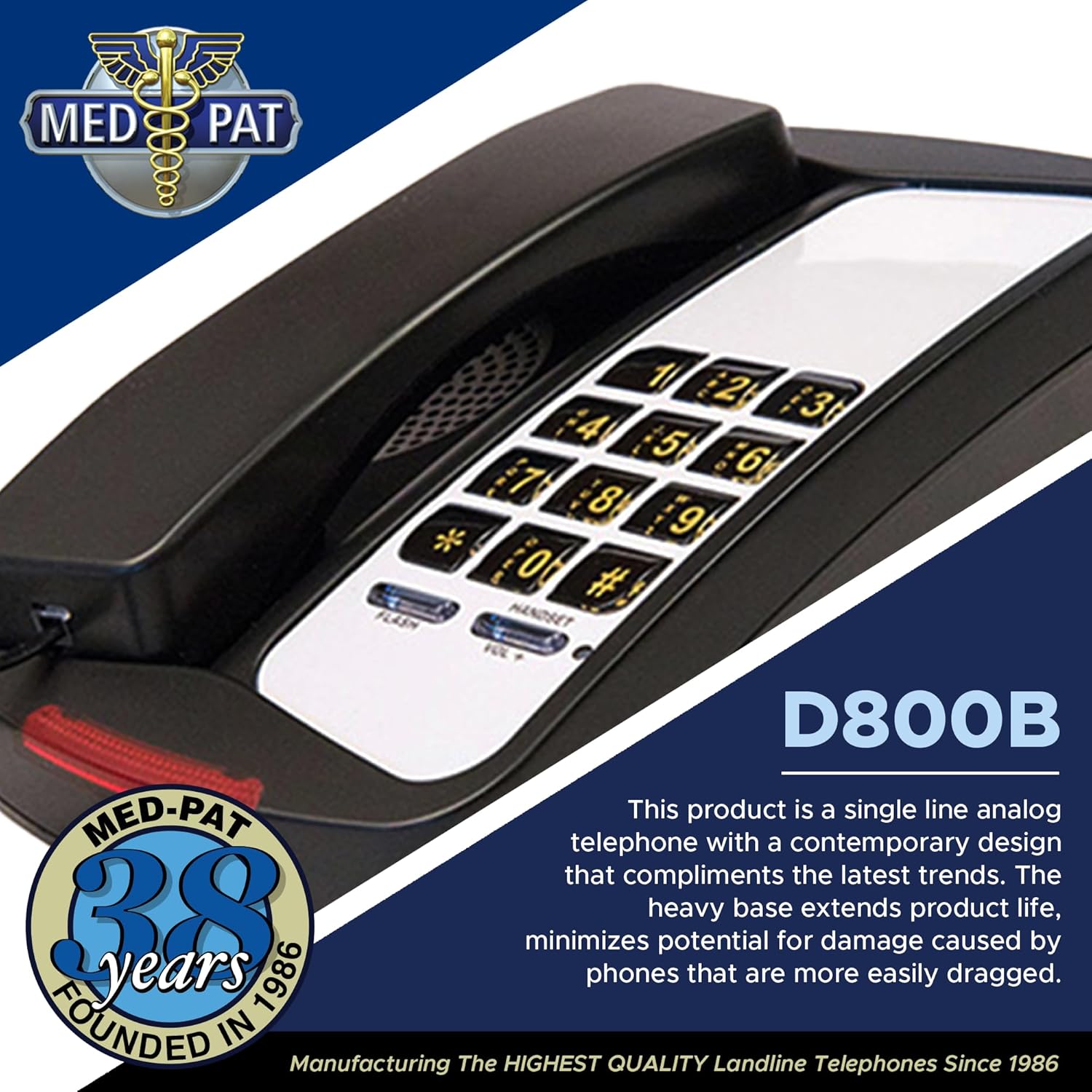
Image 2: The Med-Pat D800B telephone, illustrating the main unit where cords are connected.
2.3 Wall Mounting (Optional)
The D800B telephone can be mounted on a wall. Use the integrated wall-mount holes on the base of the telephone to secure it to a standard wall plate or appropriate mounting hardware (not included).
3. Operating Instructions
3.1 Making a Call
- Lift the handset.
- Listen for a dial tone.
- Dial the desired telephone number using the keypad.
- Once the call is complete, place the handset back on the cradle to hang up.
3.2 Receiving a Call
When an incoming call is received, the telephone will ring, and the Super Bright Ring Light Indicator will flash.
- Lift the handset to answer the call.
- Once the call is complete, place the handset back on the cradle to hang up.
3.3 Adjusting Handset Volume
The handset features an adjustable volume control. During a call, slide the volume control switch (typically located on the side or bottom of the handset) to increase or decrease the listening volume to a comfortable level.
3.4 Flash Function
Press the FLASH button to initiate a call waiting or transfer function, if supported by your telephone service provider.
4. Maintenance
4.1 Cleaning
- Disconnect the telephone from the wall jack before cleaning.
- Wipe the telephone's plastic surfaces with a soft, damp cloth.
- Do not use abrasive cleaners, waxes, or solvents, as these can damage the finish.
- Avoid getting moisture into any openings.
4.2 General Care
- Avoid dropping the telephone or subjecting it to strong impacts.
- Keep the telephone away from excessive heat, direct sunlight, and moisture.
- Ensure cords are not tangled or pinched to prevent damage.
5. Troubleshooting
If you experience issues with your Med-Pat D800B telephone, try the following steps:
5.1 No Dial Tone
- Ensure the line cord is securely plugged into both the telephone base and the wall jack.
- Test the wall jack with another working telephone, if available, to confirm the line is active.
- Check if the handset cord is properly connected to both the handset and the telephone base.
5.2 Cannot Hear or Be Heard
- Adjust the handset volume control.
- Ensure the handset cord is fully inserted.
- If using a hearing aid, ensure it is compatible and properly adjusted.
5.3 Telephone Does Not Ring
- Verify that the telephone line is active and receiving calls.
- Ensure the telephone is properly connected to the wall jack.
If these steps do not resolve the issue, contact your telephone service provider or Med-Pat customer support.
6. Specifications
| Model | D800B |
| Brand | Med-Pat |
| Colour | Black |
| Telephone Type | Corded, Single-Line Analog Deskset |
| Material | Plastic |
| Power Source | Corded Electric |
| Dialer Type | Single Keypad |
| Compatible Devices | PSTN, Analog Telephone Lines |
| Caller ID | Yes (Functionality depends on service provider) |
| Handset Cord Length | 11 feet |
| Line Cord Length | 14 feet |
| Product Dimensions (L x W x H) | 21.6 x 12.7 x 10.2 cm (8.5 x 5 x 4 inches) |
| Item Weight | 1.59 kg (3.5 lbs) |
| UPC / GTIN | 850059294208 |
Note: "Answering system type: Digital" was listed in product specifications but is typically not a feature of basic analog deskset phones. Please refer to your service provider for answering machine services.
7. Warranty and Support
7.1 Warranty Information
Specific warranty details for the Med-Pat D800B telephone are not provided in this manual. For information regarding warranty coverage, duration, and terms, please refer to the documentation included with your purchase or contact the retailer or Med-Pat directly.
7.2 Customer Support
For technical assistance, troubleshooting beyond this guide, or inquiries about your Med-Pat D800B telephone, please contact Med-Pat customer support. Contact information can typically be found on the manufacturer's official website or on the product packaging.
You may also visit the Med-Pat Store on Amazon for additional product information.