
CoverON D206-FBA-MIXCARRIER-PV170-BK
CoverON Vertical Leather Pouch Belt Clip Holster User Manual
Model: D206-FBA-MIXCARRIER-PV170-BK
Introduction
This manual provides instructions for the proper use and maintenance of your CoverON Vertical Leather Pouch Belt Clip Holster. This holster is designed to securely carry your smartphone, even with a protective case attached, offering convenient access and protection.

Image: Front and back view of the CoverON Vertical Leather Pouch Belt Clip Holster, showcasing its design and the heavy-duty belt clip.
Setup
The CoverON holster features a robust steel belt clip for secure attachment to your belt or waistband.
- Identify the Belt Clip: Locate the heavy-duty steel clip on the back of the holster.
- Attach to Belt: Slide the belt clip over your belt or waistband. Ensure the clip is fully engaged with the belt for maximum security. The holster is designed for vertical orientation on your belt.
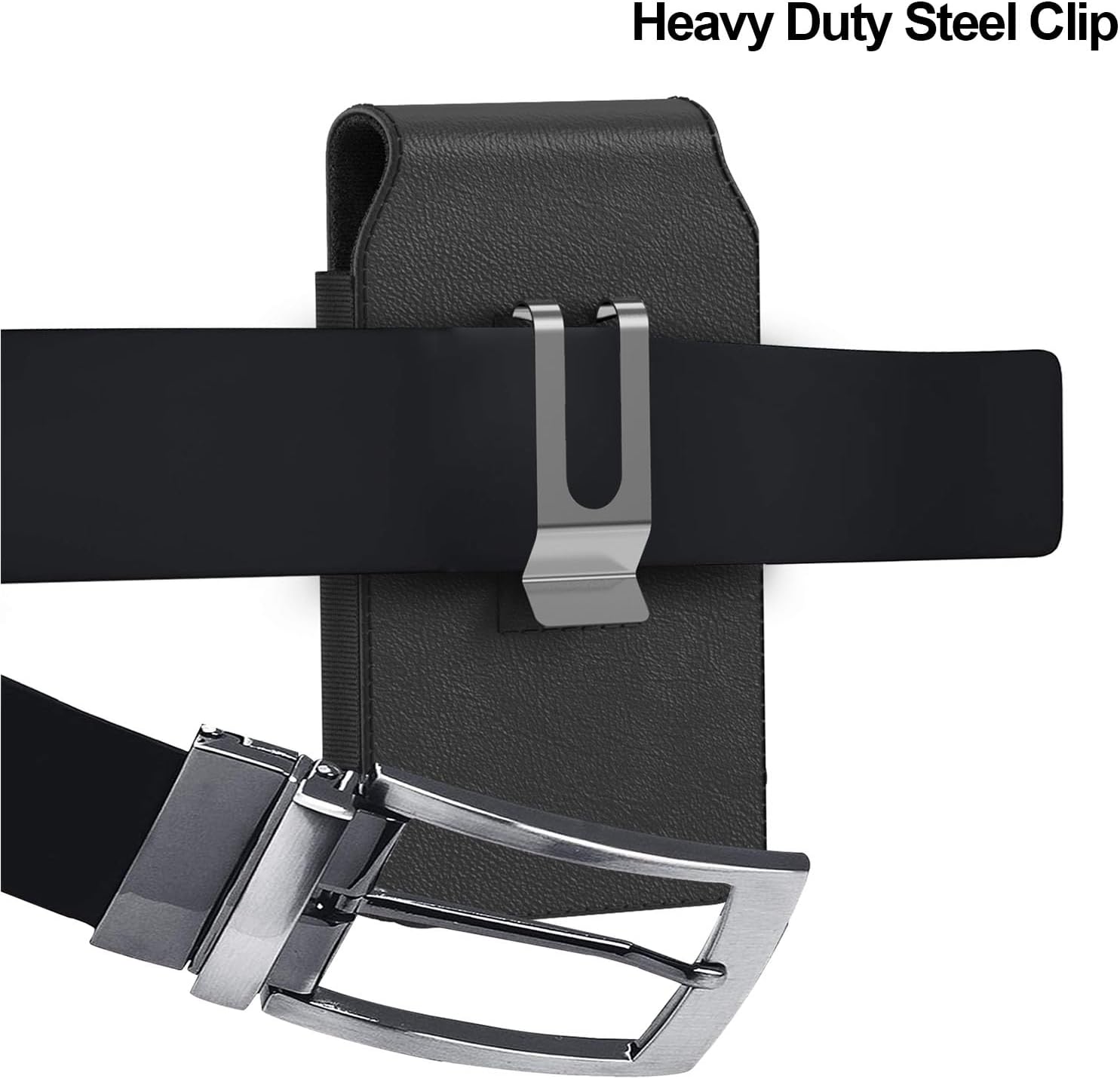
Image: The CoverON holster securely attached to a belt, demonstrating the heavy-duty steel clip in use.
Operating Instructions
This holster is specifically designed to accommodate smartphones with a protective case already on. It may be loose if used without a case.
- Inserting Your Phone: Gently slide your smartphone, with its protective case, into the pouch opening. The soft inner lining protects your device from scratches.
- Securing the Flap: Close the top flap of the pouch. The magnetic closure will automatically engage, keeping your phone securely inside.
- Removing Your Phone: To access your phone, lift the magnetic flap. The bottom cutting design allows for easy retrieval of your device.

Image: The CoverON holster positioned next to a smartphone with a case, illustrating that the holster is designed to fit phones with their cases on.

Image: An internal view diagram of the holster highlighting its key features: the magnetic closure, soft inner lining, and smooth faux leather material.
Maintenance
Proper care will extend the life of your CoverON holster.
- Cleaning: Wipe the exterior with a soft, damp cloth. Avoid using harsh chemicals or abrasive cleaners, as these can damage the faux leather material.
- Drying: Allow the holster to air dry completely if it becomes wet. Do not use direct heat sources like hair dryers.
- Storage: Store the holster in a cool, dry place away from direct sunlight when not in use.
Troubleshooting
- Phone feels loose in the holster: This holster is designed to fit smartphones with a protective case on. If your phone is inserted without a case, it may fit loosely. Ensure your phone has a case for a snug fit.
- Holster not staying securely on belt: Ensure the heavy-duty steel clip is fully engaged with your belt. The clip should be positioned firmly over the belt material.
- Magnetic flap not closing properly: Check for any obstructions preventing the flap from fully closing. Ensure the phone is inserted correctly and not protruding.
Specifications
| Product Dimensions | 7.2" x 3.25" x 0.8" (Length x Width x Thickness) |
| Item Weight | 6 ounces |
| Material | Faux Leather |
| Color | Black |
| Fastener Type | Magnetic |
| Special Features | Holster, Magnetic Closure, Easy access, Heavy Duty Belt Clip |
| Compatible Phone Models | Boost Summit 5G, Cricket Outlast 5G, Cricket Icon 6, Cricket Magic 2 5G, ATT Motivate Pro 5G, ATT Propel 2 5G, Boost Celero5G 2024, Tinno Celero3, T-Mobile Revvl 6x 5G, T-Mobile Revvl 6 5G, AT&T Jetmore, AT&T Propel 5G, AT&T Motivate 4, AT&T Motivate 3, AT&T Motivate 2, AT&T Mastro 3, Cricket Outlast, Cricket Magic 5G, Cricket Innovate E 5G, Cricket Icon 5, Cricket Icon 4, Cricket Icon 3 / Splendor, Boost Mobile Celero 5G |
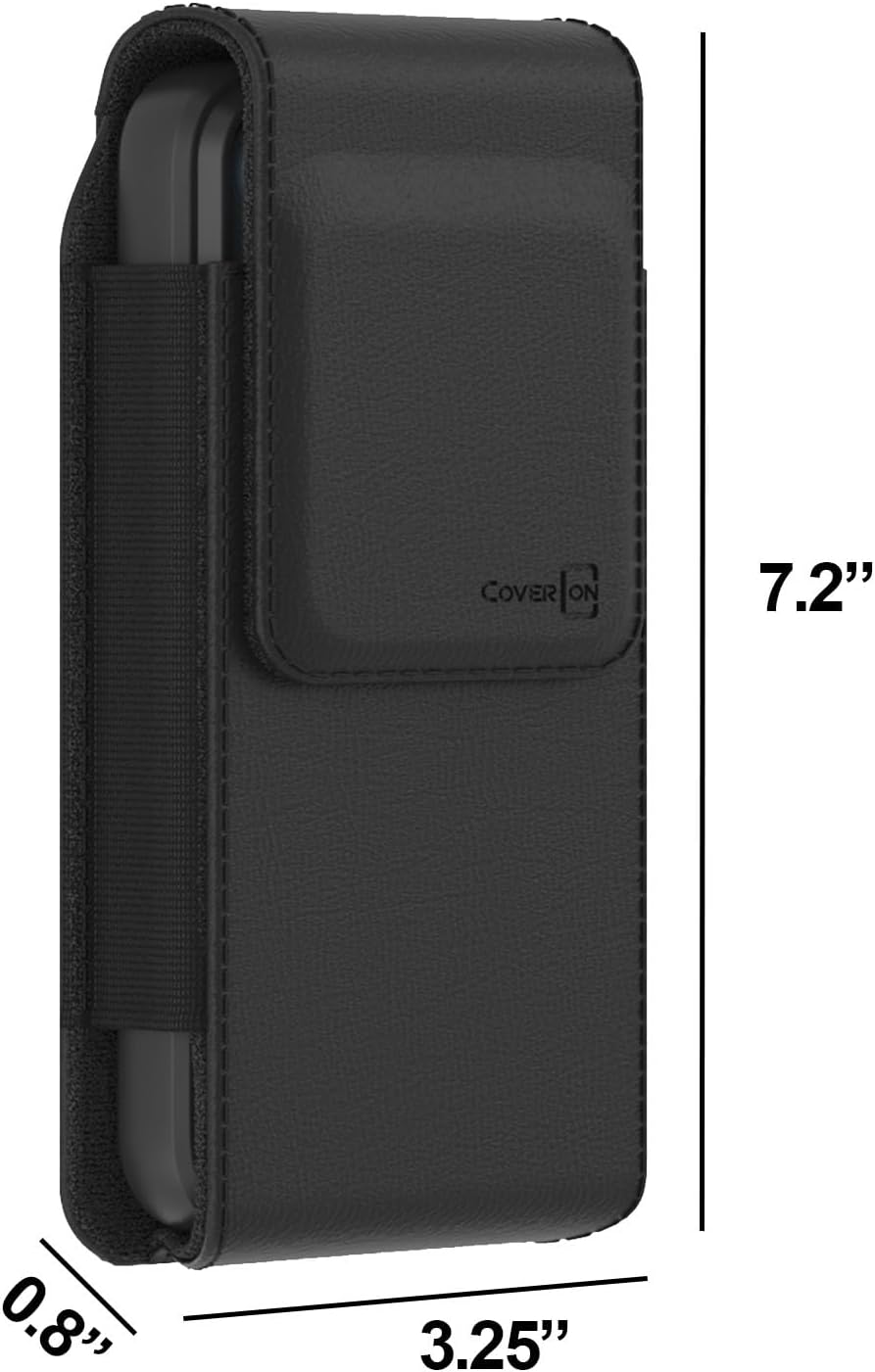
Image: Visual representation of the CoverON holster's dimensions: 7.2 inches in length, 3.25 inches in width, and 0.8 inches in thickness.
Warranty and Support
For warranty information or technical support regarding your CoverON holster, please contact the manufacturer directly through their official website or the retailer from whom you purchased the product. Please refer to your purchase documentation for specific contact details.
Ask a question about this manual
Ask about setup, troubleshooting, compatibility, parts, safety, or missing instructions. Manuals+ will review the question and use this page’s manual context to help answer it.