
Introduction
This manual provides detailed instructions for the setup, operation, and maintenance of your ToiCottage JR1922RXS 12V Remote Control and Controller Kit. Please read this manual thoroughly before use to ensure proper function and safety.
Important Safety Warnings
- WARNING! Not for children under 3 years. Small parts. Choking hazard.
- Load two AAA (1.5V) batteries according to the diagram.
- Non-rechargeable batteries are not to be recharged.
- Different types of batteries or new and used batteries are not to be mixed.
- Batteries are to be inserted with the correct polarity.
- Exhausted batteries are to be removed from the toy.
- The supply terminals are not to be short-circuited.
- The packaging must be retained since it contains important information.
Product Components
The ToiCottage JR1922RXS kit includes a 12V motor controller box and a wireless remote control unit.
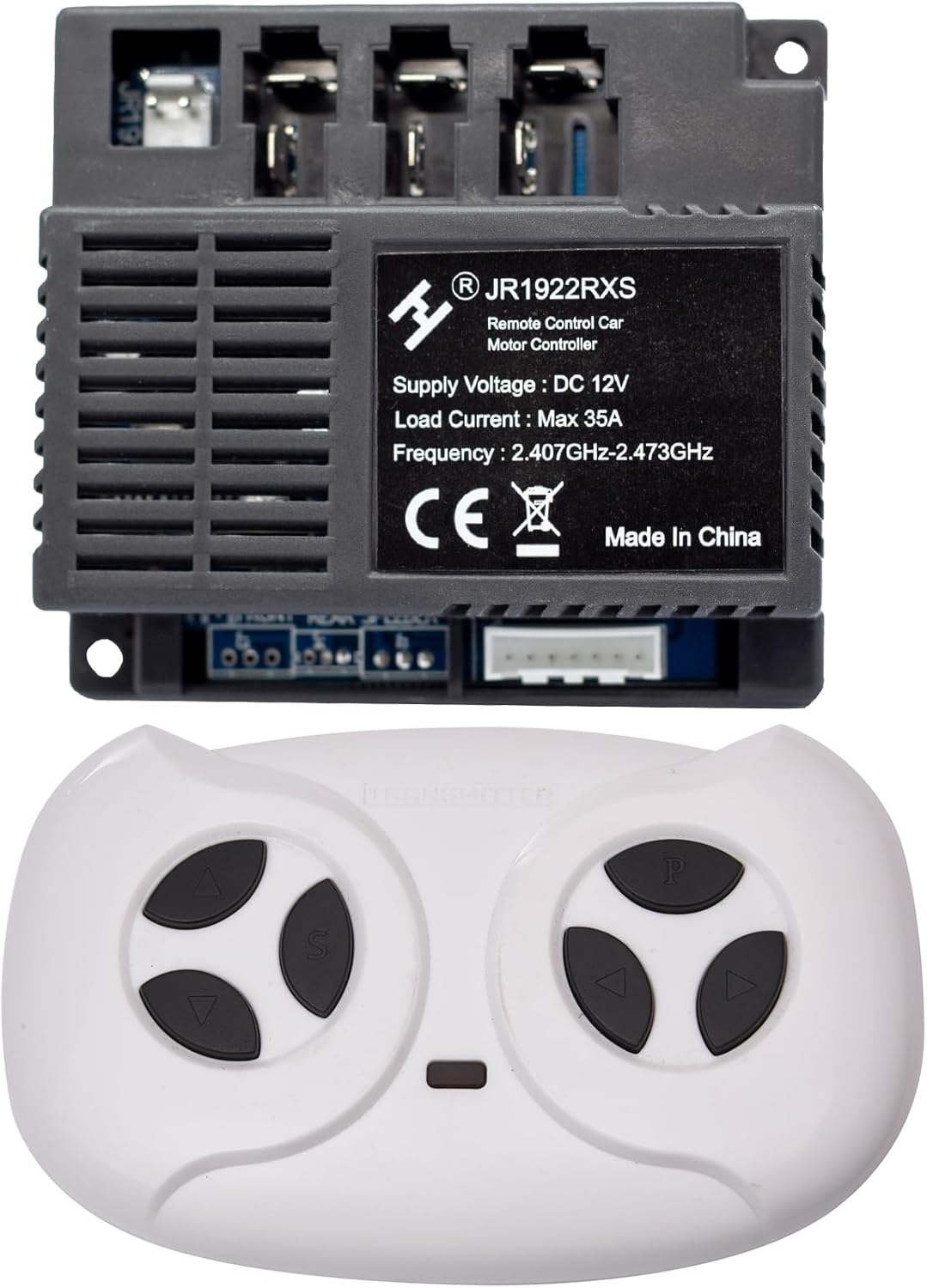
Image: The JR1922RXS 12V motor controller box and its accompanying wireless remote control unit.

Image: A close-up view of the JR1922RXS 12V motor controller box, showing its label with specifications and connection ports.

Image: A close-up view of the white JR1922RXS remote control unit, featuring its control buttons.
Setup
1. Remote Control Battery Installation
The remote control requires two AAA (1.5V) batteries. Follow these steps:
- Locate the battery compartment on the back of the remote control.
- Use a screwdriver to loosen the screw securing the battery cover.
- Insert two AAA (1.5V) batteries, ensuring correct polarity (+/-).
- Replace the battery cover and tighten the screw.

Image: Diagram illustrating how to loosen the screw and insert two AAA (1.5V) batteries into the remote control unit.
2. Control Box Connection
Connect the JR1922RXS control box to your children's electric ride-on car's wiring harness. Ensure all connections are secure and match the existing wiring configuration of your vehicle. Refer to your vehicle's original wiring diagram for specific connection points for motors, power, and other accessories.
Operating Instructions
1. Remote Control Pairing
For first-time use or if the remote control loses connection, follow these steps to pair it with the control box:
- Ensure the electric ride-on car is powered off.
- Turn on the electric ride-on car.
- Within a few seconds of powering on the car, press and hold the pairing button on the remote control (often indicated by a small 'P' or a pairing symbol).
- Hold the button until an indicator light on the remote or car confirms successful pairing (e.g., a light stops flashing or a sound is heard).
- Test the remote control functions to ensure proper operation.
2. Remote Control Functions
The remote control provides various functions for operating the electric ride-on car:
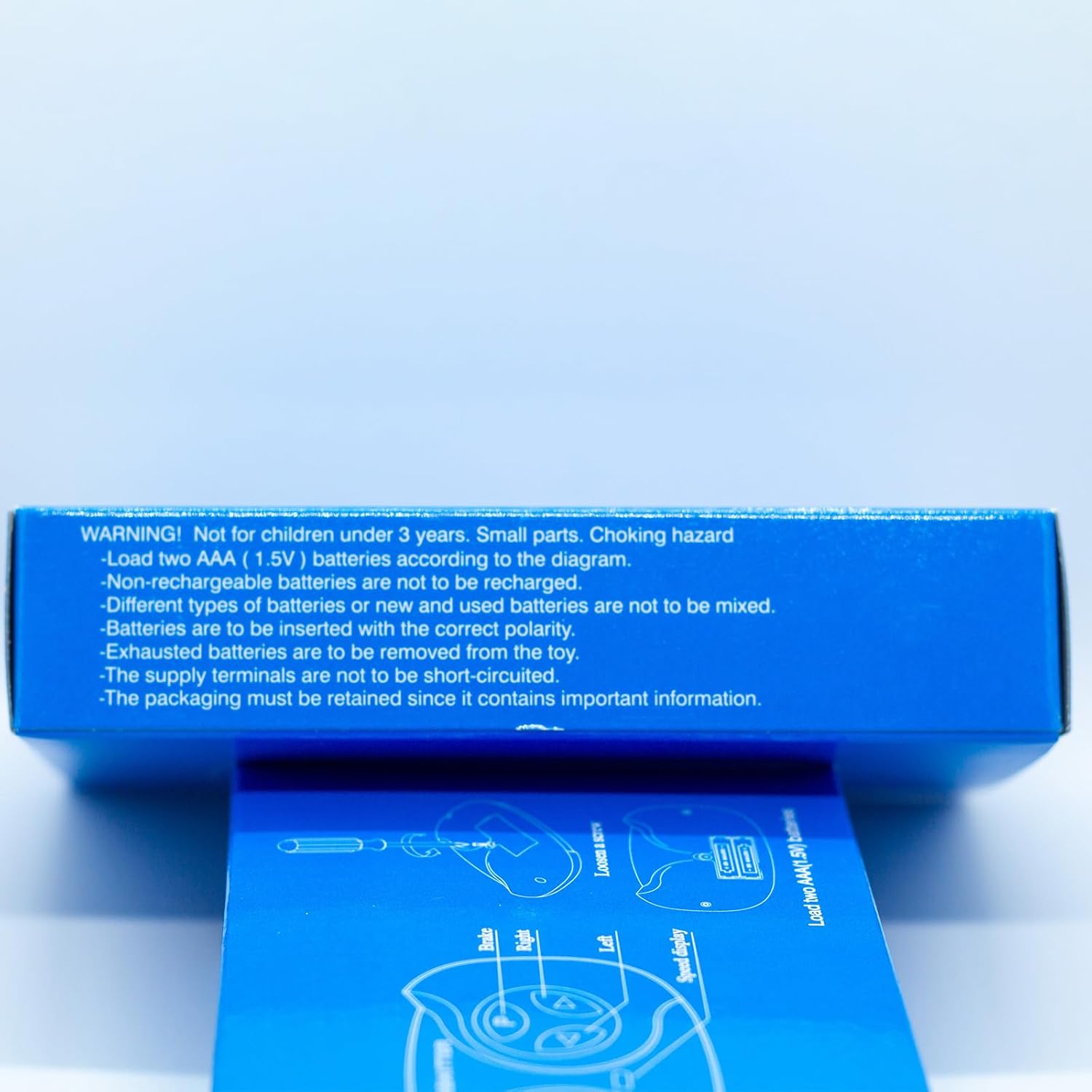
Image: Diagram illustrating the functions of each button on the remote control: Forward, Speed, Back, Brake, Right, Left, and Speed Display.
- Forward: Moves the vehicle forward.
- Back: Moves the vehicle backward.
- Speed: Adjusts the speed setting (e.g., low, medium, high).
- Brake: Activates the vehicle's braking system.
- Right: Steers the vehicle to the right.
- Left: Steers the vehicle to the left.
- Speed Display: Indicates the current speed setting.
Maintenance
- Regularly check the remote control batteries and replace them when power is low to ensure consistent performance.
- Keep the control box and remote control clean and dry. Avoid exposure to moisture or extreme temperatures.
- Ensure all wiring connections to the control box remain secure.
Troubleshooting
- Remote not responding: Check battery levels in the remote control. Ensure the remote is properly paired with the control box as per the 'Remote Control Pairing' instructions.
- Intermittent control: Verify that there are no obstructions between the remote and the vehicle. Ensure the control box connections are secure.
- Vehicle not moving: Confirm the vehicle's main power is on. Check all wiring connections to the control box and motors.
Specifications
| Feature | Specification |
|---|---|
| Model | JR1922RXS |
| Supply Voltage | DC 12V |
| Load Current | Max 35A |
| Frequency | 2.407GHz-2.473GHz |
| Origin | Made in China |
| Feature | Specification |
|---|---|
| Model | JR1602FCC |
| FCC ID | 2AWOBJR1602 |

Image: The back of the remote control showing the FCC compliance statement and model information.
This device complies with part 15 of the FCC Rules. Operation is subject to the following two conditions: (1) This device may not cause harmful interference, and (2) this device must accept any interference received, including interference that may cause undesired operation.
Support
For any issues or questions regarding your ToiCottage JR1922RXS kit, please feel free to reach out to us through Amazon. Our reliable after-sales support team is available to assist you.