
1. Introduction
This manual provides detailed instructions for the safe and effective operation of your Huepar Pro ZK04CG Laser Level. Designed for high accuracy and durability, this 4D green cross line laser tool is ideal for professional builders, decorators, site surveyors, and DIY users. Please read thoroughly before use to ensure optimal performance and safety.

Figure 1: Huepar Pro ZK04CG Laser Level with its comprehensive kit.
2. What's Included
Your Huepar Pro ZK04CG Laser Level package includes the following components:
- 1 x 4D Laser Level
- 1 x 8000mAh Li-ion Battery
- 1 x Remote Control
- 1 x Magnetic Bracket
- 1 x Lifting Base
- 1 x Power Adapter
- 1 x Type-C cord
- 1 x Green Glasses
- 1 x Green Laser Target Plate
- 1 x User Manual
- 1 x Hard Carry Case
- 1 x Color Paper Box

Figure 2: All components included in the product package.
3. Setup
3.1 Battery Installation and Charging
The Huepar Pro ZK04CG is powered by an 8000mAh rechargeable Li-ion battery. To install, align the battery with the compartment on the laser level and slide it in until it clicks securely. To charge the battery, connect the provided Type-C cord to the battery's charging port and plug the power adapter into a suitable power outlet. The battery also features a micro-USB output port, allowing it to function as a versatile power source for other devices.

Figure 3: The 8000mAh Li-ion battery being charged.
3.2 Mounting Options
The laser level offers various mounting options for different applications:
- Magnetic Bracket: The included magnetic bracket allows for quick attachment to metal surfaces. It features fine-tuning knobs for vertical, horizontal, and 360° rotational adjustments.
- Threaded Mounts: The device includes 1/4"-20 and 5/8"-11 threaded mounts for compatibility with standard tripods or pole mounts (tripod/pole not included).

Figure 4: The 1/4"-20 mounting thread for broad bracket compatibility.
4. Operating Modes
The Huepar Pro ZK04CG Laser Level features multiple operating modes to suit various project requirements:
4.1 Self-Leveling Mode
When unlocked, the smart pendulum automatically self-levels within 3 seconds. If the laser tool exceeds a ±3° tilt, it will emit a beeping sound and the laser lines will flash to indicate that adjustment is needed. This ensures high accuracy for level and plumb applications.
4.2 Manual Mode
To project laser lines at any angle, lock the pendulum. In manual mode, the laser lines can be tilted to suit non-level applications such as stair installation or custom designs.
4.3 Pulse Mode
Activate pulse mode to extend the working range up to 200Ft when paired with a Huepar laser receiver (sold separately). This mode is ideal for outdoor use or in high-light conditions where visibility might be challenging.
4.4 Line Selection
You can independently select each of the four 360° laser lines (two horizontal and two vertical) using the 'H' and 'V' buttons on the keypad or the remote control, providing enhanced flexibility for your projects.

Figure 5: Demonstration of Self-leveling and Manual modes.
5. Features & Usage
5.1 4D Laser & Adjustable Lifting Base for Tiling
This green beam 4D laser level projects two 360° horizontal lines and two 360° vertical laser planes, covering ceilings, walls, and floors. The 360° floor horizontal line is particularly useful for tiling applications. The adjustable lifting base allows you to set the height of the floor laser from 0.83" to 3.2", providing flexibility for various project needs.
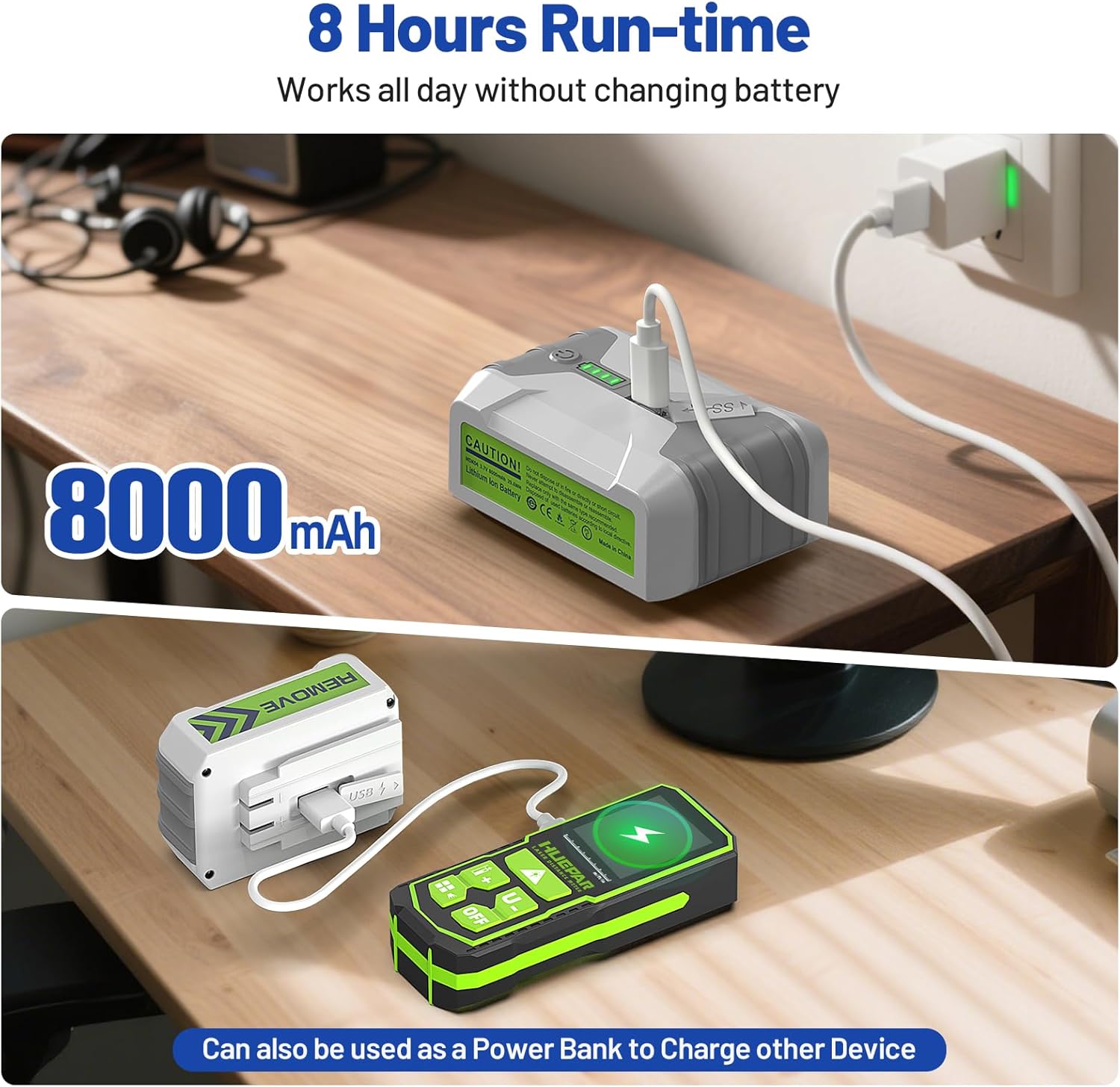
Figure 6: The 4x360° laser lines provide comprehensive coverage.
5.2 High Accuracy
The ZK04CG laser level delivers exceptional accuracy of ±1/13 inch at 33Ft, with a working range up to 100Ft (100 LUX). This high precision ensures reliable and consistent results for all your leveling and alignment tasks.
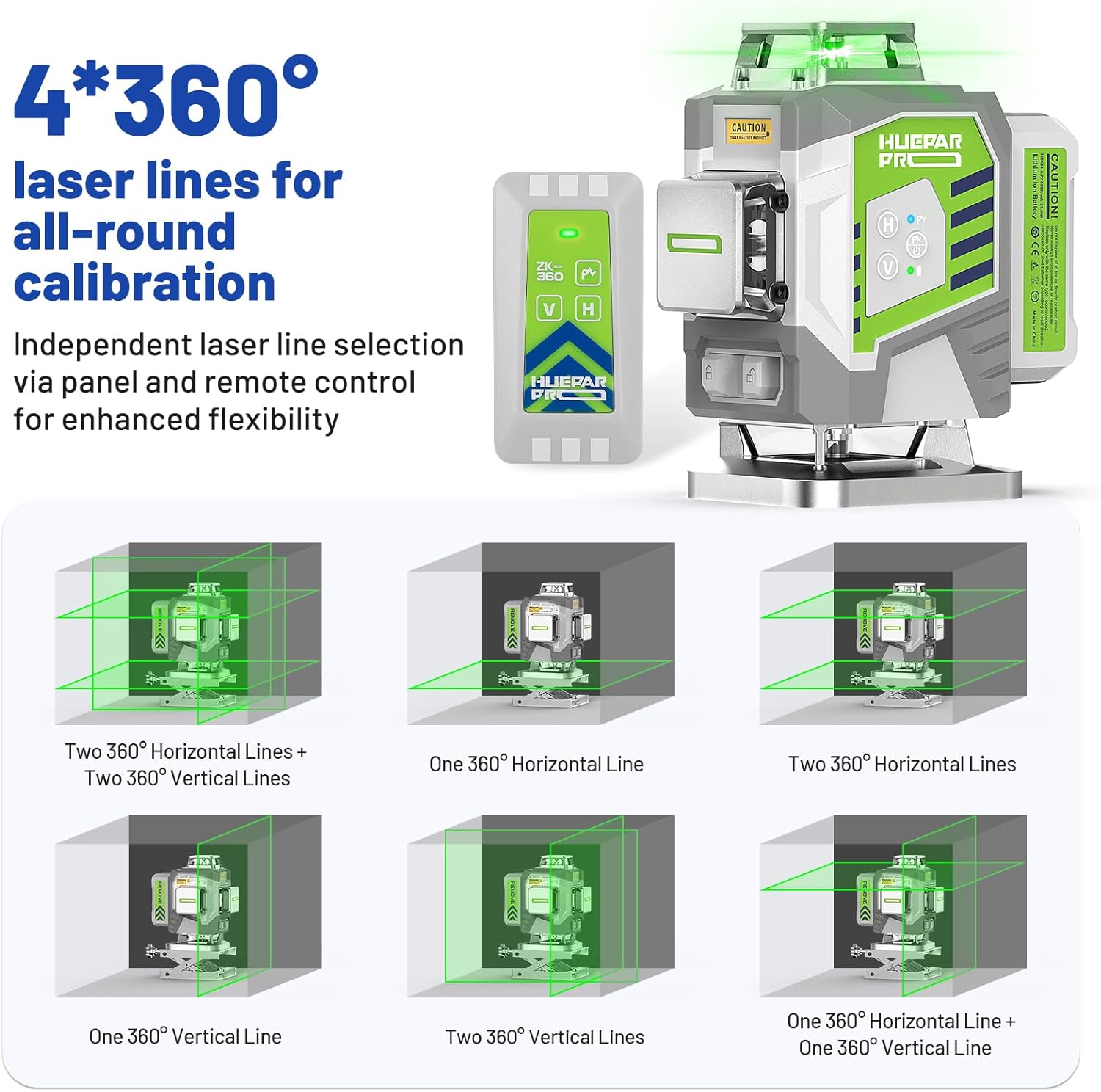
Figure 7: High accuracy for precision projects.
5.3 Remote Control & Magnetic Bracket
Control your laser level conveniently from a distance of up to 32.8Ft using the remote control. The magnetic bracket allows for quick and secure attachment to metal surfaces, with fine-tuning knobs for precise adjustments.

Figure 8: Remote control and multi-functional magnetic stand.
6. Maintenance
To ensure the longevity and optimal performance of your Huepar Pro ZK04CG Laser Level, follow these maintenance guidelines:
- Cleaning: Regularly wipe the device with a soft, dry cloth. Avoid using abrasive cleaners or solvents that could damage the housing or laser windows.
- Storage: When not in use, store the laser level in its hard carry case. This protects it from dust, moisture, and physical damage.
- Durability: The device features durable metal window covers and a shockproof soft rubber casing. It is IP54 rated for water and dust resistance, making it reliable in tough jobsite conditions.

Figure 9: High quality storage box for protection and transport.
7. Troubleshooting
If you encounter issues with your Huepar Pro ZK04CG Laser Level, consider the following common solutions:
- No Laser Lines: Ensure the battery is fully charged and properly installed. Check that the power button is pressed and held to turn on the device.
- Flashing/Beeping in Self-Leveling Mode: This indicates the device is tilted beyond its ±3° self-leveling range. Adjust the position of the laser level until it is within this range.
- Poor Laser Visibility: In bright conditions, activate pulse mode and use a compatible Huepar laser receiver (sold separately) to enhance visibility. Ensure laser windows are clean.
- Remote Control Not Responding: Check the battery in the remote control. Ensure there are no obstructions between the remote and the laser level.
For persistent issues not resolved by these steps, please contact customer support as detailed in the Warranty & Support section.
8. Specifications
| Specification | Value |
|---|---|
| Brand | Huepar Pro |
| Model Number | ZK04CG_HP |
| Laser Class | Class 2 (IEC/EN60825-1/2014), <1mW |
| Laser Plane | Two 360° horizontal laser planes and two 360° vertical laser planes |
| Horizontal/Vertical Accuracy | ±1/13 inch at 33Ft |
| Laser Wavelength | 505-520nm High Brightness Green Laser |
| Leveling/Compensation Range | ±3° |
| Power Supply | 5V2A / 8000mAh Li-ion battery |
| Operating Time | Up to 8 hours with all laser beams on |
| Mount Size | 1/4"-20 |
| IP Rating | IP54 (Water and Dust Resistance) |
| Item Weight | 1.54 pounds (700 Grams) |
| Product Dimensions | 5.43"L x 3.66"W |
9. Warranty & Support
Huepar Pro is committed to providing best-in-class service to its customers. Your ZK04CG Laser Level comes with a comprehensive warranty and dedicated technical support:
- 5-Year Warranty for 3D/4D Models:
- Device: 5 Years (non-human damage)
- Battery: 2 Years (non-human damage)
- Year 1: Free replacement of a brand-new full set (device, battery, accessories) – no hassle.
- Years 2-5: Free replacement with refurbished or equivalent for any non-repairable issues.
- Lifetime Technical Support: Access to a 24/7 service team (response within 24 hours & solution within 48 hours).
- Worldwide Maintenance Center: Your product can be repaired or replaced faster through our global network.
For any inquiries or support needs, please refer to the contact information provided in your product's original packaging or visit the official Huepar Pro website.