
Introduction
This manual provides comprehensive instructions for the setup, operation, and maintenance of your Ant Esports GW190 Racing Steering Wheel. Designed for an immersive racing experience, the GW190 features 270° steering rotation, responsive pedals, and a gear shifter, compatible with multiple gaming platforms. Please read this manual carefully before use to ensure proper functionality and to maximize your gaming experience.
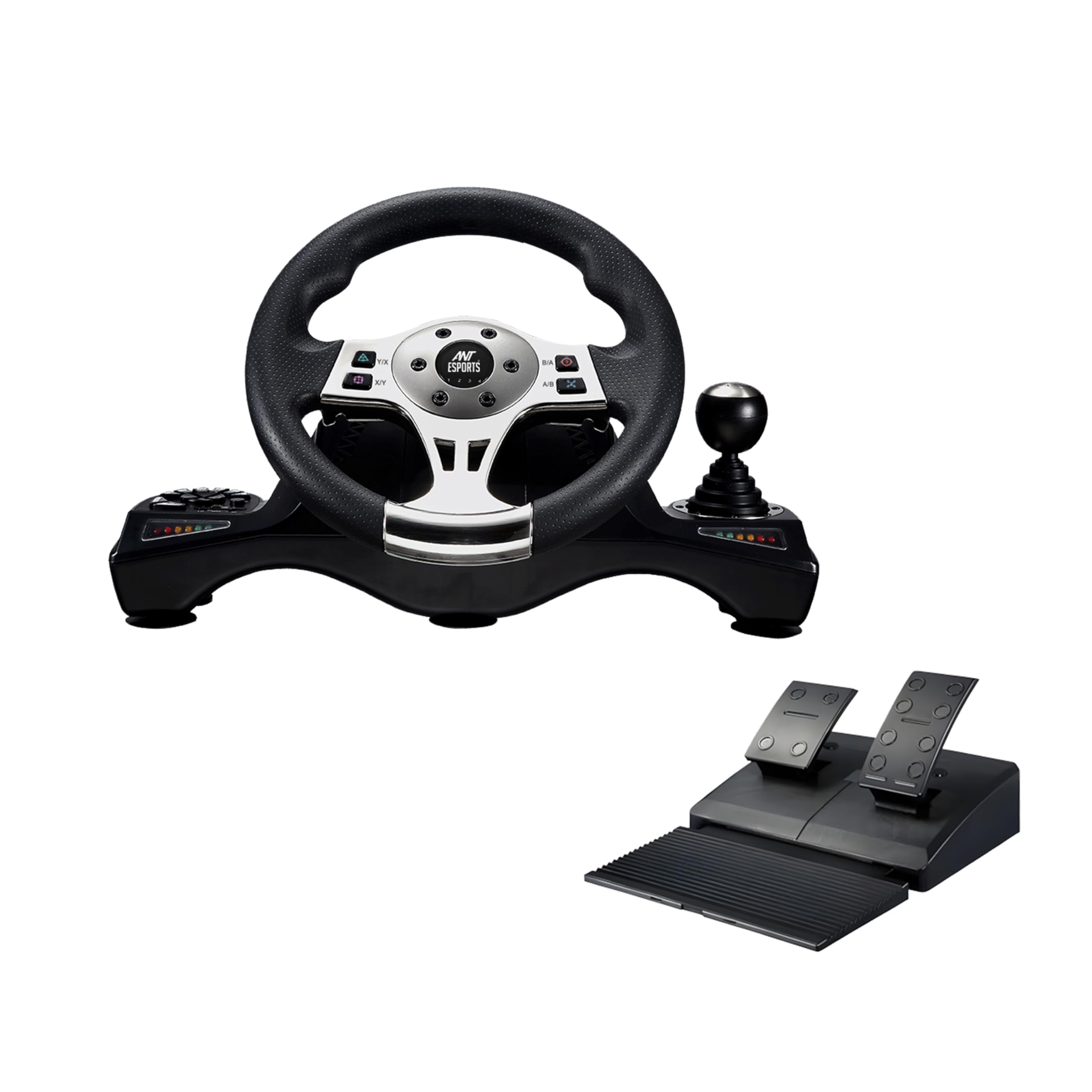
Image: Ant Esports GW190 Racing Steering Wheel, showcasing the wheel, pedals, and shifter components.
Package Contents
Verify that all items are present in the package:
- Ant Esports GW190 Racing Steering Wheel
- Pedal Unit (Accelerator and Brake)
- Gear Shifter
- User Manual
Product Overview and Features
The Ant Esports GW190 Racing Steering Wheel is engineered to provide a realistic and responsive driving simulation. Key features include:
- 270° Steering Rotation: Offers precise control for various racing genres.
- Vibration Feedback: Enhances realism by simulating road conditions and impacts.
- Integrated Buttons: Standard gaming buttons (A, B, X, Y) and functional buttons for in-game actions.
- Sequential Gear Shifter: For manual gear changes, providing a more authentic driving experience.
- Responsive Pedals: Separate accelerator and brake pedals for accurate input.
- Adjustable Sensitivity: Three sensitivity modes (Racing, Simulation, Arcade-Style) to adapt to different games and driving preferences.
- Multi-Platform Compatibility: Supports PC, PS4, PS3, Xbox One, Xbox Series X/S, Nintendo Switch, and Android TV.
- USB Plug & Play: Simple connection for quick setup.
- Secure Mounting: Equipped with suction cups for stable attachment to surfaces.
- Durable Construction: Made from eco-friendly ABS material with a non-slip rubber grip and silicone gear shifter for longevity and comfort.

Image: Labeled diagram of the GW190 Racing Steering Wheel and pedal unit, indicating the 270° rotation, vibration, buttons, gear shifter, brake, and accelerator.
Setup
- Placement: Place the steering wheel unit on a flat, stable surface such as a desk or table. Ensure there is enough space for comfortable operation of the wheel and pedals.
- Secure Mounting: The steering wheel unit is equipped with suction cups on its base. Press the unit firmly onto a clean, smooth surface to engage the suction cups for stability during gameplay. For enhanced grip, slightly dampen the suction cups before pressing them down.
- Connect Pedals: Connect the pedal unit cable to the designated port on the steering wheel unit.
- Connect to Device: Plug the USB cable from the steering wheel unit into an available USB port on your PC, console (PS4, PS3, Xbox One, Xbox Series X/S, Nintendo Switch dock), or Android TV.
- Power On: Once connected, the device should automatically detect the racing wheel. If prompted, install any necessary drivers (typically for PC, drivers can be found on the Ant Esports support website).

Image: The GW190 Racing Steering Wheel and pedals, illustrating the secure grip provided by suction cups and the simplicity of USB Plug & Play connectivity.
Operating Instructions
Basic Operation
- Steering: Rotate the wheel left or right to steer in-game. The 270° rotation provides a wide range of motion.
- Acceleration/Braking: Use the foot pedals for acceleration (right pedal) and braking (left pedal).
- Gear Shifting: Utilize the sequential gear shifter for manual gear changes. Push forward for upshift, pull back for downshift.
- Buttons: Use the integrated buttons on the steering wheel for various in-game functions as mapped by the game or configured by the user.
Sensitivity Modes
The GW190 offers three sensitivity modes to tailor the steering response to your preference and game type:
- Racing Mode: Provides a direct and highly responsive steering feel, ideal for competitive racing simulations.
- Simulation Mode: Offers a balanced response, suitable for a wide range of driving simulators.
- Arcade-Style Mode: Delivers a more forgiving and less sensitive steering, perfect for casual or arcade-style racing games.
Refer to your device's specific instructions or the Ant Esports support website for details on how to switch between sensitivity modes.

Image: The GW190 Racing Steering Wheel with its sequential shifter and visual indicators for the three sensitivity modes: Racing, Simulation, and Arcade-Style.
Compatibility
The Ant Esports GW190 Racing Steering Wheel is compatible with the following platforms:
- PC (Windows)
- PlayStation 4 (PS4)
- PlayStation 3 (PS3)
- Xbox One
- Xbox Series X/S
- Nintendo Switch
- Android TV

Image: The GW190 Racing Steering Wheel prominently displaying its compatibility with various gaming platforms.
Maintenance
- Cleaning: Use a soft, dry cloth to clean the steering wheel, pedals, and shifter. Avoid using abrasive cleaners or solvents, as these can damage the finish.
- Storage: When not in use, store the racing wheel in a clean, dry place away from direct sunlight and extreme temperatures.
- Cable Care: Avoid sharp bends or kinks in the cables. Do not pull on the cables to disconnect the unit.
Troubleshooting
- Issue: No input detected on PC or in games.
- Solution: After booting your PC, if the wheel is detected but no input registers, press and hold the 'Home' button (usually located on the left side of the wheel) for a few seconds. This action reconfigures the wheel and should restore input functionality. This may need to be performed after each PC restart.
- Issue: Steering wheel unit is not stable on the surface.
- Solution: Ensure the surface is clean and smooth. For improved suction cup grip, slightly dampen the suction cups with a small amount of water before pressing the unit firmly onto the surface. This helps create a tighter seal.
- Issue: Vibration feedback is not working.
- Solution: Verify that the game you are playing supports vibration feedback and that the feature is enabled in the game's settings. Ensure the racing wheel is properly connected to your device.
Specifications
| Feature | Detail |
|---|---|
| Model Number | GW190 |
| Product Dimensions | 44 x 32.5 x 27.5 cm |
| Item Weight | 6 kg 300 g |
| Steering Rotation | 270 degrees |
| Connectivity | USB Plug & Play |
| Compatibility | PC, PS4, PS3, Xbox One, Xbox Series X/S, Nintendo Switch, Android TV |
| Country of Origin | China |
| Manufacturer | Ant Esports |
| Generic Name | Racing Wheel |
Warranty Information
The Ant Esports GW190 Racing Steering Wheel is backed by a 1-Year Limited Warranty from the date of purchase. This warranty covers manufacturing defects and workmanship under normal use. It does not cover damage caused by misuse, accidents, unauthorized modifications, or normal wear and tear. Please retain your proof of purchase for warranty claims.
Customer Support
For further assistance, technical support, or warranty inquiries, please visit the official Ant Esports website or contact their customer service department. Refer to the product packaging or the Ant Esports website for the most current contact information.