
Introduction
The MONKEY LOOP ML-BLT Bass Limiter Pedal is designed to provide a clear and controlled sound for your electric bass. This pedal allows precise shaping and refinement of your bass tone by controlling the attack and adjusting bass frequencies, ensuring a defined sound free from unwanted muddiness. Featuring true bypass, it maintains signal integrity when disengaged.
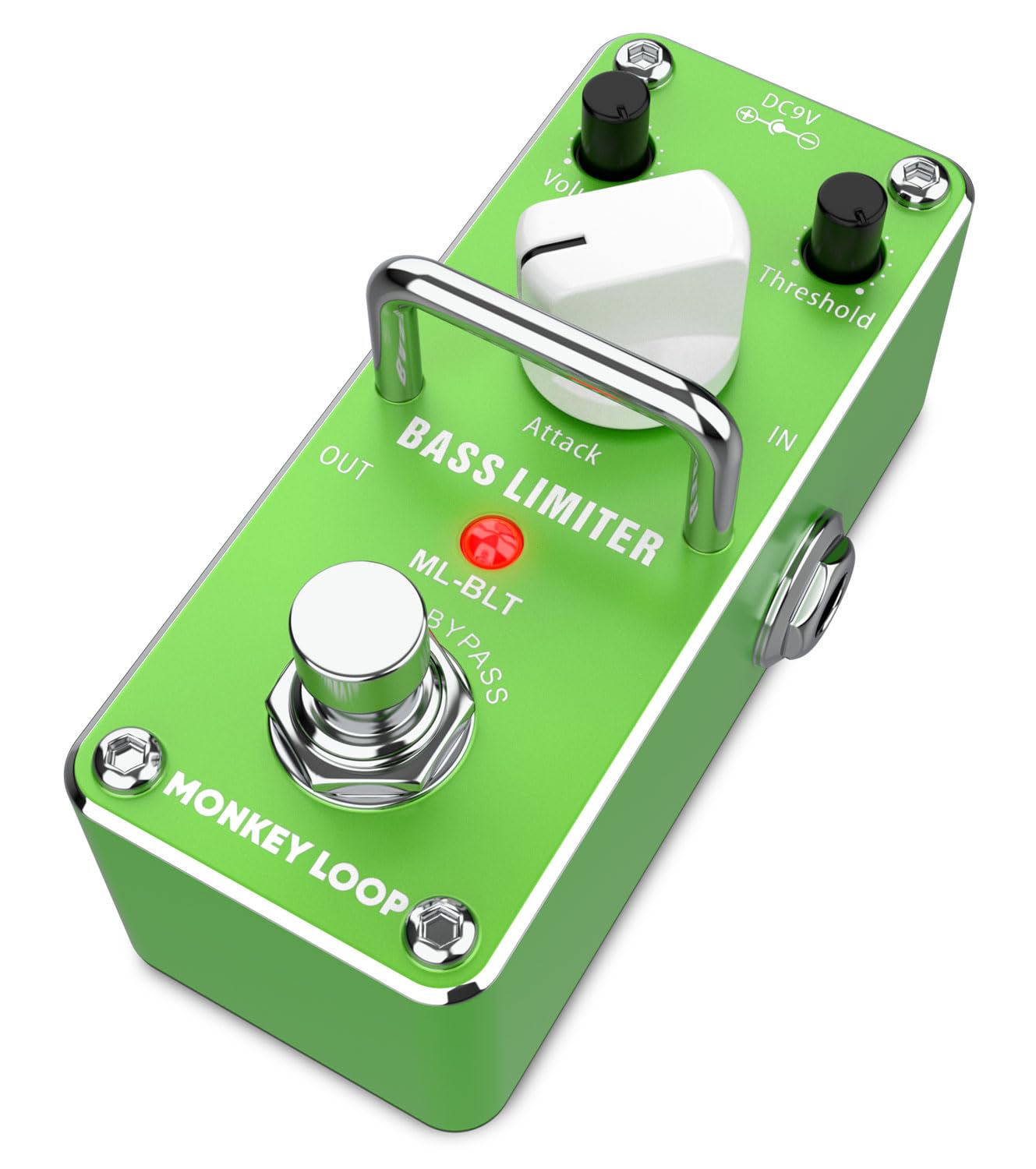
Image: The MONKEY LOOP ML-BLT Bass Limiter Pedal, showcasing its compact design and control knobs.
Setup
- Power Connection: Connect a standard 9V DC power adapter (center negative) to the "DC 9V" input jack on the pedal. The pedal requires a current of 6.2 mA. Ensure the power supply meets these specifications to prevent damage.
- Instrument Input: Connect your bass guitar to the "IN" jack using a standard 1/4-inch instrument cable.
- Amplifier Output: Connect the "OUT" jack of the pedal to your amplifier or the next pedal in your signal chain using another 1/4-inch instrument cable.
- Placement: The compact and lightweight design allows for easy integration into any pedalboard. A velcro strap is included for mounting.
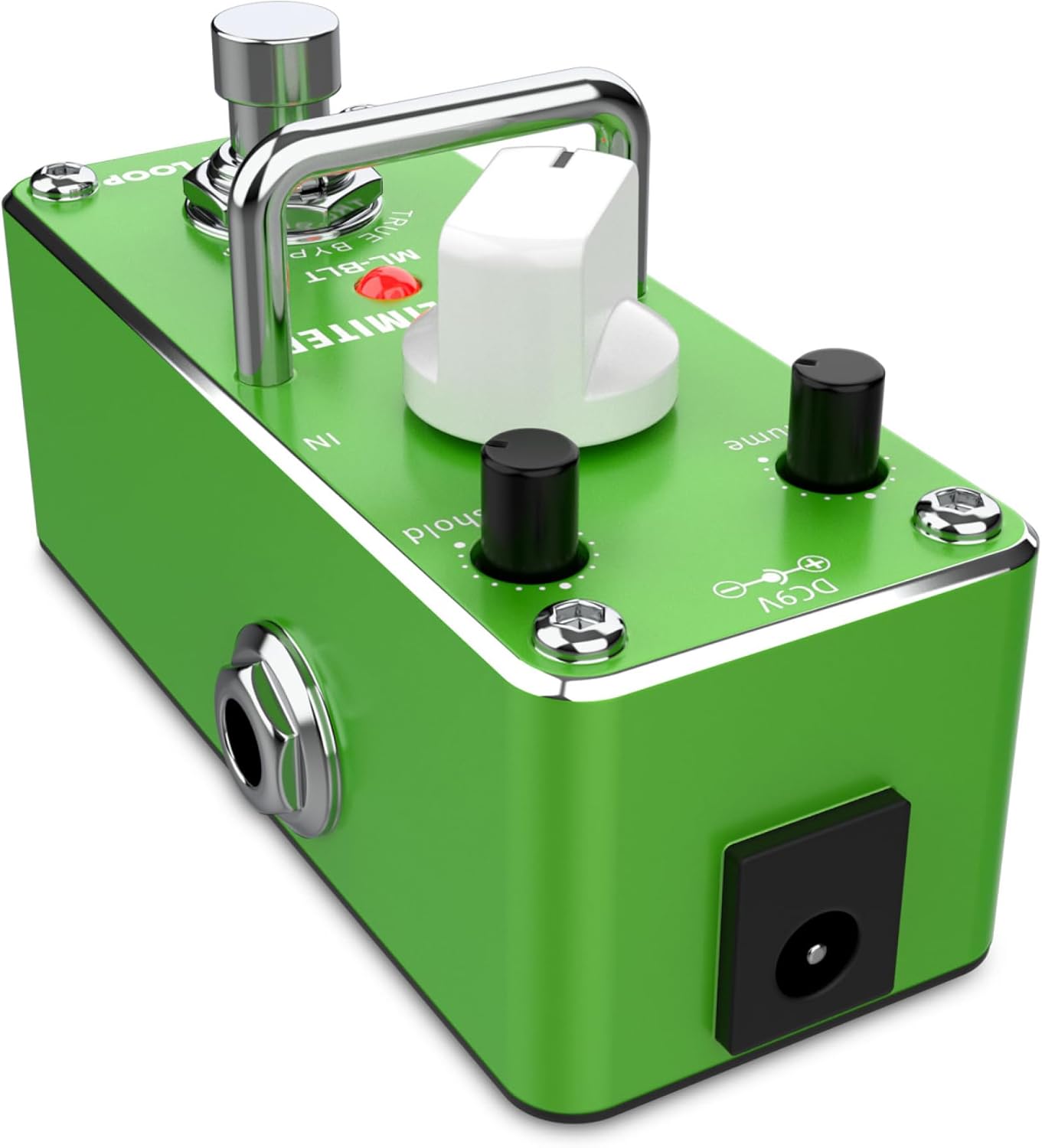
Image: Side view of the ML-BLT pedal, highlighting the input, output, and DC 9V power connection points.

Image: The bottom panel of the ML-BLT pedal, displaying power requirements: DC 9V adapter, center negative polarity.
Operating the Pedal
The ML-BLT Bass Limiter Pedal features intuitive controls to shape your bass tone.

Image: Top view of the ML-BLT pedal, clearly showing the Threshold, Attack, and Volume control knobs, along with the footswitch.
- Footswitch: Press the footswitch to engage or bypass the limiter effect. The LED indicator will illuminate when the effect is active. The pedal features true bypass, ensuring your signal remains unaffected when the pedal is disengaged.
- Threshold Knob: This control determines the level at which the limiting effect begins. Turning it clockwise will lower the threshold, causing the limiter to engage at lower input signal levels, resulting in more compression. Turning it counter-clockwise will raise the threshold, allowing more dynamic range before limiting occurs.
- Attack Knob: The Attack knob controls how quickly the limiter reacts to signals exceeding the threshold. A faster attack (clockwise) will catch transients more aggressively, while a slower attack (counter-clockwise) will allow initial transients to pass through before limiting.
- Volume Knob: This knob adjusts the overall output volume of the pedal. Use it to match the volume of your bypassed signal or to boost your signal when the limiter is engaged.
Experiment with these controls to achieve your desired bass tone, from subtle peak limiting to more pronounced compression for a tighter, more defined sound.

Image: A musician's foot activating the ML-BLT pedal, demonstrating its use in a live or studio setup with a bass guitar.
Maintenance
- Cleaning: Use a soft, dry cloth to clean the pedal's exterior. Avoid using abrasive cleaners or solvents, as these can damage the finish.
- Storage: Store the pedal in a cool, dry place away from direct sunlight and extreme temperatures when not in use.
- Power Supply: Always use a compatible 9V DC (center negative) power supply. Incorrect power can damage the unit.
- Connections: Periodically check all cable connections for wear and tear. Ensure jacks are free of dust and debris.
Troubleshooting
| Problem | Possible Cause | Solution |
|---|---|---|
| No sound when pedal is engaged. |
|
|
| Unwanted noise or hum. |
|
|
| Limiting effect is too subtle or too strong. |
|
|
Specifications
| Feature | Specification |
|---|---|
| Brand | MONKEY LOOP |
| Model Number | 10268678 (ML-BLT) |
| Product Type | Effects Pedal (Bass Limiter) |
| Power Source | DC Power Supply (9V) |
| Voltage | 9 Volts |
| Current Consumption | 6.2 mA |
| Input Impedance | 500 Kohm |
| Output Impedance | 150 ohm |
| Equivalent Input Noise | -90 dBu or less |
| Hardware Interface | Audio 1/4 inch |
| Signal Format | Analog |
| Control Type | Push-button (Footswitch) |

Image: The ML-BLT pedal with key specifications highlighted, including input/output impedance and current consumption.
Warranty
Warranty information for this product is not specified in the provided details. Please refer to your purchase documentation or contact the retailer for specific warranty terms and conditions.
Support
For further assistance, technical support, or inquiries regarding the MONKEY LOOP ML-BLT Bass Limiter Pedal, please contact MONKEY LOOP customer service or your authorized dealer.
