
Introduction
Thank you for choosing the Fossil Men's Sport Tourer Quartz Chronograph Watch. This manual provides essential information for the proper setup, operation, and maintenance of your timepiece. Please read these instructions carefully to ensure optimal performance and longevity of your watch.
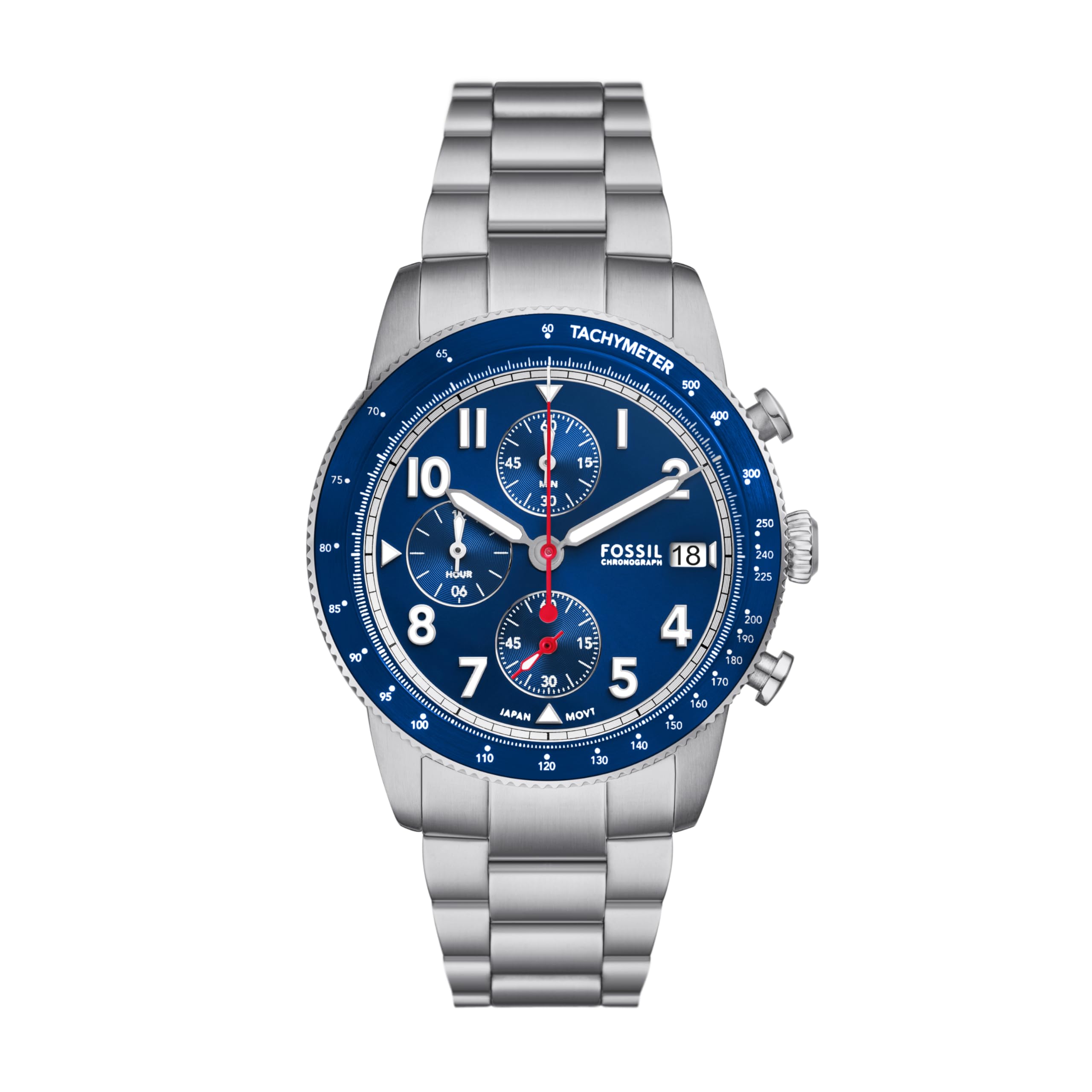
Front view of the Fossil Men's Sport Tourer Quartz Chronograph Watch.
Setup
1. Setting the Time and Date
- Pull the crown out to position 2: This is the outermost position. The second hand will stop.
- Rotate the crown: Turn the crown clockwise or counter-clockwise to set the hour and minute hands to the desired time. If your watch has a date display, continue turning until the date changes to the next day, indicating you have passed midnight.
- Push the crown back to position 1: This is the normal operating position. The second hand will resume movement.
2. Adjusting the Bracelet
Your watch features a stainless steel bracelet with a push-button foldover clasp. For proper fit, the bracelet may need to be adjusted by adding or removing links. This procedure typically requires specialized tools and is best performed by a qualified jeweler or watch technician to avoid damage.

Back view of the watch, showing the stainless steel bracelet and clasp.
Operating the Chronograph and Tachymeter

Side view of the watch, highlighting the crown and chronograph pushers.
1. Chronograph Function
The chronograph function allows you to measure elapsed time. Your watch features three sub-dials and two pushers (buttons) on the side of the case, in addition to the main crown.
- Start: Press the top pusher (A) to start the chronograph. The large red second hand will begin to move, along with the sub-dials for minutes and hours.
- Stop: Press the top pusher (A) again to stop the chronograph. The elapsed time can be read from the large second hand and the sub-dials.
- Reset: After stopping the chronograph, press the bottom pusher (B) to reset all chronograph hands to their zero positions. Important: Do not press the reset pusher while the chronograph is running, as this can damage the movement.
2. Tachymeter Function
The tachymeter bezel on your watch can be used to measure speed over a known distance (typically 1 kilometer or 1 mile).
- Start the chronograph: As you pass the starting point of the measured distance, press the top pusher (A) to start the chronograph.
- Stop the chronograph: As you pass the end point of the measured distance, press the top pusher (A) again to stop the chronograph.
- Read the speed: The position of the large red second hand on the tachymeter scale (the numbers on the bezel) will indicate the average speed in units per hour (e.g., miles per hour or kilometers per hour).

Detailed view of the watch dial, illustrating the tachymeter bezel and chronograph sub-dials.
3. Water Resistance
Your Fossil Sport Tourer watch has a water resistance rating of 5 ATM (50 meters). This means it is suitable for short periods of recreational swimming, showering, or washing hands. It is not suitable for diving, snorkeling, or high-impact water sports. Always ensure the crown is fully pushed in before any contact with water.
Maintenance
1. Cleaning Your Watch
To maintain the appearance of your watch, wipe the case and bracelet regularly with a soft, dry cloth. For stainless steel, a slightly damp cloth can be used, followed by a dry cloth. Avoid using harsh chemicals or abrasive materials.
2. Battery Replacement
This watch is powered by a quartz movement and requires a battery. When the battery runs low, the watch may stop or the second hand may skip. Battery replacement should be performed by a qualified watch technician to ensure the watch's water resistance is maintained and to prevent damage to the movement.
3. Water Resistance Care
To preserve the water resistance of your watch:
- Ensure the crown is always fully pushed in.
- Avoid operating the pushers or crown while the watch is wet or submerged.
- Have the water resistance seals checked periodically, especially after any impact or if the watch has been opened for service.
Troubleshooting
| Problem | Possible Cause | Solution |
|---|---|---|
| Watch stops or runs intermittently | Low battery | Replace battery by a professional. |
| Chronograph hands do not reset to zero | Misalignment or internal issue | Consult a watch technician for adjustment or repair. |
| Moisture under crystal | Compromised water resistance | Immediately take to a watch technician for inspection and repair to prevent internal damage. |
Specifications
- Model Number: FS6047
- Movement Type: Quartz
- Case Material: Stainless Steel
- Case Diameter: 42 Millimeters
- Case Thickness: 13.2 Millimeters
- Band Material: Stainless Steel
- Band Width: 20 Millimeters
- Band Length: 205 Millimeters
- Crystal Type: Mineral
- Water Resistance: 50 Meters (5 ATM)
- UPC: 796483642751

Men's Watch Case Size Guide for reference.
Warranty
Your Fossil watch is covered by a limited warranty against defects in materials and workmanship under normal use. The specific terms and duration of the warranty may vary by region. Please refer to the official Fossil website or the warranty card included with your purchase for complete details regarding coverage, exclusions, and how to make a claim.
Support
For further assistance, product registration, or to locate an authorized service center, please visit the official Fossil website at www.fossil.com. You may also find additional support resources and FAQs there.
