
Introduction
The ThruNite TC15 V2 is a high-performance, ultra-bright handheld flashlight designed for various indoor and outdoor applications. Featuring an XHP 35.2 Cool White LED, it delivers up to 2531 lumens, providing powerful illumination. This flashlight is USB rechargeable and offers multiple lighting modes to suit different situations. Please read this manual carefully to ensure proper use and maintenance of your device.

Image: The ThruNite TC15 V2 flashlight showcasing its compact design and key performance metrics including 2531 lumens output, 41.5 days max runtime, 243 meters beam distance, 71g weight, 14850 CD intensity, IPX8(2M) waterproof rating, 1.5 meters drop test resistance, and dimensions of 122.5mm*27mm*24mm.
Package Contents
Please check the package for the following items:
- ThruNite TC15 V2 Flashlight (with included battery)
- Pocket clip
- Lanyard
- USB-C Charging Cable
- Holster
- Spare O-rings
- Spare Switch Cap

Image: A flat lay of all items included in the ThruNite TC15 V2 package, including the flashlight, holster, USB-C cable, lanyard, pocket clip, and spare O-rings.
Setup
1. Initial Preparation
Before first use, ensure the light head and tail cap are screwed down tightly. This establishes proper electrical contact and ensures the flashlight operates correctly.

Image: A pair of hands demonstrating the action of screwing down the light head of the ThruNite TC15 V2 flashlight, ensuring a secure connection.
2. Charging the Battery
The TC15 V2 comes with a rechargeable IMR battery. It is recommended to fully charge the flashlight before its first use.
- Locate the USB-C charging port on the flashlight.
- Connect the provided USB-C charging cable to the flashlight and a suitable USB power source (e.g., computer, wall adapter).
- The indicator light on the switch will show the charging status:
- Red: Charging in progress.
- Blue: Charging complete.
- Charging typically takes several hours. Disconnect the cable once charging is complete.
Operating Instructions
Basic Operation
- Turn On/Off: Single click the side switch to turn the flashlight on or off.
- Mode Switching: When the flashlight is on, press and hold the side switch to cycle through Firefly, Low, Medium, and High modes. Release the switch to select the desired mode. The flashlight has a mode memory function and will turn on in the last used general mode (Firefly, Low, Medium, or High).
- Turbo Mode: From any mode (or off), double-click the side switch to activate Turbo mode. Double-click again to return to the previous mode.
- Strobe Mode: From Turbo mode, double-click the side switch to activate Strobe mode. Double-click again to return to Turbo mode.
- Firefly Mode: When the flashlight is off, press and hold the side switch for approximately 1 second to activate Firefly mode.
Battery Level Indicator
The indicator light on the side switch also displays the battery level when the flashlight is on:
- Blue: 21% - 100% battery remaining.
- Red: 11% - 20% battery remaining.
- Flashing Red: 1% - 10% battery remaining. Please charge the flashlight immediately.
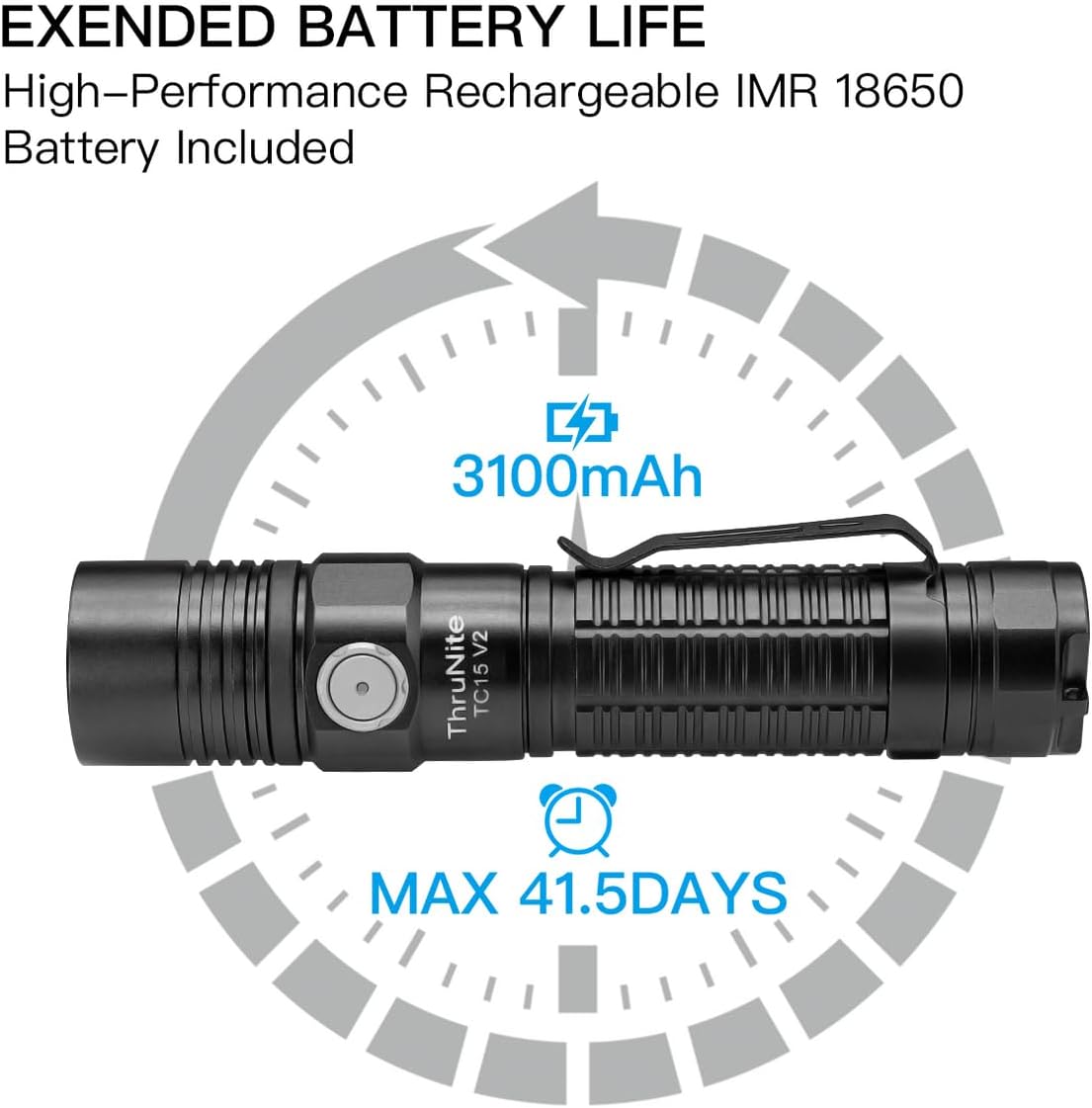
Image: A graphic highlighting the extended battery life of the ThruNite TC15 V2, powered by a high-performance rechargeable IMR 18650 3100mAh battery, capable of up to 41.5 days maximum runtime.
Maintenance
- Cleaning: Regularly clean the threads and O-rings with a clean cloth.
- Lubrication: Apply a thin layer of silicone grease to the O-rings periodically to maintain water resistance and prevent wear.
- Battery Care: If the flashlight will not be used for an extended period, remove the battery to prevent potential leakage. Store the battery in a cool, dry place.
- Contact Points: Keep the battery contact points clean to ensure reliable operation.
Troubleshooting
- Flashlight not turning on:
- Ensure the battery is correctly inserted with the positive (+) end facing the head of the flashlight.
- Check if the light head and tail cap are screwed down tightly.
- Verify the battery is charged.
- Clean the battery contact points and threads.
- Light output is dim or flickering:
- The battery may be low. Recharge the battery.
- Clean the battery contact points.
- Flashlight gets hot during use:
- High output modes (e.g., Turbo) generate significant heat. This is normal. The flashlight may step down to a lower mode to prevent overheating.
- Ensure adequate airflow around the flashlight during prolonged high-output use.
Specifications
| LED Type | XHP 35.2 Cool White LED |
| Max Output | 2531 Lumens |
| Max Beam Distance | 243 meters (797 ft) |
| Battery Type | 1x IMR 18650 (3100mAh) |
| Charging | USB-C Rechargeable |
| Material | Aluminum Alloy |
| Dimensions (L x D) | 122.5 mm x 27 mm (Head) x 24 mm (Body) |
| Weight | 71 grams (2.5 oz) (without battery) |
| Water Resistance | IPX8 (2 meters submersible) |
| Impact Resistance | 1.5 meters |

Image: A person standing in a dark, open field at night, illuminated by the powerful beam of the ThruNite TC15 V2 flashlight, demonstrating its 2531 lumens and 243 meters throw capability.
Warranty and Support
Warranty Information
The ThruNite TC15 V2 flashlight comes with a 2-year manufacturer's warranty from the date of purchase. This warranty covers defects in materials and workmanship under normal use. Please retain your proof of purchase for warranty claims.
Customer Support
For any questions, technical assistance, or warranty service, please visit the official ThruNite website or contact their customer support directly. You can often find detailed FAQs and contact information on their support pages.


