1. Introduction
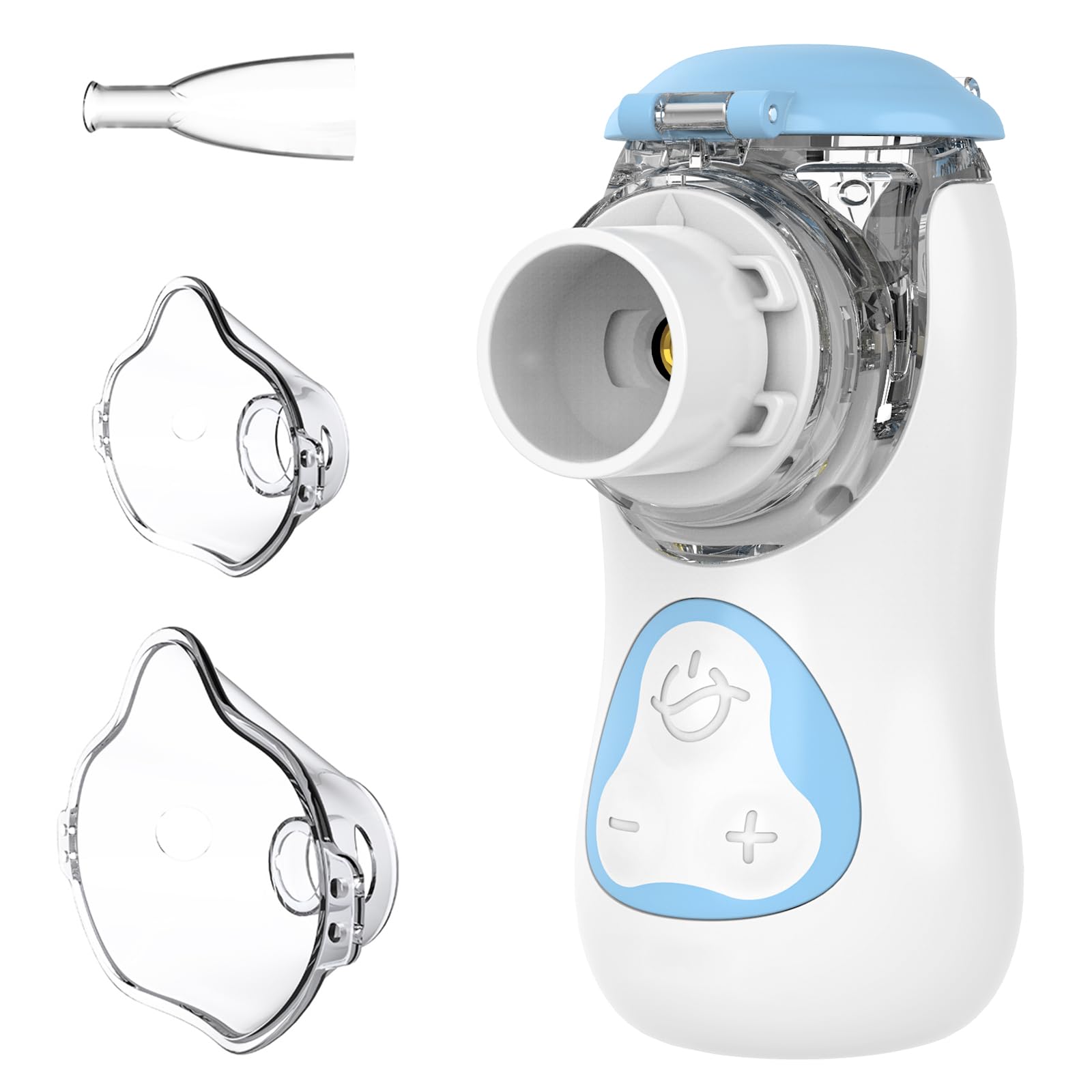
The FEELLIFE Portable Silent Nebulizer AIRKIDS is designed for efficient and quiet nebulization, suitable for both children and adults. This device features adjustable nebulization modes and a rechargeable battery, making it ideal for home use and travel. Please read this manual carefully before use to ensure proper operation and maintenance.
2. Product Features
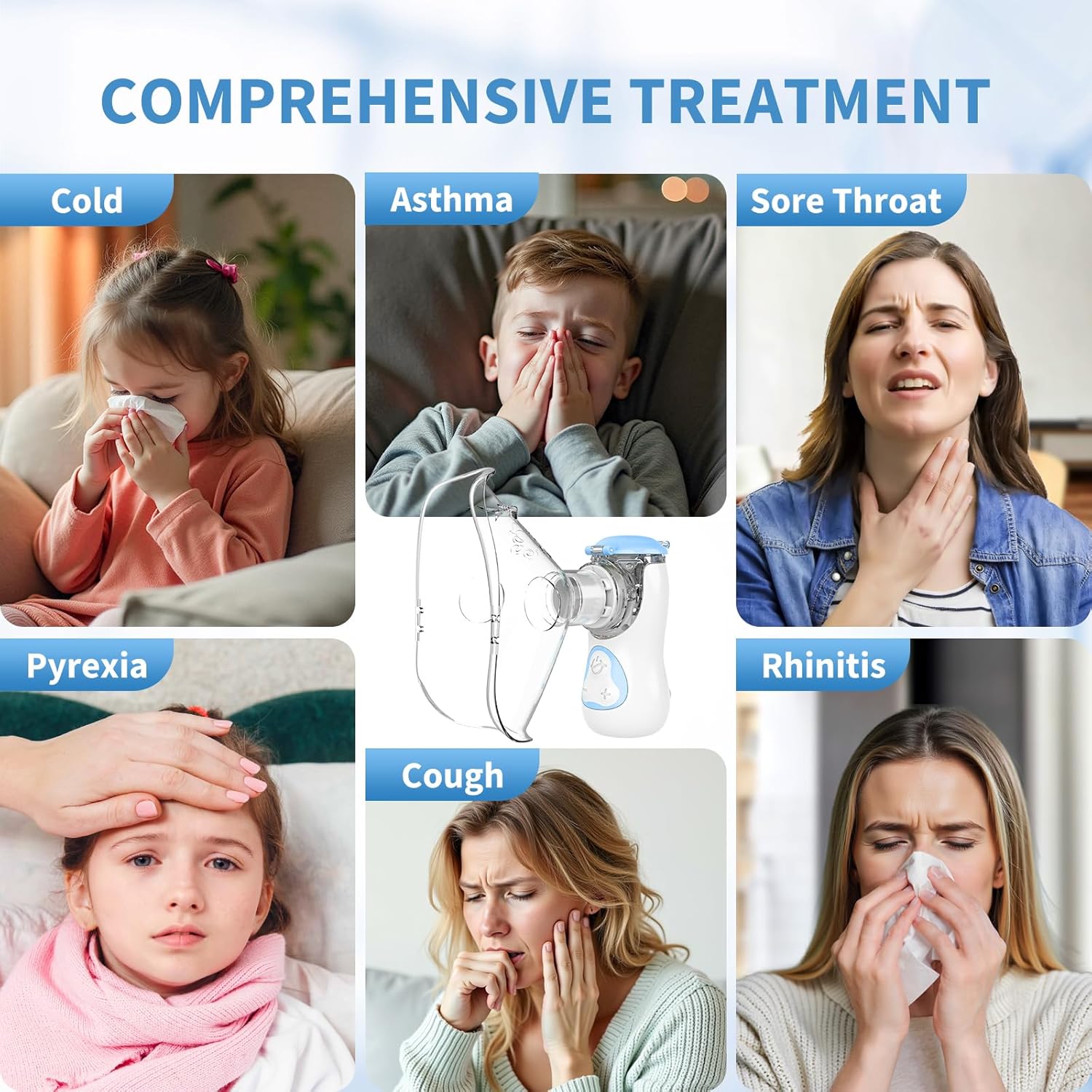
- Mesh Nebulizer Technology: Adopts advanced V+ mesh technology, producing fine nebulized particles (<3µm) that can directly reach the respiratory tract and lungs for easy absorption. Features high nebulization efficiency and adjustable modes, particularly suitable for colds, asthma, and other respiratory conditions.
- Intelligent Nebulization System: Offers two modes. The Surge Mode (default upon power-on) adjusts mist volume based on breathing and body circulation, with adjustable speeds from 0.25 ml/min to 0.7 ml/min. The Inverter Mode allows manual adjustment of mist volume via buttons.
- Silent, Portable & Rechargeable: Operates almost silently with noise levels below 25dB, effectively reducing anxiety for children. Lightweight and portable, with one-touch disassembly for easy cleaning and medication replacement. Includes a charging cable for versatile charging options.
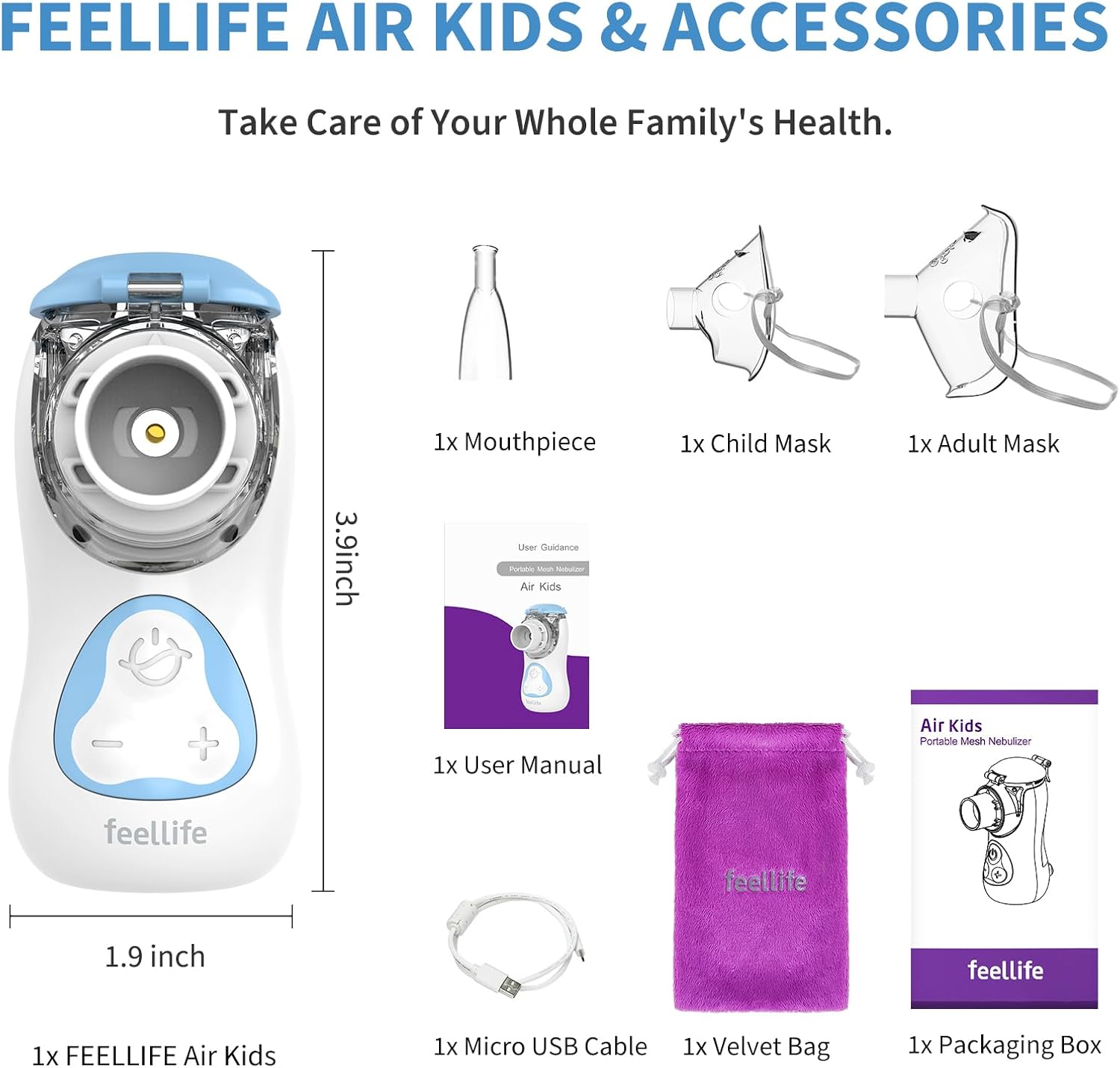
3. What's in the Box
- FEELLIFE Silent Nebulizer Body
- Removable 8 ml Liquid Cup Assembly
- 1 Adult Nebulizer Mask
- 1 Child Nebulizer Mask
- 1 Suction Nozzle (Mouthpiece)
- 1 Charging Cable (Micro USB)
- 1 Velvet Bag
- 1 User Manual
4. Setup and Assembly
- Open the Liquid Cup: Gently open the lid of the liquid cup assembly.
- Add Medication: Carefully pour the prescribed nebulizable liquid into the liquid cup. Do not exceed the maximum fill line (8ml).
- Close the Liquid Cup: Securely close the lid of the liquid cup assembly.
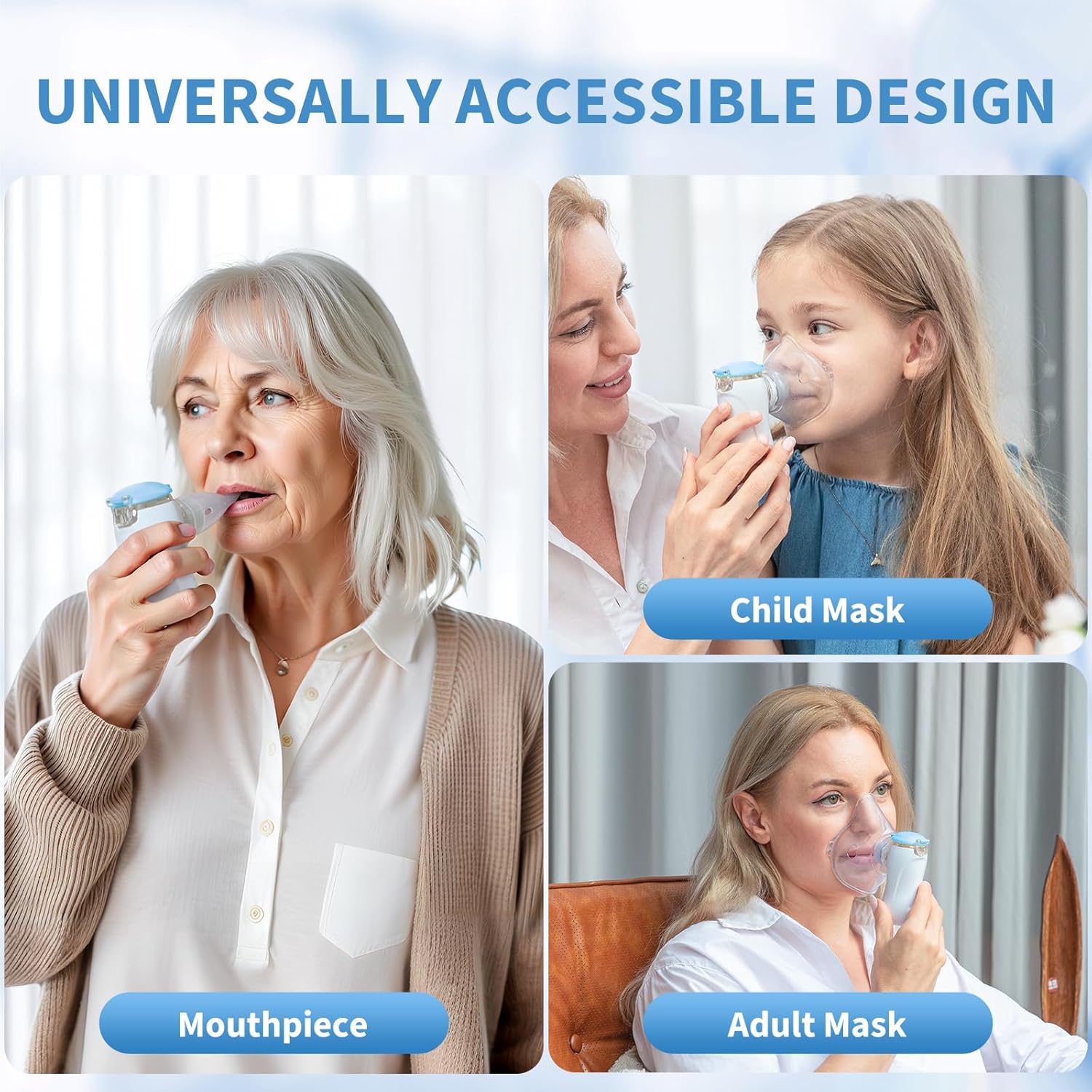
- Attach Accessory: Connect either the adult mask, child mask, or mouthpiece to the nebulizer unit, ensuring it is firmly attached.

5. Operating Instructions
- Power On: Press the power button once to turn on the device. It will typically start in Surge Mode (strong mist).
- Select Mode: Press the power button again to switch to Inverter Mode (soft mist). A long press (3 seconds) will activate Cleaning Mode.
- Nebulization: Hold the nebulizer with the mask or mouthpiece firmly against your face or mouth and breathe normally.
- Automatic Shutdown: The device features an automatic shutdown design. When there is no liquid in the medicine cup, the device will automatically shut down, and the blue indicator light will flash.
- Power Off: To manually turn off the device, long press the power button for 3 seconds (if not in cleaning mode).

6. Charging the Nebulizer
When the device's power is low, the orange indicator light will flash. Please charge the device immediately using the provided Micro USB cable and a DC 5V, 1A adapter (not included). During charging, the green indicator light will flash. Once fully charged, the green indicator light will stay solid.

7. Maintenance and Cleaning
Regular cleaning is essential for optimal performance and hygiene.
- Disassemble: After each use, detach the liquid cup assembly from the main unit.
- Rinse: Rinse the liquid cup and accessories (masks, mouthpiece) under running water.
- Clean Mesh: For thorough cleaning, activate the Cleaning Mode (long press power button for 3 seconds) with a small amount of clean water in the liquid cup. The device will atomize for 15 seconds and then shut down.
- Dry: Allow all parts to air dry completely before reassembling or storing. Ensure no moisture remains.
Important Note: Do not use viscous liquids such as essential oils, distilled water, liquids containing esters, fats, oily medications, or suspended particles. Only standard nebulizable liquids are suitable. If not used for more than 1 month, ensure to recharge the battery at least once a month to maintain its lifespan.

8. Troubleshooting
If the device is not functioning as expected, please check the following:
- No Mist/Weak Mist: Ensure the liquid cup is filled with the correct type of nebulizable liquid and is securely attached. Check if the mesh is clogged and clean it if necessary.
- Device Not Turning On: Check the battery level. If the orange indicator flashes, the battery is low and needs charging.
- Indicator Lights: Refer to the operating instructions for the meaning of different indicator light patterns (e.g., flashing blue for automatic shutdown due to empty liquid cup).
If issues persist after checking these points, please contact FEELLIFE customer support.
9. Specifications
| Feature | Detail |
|---|---|
| Model Number | AIRKIDS |
| Brand | FEELLIFE |
| Package Dimensions | 18.1 x 11 x 8.1 cm |
| Product Weight | 430 grams |
| Liquid Cup Capacity | 8 ml |
| Noise Level | < 25dB |
| Nebulization Particle Size | < 3µm |
| Nebulization Rate (Surge Mode) | 0.25 ml/min to 0.7 ml/min |
| Power Source | Rechargeable Battery, Micro USB (DC 5V, 1A) |
| Country of Origin | China |
10. Safety Information and Warnings
- Always read the label, warnings, and instructions provided on the product packaging before using or consuming.
- This nebulizer is not suitable for viscous liquids such as essential oils, distilled water, liquids containing esters, fats, oily medications, or suspended particles. Only use standard nebulizable liquids as prescribed by a healthcare professional.
- Keep the device out of reach of children when not in use.
- Do not immerse the main unit in water. Only the liquid cup and accessories are washable.
- If the device is not used for more than one month, ensure to recharge the battery at least once a month to maintain its lifespan.
11. Product Overview and Usage Examples