
1. Introduction
Thank you for choosing the ZAQE M4 MP3 Player. This device is designed to provide a versatile and enjoyable audio and media experience. Featuring Bluetooth 5.3, a 2.4-inch full touch screen, 64GB internal storage, and a built-in speaker, it supports various functions including music playback, FM radio, video playback, voice recording, and e-book reading. Please read this manual carefully to understand how to operate your new device.
2. Package Contents
Ensure all items listed below are present in your package:
- 1 x ZAQE 64GB MP3 Player
- 1 x Wired Headphones
- 1 x USB Cable (Type-C)
- 1 x User Manual
- 1 x Protective Cover

Image: The ZAQE M4 MP3 Player, wired headphones, USB Type-C cable, user manual, and a protective cover are included in the package.
3. Product Overview
The ZAQE M4 MP3 Player features a compact design with a 2.4-inch full touch screen for intuitive navigation. It includes physical buttons on the side for volume control and power. The device supports various media functions accessible via its user-friendly interface.

Image: A purple ZAQE M4 MP3 Player displaying its main menu with icons for Music, Movie, Radio, Bluetooth, EBook, Settings, Record, Folder, and Photo.
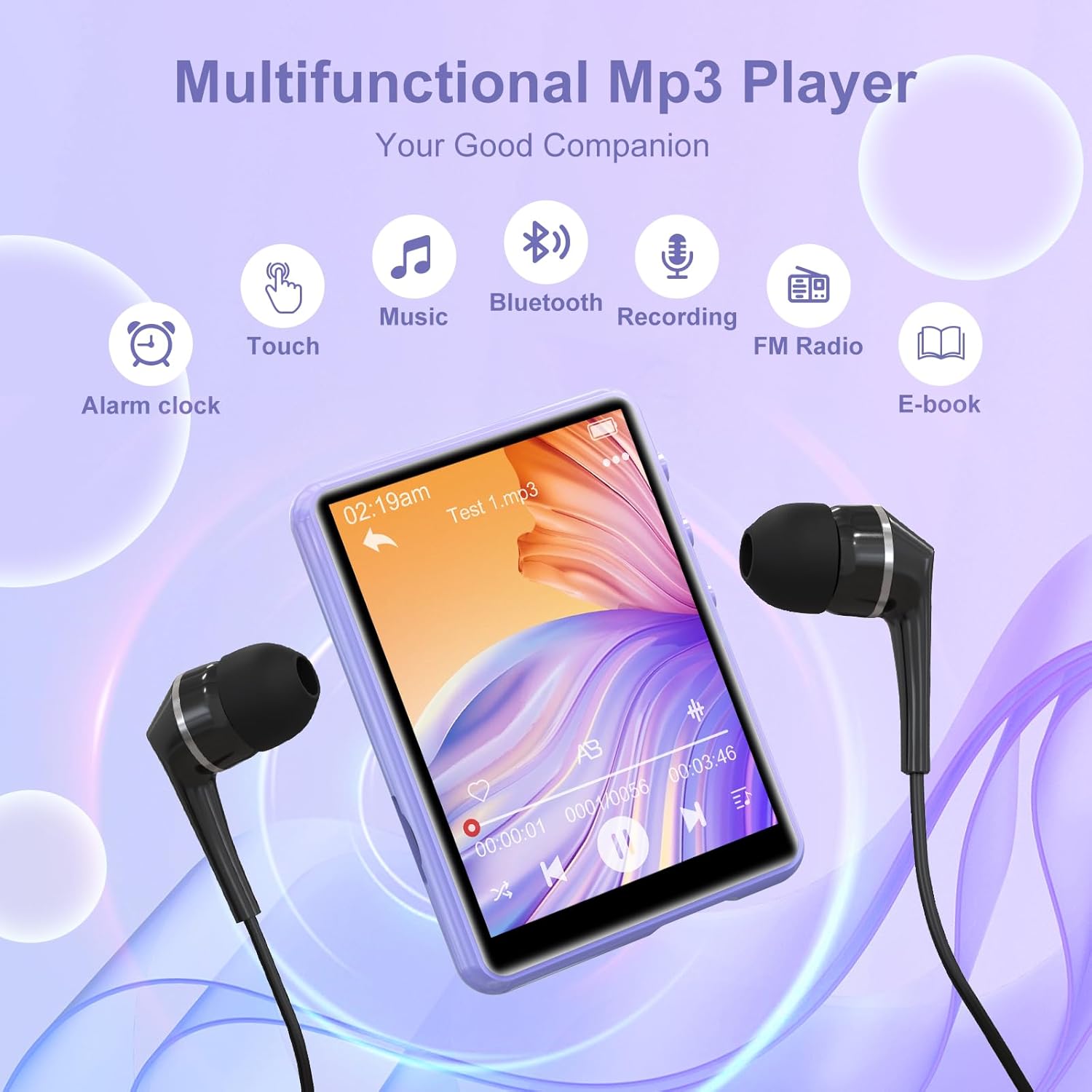
Image: The ZAQE M4 MP3 Player surrounded by icons representing its various functions: Alarm clock, Touch control, Music, Bluetooth, Recording, FM Radio, and E-book.
4. Setup
4.1. Charging the Device
Before first use, fully charge the MP3 player. Connect the provided Type-C USB cable to the device's charging port and the other end to a USB power adapter (not included) or a computer's USB port.

Image: A close-up of the MP3 player showing a battery icon and indicating a 300mAh battery capacity.
4.2. Transferring Files
To transfer music, videos, or other files to your MP3 player:
- Connect the MP3 player to your computer using the provided USB Type-C cable.
- The device will appear as a removable disk on your computer.
- Drag and drop your desired files into the appropriate folders on the MP3 player (e.g., 'Music' for audio files, 'Video' for video files).
- Safely eject the device from your computer before disconnecting the cable.
4.3. Inserting a Micro SD Card
The ZAQE M4 MP3 Player comes with 64GB of internal memory and supports expansion up to 128GB via a Micro SD card (not included).
- Locate the Micro SD card slot on the side of the device.
- Gently insert the Micro SD card into the slot until it clicks into place.
- To remove, push the card inward until it springs out.

Image: A purple ZAQE M4 MP3 Player showing its Micro SD card slot with a card inserted, illustrating 64GB internal storage and up to 128GB TF card expansion.
5. Operating Instructions
5.1. Power On/Off
- Power On: Press and hold the power button on the side of the device until the screen lights up.
- Power Off: Press and hold the power button until the power-off options appear, then select 'Power Off'.
5.2. Navigation
The ZAQE M4 features a 2.4-inch full touch screen for easy navigation through menus and functions. Tap icons to open applications and swipe to navigate between screens or lists.

Image: A hand interacting with the 2.4-inch full touch screen of the ZAQE M4 MP3 Player, demonstrating its high sensitivity and ease of use.
5.3. Music Playback
Access the 'Music' application from the main menu. The player supports various audio formats including MP3, WAV, APE, WMA, FLAC, and AAC-LC. It features a built-in DAC audio decoder chip and noise reduction technology for high-fidelity sound.
- Playback Modes: The device offers AB Repeat, 8-speed playback, and 3 different playback modes (e.g., shuffle, repeat all, repeat one), along with an equalizer for sound customization.

Image: A diagram illustrating the internal components of the ZAQE M4 MP3 Player, highlighting the DAC audio decoder chip for HiFi lossless sound quality.
5.4. Bluetooth Connection
The MP3 player is equipped with Bluetooth 5.3 for faster data transfer, more stable connections, and extended range. It allows for easy connection to Bluetooth headphones or speakers.
- Go to 'Settings' and select 'Bluetooth'.
- Turn Bluetooth 'On'.
- The device will scan for available Bluetooth devices.
- Select your desired device from the list to pair.

Image: The ZAQE M4 MP3 Player with the Bluetooth 5.3 logo, showing connections to wireless headphones and a Bluetooth speaker, emphasizing its upgraded connectivity.
5.5. FM Radio
To use the FM Radio function, connect the wired headphones as they act as the antenna. Access the 'Radio' application from the main menu to scan for and listen to FM stations.
5.6. Voice Recorder
The device includes a voice recorder function. Access the 'Record' application to start, pause, and save audio recordings.

Image: The ZAQE M4 MP3 Player displaying its voice recording interface, showing a waveform and recording duration.
5.7. E-book Reader
The ZAQE M4 supports reading e-books in TXT format. Transfer your TXT files to the device and open the 'EBook' application to access your library.

Image: The ZAQE M4 MP3 Player displaying text from an e-book, positioned next to a stack of physical books, illustrating its e-book reader capability.
5.8. Video Playback
The MP3 player supports video playback in AMV and AVI formats. Transfer compatible video files to the device and use the 'Movie' application for viewing. The 2.4-inch screen provides a clear viewing experience.

Image: The ZAQE M4 MP3 Player displaying a colorful video on its 2.4-inch curved color touchscreen, labeled 'Excellent viewing experience'.
5.9. Built-in Speaker
The ZAQE M4 MP3 Player includes a built-in speaker, allowing you to enjoy audio without headphones. You can switch between headphone and speaker output through the device's settings or playback interface.

Image: Two individuals dancing while the ZAQE M4 MP3 Player plays music, with icons indicating speaker, headphone, and Bluetooth output options.
6. Maintenance
- Cleaning: Use a soft, dry cloth to clean the device. Avoid using liquid cleaners or abrasive materials.
- Storage: Store the MP3 player in a cool, dry place away from direct sunlight and extreme temperatures.
- Battery Care: To prolong battery life, avoid fully discharging the battery frequently. Charge the device regularly, even if not in use for extended periods.
- Water Resistance: This device is not waterproof. Avoid exposure to water or high humidity.
7. Troubleshooting
- Device will not turn on: Ensure the battery is charged. Connect the device to a power source and try again. If the issue persists, perform a soft reset by pressing and holding the power button for an extended period (e.g., 10-15 seconds).
- Unable to connect to Bluetooth device: Ensure Bluetooth is enabled on both the MP3 player and the target device. Make sure both devices are within range and in pairing mode. Try restarting both devices.
- Files not appearing after transfer: Verify that files were transferred to the correct folders (e.g., 'Music' for audio). Disconnect and reconnect the device to the computer, ensuring safe ejection. The device may need to refresh its media library; try restarting it.
- Poor sound quality: Check headphone connection or Bluetooth connection. Ensure the audio file is not corrupted. Adjust equalizer settings if necessary.
- Screen is unresponsive: Try restarting the device. Ensure the screen is clean and dry.
8. Specifications
| Feature | Specification |
|---|---|
| Product Dimensions | 0.43 x 2.01 x 2.8 inches |
| Item Weight | 6.7 ounces |
| Manufacturer | ZAQE |
| Item Model Number | M4 |
| Batteries | 1 A battery required (included) |
| Brand | ZAQE |
| Model Name | M4 |
| Special Features | Built-In Speaker, Equalizer, FM Radio, Voice Recorder |
| Connectivity Technology | Bluetooth 5.3 |
| Memory Storage Capacity | 64 GB (expandable up to 128 GB via Micro SD) |
| Color | Purple |
| Screen Size | 2.4 Inches |
| Compatible Devices | Speaker, Headphones |
| Media Type | Micro SD |
| Included Components | Earphone, USB Cable, User Manual, ZAQE 64GB MP3 Player |
9. Warranty and Support
Your ZAQE M4 MP3 Player comes with a standard manufacturer's warranty. For specific warranty details, please refer to the documentation provided with your purchase or contact the seller directly.
For technical support, troubleshooting assistance, or any questions regarding your product, please follow these steps:
- Log into your Amazon Account.
- Go to the product listing on Amazon.com and click the seller name.
- Click "Ask a Question" or "Contact the Seller" (depending on your location).
- Follow the instructions and ask any questions you may have concerning the product.

Image: A graphic detailing steps to contact customer support via Amazon, including logging in, finding the product listing, and using the 'Ask a Question' or 'Contact the Seller' option.