
enya NEXG 2N WH
Enya NEXG 2N Smart Acoustic-Electric Guitar User Manual
Model: NEXG 2N WH | Brand: Enya
1. Introduction
This manual provides detailed instructions for the setup, operation, maintenance, and troubleshooting of your Enya NEXG 2N Smart Acoustic-Electric Carbon Fiber Classical Nylon String Travel Guitar. Please read this manual thoroughly to ensure proper use and to maximize your experience with this innovative instrument.
2. Package Contents
Upon unboxing, verify that all items listed below are present:
- Enya NEXG 2N Smart Acoustic-Electric Guitar
- Thickened Gig Bag
- Footswitch Pedal
- Charging Cable (USB-C)
- Adjusting Wrench

Image: The Enya NEXG 2N guitar in white, accompanied by its grey gig bag, a black footswitch pedal, a charging cable, and an adjusting wrench, all included in the package.
3. Setup
3.1 Initial Charging
Before first use, fully charge the guitar's internal battery using the provided USB-C charging cable. Connect the cable to the guitar's charging port and a compatible USB power adapter (not included). The charging indicator on the guitar's display will show charging status.
3.2 Stringing and Tuning
The NEXG 2N comes pre-strung with nylon strings. For optimal performance, ensure the guitar is in tune. The guitar features a built-in voice assistant in the tuning section accessible via the color touch screen to assist with accurate tuning.

Image: A detailed view of the Enya NEXG 2N guitar's headstock, showcasing the white finish, gold-colored tuning pegs, and the classical nylon strings.
3.3 Footswitch Pedal Connection
The included footswitch pedal can be connected wirelessly to the guitar to control various functions, such as looper and effects, hands-free during performance. Refer to the guitar's on-screen menu for pairing instructions.
4. Operating Instructions
4.1 Powering On/Off
Locate the power button on the guitar's body. Press and hold to power on or off the instrument. The color touch screen will illuminate upon power-on.
4.2 Onboard Speaker Functionality
The NEXG 2N features an integrated 50W wireless speaker system, designed to provide louder volume, wider dynamic range, and prominent frequency response. This speaker can also function as a standalone home stereo via wireless connectivity. Adjust the speaker volume using the dedicated controls on the guitar.
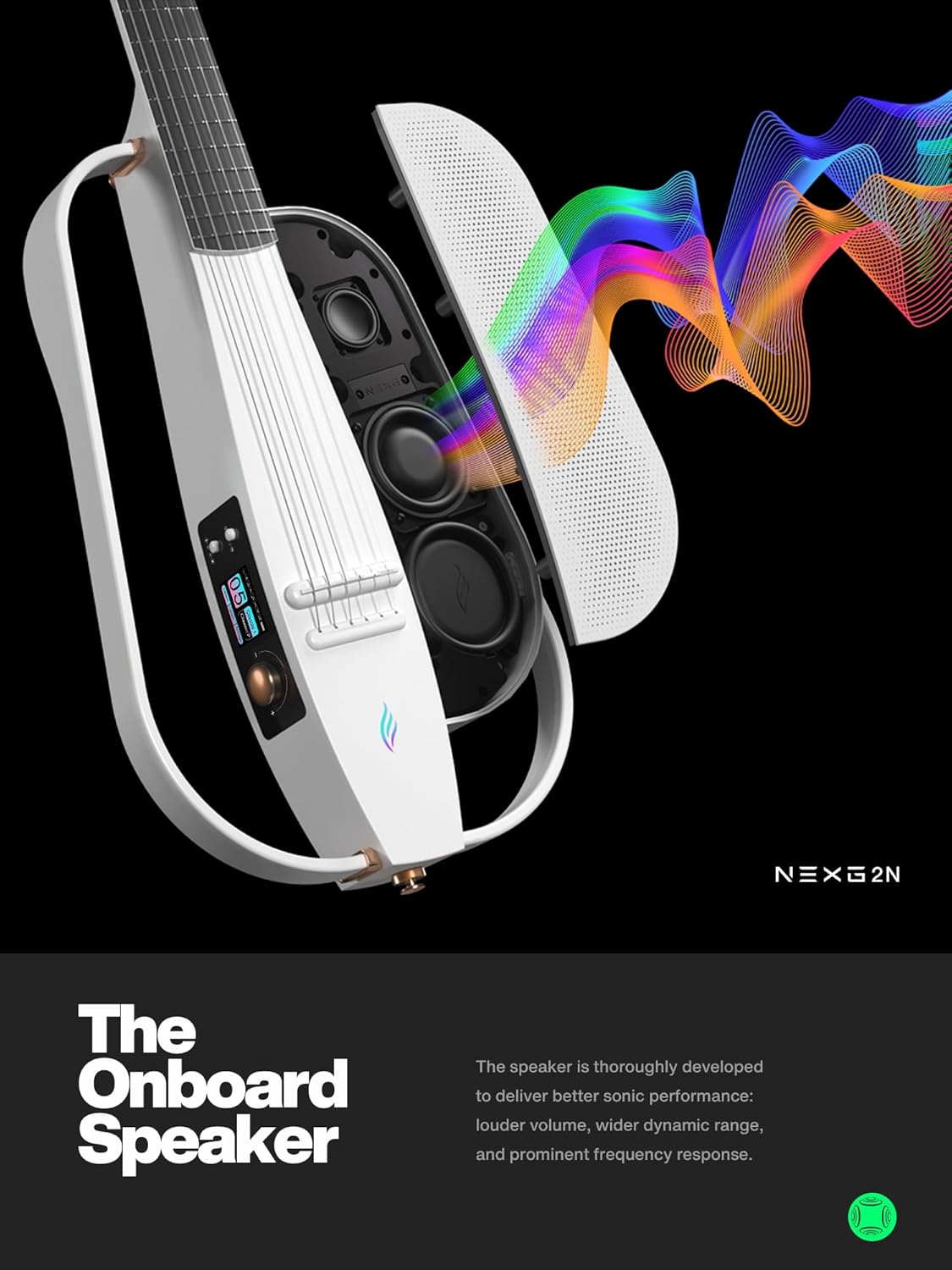
Image: An exploded diagram of the Enya NEXG 2N guitar, illustrating the internal speaker components and their placement within the guitar's body.
4.3 Color Touch Screen Navigation
The color touch screen provides intuitive navigation through the guitar's various functions and 20 onboard presets. Tap or swipe to select options, adjust settings, and access features like looper, drum machine, and effects.
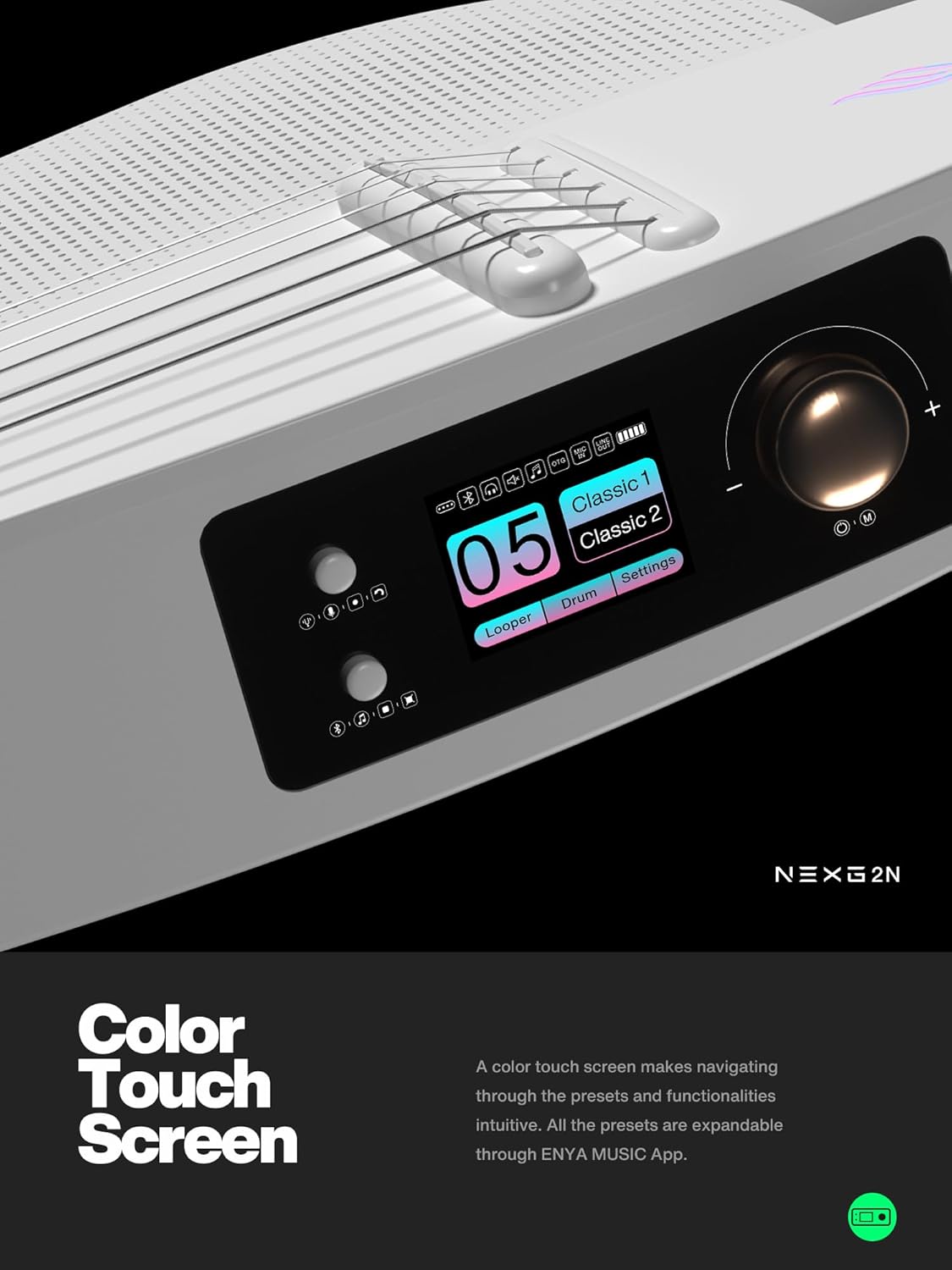
Image: A close-up view of the Enya NEXG 2N guitar's vibrant color touch screen, displaying various settings and options for sound customization.
4.4 Effects and Sound Customization
Utilize the Digital Signal Processor (DSP) and speaker to apply various effects to your nylon string sound, including compression, chorus, vibrato, octave, delay, and reverb. All onboard presets are customizable through the ENYA MUSIC App.
4.5 Looper and Drum Machine
The NEXG 2N includes an onboard looper and drum machine. These features allow for instant experimentation and mapping out creative ideas by selecting a beat and laying down guitar parts. This functionality is ideal for practice, composition, and solo jamming.

Image: The Enya NEXG 2N guitar's touch screen displaying the interface for the looper and drum machine functions, indicating active settings.
4.6 ENYA MUSIC App and Acoustic Profiling
Download the ENYA MUSIC App to further customize your sound. The Acoustic Profiling feature allows you to replicate the tonal characteristics of other guitars onto your NEXG 2N with simple clicks, expanding its sonic versatility.

Image: Two smartphone screens showcasing the ENYA MUSIC App, with one displaying various effects options and the other highlighting the acoustic profiling feature.
4.7 OTG Recording
The guitar supports OTG (On-The-Go) recording, allowing you to document your musical ideas directly from the guitar to a compatible device, anytime and anywhere.
5. Maintenance
5.1 Carbon Fiber Material Care
The NEXG 2N is constructed from carbon fiber composite material, which provides stability across different environmental conditions. To clean, wipe the surface with a soft, dry cloth. Avoid abrasive cleaners or solvents that could damage the finish.
5.2 Battery Care
To prolong battery life, avoid fully discharging the guitar's battery frequently. Store the guitar in a cool, dry place when not in use for extended periods. If storing for a long time, ensure the battery is charged to approximately 50%.
5.3 Action Adjustment
The guitar's action (string height) can be adjusted. There are two hex nuts accessible through the sound hole that can be loosened with an Allen key. Once loosened, a wood shim or similar object can be wedged under the neck to raise it, then retighten the hex nuts. This adjustment can improve playability and comfort. If unsure, consult a professional guitar technician.
6. Troubleshooting
| Problem | Possible Cause | Solution |
|---|---|---|
| No sound from speaker | Low battery; Volume too low; Speaker disabled. | Charge the guitar; Increase volume; Check speaker settings on touch screen. |
| Footswitch not connecting | Not paired; Out of range; Low battery in footswitch. | Ensure footswitch is powered on and within range; Re-pair via guitar's settings; Check footswitch battery. |
| Display not responding | System error; Low battery. | Restart the guitar; Charge the guitar. If issue persists, contact support. |
| Action too high/low | Neck relief or saddle height needs adjustment. | Adjust the hex nuts under the neck or modify the saddle height. Professional setup recommended if unfamiliar. |
7. Specifications
- Model: NEXG 2N WH
- Item Weight: 12.23 pounds
- Product Dimensions: 39.09 x 11.92 x 3.46 inches
- Body Material: Carbon Fiber
- Top Material: Carbon Fiber
- Back Material: Carbon Fiber
- Neck Material Type: Carbon Fiber
- Fretboard Material: Carbon Fiber
- String Material: Nylon
- Number of Strings: 6
- Color: White
- Guitar Pickup Configuration: Combination
- Guitar Bridge System: Fixed
- Hand Orientation: Right
- Date First Available: January 17, 2024
8. Warranty and Support
Enya provides a limited warranty for its products. For specific warranty terms, technical support, or service inquiries, please refer to the official Enya website or contact Enya customer service directly. Keep your purchase receipt as proof of purchase for warranty claims.
Visit the Enya Store on Amazon for more information and product accessories.
Related documentsNEXG 2N WH


Ask a question about this manual
Ask about setup, troubleshooting, compatibility, parts, safety, or missing instructions. Manuals+ will review the question and use this page’s manual context to help answer it.