
henbaker NV710S-3
NV710S Night Vision Monocular Instruction Manual
Model: NV710S-3
Introduction
The henbaker NV710S Night Vision Monocular is designed for enhanced observation in various lighting conditions, from daylight to complete darkness. This device integrates advanced night vision technology with high-magnification capabilities, making it suitable for outdoor activities such as hunting, wildlife observation, and security monitoring. Its robust, waterproof, and impact-resistant construction ensures reliable performance in challenging environments.

Figure 1: The henbaker NV710S Night Vision Monocular, showcasing its compact and ergonomic design.
Package Contents
Verify that all items listed below are present in your package. If any components are missing or damaged, please contact customer support.

Figure 2: Illustration of the NV710S package contents, including the main unit, data cable, shim, battery, eye mask, ring, packing bag, dust-proof bag, and specification manual.
- NV710S Night Vision Monocular (Machine body)
- Data Cable
- Shim
- Battery (4800mAh)
- Shock-proof and light-proof eye mask
- Mounting Ring
- Packing Bag
- Dust-proof Bag
- Specification Manual
Setup
1. Battery Installation
- Locate the battery compartment on the device.
- Insert the provided 4800mAh battery, ensuring correct polarity.
- Securely close the battery compartment cover.
2. Mounting (Optional)
The NV710S can be mounted to compatible devices, such as cameras or riflescopes, using the provided mounting ring and shim.
- Attach the mounting ring to the objective lens end of the monocular.
- Use the shim as needed to ensure a snug and stable fit with your external device.
- Tighten the ring securely, but do not overtighten to avoid damage.
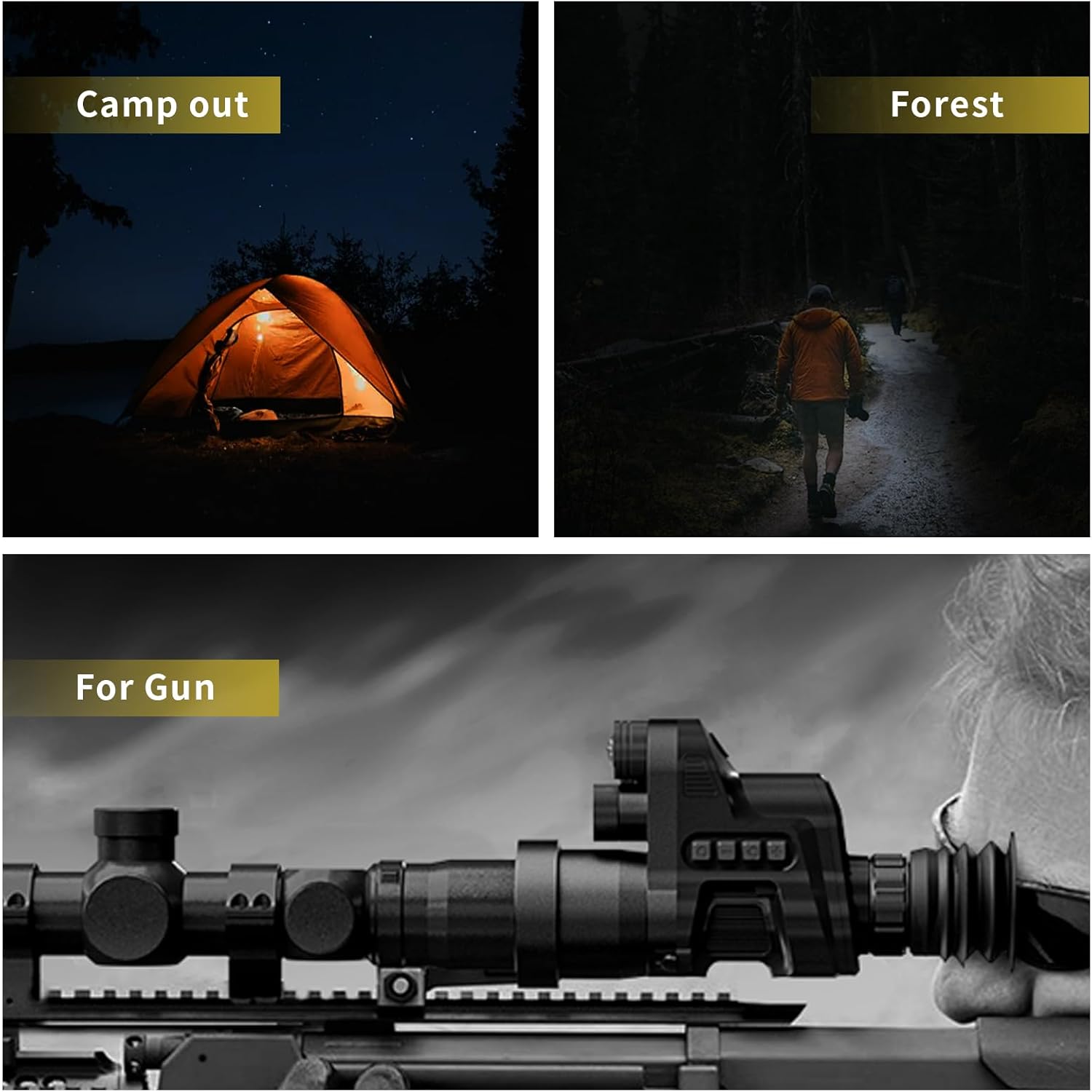
Figure 3: The NV710S Night Vision Monocular shown mounted for use with a rifle scope, demonstrating its adaptability for various applications.
Operating Instructions
Power On/Off
- To power on, press and hold the power button (usually marked with a power symbol) for a few seconds until the display illuminates.
- To power off, press and hold the power button again until the display shuts down.
Day and Night Mode Operation
The NV710S is designed for optimal performance in both day and night conditions.
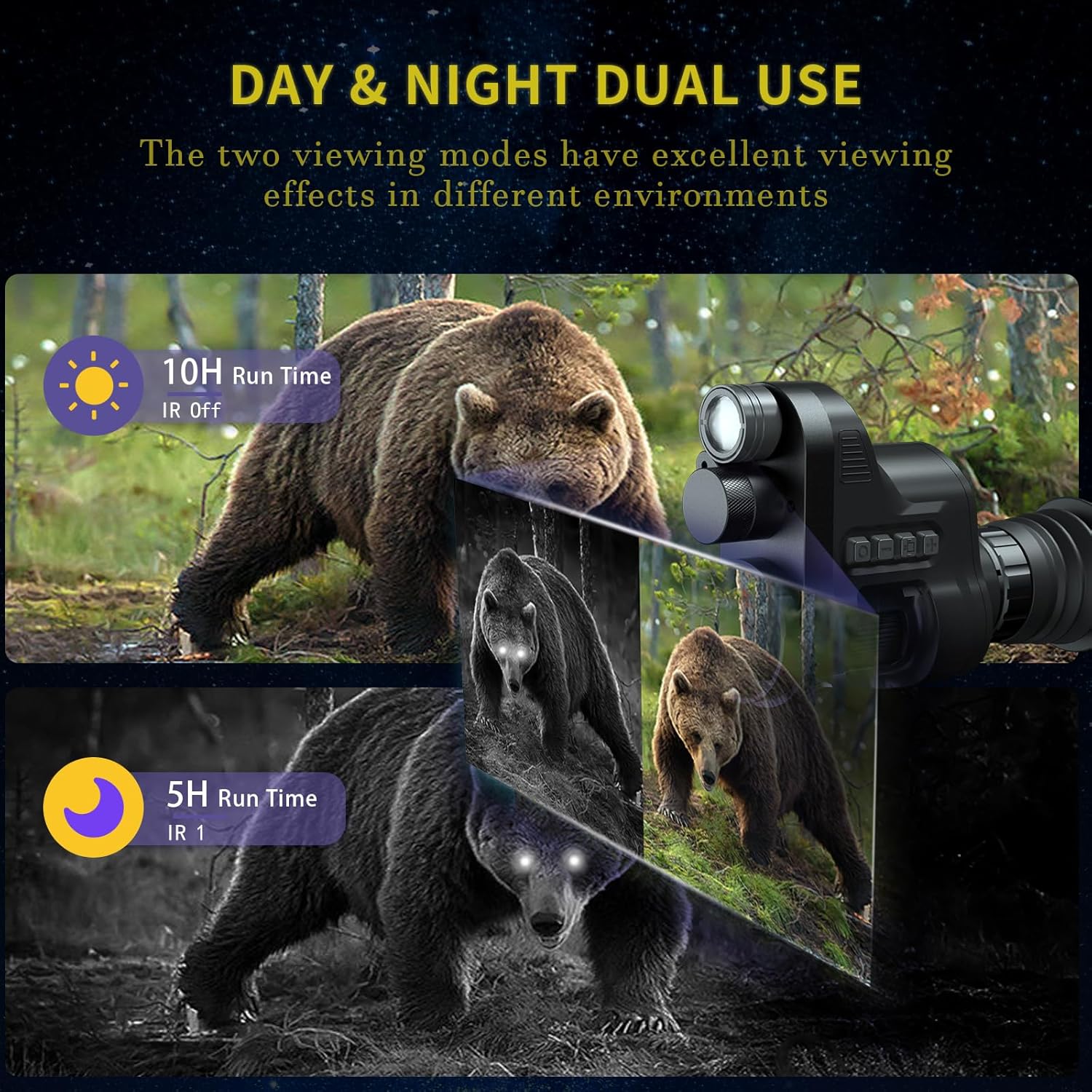
Figure 4: Comparison of viewing effects in day mode (IR off, 10H run time) and night mode (IR level 1, 5H run time), illustrating the device's versatility.
- Day Mode: For daytime use, the infrared (IR) illuminator should be off. The device provides clear, full-color observation with high magnification.
- Night Mode: In low-light or no-light conditions, activate the IR illuminator. The device will switch to black and white or green night vision mode. Adjust the IR intensity as needed for optimal visibility.
Zoom and Focus Adjustment
- Zoom: Use the zoom controls (typically '+' and '-' buttons) to adjust the magnification from 4x to 16x.
- Focus: Rotate the focus ring on the objective lens to achieve a sharp image of your target.
Recording and Photography
The NV710S features high-definition video and camera functions.

Figure 5: The digital screen display of the NV710S, showing a stable, clear, and intuitive picture, demonstrating its high-definition video and camera capabilities.
- Press the dedicated photo button to capture still images.
- Press the video button to start and stop video recording.
- Captured media is stored internally or on an inserted memory card (if applicable). Refer to the detailed specification manual for memory card compatibility and capacity.
Advanced Features
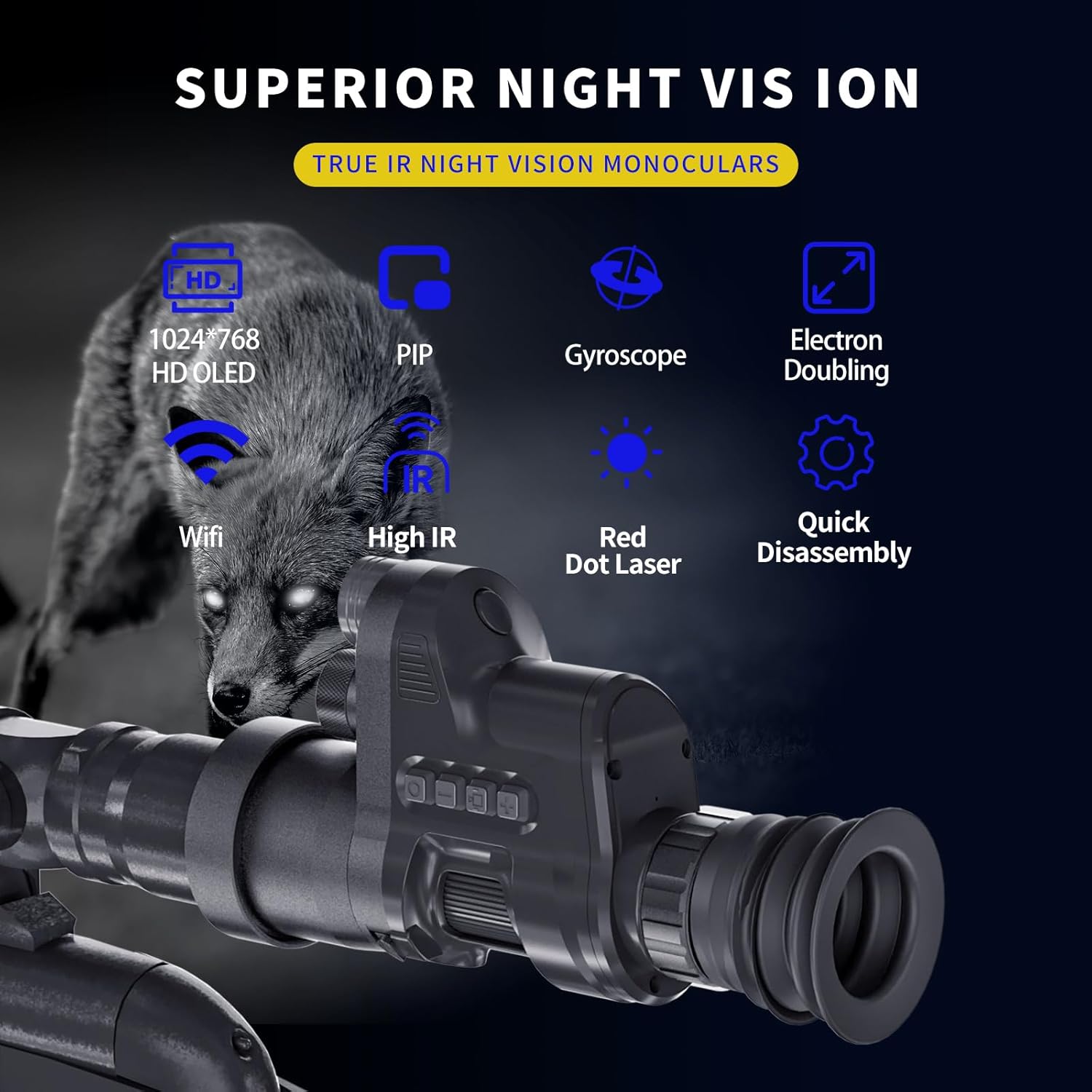
Figure 6: Visual representation of the NV710S's advanced features, including HD 1024x768 OLED display, Picture-in-Picture (PIP), Gyroscope, Electron Doubling, Wifi connectivity, High IR, Red Dot Laser, and Quick Disassembly.
- HD 1024x768 OLED Display: Provides a clear and crisp viewing experience.
- Picture-in-Picture (PIP): Allows for magnified viewing of a specific area while maintaining a wider field of view.
- Gyroscope: Enhances stability and tracking.
- Electron Doubling: Improves low-light performance.
- Wifi Connectivity: Enables connection to smart devices for remote viewing or media transfer.
- High IR: Offers powerful infrared illumination for extreme darkness.
- Red Dot Laser: Provides a targeting aid.
- Quick Disassembly: Facilitates easy setup and breakdown.
Maintenance
Cleaning
- Use a soft, lint-free cloth to clean the lenses. For stubborn smudges, use a lens cleaning solution specifically designed for optics.
- Wipe the body of the monocular with a damp cloth. Avoid abrasive cleaners or solvents.
Storage
- Store the device in a cool, dry place away from direct sunlight and extreme temperatures.
- If storing for extended periods, remove the battery to prevent leakage.
- Use the provided dust-proof bag and packing bag for protection during storage and transport.
Battery Care
- Recharge the battery using the provided data cable and a compatible USB power source.
- Avoid fully discharging the battery frequently to prolong its lifespan.
Troubleshooting
| Problem | Possible Cause | Solution |
|---|---|---|
| Device does not power on. | Battery is low or not installed correctly. | Charge the battery or re-install it, ensuring correct polarity. |
| Image is blurry. | Focus is not adjusted correctly; lens is dirty. | Adjust the focus ring; clean the objective lens. |
| Night vision performance is poor. | IR illuminator is off or set to low intensity; ambient light is too high. | Activate or increase IR intensity; ensure use in appropriate low-light conditions. |
| Cannot record photos/videos. | Memory full or no memory card inserted (if applicable). | Delete old files or insert a compatible memory card. |
Specifications
| Feature | Detail |
|---|---|
| Model Name | NV710S-3 |
| Brand | henbaker |
| Color | Black |
| Style | Outdoor |
| Product Dimensions | 5.4"L x 3.8"W x 3.6"H (137mm L x 96.5mm W x 91.4mm H approx.) |
| Item Weight | 1.8 Pounds (0.82 kg) |
| Material | Alloy Steel |
| Objective Lens Diameter | 25 Millimeters |
| Compatible Devices | Camera |
| Night Vision | Yes |
| Reticle Type | Crosshair |
| Manufacturer | henbaker |
| Date First Available | December 22, 2023 |

Figure 7: Detailed dimensions of the NV710S Night Vision Monocular, including length, width, and height measurements.
Warranty and Support
The product information indicates "Warranty Description: no". Therefore, specific warranty details are not provided. For any operational issues, technical support, or inquiries, please refer to the contact information provided in the original product packaging or on the official henbaker website.
For further assistance, please visit the henbaker Store on Amazon.