
1. Product Overview
The QUOLIX Q-268 Walkie Talkies are designed for clear and reliable communication for children aged 3-12. These rechargeable devices offer a range of features to enhance outdoor play and communication.
Key Features:
- Rechargeable Design: Built-in rechargeable battery with USB-C charging.
- Clear Communication: Crystal-clear sound quality with noise cancellation technology.
- VOX Function: Voice-activated transmission for hands-free operation.
- Built-in Flashlight: Integrated LED flashlight for use in low-light conditions.
- 22 FRS Channels: Provides multiple channels for private communication.
- Long Range: Up to 1.86 miles (3 KM+) in ideal, unobstructed conditions.
- Durable & Portable: Compact, lightweight design made from high-quality ABS plastic, with included belt clip and lanyard.
- Key Lock: Prevents accidental channel or setting changes.
- FCC Certified: Ensures compliance with safety and communication standards.
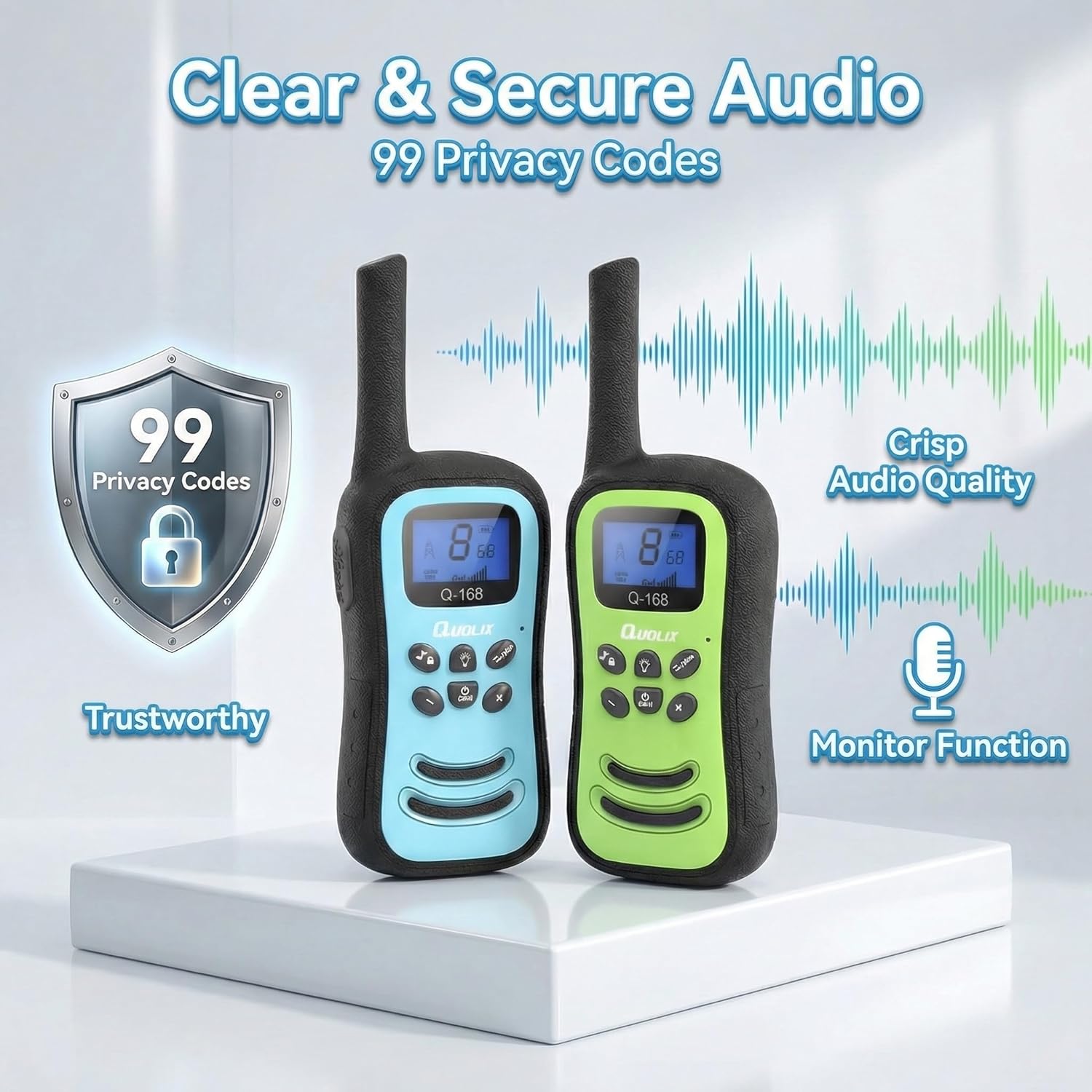
Image 1.1: QUOLIX Q-268 Walkie Talkies highlighting clear and secure audio features.
2. What's in the Box
Please check the package contents to ensure all items are present:
- 3 x QUOLIX Q-268 Walkie Talkies
- 3 x USB Charging Cables
- 3 x Belt Clips
- 3 x Lanyards
- 1 x English User's Manual
3. Safety Information
Read all safety instructions before using the device. Failure to follow these instructions may result in injury or damage to the product.
- Adult Supervision: Always ensure children are supervised while using the walkie talkies.
- Battery Safety: The walkie talkies contain non-removable lithium-ion batteries. Do not attempt to open, replace, or dispose of the battery in fire. Avoid exposing the device to extreme temperatures.
- Choking Hazard: Small parts like lanyards and belt clips can pose a choking hazard to young children.
- Water Exposure: These walkie talkies are not water-resistant. Avoid exposure to water or excessive moisture.
- Cleaning: Use a soft, dry cloth for cleaning. Do not use harsh chemicals or abrasive cleaners.
- FCC Compliance: This device complies with FCC regulations. Any unauthorized modifications may void the user's authority to operate the equipment.
4. Setup
4.1 Charging the Walkie Talkies
- Locate the USB-C charging port on the side or bottom of the walkie talkie.
- Connect one end of the provided USB-C charging cable to the walkie talkie.
- Connect the other end of the USB-C cable to a compatible USB power adapter (not included) or a computer's USB port.
- The charging indicator light on the walkie talkie will illuminate to show it is charging.
- A full charge typically takes approximately 2.5 hours. The indicator light will change or turn off once charging is complete.

Image 4.1: Walkie Talkie connected for USB-C charging.
4.2 Powering On/Off
- To power on, press and hold the Power/Menu button until the screen illuminates.
- To power off, press and hold the Power/Menu button until the screen turns off.
4.3 Attaching Belt Clip and Lanyard
- Belt Clip: Slide the belt clip into the designated slot on the back of the walkie talkie until it clicks securely into place.
- Lanyard: Thread the lanyard through the small loop at the top of the walkie talkie and secure it.

Image 4.2: Walkie Talkie worn with a lanyard for easy carrying.
5. Operating Instructions
5.1 Channel Selection
- With the walkie talkie powered on, press the Menu button once. The channel number on the display will flash.
- Use the Up (+) or Down (-) buttons to select your desired channel (1-22).
- Press the Menu button again to confirm the channel selection, or wait a few seconds for it to set automatically.
- Ensure all walkie talkies intended for communication are set to the same channel.
5.2 Push-to-Talk (PTT) Button
- To transmit your voice, press and hold the large PTT button located on the side of the walkie talkie.
- Speak clearly into the microphone.
- Release the PTT button to stop transmitting and listen for a response.
5.3 Voice-Activated Transmission (VOX)
The VOX function allows you to transmit without pressing the PTT button, activating automatically when you speak.
- Press the Menu button multiple times until the VOX icon appears on the display.
- Use the Up (+) or Down (-) buttons to select a VOX sensitivity level (e.g., 1-3, with 3 being most sensitive) or turn VOX off.
- Press the Menu button to confirm.

Image 5.1: Hands-free communication using the VOX feature.
5.4 Using the Flashlight
- Press the Flashlight button (usually marked with a lightbulb icon) to turn the LED flashlight on.
- Press the button again to turn the flashlight off.

Image 5.2: Child using the integrated flashlight feature.
5.5 Key Lock Function
- To activate the key lock, press and hold the Lock button (often combined with the music note icon) until a lock icon appears on the display. This prevents accidental changes to channels or settings.
- To deactivate, press and hold the Lock button again until the lock icon disappears.
5.6 Monitor Function
- Press the MON button to temporarily disable squelch and listen for weak signals on the current channel. This can be useful for checking if a channel is clear or for hearing faint transmissions.
Video 5.3: Official product video demonstrating key features and usage of the QUOLIX Walkie Talkies.
6. Maintenance
6.1 Cleaning
- Wipe the exterior of the walkie talkie with a soft, slightly damp cloth.
- Do not use abrasive cleaners, solvents, or harsh chemicals, as these can damage the device's finish or internal components.
- Ensure no moisture enters the charging port or microphone/speaker openings.
6.2 Battery Care
- To prolong battery life, recharge the walkie talkies regularly, even if not in frequent use.
- Avoid fully discharging the battery frequently.
- Do not expose the device to extreme heat or cold, as this can degrade battery performance and lifespan.
- The battery is non-removable. Do not attempt to open the device or replace the battery.
6.3 Storage
- When not in use for extended periods, store the walkie talkies in a cool, dry place, away from direct sunlight and moisture.
- Ensure the devices are fully charged before storing them for a long duration.
7. Troubleshooting
If you encounter issues with your QUOLIX Q-268 Walkie Talkies, refer to the following common problems and solutions:
| Problem | Possible Cause | Solution |
|---|---|---|
| No power | Battery is depleted. | Recharge the walkie talkie using the provided USB-C cable. |
| No sound or poor sound quality | Incorrect channel/privacy code; Low volume; Obstructions. | Ensure both units are on the same channel. Adjust volume. Reduce distance or move to an open area. |
| Short communication range | Environmental obstructions (buildings, trees); Low battery; Weather conditions. | Move to an open area. Ensure batteries are fully charged. Range is reduced by physical barriers. |
| Interference or unwanted transmissions | Other users on the same channel. | Change to a different channel. |
| Buttons not responding | Key lock is activated. | Deactivate the key lock by pressing and holding the Lock button. |
8. Specifications
| Feature | Detail |
|---|---|
| Brand | QUOLIX |
| Model Number | Q-268 |
| Number of Channels | 22 FRS Channels |
| Frequency Protocol | FRS (Family Radio Service) |
| Tuner Type | UHF |
| Maximum Talking Range | Up to 1.86 Miles (3 KM+) in ideal conditions |
| Battery Type | 1 Lithium Ion (included, non-removable) |
| Voltage | 3.6 Volts |
| Charging Interface | USB-C |
| Special Features | Lightweight, Built-in LED Flashlight, VOX Function |
| Water Resistance Level | Not Water Resistant |
| Certifications | FCC Certified |
| Included Components | 3 Walkie Talkies, 3 USB cables, 3 Belt clips, 3 Lanyards, 1 User Manual |

Image 8.1: Dimensions of the QUOLIX Q-268 Walkie Talkie.

Image 8.2: Illustration of walkie talkie range under various environmental conditions.
9. Warranty and Support
9.1 Warranty Information
The QUOLIX Q-268 Walkie Talkies come with a 1-Year Warranty from the date of purchase. This warranty covers manufacturing defects and malfunctions under normal use. It does not cover damage caused by misuse, accidents, unauthorized modifications, or improper maintenance.
9.2 Customer Support
For any questions, technical assistance, or warranty claims, please contact QUOLIX customer service. Refer to the contact information provided on the product packaging or the official QUOLIX website.