
Introduction
Thank you for choosing the GOXAWEE 1600W Rotary Hammer Drill and Chisel Perforator. This powerful and versatile tool is designed for heavy-duty drilling and chiseling tasks in various materials such as concrete, masonry, wood, and metal. To ensure safe and efficient operation, please read this instruction manual thoroughly before using the tool. Keep this manual for future reference.
Safety Instructions
Always observe basic safety precautions to reduce the risk of fire, electric shock, and personal injury.
General Power Tool Safety Warnings
- Work Area Safety: Keep the work area clean and well-lit. Cluttered or dark areas invite accidents. Do not operate power tools in explosive atmospheres, such as in the presence of flammable liquids, gases, or dust.
- Electrical Safety: Power tool plugs must match the outlet. Never modify the plug in any way. Do not use any adapter plugs with earthed (grounded) power tools. Avoid body contact with earthed or grounded surfaces, such as pipes, radiators, ranges, and refrigerators.
- Personal Safety: Always wear eye protection. Use appropriate personal protective equipment such as dust masks, non-skid safety shoes, hard hats, or hearing protection when necessary. Stay alert, watch what you are doing, and use common sense when operating a power tool.
- Tool Use and Care: Do not force the power tool. Use the correct power tool for your application. Disconnect the plug from the power source before making any adjustments, changing accessories, or storing power tools.
Specific Rotary Hammer Safety
- Hold the tool by insulated gripping surfaces when performing an operation where the cutting accessory may contact hidden wiring or its own cord.
- Always ensure the safety clutch is functioning correctly. The safety clutch is designed to automatically release when the drill bit encounters a hard object, preventing kickback and potential injury.
- Use the auxiliary handle for better control and to absorb vibration.
Product Overview and Components
The GOXAWEE Rotary Hammer Drill is a robust tool designed for demanding tasks. It features a powerful 1600W motor, SDS-Plus chuck system, and variable speed control for optimal performance across different applications.

Image: The GOXAWEE Rotary Hammer Drill and its complete set of accessories, including drill bits, chisels, auxiliary handle, depth gauge, chuck, and toolbox.
Package Contents
- 1 x User Manual
- 1 x GOXAWEE Rotary Hammer Drill and Chisel Perforator
- 1 x Toolbox
- 1 x Flat Chisel (light hammer)
- 1 x Pointed Chisel (light hammer)
- 1 x Chuck (for non-SDS bits)
- 2 x Carbon Brushes
- 3 x Impact Drill Bits
- 1 x Chuck Key
- 1 x Lubricant
- 1 x Depth Gauge
- 1 x Dust Cover

Image: Detailed diagram highlighting key features such as the SDS-Plus Chuck, depth indicator, 100% copper core motor, carbon brush replacement hole, 360-degree rotating handle, and variable speed regulation.
Setup
Attaching the Auxiliary Handle
- Loosen the auxiliary handle by rotating it counter-clockwise.
- Slide the handle onto the front of the tool body.
- Adjust the handle to your desired position (360° adjustable).
- Tighten the handle by rotating it clockwise until secure.
Installing/Removing SDS-Plus Drill Bits
- Clean the shank of the drill bit and apply a small amount of lubricant.
- Pull back the chuck sleeve and insert the drill bit into the chuck until it clicks into place.
- Release the chuck sleeve. Pull the bit to ensure it is securely locked.
- To remove, pull back the chuck sleeve and pull the drill bit out.
Adjusting the Depth Gauge
- Insert the depth gauge into the hole on the auxiliary handle.
- Adjust the depth gauge to the desired drilling depth.
- Tighten the auxiliary handle to secure the depth gauge in place.
Operating Modes
The GOXAWEE Rotary Hammer Drill offers multiple operating modes, selected via the mode selector switch:
- Rotary Drilling Mode: For drilling in wood, metal, and plastic. No hammering action.
- Hammer Drilling Mode: For drilling in concrete, brick, and masonry. Combines rotation with hammering action.
- Chiseling Mode: For light chiseling, chipping, and demolition work in concrete and masonry. Rotation is disengaged, only hammering action.
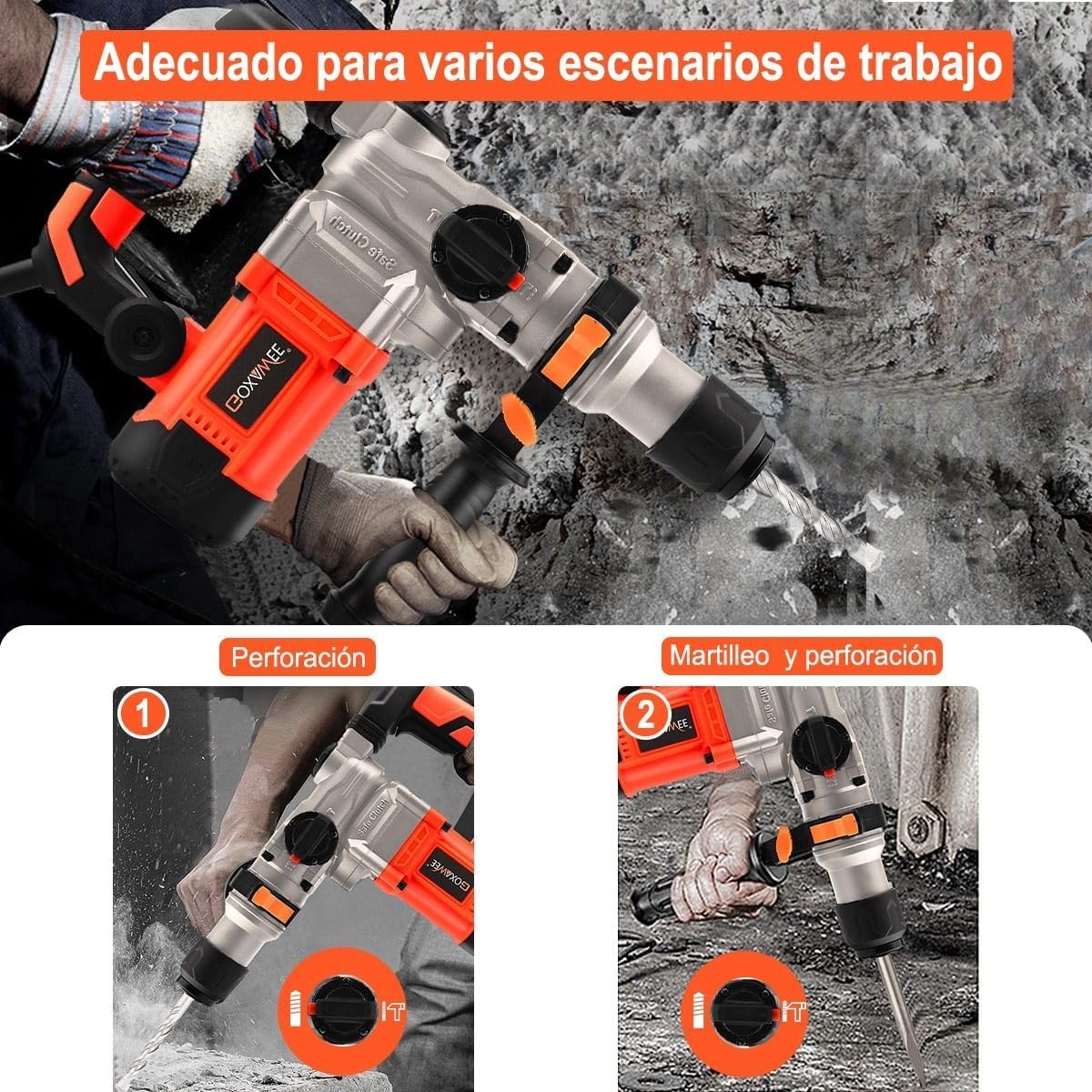
Image: The rotary hammer drill demonstrating its use in both standard drilling (left) and hammer drilling (right) applications on a wall surface.
Operation
General Operation Guidelines
- Always ensure the workpiece is securely clamped or supported.
- Start drilling at a low speed and gradually increase as needed using the variable speed trigger.
- Apply steady, even pressure. Do not force the tool.
- Allow the tool to cool down during prolonged use to prevent overheating.
Drilling in Concrete/Masonry
Use the Hammer Drilling Mode with appropriate SDS-Plus drill bits. For optimal results, ensure the drill bit is sharp and the depth gauge is set correctly.
Drilling in Wood
Use the Rotary Drilling Mode. Attach the chuck for non-SDS bits if using standard wood drill bits. Ensure the wood is clamped to prevent movement.
Drilling in Metal
Use the Rotary Drilling Mode with appropriate metal drill bits. Use cutting fluid to prolong bit life and improve drilling efficiency. Start with a pilot hole for larger diameters.
Chiseling Operations
Select the Chiseling Mode. Use flat or pointed chisels for breaking concrete, removing tiles, or creating channels. Maintain a firm grip and control the tool's direction.
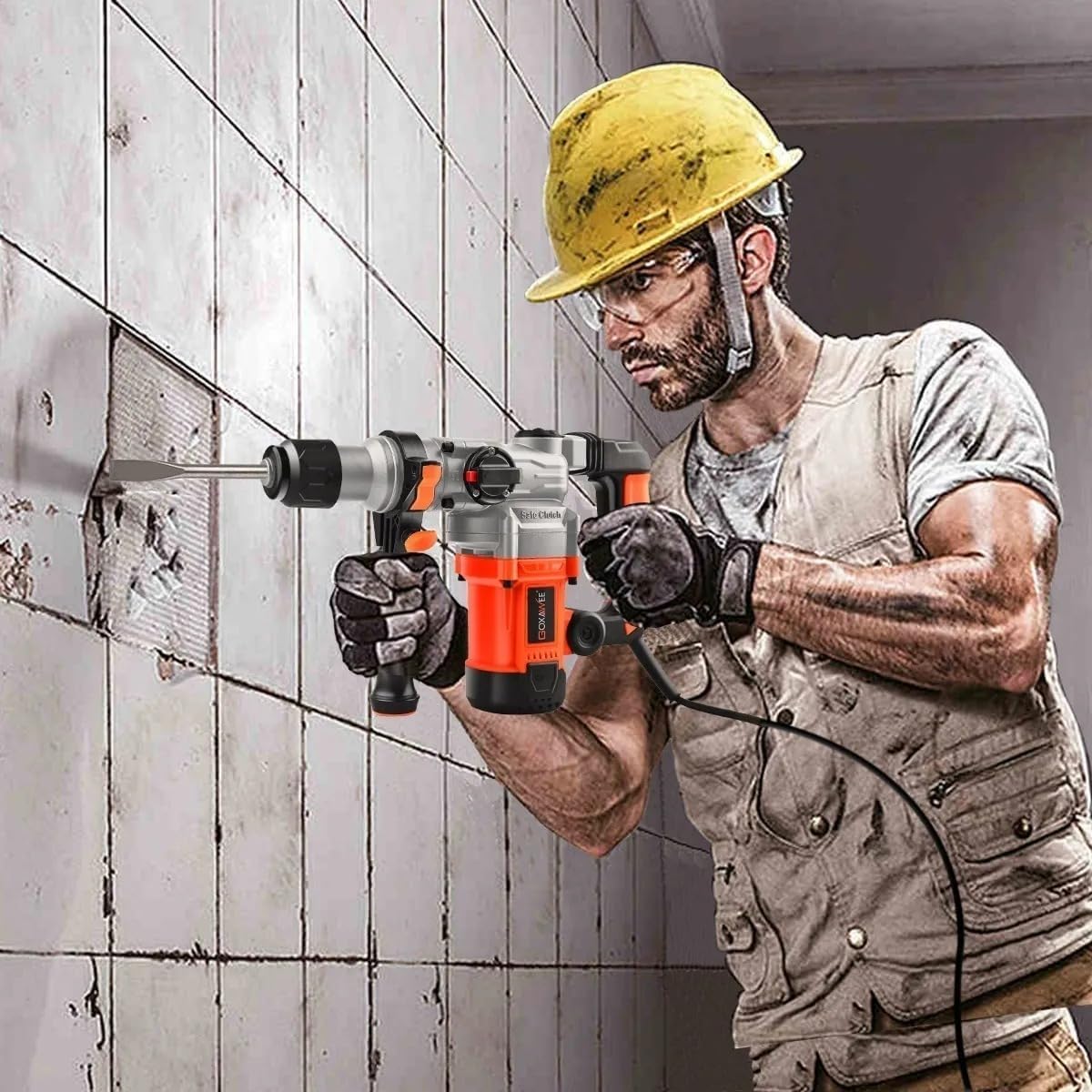
Image: A worker demonstrating the use of the GOXAWEE Rotary Hammer Drill for chiseling into a wall, highlighting its application in demolition tasks.

Image: A worker using the GOXAWEE Rotary Hammer Drill for hammer drilling into a concrete wall, showcasing its power and effectiveness in tough materials.
Maintenance
Regular maintenance ensures the longevity and optimal performance of your tool.
Cleaning
After each use, clean the tool with a soft cloth. Remove any dust or debris from the ventilation slots to ensure proper cooling. Do not use harsh chemicals or abrasive cleaners.
Lubrication
Periodically apply a small amount of the provided lubricant to the SDS-Plus chuck and drill bit shanks to ensure smooth operation and prevent wear.
Carbon Brush Replacement
The carbon brushes are wear parts. When the tool's performance decreases significantly or it stops working, the carbon brushes may need replacement. Consult a qualified technician or refer to the diagram for the carbon brush replacement hole. Always use genuine GOXAWEE replacement brushes.
Storage
Store the tool in its original toolbox in a dry, secure place, out of reach of children. Protect it from direct sunlight and extreme temperatures.
Troubleshooting
| Problem | Possible Cause | Solution |
|---|---|---|
| Tool does not start | No power supply; Faulty power cord/plug; Worn carbon brushes | Check power connection; Inspect cord/plug for damage; Replace carbon brushes |
| Reduced impact force | Insufficient lubrication; Worn internal components | Apply lubricant to chuck/bit shank; Contact service for inspection |
| Excessive vibration | Loose auxiliary handle; Damaged drill bit; Internal issue | Tighten handle; Replace drill bit; Contact service |
| Overheating | Blocked ventilation slots; Prolonged heavy use | Clean ventilation slots; Allow tool to cool down |
Technical Specifications
| Feature | Specification |
|---|---|
| Manufacturer | GOXAWEE |
| Model Number | G5230-MX |
| Power Source | Corded Electric |
| Voltage | 110 Volts |
| Max Power | 1600 Watts |
| Speed (No Load) | 1050 RPM |
| Max Chuck Size | 13 Millimeters |
| Special Features | Variable Speed, Safety Clutch |
| Power Cable Length | 280 cm (2.8 meters) |
| Product Dimensions (L x W x H) | 35 x 13 x 41 cm |
| Product Weight | 7.15 kg |
| Batteries Required? | No |

Image: A diagram illustrating the key dimensions of the GOXAWEE Rotary Hammer Drill and the length of its power cable (2.85 meters).
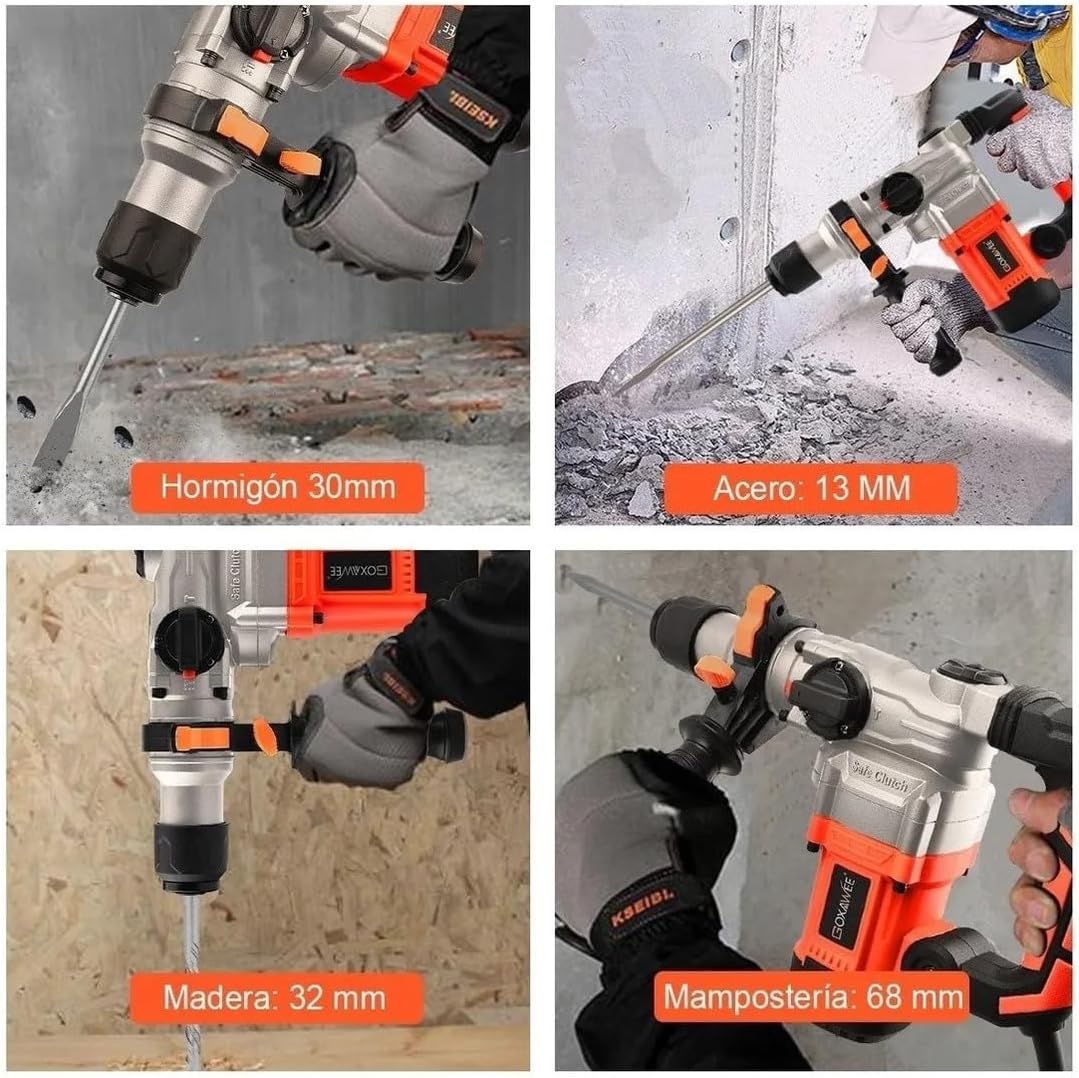
Image: Visual representation of the maximum drilling capacities for the GOXAWEE Rotary Hammer Drill in different materials: Concrete (30mm), Steel (13mm), Wood (32mm), and Masonry (68mm).
Warranty and Support
GOXAWEE products are manufactured to high-quality standards. For information regarding warranty coverage, returns, or technical support, please refer to the product's purchase documentation or contact GOXAWEE customer service directly through their official website or the retailer where the product was purchased. Please have your model number (G5230-MX) and purchase date ready when contacting support.