
1. Introduction
Thank you for choosing the mifo FiiTii HiFiFree Wireless Retro Headphones. This manual provides essential information for setting up, operating, and maintaining your headphones. Please read it thoroughly before use to ensure optimal performance and longevity of your device.

Figure 1: mifo FiiTii HiFiFree Wireless Retro Headphones
Package Contents
- mifo FiiTii HiFiFree Wireless Retro Headphones
- USB Type-C Charging Cable
- Interchangeable Ear Cushions (Black, Green, Orange)
- User Manual (this document)
2. Important Safety Information
To prevent damage to your headphones or injury to yourself, please observe the following safety precautions:
- Do not expose the headphones to extreme temperatures, humidity, or corrosive substances.
- Avoid dropping or subjecting the headphones to strong impacts.
- Do not attempt to disassemble or modify the headphones. This will void the warranty.
- Keep the headphones away from water and liquids. They are not water-resistant.
- Listen at moderate volume levels to prevent hearing damage.
- Keep out of reach of children.
3. Product Overview
Headphone Components
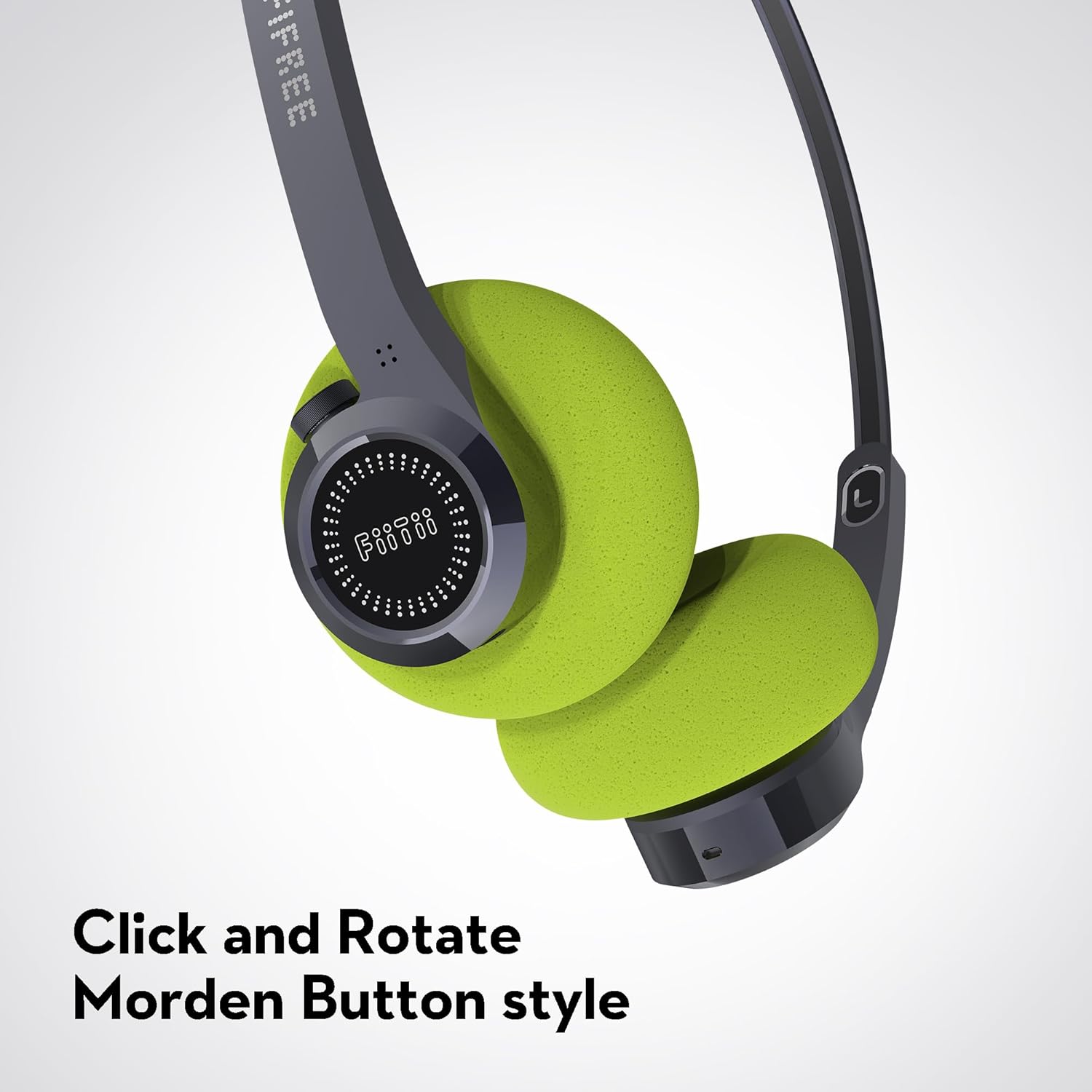
Figure 2: Right Ear Cup with Click and Rotate Button

Figure 3: Control Layout and Functions
Interchangeable Ear Cushions
The headphones come with three pairs of ear cushions (black, green, orange) allowing for personalization and comfort. To change the ear cushions, gently pull off the existing cushion and press the new one onto the ear cup until it is securely attached.

Figure 4: Replaceable Ear Cushions
4. Setup
4.1 Initial Charging
Before first use, fully charge your headphones. Connect the USB Type-C charging cable to the charging port on the headphones and the other end to a USB power source (e.g., computer, wall adapter). The LED indicator will show charging status and turn off or change color when fully charged.
4.2 Powering On/Off
- Power On: Long press the R (Right) ear cup's encoder button for 1 second.
- Power Off: Long press the R (Right) ear cup's encoder button for 1 second.
4.3 Bluetooth Pairing
- Ensure the headphones are powered off.
- Long press the R (Right) ear cup's encoder button for 3-5 seconds until the LED indicator flashes, indicating pairing mode.
- On your device (smartphone, tablet, computer), enable Bluetooth and search for available devices.
- Select "HiFiFree" from the list of devices.
- Once connected, the LED indicator will stop flashing or show a solid light.
4.4 Multi-Point Connection
The HiFiFree headphones support connecting to two devices simultaneously. This allows you to seamlessly switch between audio sources without re-pairing.
- Pair the headphones with the first device as described in section 4.3.
- Disconnect Bluetooth on the first device. The headphones will re-enter pairing mode.
- Pair the headphones with the second device.
- Reconnect Bluetooth on the first device. The headphones should now be connected to both devices.
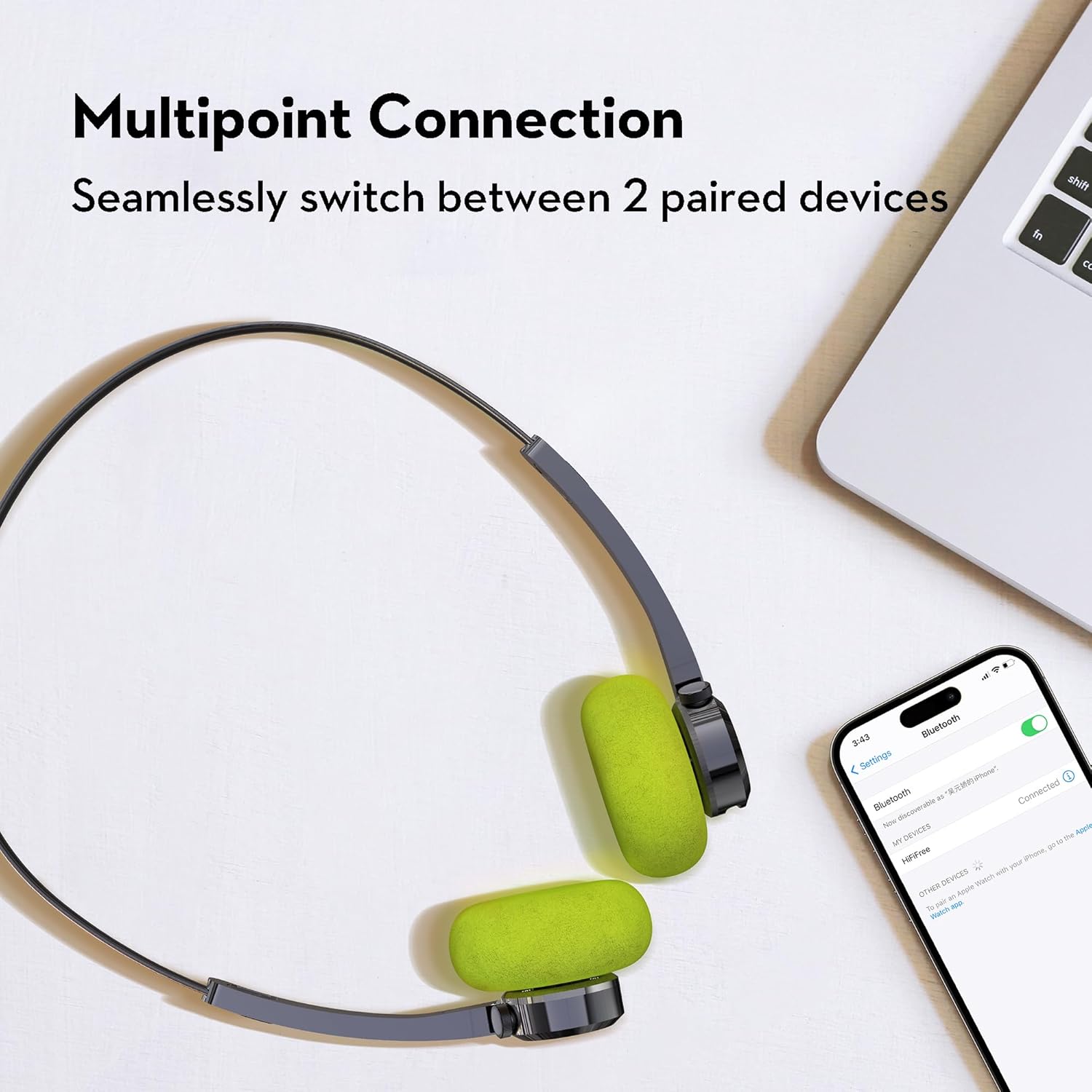
Figure 5: Multi-Point Connection
5. Operating Instructions
5.1 Basic Controls (Refer to Figure 3 for visual guide)
| Function | Action | Button/Location |
|---|---|---|
| Power On/Off | Long press 1s | R (Right) Encoder Button |
| Volume Up | Rotate to the right | R (Right) Encoder Button |
| Volume Down | Rotate to the left | R (Right) Encoder Button |
| Play/Pause Music | Tap once | R (Right) Encoder Button |
| Next Song | Tap twice | R (Right) Encoder Button |
| Previous Song | Tap twice | L (Left) Function Button |
| Answer/End Call | Tap once | R (Right) Encoder Button |
| Reject Call | Tap twice | R (Right) Encoder Button |
| Activate Voice Assistant (Siri) | Long press 2s | L (Left) Function Button |
| Switch Local/Bluetooth Play Mode | Tap once | L (Left) Function Button |
| Low Latency Mode | Tap 3 times | L (Left) Function Button |
5.2 Low Latency Mode
The headphones feature a low latency mode (35ms) for improved audio-visual synchronization, ideal for gaming or watching videos. Activate it by tapping the L (Left) Function Button three times.

Figure 6: Low Latency Mode and Battery Life
6. App Control
Enhance your experience by downloading the dedicated mifo FiiTii app. The app allows for customization of button settings, sound effects, and lighting effects.
- Customizable Button Settings: Reassign functions to suit your preferences.
- Sound Effects: Choose from various sound profiles or create your own.
- Lighting Effects: Adjust RGB colorful lighting on the headphones.

Figure 7: Easy Control with the mifo FiiTii App
7. Maintenance
7.1 Cleaning
- Wipe the headphones with a soft, dry cloth.
- For ear cushions, gently remove and clean with a damp cloth if necessary, ensuring they are completely dry before reattaching.
- Do not use harsh chemicals or abrasive cleaners.
7.2 Storage
When not in use, store the headphones in a cool, dry place away from direct sunlight and extreme temperatures. Avoid placing heavy objects on them.
8. Troubleshooting
| Problem | Possible Cause | Solution |
|---|---|---|
| Headphones do not power on | Low battery | Charge the headphones fully. |
| Cannot pair with device | Headphones not in pairing mode; Bluetooth off on device; Device too far | Ensure headphones are in pairing mode, Bluetooth is enabled on your device, and devices are within 1 meter. |
| No sound or low volume | Volume too low; Incorrect audio output selected; Headphones not connected | Adjust volume on headphones and device; Check device's audio output settings; Re-pair headphones. |
| Intermittent connection | Interference; Out of range; Low battery | Move closer to the device; Avoid strong electromagnetic interference; Charge headphones. |
9. Specifications
| Feature | Detail |
|---|---|
| Model Name | HiFiFree |
| Connectivity | Bluetooth 5.4 |
| Wireless Range | Up to 10 meters (33 feet) |
| Audio Driver | 36mm Dynamic Driver |
| Audio Latency | 35 Milliseconds (Low Latency Mode) |
| Noise Control | Passive Noise Cancellation, Dual Microphone ENC Noise Reduction |
| Control Type | Button, Touch, App Control |
| Special Features | Adjustable Headband, Lightweight, Microphone Included, Multipoint Pairing, Voice Assistant Support, Customizable Sound Effects, RGB Lighting |
| Material | Acrylonitrile Butadiene Styrene (ABS), Polycarbonate (PC), Stainless Steel |
| Item Weight | 8.8 ounces (approx. 249g) |
| Dimensions | 7.13 x 6.61 x 1.85 inches (approx. 18.1 x 16.8 x 4.7 cm) |
| Battery | 1 Lithium Ion battery (included) |
| Ear Placement | On Ear |
| Impedance | 26 Ohms |

Figure 8: Headphone Dimensions
10. Official Product Video
Video 1: Overview of mifo FiiTii HiFiFree Wireless Headphones. This video highlights key features such as dynamic speakers, ENC noise reduction, app customization, retro design, adjustable headband, lightweight construction, interchangeable ear cushions, Bluetooth 5.4 connectivity, 10-meter wireless range, and multi-point connection.
11. Warranty and Support
For warranty information and customer support, please refer to the warranty card included in your package or visit the official mifo website. Please retain your proof of purchase for any warranty claims.