
1. Introduction
Thank you for choosing the ERGOMAKER 36-inch Electric Standing Desk Converter. This product is designed to transform your existing desk into a dynamic sit-stand workstation, promoting a healthier and more productive work environment. This manual provides essential information for the safe assembly, operation, and maintenance of your new desk converter. Please read it thoroughly before use and retain it for future reference.
2. Important Safety Information
Failure to follow these safety instructions may result in injury or damage to the product.
- Always ensure the total weight on the desk (including the desk itself and any items placed on it) does not exceed 17 kilograms (37.5 lbs). Exceeding this limit can cause instability and damage.
- Carefully follow all assembly instructions to avoid injury.
- Do not use the desk converter if it appears damaged, unstable, or if any parts are missing.
- Keep children and pets away from the desk converter during operation.
- Ensure all cables are properly managed to prevent entanglement or tripping hazards.
3. Package Contents
Please verify that all components are present and undamaged before proceeding with assembly.
- ERGOMAKER Electric Standing Desk Converter Unit
- Detachable Keyboard Tray
- Assembly Tools (Hex key, screws)
- Power Adapter
- User Manual
4. Setup and Assembly
The ERGOMAKER Electric Standing Desk Converter requires minimal assembly. Basic assembly instructions are included in the packaging. The primary step involves attaching the keyboard tray.
- Unpack Components: Carefully remove all parts from the packaging and place them on a clean, flat surface.
- Attach Keyboard Tray: Align the keyboard tray with the designated slots on the underside of the main desktop. Secure it using the provided screws and assembly tools. The quick-release design allows for easy removal if preferred.
- Position the Converter: Place the assembled desk converter on your existing desk. Ensure it is stable and centered.
- Connect Power: Plug the power adapter into the desk converter and then into a wall outlet.

Image 1: Product Dimensions. This image illustrates the overall dimensions of the desk converter, including the main desktop (91cm wide, 60cm deep) and the keyboard tray (87.4cm wide, 29.7cm deep). It also shows the desktop capacity of 15kg and keyboard capacity of 2kg.
5. Operating Instructions
5.1 Electric Height Adjustment
The desk converter features an electric motor for smooth and quiet height adjustments, allowing you to effortlessly switch between sitting and standing positions.
- Adjusting Height: Use the 'Up' and 'Down' buttons on the control panel to raise or lower the desktop. The adjustment range is from 11 cm (4.33 inches) to 50 cm (19.7 inches).
- The motor operates at a speed of 23mm/s with a low noise level.

Image 2: Sitting and Standing Positions. This image demonstrates the height adjustment capability of the desk converter, showing its lowest point at 11cm (4.3 inches) and highest point at 50cm (19.7 inches).
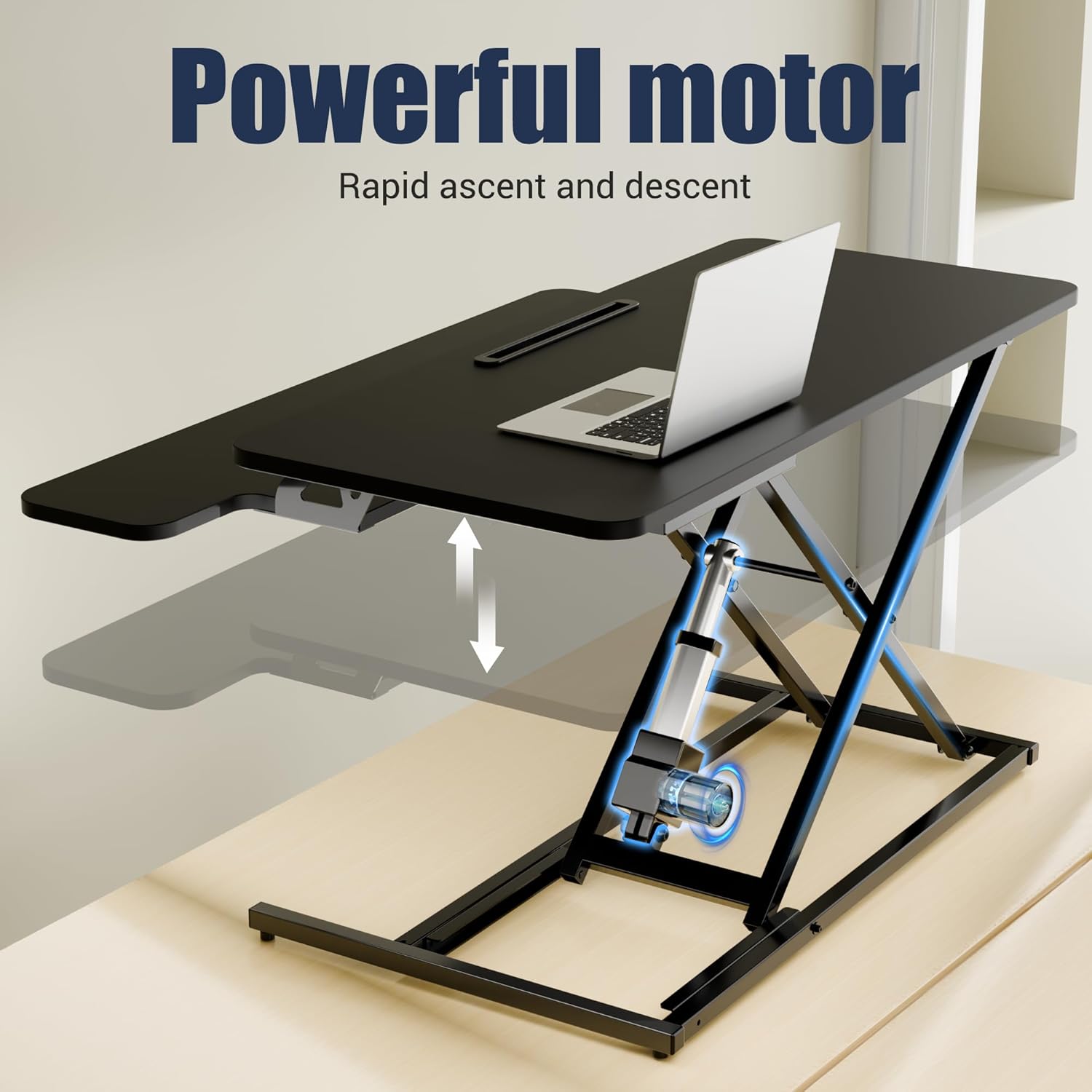
Image 3: Powerful Motor. This image focuses on the electric motor, emphasizing its role in providing rapid and smooth height adjustments.
5.2 Memory Control Panel
The integrated control panel allows for personalized settings and convenient operation.
- Memorized-Height: Save your preferred sitting and standing heights using the memory presets (e.g., '1' and '2' buttons). To set a height, adjust the desk to your desired level, then press and hold a memory button until you hear a beep or see a confirmation on the display.
- Recall Height: Press a saved memory button ('1' or '2') to automatically move the desk to your preset height.
- Sedentary Reminder: The control panel may include a sedentary reminder function to prompt you to change positions at regular intervals. Refer to the detailed manual for activation and customization.
- Advanced Settings: Access advanced settings (e.g., calibration, unit change) by following instructions in the full user manual.

Image 4: Memory Control Panel. This image displays the control panel with buttons for saving and recalling height presets, as well as indicators for advanced settings and a sedentary reminder.
5.3 Wireless Charging
The desk converter is equipped with a wireless charging pad for compatible devices.
- Place your wireless charging-compatible smartphone or other device directly onto the designated charging area on the desktop.
- Ensure the device is properly aligned for optimal charging.

Image 5: Wireless Charging. This image illustrates the wireless charging feature, showing a smartphone being charged on the integrated pad.
5.4 Tablet & Phone Holder
An integrated slot on the desktop provides a convenient holder for your tablet or smartphone, keeping your screen visible and organized.

Image 6: Tablet & Phone Holder, Adjustable Legs, Keyboard Guard. This image highlights the tablet and phone holder slot, the adjustable table legs for stability, and the keyboard guard for preventing items from sliding off.
5.5 Desktop Space
The spacious desktop and keyboard tray are designed to accommodate various setups.
- The main platform (91x60cm) supports dual monitors or a laptop with an external monitor.
- The keyboard tray (87x30cm) provides ample space for a keyboard and mouse.

Image 7: Wide Desktop Space. This image provides an overhead view of the desktop, illustrating its capacity for dual 24-inch monitors or a laptop and monitor setup. It also indicates compatibility with clamp monitor mounts.
6. Maintenance
Regular maintenance helps ensure the longevity and proper functioning of your desk converter.
- Cleaning: Wipe surfaces with a soft, damp cloth. Avoid using abrasive cleaners or harsh chemicals, as these can damage the finish.
- Inspection: Periodically check all screws and connections to ensure they are tight. Retighten if necessary.
- Cable Management: Ensure power cords and device cables are not pinched or tangled, especially during height adjustments.
7. Troubleshooting
If you encounter issues with your ERGOMAKER desk converter, refer to the following common problems and solutions:
| Problem | Possible Cause | Solution |
|---|---|---|
| Desk does not move or respond to buttons. | No power, loose connection, motor overload. | Check if the power adapter is securely plugged into the wall and the desk converter. Try a different outlet. Unplug and replug the power cord to reset. Ensure the weight on the desk does not exceed 17kg. |
| Uneven movement or shaking. | Uneven load, loose screws, unstable base. | Distribute weight evenly on the desktop. Check and tighten all assembly screws. Ensure the desk converter is placed on a flat, stable surface. |
| Wireless charging not working. | Device not compatible, improper placement, foreign objects. | Ensure your device supports wireless charging. Reposition the device on the charging pad. Remove any metal objects or thick cases that may interfere with charging. |
If the problem persists after attempting these solutions, please contact ERGOMAKER customer support.
8. Product Specifications
- Brand: ERGOMAKER
- Model Number: DC02E-36-BFBD
- Main Platform Dimensions: 91 cm (W) x 60 cm (D)
- Keyboard Tray Dimensions: 87 cm (W) x 30 cm (D)
- Height Adjustment Range: 11 cm (4.33") to 50 cm (19.7")
- Desktop Weight Capacity: 15 kg (33 lbs)
- Keyboard Tray Weight Capacity: 2 kg (4.4 lbs)
- Maximum Total Weight Recommendation: 17 kg (37.5 lbs)
- Lifting Speed: 23 mm/s
- Material: Alloy Steel
- Color: Black
- Item Weight: 12.5 kg
- Assembly: Required (Tools included)
- Special Features: Electric Height Adjustment, Wireless Charging, Memory Presets, Tablet & Phone Holder
9. Warranty and Support
Warranty: The ERGOMAKER 36-inch Electric Standing Desk Converter comes with a 2-year limited warranty from the date of purchase. This warranty covers manufacturing defects and ensures the product meets its specified performance standards under normal use.
Customer Support: For technical assistance, warranty claims, or any questions regarding your product, please contact our friendly tech support team:
- Email: service@ergomaker.com
Please have your model number (DC02E-36-BFBD) and proof of purchase ready when contacting support.