
1. Introduction
The Belkin BoostCharge 3-Port USB-C Wall Charger with PPS 67W is designed to provide efficient and fast charging for multiple USB-C compatible devices. Featuring three USB-C ports and Power Delivery (PD) 3.1 with Programmable Power Supply (PPS) technology, this charger delivers optimized power to your devices. Its compact design and foldable prongs make it suitable for both home and travel use.
Video: Product Overview of the Belkin BoostCharge 3-Port USB-C Wall Charger. This video demonstrates the charger's features and compact design.
Video: Belkin BoostCharge 3-Port USB-C Charger. This video highlights the charger's multi-port capabilities and fast charging.
2. Safety Information
Please read and follow all safety instructions before using this product to prevent injury or damage. This charger is equipped with a 6-point safety system to protect against voltage, load, current, and temperature overages, short circuiting, and fire.
- Do not expose the charger to liquids, moisture, or extreme temperatures.
- Use only in dry, indoor environments.
- Avoid dropping or subjecting the charger to strong impacts.
- Do not attempt to disassemble, repair, or modify the charger.
- Ensure proper ventilation around the charger during use.
- Keep out of reach of children.

Image: The charger plugged into a wall outlet, illustrating its safety features and compact design.
3. Package Contents
Verify that your package contains the following item:
- 1 x Belkin BoostCharge 3-Port USB-C Wall Charger
4. Setup
To set up your Belkin BoostCharge 3-Port USB-C Wall Charger:
- Unfold the prongs from the charger body. The foldable prongs are designed for easy packing and carrying, preventing them from catching on other items.
- Plug the charger into a standard wall outlet. The compact design allows it to plug in flat to the wall, saving space.
- Connect your USB-C charging cables (not included, unless specified) to the charger's USB-C ports.
- Connect the other end of the cables to your compatible devices.

Image: The charger with its foldable prongs extended, ready for use or storage.
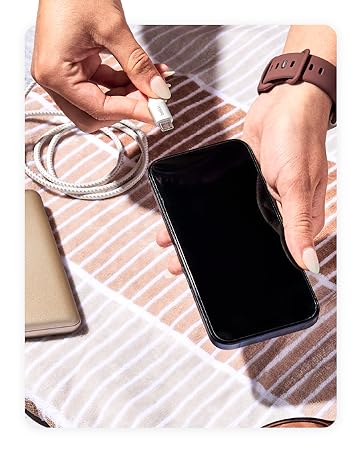
Image: A hand connecting a USB-C cable to a smartphone, demonstrating device connection.
5. Operating
The Belkin BoostCharge 3-Port USB-C Wall Charger is designed for optimal charging performance for various devices.
Single Port Use
When using a single port, the charger can deliver up to 67W of power, suitable for charging laptops and other high-power USB-C PD enabled devices.

Image: The charger providing 67W of power to a laptop via a single USB-C port.
Simultaneous Charging
The charger features three dedicated USB-C ports, allowing you to charge multiple devices simultaneously. The power distribution is dynamically managed by PPS technology to ensure efficient and safe charging for each connected device.
- One port can deliver up to 25W/67W Max.
- Two additional ports can deliver up to 20W/67W Max each.
The total output is intelligently distributed across the ports. For example, you can charge an iPhone, a Galaxy phone, and a tablet concurrently.

Image: The charger simultaneously charging a tablet, smartphone, and another device.

Image: Visual representation of the three USB-C ports and their maximum power output, alongside various compatible devices.
6. Maintenance
To ensure the longevity and optimal performance of your charger:
- Cleaning: Disconnect the charger from the power outlet and all devices before cleaning. Use a soft, dry cloth to wipe the surface. Do not use liquid cleaners or aerosols.
- Storage: Store the charger in a cool, dry place away from direct sunlight and extreme temperatures. Ensure the prongs are folded for compact storage.
- Environmental Responsibility: The product housing is made from a minimum of 72% post-consumer recycled content. Please dispose of the product responsibly according to local electronic waste regulations.

Image: The charger highlighting its environmentally friendly construction with recycled materials.
7. Troubleshooting
If you encounter issues with your charger, refer to the following common solutions:
- Device not charging:
- Ensure the charger is securely plugged into a working wall outlet.
- Verify that the USB-C cable is properly connected to both the charger and your device.
- Try using a different USB-C cable to rule out cable malfunction.
- Test the charger with a different device to confirm charger functionality.
- Slow charging:
- Ensure your device supports fast charging via USB-C PD and PPS.
- Check if multiple devices are connected. When charging multiple devices, the total power output is shared, which may result in slower charging for individual devices compared to single-port use.
- Verify that your cable is rated for the power output required for fast charging.
- Charger feels warm:
- It is normal for the charger to become warm during operation, especially when charging multiple devices or high-power devices. If it becomes excessively hot, disconnect it immediately and contact support.
- Ensure the charger has adequate ventilation and is not covered.
8. Specifications
| Brand | Belkin |
| Model Number | WCC002dq |
| Connector Type | USB Type C |
| Total USB Ports | 3 |
| Wattage | 67 watts |
| Input Voltage | 240 Volts |
| Output Voltage | 20 Volts (DC) |
| Amperage | 5 Amps |
| Output Current | 3.25 Amps |
| Special Feature | Compact, Flat to Wall Design, Fast Charging, Travel |
| Color | White |
| Material | Plastic |
| Manufacturer | Belkin |
9. Warranty
This Belkin product includes a standard 2-year warranty. Additionally, it comes with up to $2,500 in Connected Equipment Warranty (CEW), providing peace of mind for your connected devices.
For detailed terms and conditions regarding the warranty and Connected Equipment Warranty, please refer to the official Belkin website or the documentation included with your product.

Image: Belkin Connected Equipment Coverage details, including 2-year warranty and $2,500 CEW.
10. Support
For further assistance, technical support, or warranty claims, please visit the official Belkin support website or contact their customer service. You can typically find contact information and support resources on the Belkin website.
Online resources may include:
- FAQs and knowledge base articles
- Driver and firmware downloads (if applicable)
- Contact forms or phone numbers for direct support


