
1. Introduction
Thank you for purchasing the Holmes 36" CleanBreeze Digital Tower Fan. This fan is designed to provide efficient and customizable airflow for your home, bedroom, or office. Its slim design and advanced features ensure optimal comfort and ease of use. Please read this manual thoroughly before operating your new fan to ensure safe and proper use.

The Holmes 36" CleanBreeze Digital Tower Fan, featuring a sleek matte black finish and a ClearRead display.
2. Safety Information
Always follow basic safety precautions when using electrical appliances to reduce the risk of fire, electric shock, and injury to persons. This product is ETL certified, ensuring it meets recognized safety standards.
- Read all instructions before using this fan.
- Ensure the power source matches the fan's requirements (Standard 120V Outlet).
- Do not operate any fan with a damaged cord or plug.
- Keep the fan away from water and moisture.
- Do not insert fingers or foreign objects into any openings.
- Unplug the fan from the outlet when not in use or before cleaning.

The fan is ETL certified for safety and quality assurance.
3. Package Contents
Please check the package contents to ensure all items are present:
- Holmes 36" CleanBreeze Digital Tower Fan Unit
- Remote Control (requires 1 Lithium Metal battery, not included)
- Instruction Manual
4. Setup
4.1 Assembly
Minimal assembly is required. Attach the base to the main fan unit by aligning the slots and securing it firmly. Ensure the power cord is routed correctly through the base if applicable.
4.2 Placement
Place the fan on a firm, level surface in the desired location. Its slim design makes it ideal for bedrooms, living rooms, home offices, kitchens, and other areas where floor space is limited. Ensure there is adequate space around the fan for optimal airflow and oscillation.

The CleanBreeze feature helps maintain fresh airflow, making it suitable for homes with pets.
5. Operating Instructions
The Holmes CleanBreeze Digital Tower Fan features a ClearRead LCD display and intuitive controls for easy operation, both on the unit and via the remote control.
5.1 Control Panel Overview
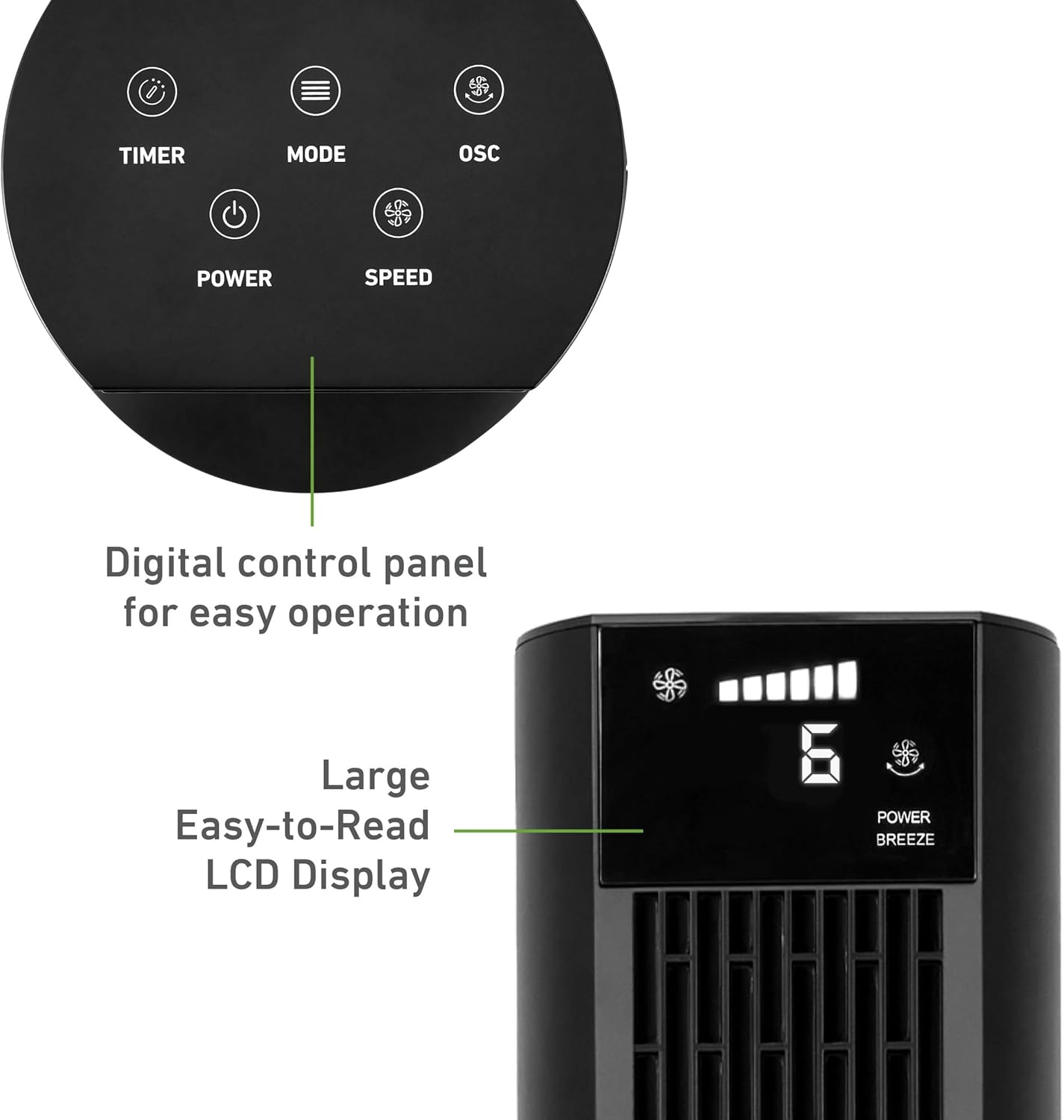
The digital control panel and large, easy-to-read LCD display for convenient operation.
5.2 Power On/Off
Press the POWER button on the control panel or remote control to turn the fan on or off.
5.3 Speed Settings
The fan offers 6 speed settings. Press the SPEED button repeatedly to cycle through the available speeds. Level 6, Power Breeze, provides high-speed velocity up to 16.4 ft./sec.
5.4 Oscillation
Activate the 75° motorized oscillation by pressing the OSC button. This feature distributes airflow across a wider area, ideal for larger rooms.

The 75° wide-angle oscillation feature ensures air circulation throughout the room.
5.5 Timer Function
Set the auto-shut off timer for up to 12 hours by pressing the TIMER button. This is convenient for setting the fan to turn off automatically after a desired period.
5.6 Remote Control
The included remote control allows you to operate all fan functions from a distance. Ensure the battery is correctly installed. The fan unit also features convenient remote storage.

The remote control provides convenient access to all fan settings.
6. Modes and Settings
Customize your cooling experience with 4 distinct operating modes:
- Normal Mode: Provides continuous airflow at your selected speed.
- Sleep Mode: Gradually reduces fan speed and dims the display for quiet, undisturbed rest.
- Breeze Mode: Simulates natural outdoor breezes by varying fan speed.
- Power Breeze Mode: Delivers maximum airflow for rapid cooling.
7. Maintenance and Cleaning
Regular cleaning ensures optimal performance and fresh airflow. The CleanBreeze fan is designed for easy maintenance.
7.1 Cleaning the Fan Blade and Back Panel
The fan features an easy-to-remove back panel and fan blade for thorough cleaning, helping to keep airflow free from dust and pet hair.
- Unplug the fan from the power outlet.
- Carefully remove the back panel of the fan.
- Gently detach the fan blade assembly.
- Clean the fan blade and back panel with water, mild soap, and a soft cloth. Avoid harsh chemicals or abrasive materials.
- Ensure all parts are completely dry before reassembling.
- Reattach the fan blade and secure the back panel.

The removable back panel and blade allow for easy cleaning.
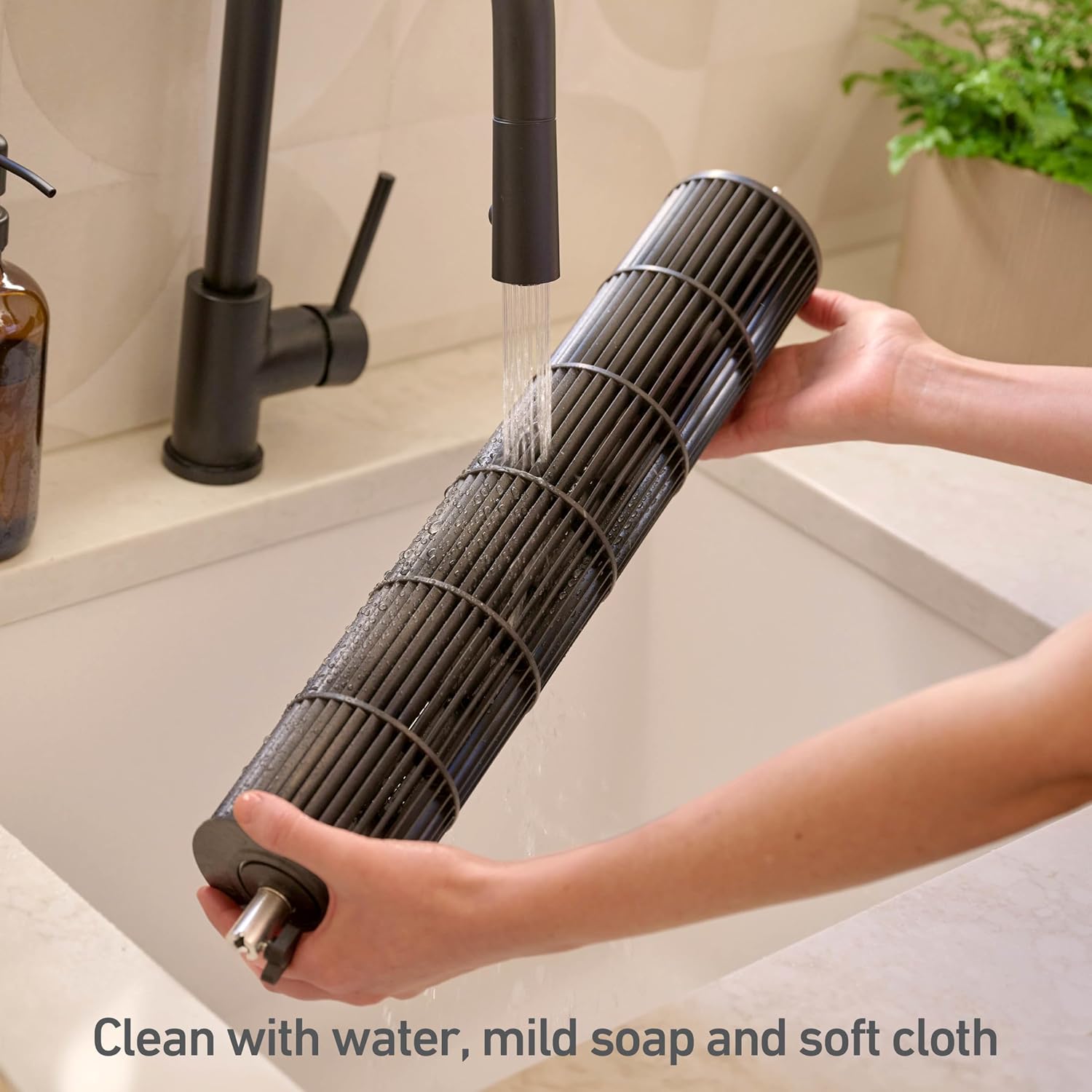
Clean the fan blade with water, mild soap, and a soft cloth.
7.2 Exterior Cleaning
Wipe the exterior surfaces of the fan with a soft, damp cloth. Do not use abrasive cleaners or allow water to drip into the motor housing.
8. Troubleshooting
If your fan is not operating correctly, please check the following common issues before contacting support:
| Problem | Possible Cause | Solution |
|---|---|---|
| Fan does not turn on | Not plugged in; Power outlet not working; Power button not pressed | Ensure fan is securely plugged in; Test outlet with another device; Press the POWER button |
| Weak airflow | Fan blade or grilles are dirty; Fan speed is too low | Clean the fan blade and grilles as per maintenance section; Increase fan speed |
| Fan is noisy | Fan is on a high speed setting; Obstruction in fan; Loose parts | Reduce fan speed; Check for and remove any obstructions; Ensure all parts are securely assembled |
| Oscillation not working | OSC button not pressed; Obstruction preventing rotation | Press the OSC button; Check for any obstructions around the base |
9. Specifications
Key technical details for your Holmes 36" CleanBreeze Digital Tower Fan:
- Model Name: 36" Cleanbreeze Digital Tower Fan
- Model Number: 12746
- Dimensions (D x W x H): 12" x 12" x 36"
- Item Weight: 6.61 Pounds
- Power Source: Standard 120V Outlet
- Wattage: 35.5 W
- Voltage: 177.5 Volts
- Noise Level: 65 dB (on highest speed)
- Number of Speeds: 6
- Oscillation: 75° Motorized
- Timer: Up to 12-hour auto-shut off
- Control Method: Remote / Digital Panel
- Blade Material: Plastic
- Certification: ETL Certified

Dimensions of the Holmes 36" CleanBreeze Digital Tower Fan.
10. Warranty and Support
Your Holmes 36" CleanBreeze Digital Tower Fan comes with a 3-year limited warranty. Please retain your proof of purchase for warranty claims.
For technical support, troubleshooting assistance beyond this manual, or warranty inquiries, please refer to the official HOLMES website or contact their customer service directly. Contact information can typically be found on the product packaging or the brand's official website.
