
1. Introduction
Thank you for choosing the SIXTHGU S2106 Magnetic Portable Charger. This device is designed to provide convenient and efficient charging for your compatible mobile devices, featuring both magnetic wireless charging and wired USB-C output. Please read this manual carefully before use to ensure proper operation and to maximize the lifespan of your product.
2. Important Safety Instructions
- Do not expose the device to water, moisture, or extreme temperatures.
- Avoid dropping, hitting, or disassembling the charger. Unauthorized repairs will void the warranty.
- Keep the device away from heat sources, direct sunlight, and flammable materials.
- Do not use the charger if it has been damaged or modified.
- Keep out of reach of children.
- Dispose of the product responsibly according to local regulations.
- Do not place metal objects or magnetic cards between the charger and your device during wireless charging.
3. Package Contents
- SIXTHGU S2106 Magnetic Portable Charger (10000mAh)
- USB-C Charging Cable
- User Manual
4. Product Overview
The SIXTHGU S2106 features a compact design with a magnetic surface for wireless charging and a versatile USB-C port for both input and output.
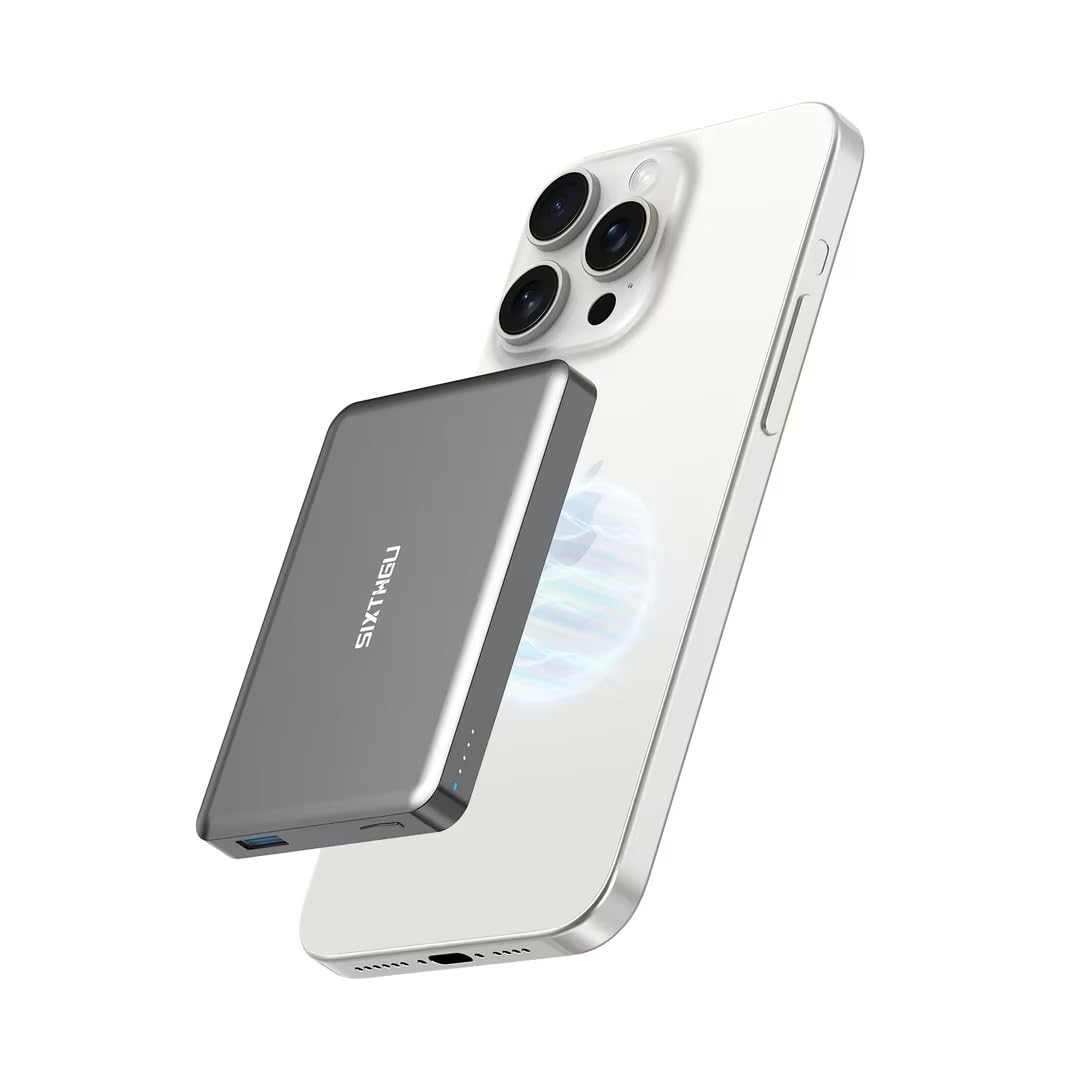
Image: Front view of the SIXTHGU S2106 Magnetic Portable Charger, showing the magnetic charging surface and LED indicators.
Key Components:
- Magnetic Wireless Charging Surface: For compatible devices (e.g., iPhone 12-15 series).
- USB-C Port: Used for charging the power bank and for wired output to other devices.
- LED Indicators: Display battery level and charging status.
- Power Button: Activates wireless charging and checks battery level.
5. Setup and Charging the Power Bank
5.1 Initial Charge
Before first use, fully charge your SIXTHGU S2106 portable charger.
- Connect the provided USB-C cable to the USB-C port on the portable charger.
- Connect the other end of the USB-C cable to a compatible USB power adapter (not included) or a computer's USB port.
- The LED indicators will illuminate to show the charging progress. All LEDs will be solid when fully charged.
6. Operating Instructions
6.1 Magnetic Wireless Charging
This feature is compatible with devices supporting magnetic wireless charging, such as iPhone 12, 13, 14, and 15 series.
- Ensure your portable charger is sufficiently charged.
- Align your compatible device (e.g., iPhone) with the magnetic charging surface on the portable charger. The magnets will automatically snap the device into place.
- The LED indicators on the portable charger will show charging activity, and your device will indicate that it is charging.
- To stop charging, simply remove your device from the portable charger.
6.2 Wired Charging (USB-C)
Use the USB-C port for wired charging of various devices.
- Connect one end of a USB-C cable (or a USB-C to Lightning cable for iPhones) to the USB-C port on the portable charger.
- Connect the other end of the cable to your device.
- The portable charger will automatically begin charging your device. If not, press the power button once.
- The LED indicators will show charging activity.
6.3 LED Indicator Guide
| Indicator Status | Meaning |
|---|---|
| All LEDs solid | Portable charger fully charged |
| Flashing LEDs | Portable charger is charging |
| Solid LEDs (number varies) | Remaining battery level (e.g., 1 LED = 0-25%, 4 LEDs = 75-100%) |
| No LEDs | Portable charger is off or depleted |
7. Care and Maintenance
- Clean the charger with a soft, dry cloth. Do not use harsh chemicals or abrasive materials.
- Store the charger in a cool, dry place when not in use.
- To prolong battery life, fully charge the power bank at least once every three months if not used regularly.
- Avoid exposing the device to strong magnetic fields, which could interfere with its operation.
8. Troubleshooting
| Problem | Possible Solution |
|---|---|
| Portable charger not charging | Ensure the USB-C cable is securely connected to both the charger and the power source. Try a different cable or power adapter. |
| Device not charging wirelessly | Ensure your device is magnetically aligned correctly. Remove any thick cases or metal objects. Check if the portable charger has sufficient power. |
| Slow charging | Ensure you are using a compatible cable and power adapter. Some devices may charge slower wirelessly than wired. |
| LED indicators not working | Press the power button once to activate. If still unresponsive, the battery might be completely depleted or the unit may require service. |
9. Product Specifications
- Model: S2106
- Capacity: 10000mAh
- Input: USB-C (details not specified, typically 5V/2A, 9V/2A)
- Wired Output: USB-C (up to 20W)
- Wireless Output: (details not specified, typically 5W/7.5W/10W/15W)
- Dimensions: 10.16 x 6.99 x 0.89 cm (4.0 x 2.75 x 0.35 inches)
- Weight: 267.62 grams (9.44 ounces)
- Battery Type: Internal rechargeable battery
- Compatibility: Magnetic wireless charging for iPhone 12/13/14/15 series; Wired charging for most USB-C compatible devices.
10. Warranty and Customer Support
SIXTHGU products are designed and manufactured to the highest quality standards. This product is covered by a standard manufacturer's warranty against defects in materials and workmanship from the date of purchase. Please retain your proof of purchase for warranty claims.
For technical support, warranty inquiries, or other assistance, please contact our customer service team through the platform where you purchased the product. Please provide your model number (S2106) and a detailed description of the issue.