
1. Introduction
This manual provides essential information for the safe and efficient operation of your MEANWNVV PSP-600-48 Switching AC-DC Power Supply. This device is designed to convert AC input to a stable 48V DC output, suitable for various electromechanical equipment and control systems. It features Power Factor Correction (PFC), DC OK signal output, remote switch, remote sensing, and parallel connection capabilities.

Figure 1: Top-down view of the PSP-600-48 Power Supply, illustrating the overall design, input/output terminals, and product identification label.
2. Safety Instructions
Please read and understand all safety instructions before installation and operation. Failure to follow these instructions may result in electric shock, fire, or damage to the product.
- Qualified Personnel: Installation and servicing must be performed by qualified personnel only.
- Input Voltage: Ensure the AC input voltage is within the specified range (100-240VAC) before connecting.
- Grounding: Always connect the protective earth (PE) terminal to ground to prevent electric shock.
- Ventilation: Ensure adequate ventilation around the unit. Do not block cooling fan openings.
- Overload Protection: Do not exceed the rated output current for extended periods to prolong service life.
- Environmental Conditions: Operate the unit within the specified temperature and humidity ranges. Avoid exposure to moisture or corrosive substances.
- Disconnection: Disconnect all power sources before performing any installation, maintenance, or troubleshooting.
3. Setup and Installation
Follow these steps for proper installation of the PSP-600-48 power supply.
3.1 Mounting
The unit is designed for chassis mounting. Ensure secure fastening and proper orientation for optimal cooling.
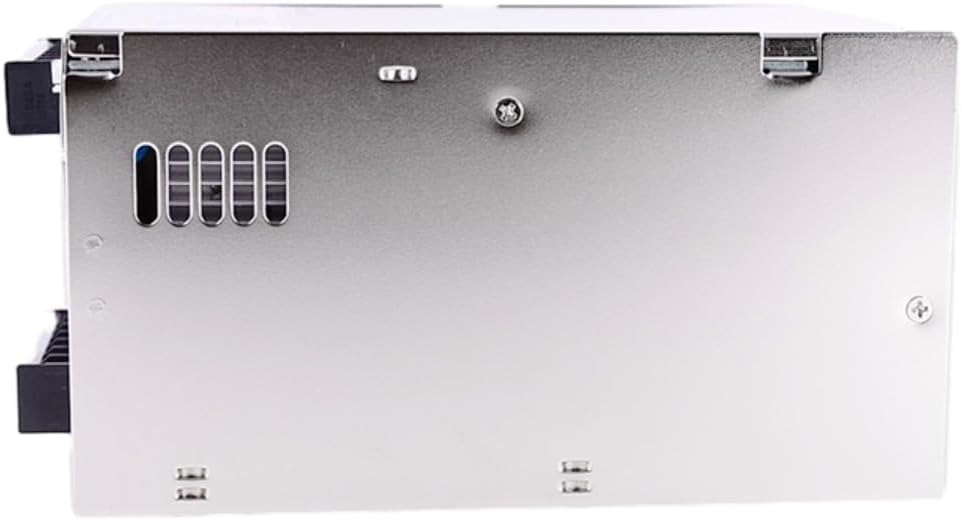
Figure 2: Side view of the PSP-600-48 Power Supply, highlighting mounting points and ventilation features.
3.2 Wiring Connections
Refer to the terminal block labels for correct wiring. Use appropriate gauge wires for input and output connections.
- AC Input: Connect Live (L), Neutral (N), and Earth Ground (PE) to the designated input terminals.
- DC Output: Connect the positive (+) and negative (-) terminals to your load.
- DC OK Signal: This output provides a signal indicating the DC output status. Consult the product datasheet for specific signal characteristics.
- Remote Switch/Sensing: Utilize these terminals for remote control and voltage compensation as per application requirements. Refer to the detailed wiring diagram in the product datasheet.
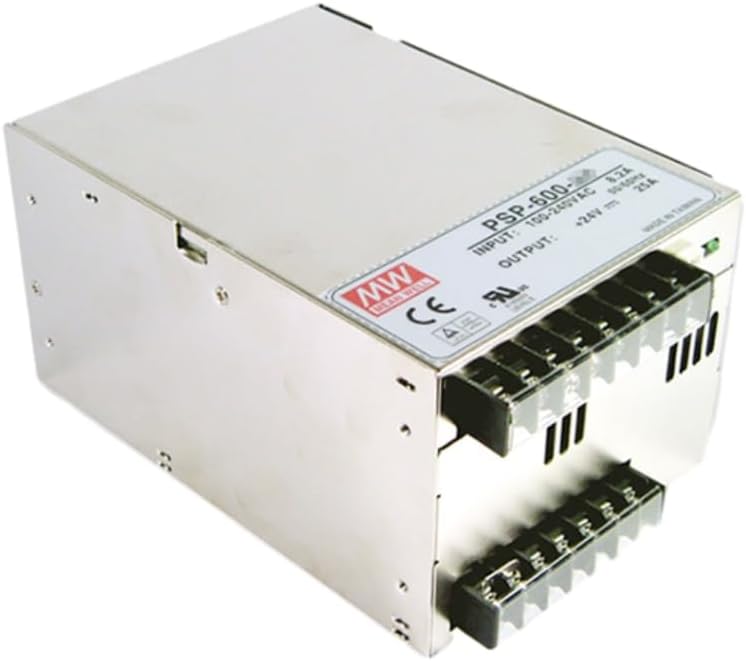
Figure 3: Detailed view of the terminal blocks on the PSP-600-48, illustrating the connection points for AC input, DC output, and control signals.
3.3 Parallel Connection
The PSP-600-48 supports parallel connection for increased output current, allowing up to 2400W (3+1 units). Ensure proper current sharing connections as specified in the product datasheet for stable operation.
4. Operating Instructions
Once properly installed, the power supply is ready for operation.
- Power On: Apply AC input voltage. The unit will power on and provide DC output.
- Output Voltage Adjustment: If applicable, use the internal potentiometer to fine-tune the output voltage within the specified range. Refer to the product label for location.
- Monitoring: The DC OK signal can be used to monitor the output status.
- Remote Control: The remote switch function allows for external control of the power supply's on/off state.
5. Maintenance
The PSP-600-48 is designed for reliable operation with minimal maintenance. However, periodic checks are recommended.
- Cleaning: Keep the unit clean and free from dust and debris, especially around the fan and ventilation openings. Disconnect power before cleaning.
- Fan Operation: Ensure the cooling fan operates freely and without obstruction.
- Connections: Periodically check all wiring connections for tightness and integrity.
- Environmental Check: Verify that the operating environment remains within the specified temperature and humidity limits.
6. Troubleshooting
The PSP-600-48 includes multiple protection features. If the unit is not functioning as expected, consider the following:
- No Output Voltage:
- Check AC input power and connections.
- Verify the remote switch is in the 'on' position if utilized.
- The unit may be in protection mode (overload, over-voltage, over-temperature). Disconnect power, check the load, and allow the unit to cool before reapplying power.
- Output Voltage Fluctuation:
- Check load stability and connections.
- Ensure remote sensing connections are correct if used.
- Overload Protection: If the load exceeds the rated current, the unit will enter overload protection. Reduce the load or use a higher-rated power supply.
- Over-voltage Protection (OVP): If the output voltage exceeds a preset limit, the unit will shut down. Disconnect power, check for faults, and restart.
- Over-temperature Protection (OTP): If the internal temperature exceeds safe limits, the unit will shut down. Ensure adequate ventilation and allow the unit to cool.
- Short Circuit Protection: The unit will protect itself against short circuits at the output. Remove the short circuit and restart.
If issues persist after troubleshooting, contact customer support.
7. Specifications
Key technical specifications for the MEANWNVV PSP-600-48 Power Supply:
| Feature | Specification |
|---|---|
| Model Name | PSP-600-48 |
| Brand | MEANWNVV |
| Output Voltage | 48V DC |
| Output Current | 12.5 Amps |
| Output Wattage | 600 Watts |
| Input Voltage Range | 100-240VAC (typical) |
| Conversion Rate | Up to 87% |
| Operating Temperature | -20℃ to +70℃ |
| Altitude | Up to 3000 meters |
| Dimensions (L x W x H) | 6.69 x 4.72 x 3.94 inches |
| Fan Count | 1 |
| Protection Features | Short Circuit, Overload, Over-voltage, Over-temperature |
| Special Functions | PFC, DC OK signal, Remote Switch, Remote Sensing, Parallel Connection |
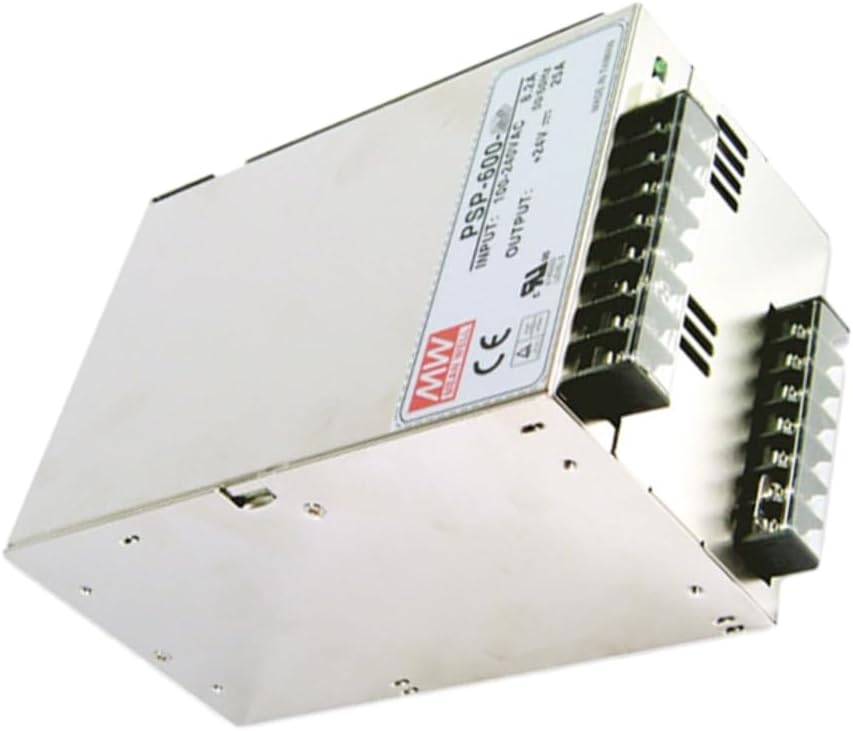
Figure 4: Angled view of the PSP-600-48, showcasing its robust metal casing and integrated cooling fan.
8. Warranty and Support
For warranty information and technical support, please refer to the documentation provided with your purchase or contact MEANWNVV customer service through their official channels. Ensure you have your product model number (PSP-600-48) and purchase details available when seeking support.