
Sommertal TS1300
Sommertal TS1300 Sous Vide Precision Cooker Stick User Manual
Model: TS1300
1. Important Safety Instructions
Please read all instructions carefully before using the Sommertal TS1300 Sous Vide Precision Cooker Stick. Failure to follow these instructions may result in electric shock, fire, or serious injury.
- Always ensure the device is properly clamped to a pot and the water level is between the MIN and MAX marks.
- Do not immerse the top part of the device (control panel) in water. The lower part is IPX7 waterproof, but the control panel is not.
- Keep the device out of reach of children.
- Use only with a grounded electrical outlet.
- Do not operate the device if the power cord or plug is damaged.
- Unplug the device from the power outlet when not in use and before cleaning.
- Avoid touching hot surfaces. Use oven mitts or gloves when handling the device or hot water.
- Do not use the device for purposes other than its intended use (sous vide cooking).
2. Product Overview
The Sommertal TS1300 is a high-precision sous vide cooker designed for consistent and perfectly cooked results. It features a powerful 1300W heating element, a digital touch display, and WiFi connectivity for app control.
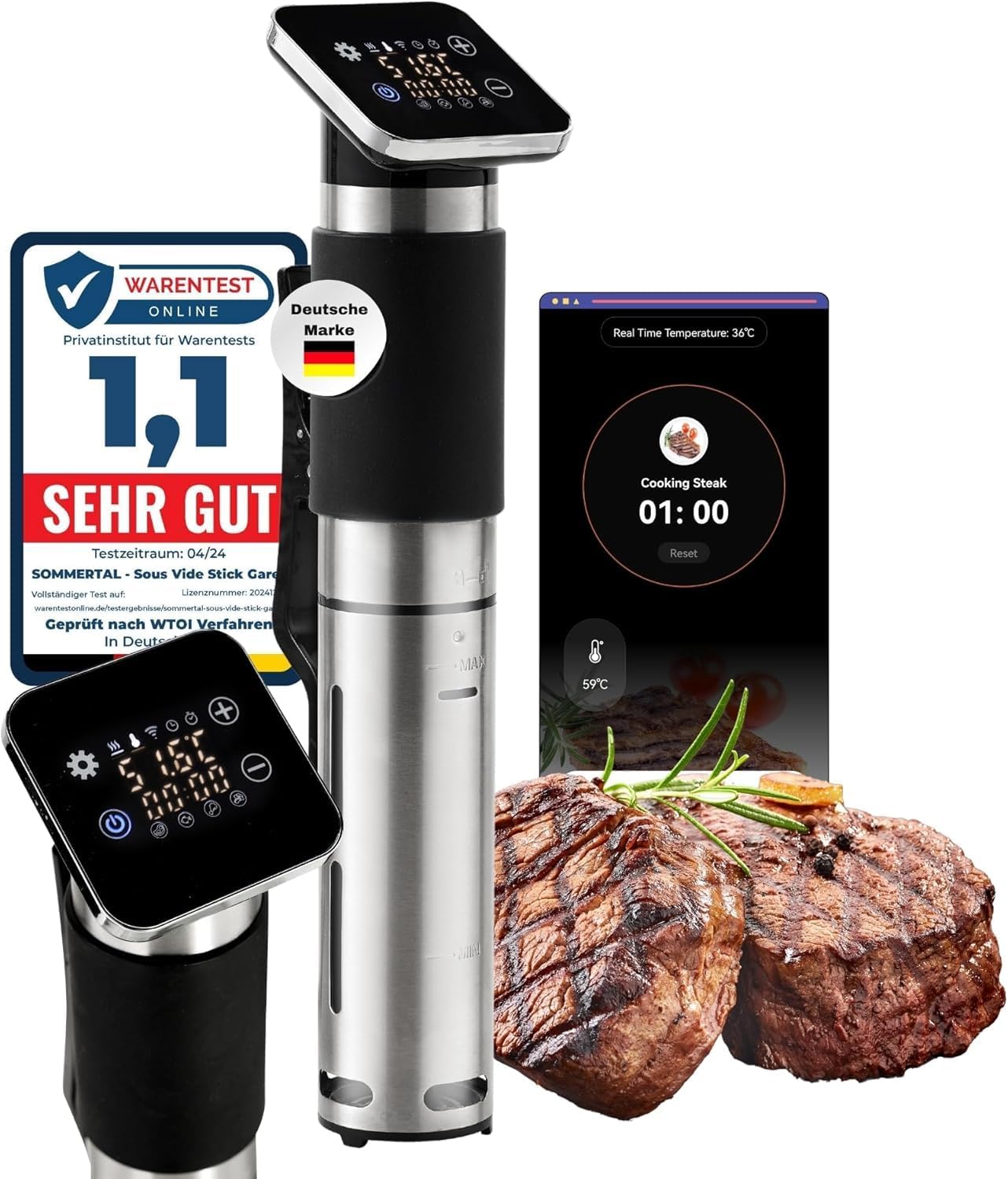
Image: Sommertal TS1300 Sous Vide Precision Cooker Stick with digital display, app interface, and cooked steak.
Components:
- Digital Touch Display: For manual temperature and time settings.
- Control Panel: Buttons for power, temperature adjustment, and timer.
- Stainless Steel Housing: Durable and corrosion-resistant (304 stainless steel).
- Rubberized Handle: Provides a secure grip.
- Quick-Release Clamp: For attaching the device to various pots.
- Water Level Indicators (MIN/MAX): Ensures correct water volume.
- Heating Element and Circulator: For precise temperature maintenance.
3. Setup
Initial Preparation:
- Unpack the Sommertal TS1300 and remove all packaging materials.
- Inspect the device for any damage. Do not use if damaged.
- Clean the stainless steel part of the device before first use (refer to Maintenance section).
Attaching to a Pot:
- Select a heat-safe pot or container large enough to hold the food and water.
- Attach the quick-release clamp to the side of the pot.
- Insert the Sommertal TS1300 into the clamp, ensuring it is securely fastened.
Filling the Water Bath:
- Fill the pot with water. Ensure the water level is between the MIN and MAX indicators on the device.
- The water level must cover the food you intend to cook.
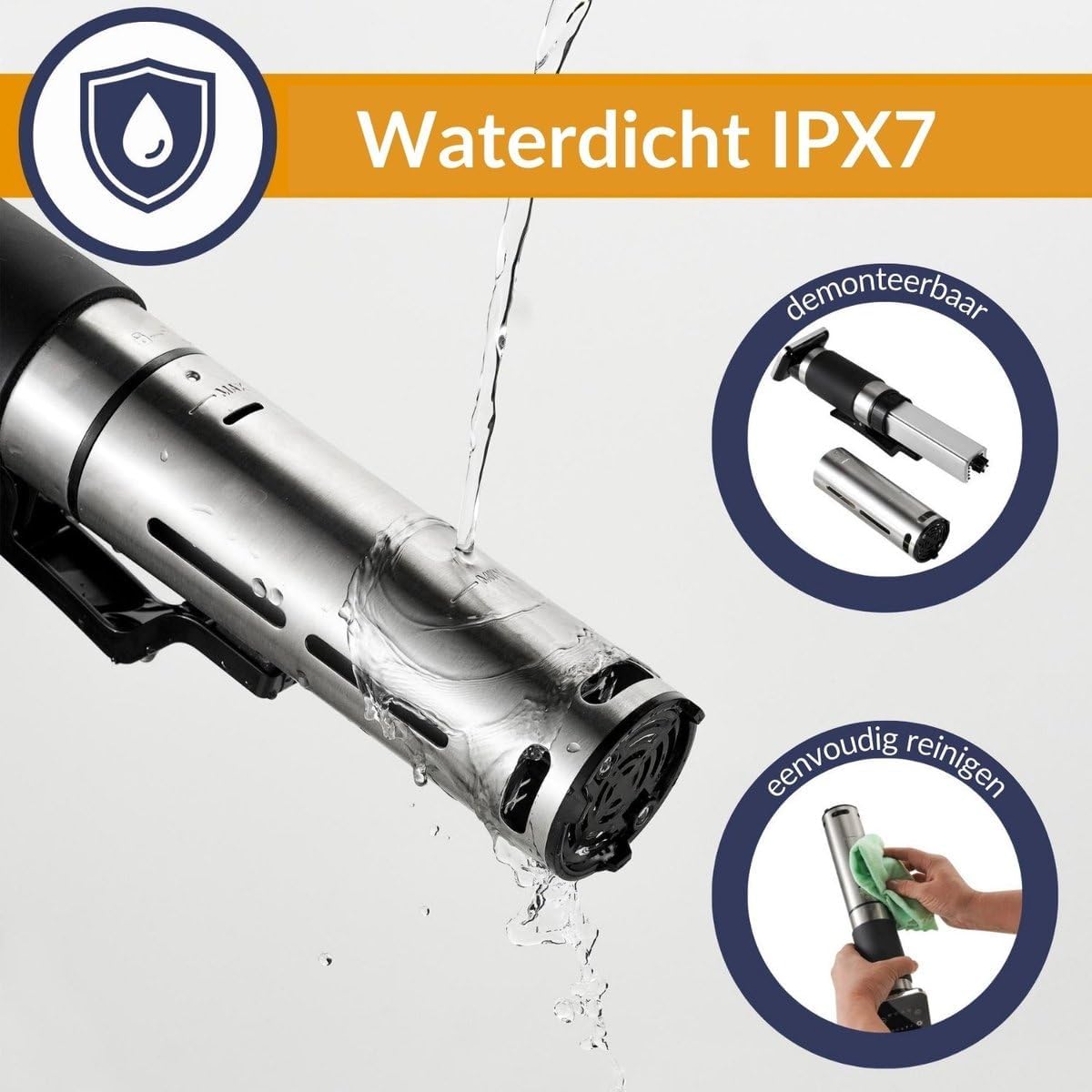
Image: The Sommertal TS1300 is IPX7 waterproof and features detachable parts for easy cleaning.

Image: Technical diagram showing the dimensions and key features of the Sommertal TS1300.
4. Operating Instructions
4.1 Manual Control:
The Sommertal TS1300 can be operated directly using its digital touch display.

Image: Digital touch display of the Sommertal TS1300.
- Plug the device into a grounded power outlet. The display will light up.
- Press the power button to turn on the device.
- Use the temperature adjustment buttons (usually '+' and '-') to set your desired cooking temperature (range: 0°C to 90°C).
- Press the timer button and use the adjustment buttons to set the desired cooking time (up to 99 hours).
- Once temperature and time are set, the device will begin heating the water.
- When the target temperature is reached, place your vacuum-sealed food into the water bath.
- The timer will start automatically once the target temperature is stable.
- The device will alert you when the cooking time is complete.
4.2 App Control (TUYA Smart Home):
For enhanced control and access to recipes, use the TUYA Smart Home application.

Image: TUYA Smart Home app interface for the Sommertal TS1300.
- Download the TUYA Smart Home app from your smartphone's app store.
- Register or log in to your TUYA account.
- Ensure your Sommertal TS1300 is plugged in and your smartphone is connected to a 2.4 GHz WiFi network.
- In the app, select 'Add Device' and follow the on-screen instructions to connect your TS1300.
- Once connected, you can control temperature, set timers, and access a variety of recipes directly from the app.
- The app provides real-time temperature monitoring and cooking progress.
4.3 Sous Vide Cooking Guide:
Sous vide cooking ensures food is cooked evenly and precisely. Always use food-grade vacuum-sealable bags.

Image: Sous vide cooking setup with steak doneness guide.
General Steps:
- Season your food and place it in a vacuum-sealable bag. Remove all air and seal the bag.
- Set up your Sommertal TS1300 as described in the Setup section.
- Set the desired temperature and time using either manual or app control.
- Once the water reaches the target temperature, carefully submerge the sealed food bag into the water bath. Ensure the bag is fully submerged and not blocking the circulator.
- Cook for the recommended time.
- After cooking, carefully remove the food bag. For a seared finish, quickly sear the food in a hot pan or grill.
Steak Doneness Temperature Guide:
| Doneness | Temperature Range |
|---|---|
| Rare | 45-52°C |
| Medium Rare | 53-56°C |
| Medium | 57-59°C |
| Well Done | 60-63°C |

Image: Examples of dishes prepared with the Sommertal TS1300 Sous Vide Cooker.
5. Maintenance and Cleaning
Regular cleaning ensures optimal performance and longevity of your Sommertal TS1300.
- Daily Cleaning: After each use, unplug the device and allow it to cool completely. Wipe the exterior with a damp cloth. The stainless steel part can be rinsed under running water due to its IPX7 rating.
- Deep Cleaning (Descaling): Over time, mineral deposits may accumulate on the heating element. To descale, fill a pot with water and add 1 cup of white vinegar. Attach the device and set the temperature to 70°C (158°F) for 30 minutes. Rinse thoroughly afterward.
- Storage: Store the device in a dry, cool place, away from direct sunlight and moisture.
- Do not use abrasive cleaners or harsh chemicals, as these can damage the device.
6. Troubleshooting
If you encounter issues with your Sommertal TS1300, refer to the table below for common problems and solutions.
| Problem | Possible Cause | Solution |
|---|---|---|
| Device does not turn on | Not plugged in; Power outlet issue; Device malfunction | Check power connection; Try a different outlet; Contact customer support. |
| Water not heating | Water level too low; Heating element malfunction | Ensure water is between MIN/MAX marks; Contact customer support. |
| Temperature fluctuates | Insufficient water circulation; Large volume of water | Ensure device is not obstructed; Allow more time for stabilization. |
| App not connecting | Incorrect WiFi band (not 2.4 GHz); Incorrect pairing process | Connect to a 2.4 GHz WiFi network; Re-attempt pairing following app instructions. |
| Error code displayed | Specific internal issue | Refer to the app or contact customer support with the error code. |
7. Specifications
Detailed technical information for the Sommertal TS1300.
| Feature | Detail |
|---|---|
| Brand | Sommertal |
| Model Number | TS1300 |
| Manufacturer | Albatros International GmbH |
| Color | Black |
| Product Dimensions (L x W x H) | 8 x 5 x 33 cm |
| Item Weight | 1.25 Kilograms |
| Power | 1300 Watts |
| Voltage | 220 Volts |
| Material | Stainless Steel |
| Control Method | App, Digital Touch Display |
| Temperature Range | 0°C to 90°C |
| Flow Rate | 8 l/min (8000 ml/min) |
| Waterproof Rating | IPX7 (lower part) |
| Connectivity | WiFi (2.4 GHz) |
| Features | Automatic shut-off, Countdown timer, Programmable |
| Certifications | TÜV GS (TÜV Süd Product Service GmbH / Certificate No. Z1A 067817 0013 Rev. 00) |
8. Warranty and Support
The Sommertal TS1300 Sous Vide Precision Cooker Stick is designed for durability and performance. For specific warranty details, please refer to the warranty card included with your product or contact the manufacturer directly.
If you require technical assistance, have questions about operation, or need to report a defect, please contact Sommertal customer support. Contact information can typically be found on the product packaging, the manufacturer's website, or through your retailer.
Please have your model number (TS1300) and proof of purchase ready when contacting support.
no relevant documents
Ask a question about this manual
Ask about setup, troubleshooting, compatibility, parts, safety, or missing instructions. Manuals+ will review the question and use this page’s manual context to help answer it.