
1. Introduction and Overview
Thank you for choosing the ERGOMAKER Electric Height Adjustable Standing Desk. This desk is designed to provide a versatile and ergonomic workspace, allowing you to effortlessly switch between sitting and standing positions. Its robust construction and intelligent control system make it an ideal solution for home offices and various work environments.
This manual provides essential information for the safe and efficient assembly, operation, and maintenance of your new standing desk. Please read it thoroughly before use and retain it for future reference.
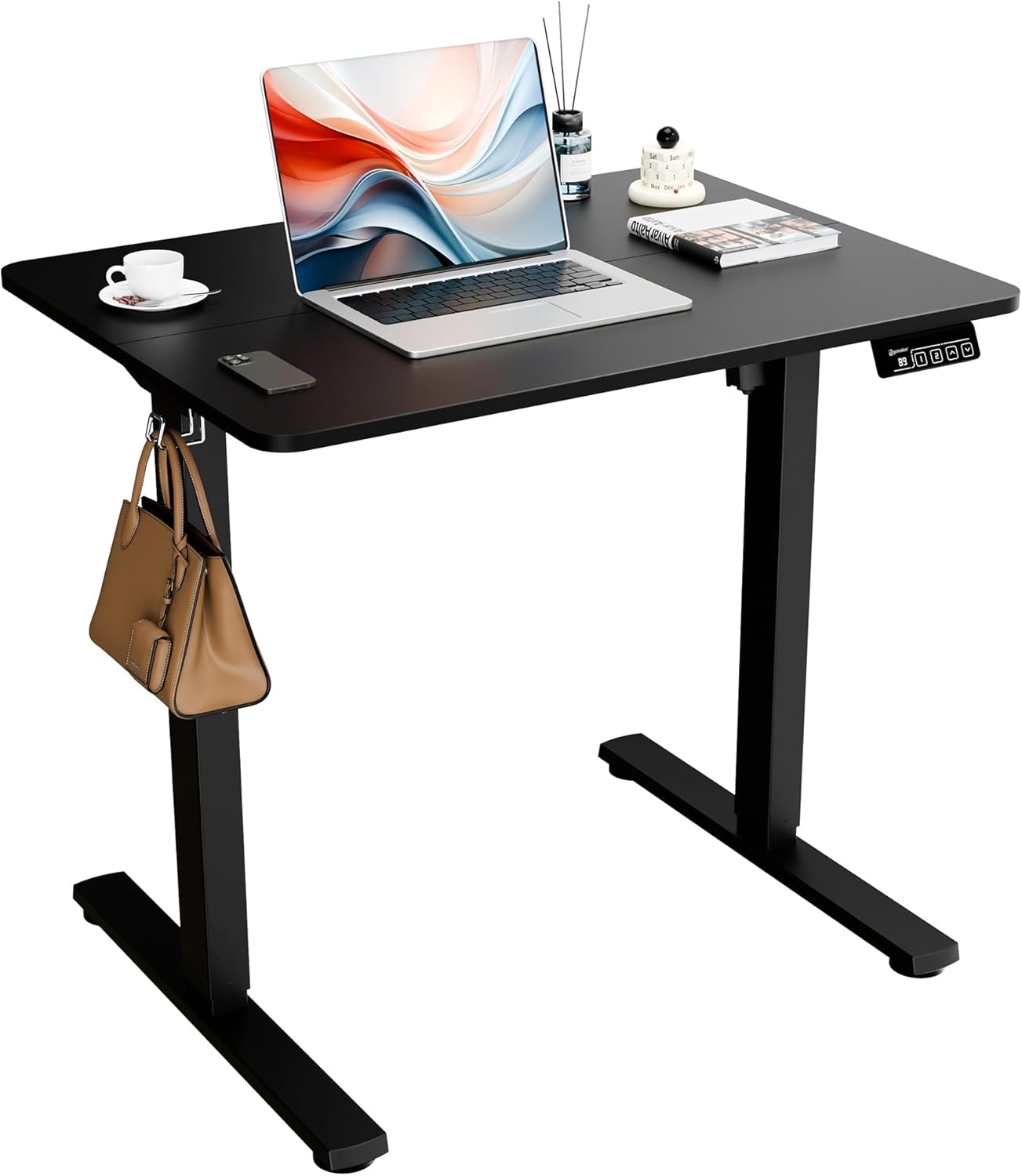
Image: The ERGOMAKER Electric Height Adjustable Standing Desk, featuring a black desktop and black frame, with a laptop and accessories.
2. Key Features
- Electric Height Adjustment: Seamlessly change positions between sitting and standing with a touch of a button. Adjusts from 71cm (27.9") to 118cm (46.45").
- Spacious Work Area: The 31.5 inch x 23.6 inch desktop provides ample space for monitors, laptops, and other office essentials.
- Solid Construction: Made of heavy-duty steel, supporting a weight capacity of 70KG (154 lbs).
- Smooth & Quiet Operation: Features soft start/stop functions for smooth, quiet movement (less than 50dB).
- Easy Installation: Innovative quick installation design allows for assembly in less than 20 minutes with pre-drilled holes and included Allen Wrench.
- Convenient Features: Includes hooks on both sides for hanging bags or headphones, and adjustable leveling studs for stability.
- Smart Control Panel: Equipped with an LED digital display, two memory presets, and intuitive up/down buttons.
- Kid's Anti-Crash Design: Enhanced safety feature to prevent collisions during height adjustment.

Image: Detailed view of the desk's anti-crash design, adjustable leveling studs, and convenient desk hooks.
3. Safety Information
Always keep hands and body parts away from the moving parts of the desk during height adjustment. Do not exceed the weight capacity of the desk (70KG / 154 lbs). Ensure the desk is properly anchored to the floor to prevent tipping. Keep the desk and its components away from heat sources and liquids to prevent damage and potential hazards. Always follow the manufacturer's instructions for assembly, use, and maintenance.
4. Setup and Assembly
The ERGOMAKER standing desk features an innovative quick installation design, allowing for assembly in less than 20 minutes. The 2-piece desktop comes with pre-drilled holes, simplifying the process. An Allen Wrench is included, and no power drill is required for assembly.
Assembly Steps:
- Unpack all components and verify against the parts list provided in the packaging.
- Assemble the desk frame according to the detailed instructions in the included assembly guide.
- Attach the two desktop pieces, ensuring they are securely aligned using the provided connectors and pre-drilled holes.
- Mount the control panel to the underside of the desktop.
- Connect all necessary cables to the motor and control panel.
- Adjust the leveling studs on the feet to ensure the desk is stable and level on your floor.

Image: The two-piece desktop design, illustrating the seamless splicing for a sturdy and durable surface.
5. Operating Instructions
Your ERGOMAKER standing desk is equipped with an intuitive electric control system for easy height adjustment.
Control Panel Functions:

Image: The convenient control panel featuring an LED digital display, memory presets (1, 2), and up/down arrow buttons.
- LED Digital Display: Shows the current desk height in centimeters.
- Up/Down Buttons (▲ / ▼): Press and hold to smoothly raise or lower the desk to your desired height. The desk moves at a speed of 14mm (0.55") per second.
- Memory Presets (1, 2): Save your preferred sitting and standing heights. To set a preset: Adjust the desk to the desired height, then press and hold the 'M' button (if available, or a dedicated memory set button) followed by the number (1 or 2) until the display flashes or beeps. To recall a preset: Simply press the corresponding number button (1 or 2).
The desk features soft start/stop functions, ensuring smooth and quiet transitions between heights, operating at less than 50dB.

Image: Visual representation of the desk's adjustable height range, from 28 inches (71cm) to 46.4 inches (118cm), accommodating various user heights for sitting and standing.

Image: A chart comparing noise levels, highlighting the desk's quiet operation at approximately 40dB, comparable to a quiet bedroom.
Video Demonstrations:
No official seller videos are available for embedding at this time. Please refer to the detailed instructions above for operation.
6. Maintenance
To ensure the longevity and optimal performance of your ERGOMAKER standing desk, follow these simple maintenance guidelines:
- Cleaning: Wipe the desktop and frame with a soft, damp cloth. Avoid harsh chemicals or abrasive cleaners that could damage the finish.
- Cable Management: Periodically check that all cables are securely connected and not pinched or tangled.
- Stability Check: Ensure the adjustable leveling studs are firm and the desk remains stable. Re-adjust if necessary.
- Weight Limit: Do not overload the desk beyond its maximum weight capacity of 154 lbs (70KG).
7. Troubleshooting
If you encounter any issues with your ERGOMAKER standing desk, please refer to the following common troubleshooting tips:
- Desk Not Moving: Check if the power cord is securely plugged into both the desk and the wall outlet. Ensure there are no obstructions preventing movement.
- Error Codes on Display: Refer to the specific error code in your detailed assembly guide for corresponding solutions. Often, unplugging the desk for 10-15 minutes and plugging it back in can reset the system.
- Uneven Movement: Ensure the desk is on a flat, stable surface. Check and adjust the leveling studs on the feet.
- Noise During Operation: While the desk is designed for quiet operation, unusual or excessive noise may indicate an issue. Ensure all screws are tightened and there are no loose components.
For persistent issues or problems not covered here, please contact ERGOMAKER customer support.
8. Specifications

Image: Detailed product dimensions, including desktop size (31.5"W x 23.6"D) and height range (28" to 46.4").
| Feature | Detail |
|---|---|
| Brand | ERGOMAKER |
| Model Number | SM205-80-BFBD |
| Product Dimensions (D x W x H) | 23.6"D x 31.4"W x 46.5"H |
| Adjustable Height Range | 71cm (27.9") to 118cm (46.45") |
| Color | Black Frame-black |
| Maximum Weight Capacity | 70KG (154 lbs) |
| Travel Speed | 14mm (0.55") per second |
| Noise Level | <50dB |
| Base Material | Alloy Steel |
| Top Material Type | Alloy Steel |
| Lifting Mechanism | Electric |
| Required Assembly | Yes (Tools Included) |
9. Warranty and Support
ERGOMAKER provides comprehensive after-sale service for your peace of mind. The sit-to-stand desk frame has been tested for 20,000 cycles, ensuring durability.
- Desk Frame Warranty: 5-year warranty.
- Motor & Handset & Power Adapter Warranty: 2-year warranty.
- Technical Support: Free technical support for a lifetime.
For warranty claims, technical assistance, or any other inquiries, please contact ERGOMAKER customer support directly through the seller information on your purchase platform or visit the official ERGOMAKER store.
Seller: Ergomaker