
1. Introduction
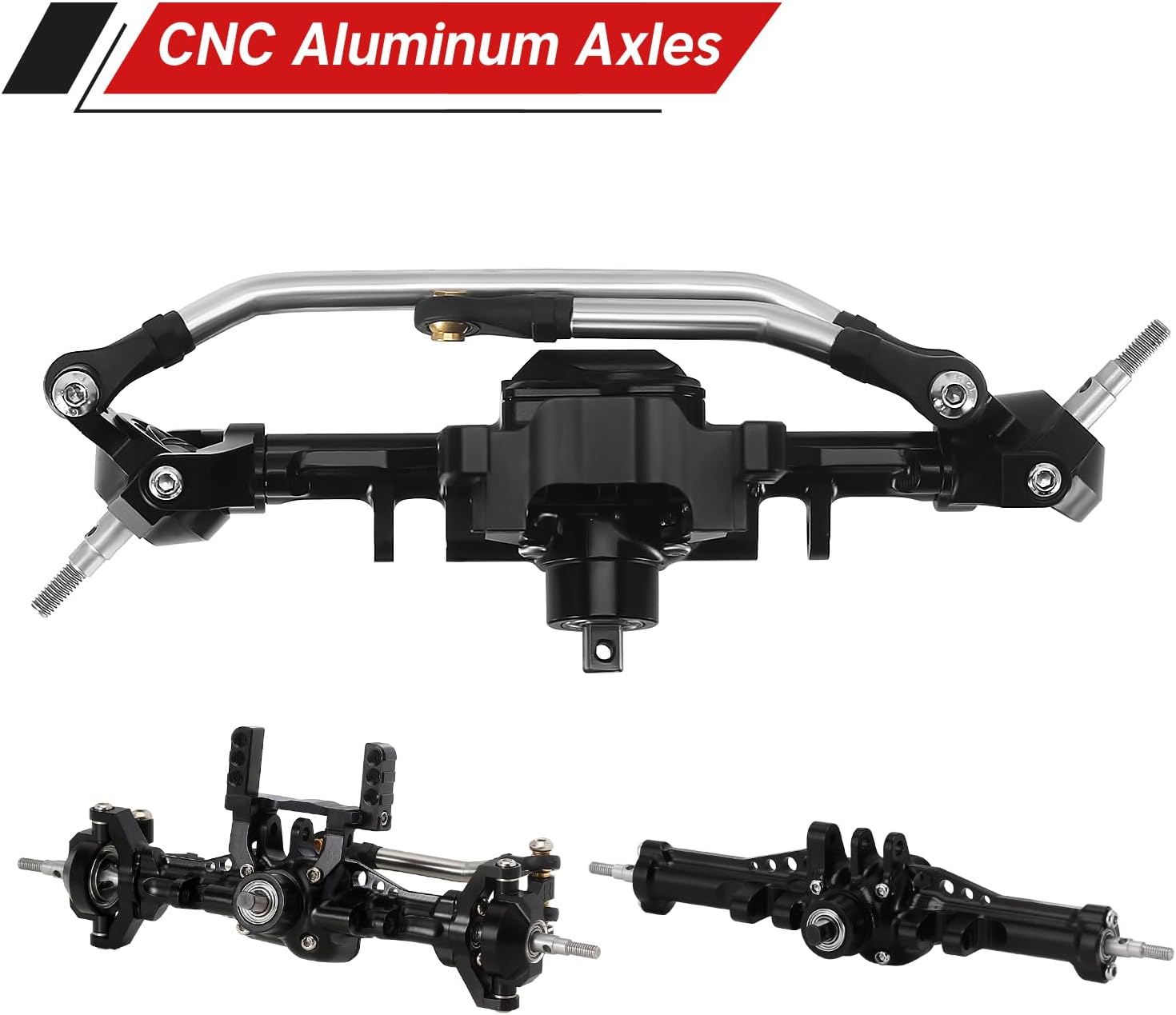
This manual provides comprehensive instructions for the installation, operation, and maintenance of your INJORA +4mm Aluminum Front Axle with Lay Down Servo Mount and Steering Link. This upgrade is designed to enhance the performance and durability of your 1/18 scale TRX4M RC vehicle by increasing track width for improved stability and offering a more robust steering solution.
2. Package Contents
Verify that all components listed below are present in your package before beginning installation:
- Aluminum Front Axle Housing
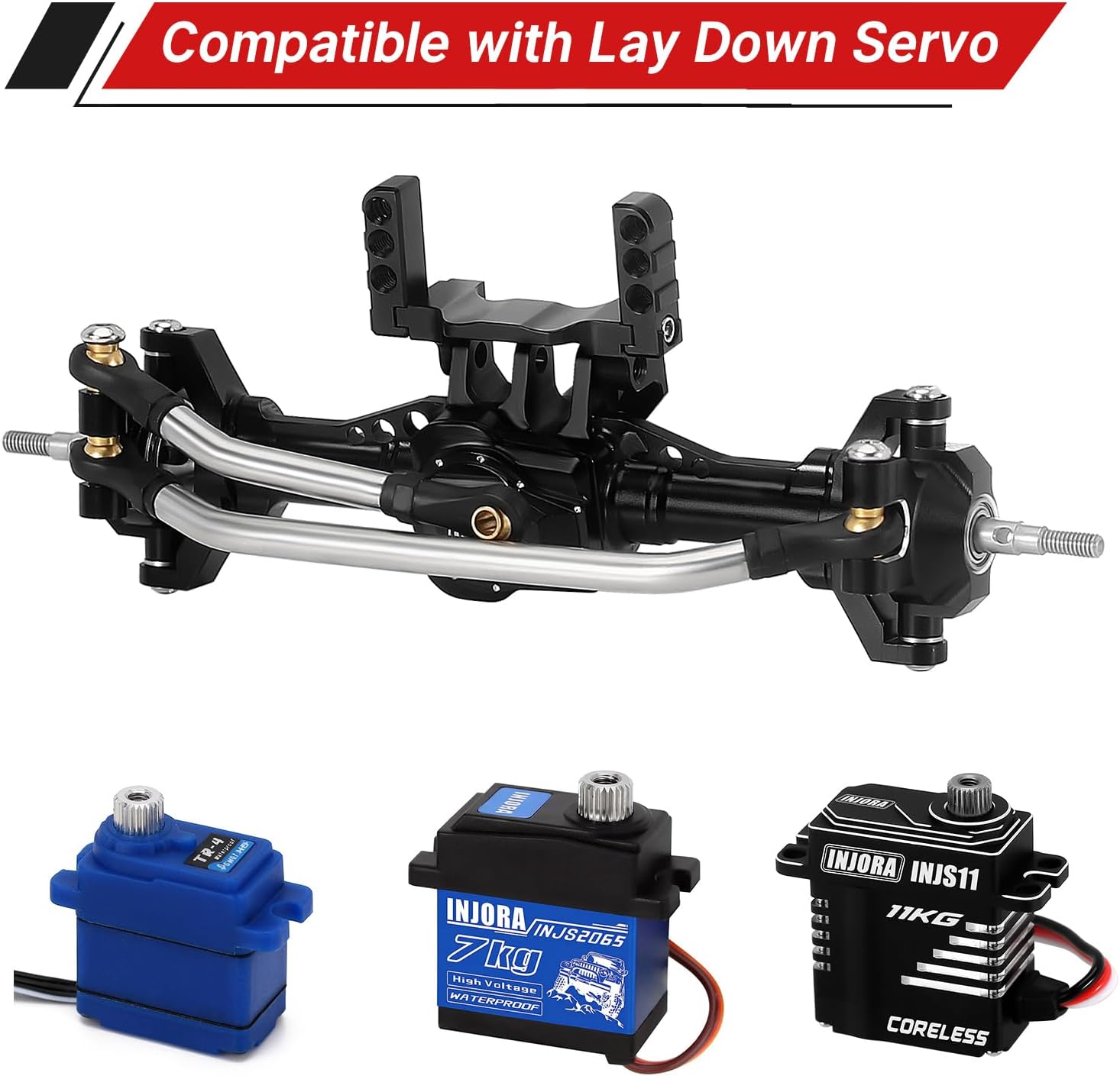
- Lay Down Servo Mount
- Stainless Steel Steering Link Set
- Hardened CVD Shafts
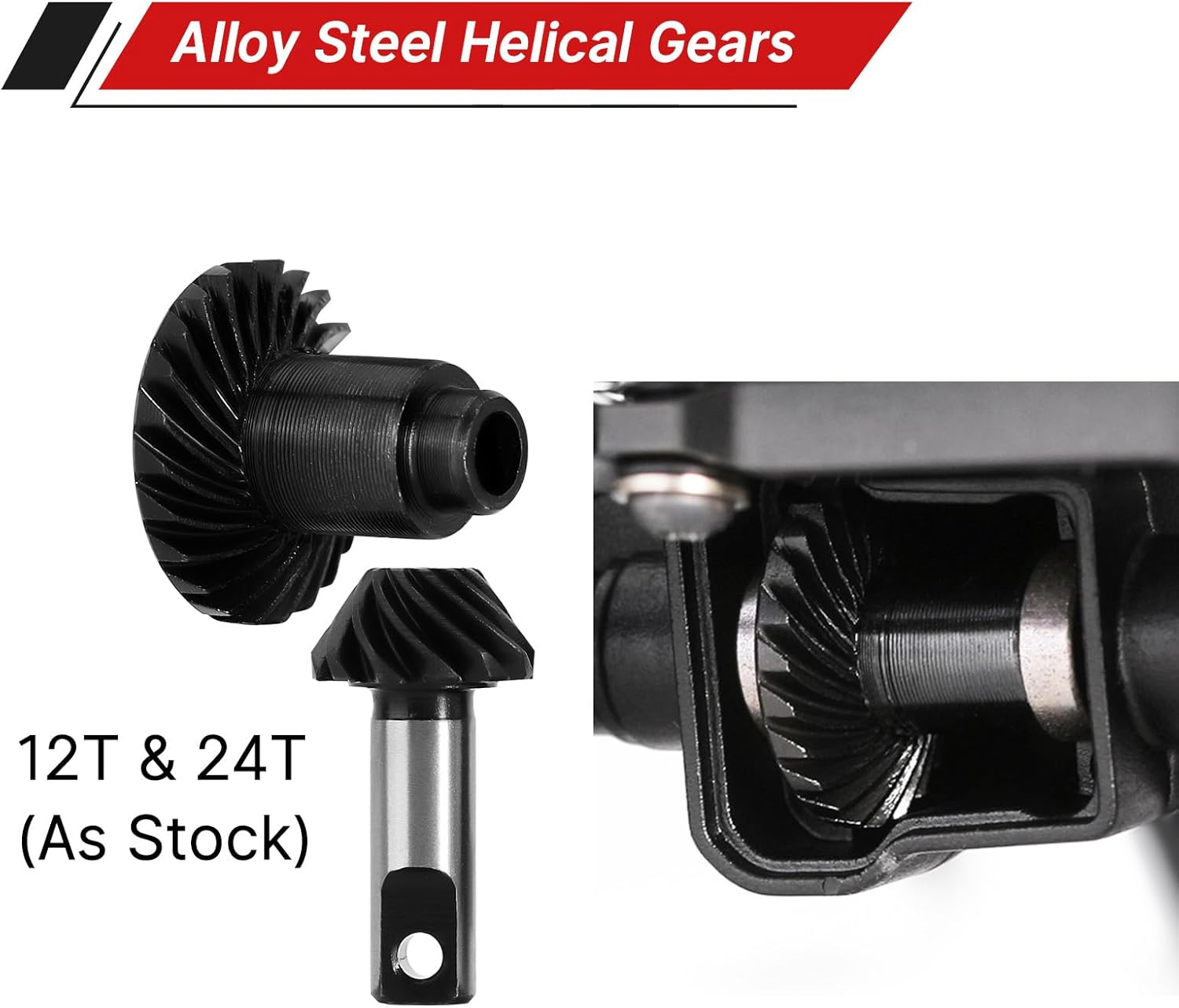
- Steel 12/24T Gears (Pre-installed in differential)
- 5mm (+1mm) Brass Wheel Hexes
- Nuts and various mounting screws

3. Specifications
- Housing Material: Aluminum
- Gear Material: 20CrMo Alloy Steel
- CVD Shaft Material: Hardened Steel
- Gear Ratio: 24/12=2:1 (Same as Stock)
- Total Length: 122mm (4.80in)
- Front Axle Weight: 92g (3.24oz)
- Axle Extension: +4mm per side (total +8mm width)
4. Compatibility
This INJORA +4mm Aluminum Front Axle is designed for 1/18 scale TRX4M RC vehicles. Please note the following compatibility details:
- Chassis: Not compatible with stock TRX4M chassis due to the wider lay down servo mount. May require an aftermarket LCG (Low Center of Gravity) chassis or modifications.
- Drive Shafts: Not compatible with original TRX4M size dogbone shafts. Designed for use with hardened CVD shafts (included) or compatible aftermarket drive shafts.
- Servos: Compatible with stock TRX4M servo, INJORA 7kg servo (INJS2065), and INJORA 11kg servo (INJS11).
- Upgrade Parts: Compatible with both INJORA and stock TRX4M upgrade parts such as gears, C hubs, steering knuckles, and chassis links.
5. Installation Guide
Follow these steps carefully for proper installation of your INJORA +4mm Aluminum Front Axle. It is recommended to have basic RC assembly tools available.
5.1. Disassembly of Stock Front Axle
- Carefully remove the wheels and tires from your TRX4M vehicle.
- Disconnect the steering links and servo horn from the stock front axle.
- Remove the screws securing the stock front axle to the chassis links.
- Gently detach the stock front axle assembly from the vehicle.
5.2. Assembling the INJORA Front Axle
The INJORA aluminum front axle comes largely pre-assembled. However, ensure all screws are tightened appropriately. It is highly recommended to apply blue thread locker to all metal-to-metal screws to prevent loosening during operation.

5.3. Installing the Lay Down Servo Mount and Steering Link
- Attach the lay down servo mount to the designated points on the new aluminum front axle housing using the provided screws.
- Mount your chosen compatible servo (stock TRX4M, INJS2065, or INJS11) onto the lay down servo mount.
- Connect the stainless steel steering link set between the servo horn and the steering knuckles on the axle. Ensure smooth movement without binding.
5.4. Mounting the Axle to the Chassis
- Align the new front axle assembly with the chassis links.
- Secure the axle to the chassis links using the appropriate screws. Ensure a snug fit without overtightening.
- Install the 5mm (+1mm) brass wheel hexes onto the axle shafts.
- Reattach your wheels and tires, ensuring they spin freely.

5.5. Relevant Installation Videos
Video 5.1: This video demonstrates the INJORA LCG Aluminum Universal Chassis Frame Kit for TRX4M. While not specifically for the axle, it provides context for installing chassis components and the overall build process for TRX4M upgrades.
Video 5.2: This video showcases the INJORA Steel Drive Shafts for TRX4M. These drive shafts are compatible with the +4mm aluminum axles and can be installed as part of a comprehensive drivetrain upgrade.
6. Operating Considerations
After installing the INJORA +4mm Aluminum Front Axle, consider the following for optimal performance:
- Increased Stability: The +4mm wider stance on each side (total +8mm) will provide improved stability, especially during side-hilling and aggressive climbing maneuvers.
- Steering Reversal: Due to the lay down servo mount, you may need to reverse the steering direction in your RC transmitter settings to ensure correct left/right response. Consult your transmitter's manual for instructions on reversing servo channels.
- Center of Gravity: The aluminum construction adds weight, contributing to a lower center of gravity which can further enhance crawling performance.
7. Maintenance
Regular maintenance will prolong the life and performance of your INJORA +4mm Aluminum Front Axle:
- Screw Checks: Periodically inspect all screws for tightness. Apply blue thread locker to metal-to-metal screws during initial assembly and re-apply as needed during maintenance.
- Lubrication: Ensure the differential gears and CVD joints are adequately lubricated. Re-grease as necessary, especially after running in wet or dusty conditions.
- Cleaning: Keep the axle housing and steering components free from dirt, debris, and moisture. Use a soft brush or compressed air for cleaning.
- Bearing Inspection: Check bearings for smooth operation. Replace any rough or seized bearings to prevent damage to other components.
8. Troubleshooting
If you encounter issues after installation, refer to the following common troubleshooting tips:
- Steering is Reversed: If steering left turns the wheels right, and vice-versa, adjust the servo reverse setting on your RC transmitter.
- Loose Components: If parts feel loose or rattle, re-check all screws and apply thread locker where appropriate. Pay close attention to screws securing the differential cover and steering links.
- Binding or Stiff Movement: Ensure all links and shafts are installed correctly and are not rubbing against other components. Check for any bent parts or debris.
- Unusual Noises from Differential: This may indicate insufficient lubrication or damaged gears. Disassemble, inspect, clean, and re-grease the differential. Replace any worn or damaged gears.
9. Warranty and Support
For warranty information, technical support, or replacement parts, please contact INJORA customer service through their official website or the retailer where the product was purchased. Keep your proof of purchase for warranty claims.