
Introduction
The Unistellar Odyssey Smart Telescope is an advanced, app-controlled digital telescope designed for effortless celestial observation. Featuring 85mm f/3.9 optics and a 320mm focal length, it integrates a digital camera, electronics, and a motorized Alt-Az mount with GoTo capabilities. This all-in-one system includes 64GB of onboard storage and a 5-hour battery life, making it compact and portable. It is ideal for both beginners and experienced users seeking a streamlined astronomy experience.
The Odyssey offers enhanced vision technology, allowing for clear observations even from light-polluted urban environments. Users can export RAW/FITS data for advanced processing and participate in citizen science campaigns. Control and observation are managed entirely through a mobile or tablet application, facilitating group viewing and instant image sharing.
What's in the Box
- Odyssey Smart Telescope Unit
- Original Unistellar Tripod
- Dust Cap
- Charger with Adapters
- Set of Adjustment Tools
- Documentation (this manual)

Image: All components included in the Unistellar Odyssey Smart Telescope package.
Setup
Setting up your Unistellar Odyssey Smart Telescope is designed to be quick and straightforward, allowing you to begin observing in under 2 minutes.
- Place the Telescope: Extend the legs of the included tripod and place the Odyssey unit securely on top. Ensure the tripod is stable on a level surface.
- Power On: Locate the power button on the telescope unit and press it to turn on the device.
- Connect to the App: Download and open the Unistellar app on your smartphone or tablet. Follow the on-screen instructions to connect your device to the telescope via Wi-Fi.
- Automatic Alignment: The telescope features automatic alignment, motorized Alt-Az mount, ultra-precise GoTo, and autofocus. No manual polar alignment or complex calibration is required. The system will automatically orient itself.

Image: Visual guide for the quick 3-step setup process of the Unistellar Odyssey Smart Telescope.
Operating
The Unistellar Odyssey is designed for intuitive operation through its dedicated mobile application, eliminating the need for a traditional eyepiece.
App-Controlled Viewing
- No Eyepiece: All observations are made directly through your connected smartphone or tablet screen. This is ideal for sharing the celestial view with multiple people simultaneously.
- Object Selection: Use the app's extensive catalog to browse and select celestial objects. The telescope will automatically slew (move) and track the chosen object.
- Enhanced Vision: The telescope utilizes advanced image processing algorithms and Deep Dark Technology to overcome light pollution, allowing for clear views of nebulae, galaxies, and planets even from urban areas.
- Stellar AutoFocus: Built-in autofocus ensures incredibly sharp images without manual adjustments.
Image: The Unistellar app showing celestial object catalog and live observation view.
Astrophotography & Citizen Science
- Image Capture: Capture high-quality images of celestial objects directly through the app. The system stacks images over time to improve clarity and detail.
- RAW/FITS Export: For advanced users, the telescope supports exporting raw image data in RAW/FITS formats for post-processing with specialized astronomy software.
- Citizen Science: Engage with NASA and SETI citizen science campaigns by contributing your observation data to real astronomical discoveries, such as asteroid occultations and exoplanet transits.
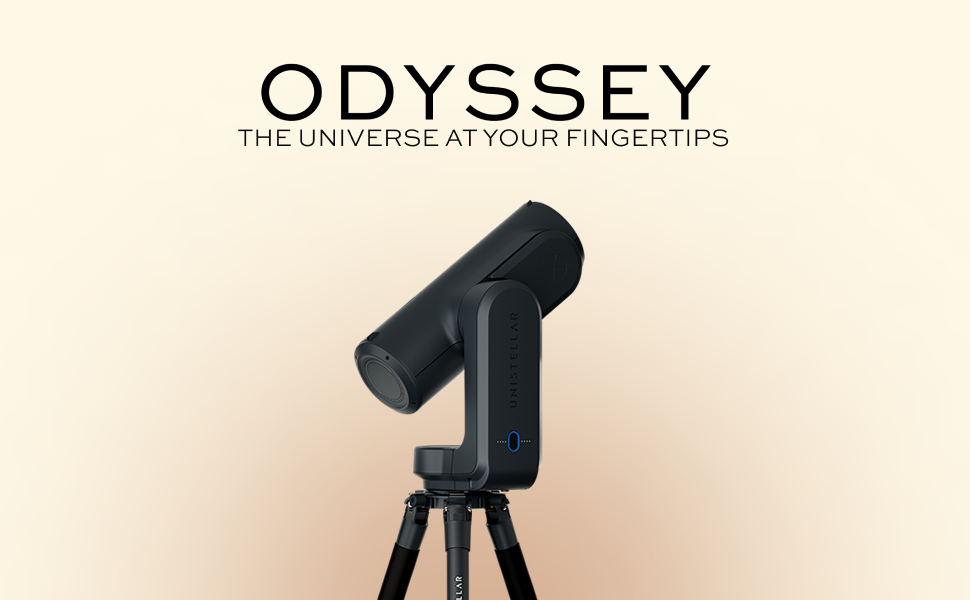
Image: Detail of the Moon's surface, showcasing the telescope's automatic focusing.
Maintenance
Proper maintenance ensures the longevity and optimal performance of your Unistellar Odyssey Smart Telescope.
- Dust Cap: Always keep the dust cap on the main optical tube when the telescope is not in use to protect the optics from dust and debris.
- Cleaning Optics: If the optics require cleaning, use a specialized optical cleaning kit and follow the instructions carefully. Avoid touching the optical surfaces with bare hands.
- Storage: Store the telescope in a dry, cool environment, away from direct sunlight and extreme temperatures.
- Battery Care: For optimal battery life, charge the telescope regularly and avoid fully discharging it for extended periods.
Troubleshooting
If you encounter issues with your Unistellar Odyssey, refer to the following common troubleshooting steps:
- Connection Issues: If the app cannot connect to the telescope, ensure the telescope is powered on and your mobile device's Wi-Fi is enabled and connected to the telescope's network. Try restarting both the telescope and the app.
- Poor Image Quality: Ensure the optical surfaces are clean and free of dust. Verify that the telescope has successfully completed its automatic alignment and autofocus process. Observing from areas with less light pollution can also significantly improve image quality.
- Telescope Not Responding: Check the battery level. If the battery is low, connect the charger. If the issue persists, perform a hard reset by powering off and on the device.
Specifications
| Feature | Specification |
|---|---|
| Brand | Unistellar |
| Model Name | ODYSSEY |
| Objective Lens Diameter | 85 Millimeters |
| Focal Length | 320 mm (12.59 inches) |
| Focal Ratio | f/3.9 |
| Telescope Mount Description | Motorized Altazimuth Mount |
| Focus Type | Auto Focus |
| Field Of View | 33.6 × 45 arcmin |
| Limiting Magnitude | 17.2 |
| Pixel Size | 1.45 µm |
| Resolving Power | 1.68″ |
| Sampling | 0.93″/px |
| Connectivity | Wi-Fi |
| Compatible Devices | Smartphone, Tablet (iOS & Android) |
| Battery Life | Up to 5 hours |
| Storage | 64 GB |
| Item Weight | 6.5 Kilograms |
| Product Dimensions | 17"D x 8"W x 5.2"H |
| Additional Features | Dynamic Signal Amplification, Multi-Depth Technology, Smart Star Finder, Stellar AutoFocus, Automatic Finderscope |
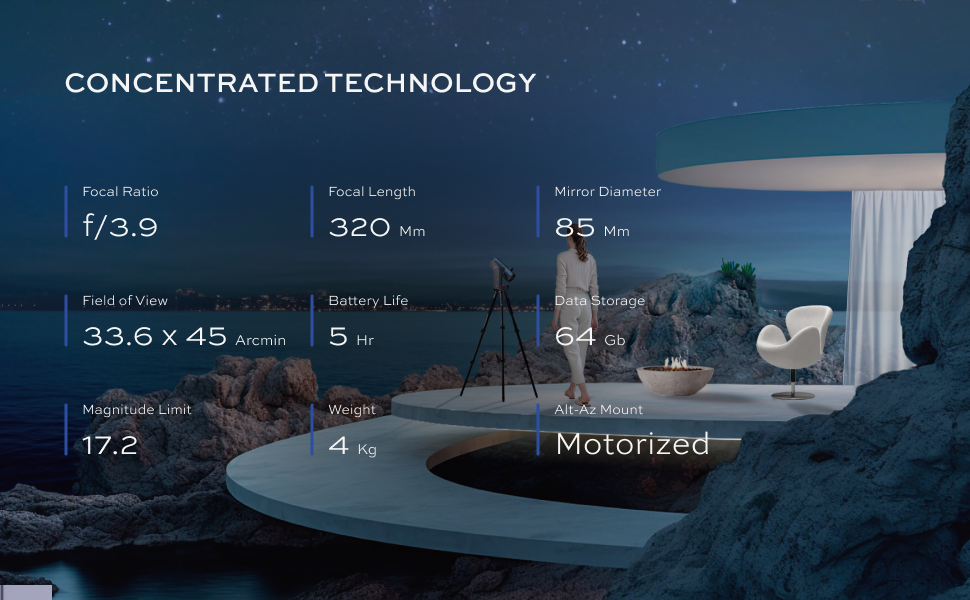
Image: Detailed technical specifications of the Unistellar Odyssey.
Warranty & Support
The Unistellar Odyssey Smart Telescope comes with a 2-year warranty. For any support inquiries, technical assistance, or warranty claims, please contact Unistellar customer service through their official website or the support section within the Unistellar mobile application. Ensure you have your product's serial number and proof of purchase available when contacting support.