
1. Introduction
Thank you for choosing the Annadue 7.83Hz Ultra Low Frequency Pulse Generator. This device is designed to provide stable frequency output with an adjustable range, offering various waveform options for diverse applications. Its compact design and USB power capability make it convenient for both home and travel use. This manual provides essential information for the safe and effective operation of your device.
2. Safety Information
- Read all instructions carefully before operating the device.
- Do not expose the device to water or excessive moisture.
- Avoid extreme temperatures and direct sunlight.
- Do not attempt to disassemble or modify the device. This will void the warranty.
- Use only the specified power supply (5V USB).
- Keep out of reach of children.
3. Package Contents
Verify that all items are present in your package:
- 1 x Annadue 7.83Hz Ultra Low Frequency Pulse Generator
- 1 x USB Cable
4. Product Overview
The Annadue Pulse Generator is a versatile device capable of producing various waveforms across a wide frequency range. It features a compact PCB design with an integrated display and control buttons.

Image 4.1: Top view of the Annadue Pulse Generator circuit board, showing the display, control buttons, and antenna coil.
Key Features:
- Stable Frequency Output: Standard frequency of 7.83Hz.
- Adjustable Frequency Range: From 0.01Hz to 100,000Hz.
- Multiple Waveforms: Sine wave, square wave, and inverted square wave outputs.
- Compact Design: PCB size of approximately 15x15 cm.
- USB Powered: Convenient power supply via USB interface.
5. Setup
The Annadue Pulse Generator is designed for simple plug-and-play operation.
Power Connection:
- Locate the DC5.5x2.1 power interface on the device.
- Connect the provided USB cable to the power interface.
- Plug the other end of the USB cable into a 5V USB power source (e.g., USB charging head, computer USB port, or rechargeable battery).

Image 5.1: The power supply interface (DC5.5x2.1) for connecting the USB cable.
Once powered, the device will automatically start operating at its default frequency.
6. Operating Instructions
Default Operation:
Upon power-up, the generator will output a standard frequency of 7.83Hz. The antenna waveform is a sine wave, while the interface waveform (bottom left output) provides sine, square, and inverted square waves simultaneously.
Adjusting the Frequency:
The device allows for frequency adjustment within the range of 0.01Hz to 100,000Hz (100kHz) using the integrated keypad and display.

Image 6.1: The device display and keypad for frequency adjustment. The background illustrates a waveform.
- To change the output frequency, use the numerical buttons on the keypad to enter the desired frequency value.
- After entering the numerical value, press the 'OK' button (typically located at the bottom left of the keypad) to confirm the setting.
- Example: To set the frequency to 7.83 Hz, press the buttons in the sequence: [7] [.] [8] [3], then press [OK].
The display will show the currently set frequency.
7. Maintenance
The Annadue Pulse Generator requires minimal maintenance.
- Keep the device clean and free from dust. Use a soft, dry cloth for cleaning.
- Store the device in a cool, dry place when not in use.
- Avoid dropping or subjecting the device to strong impacts.
8. Troubleshooting
If you encounter issues with your Annadue Pulse Generator, refer to the following common troubleshooting steps:
- Device not powering on: Ensure the USB cable is securely connected to both the device and a functional 5V USB power source. Try a different USB port or power adapter.
- No output signal: Verify that the device is powered on and the frequency is set correctly. Check any connected external equipment.
- Incorrect frequency output: Re-enter the desired frequency using the keypad and ensure the 'OK' button is pressed.
If problems persist, contact customer support for further assistance.
9. Specifications
Technical specifications for the Annadue 7.83Hz Ultra Low Frequency Pulse Generator:
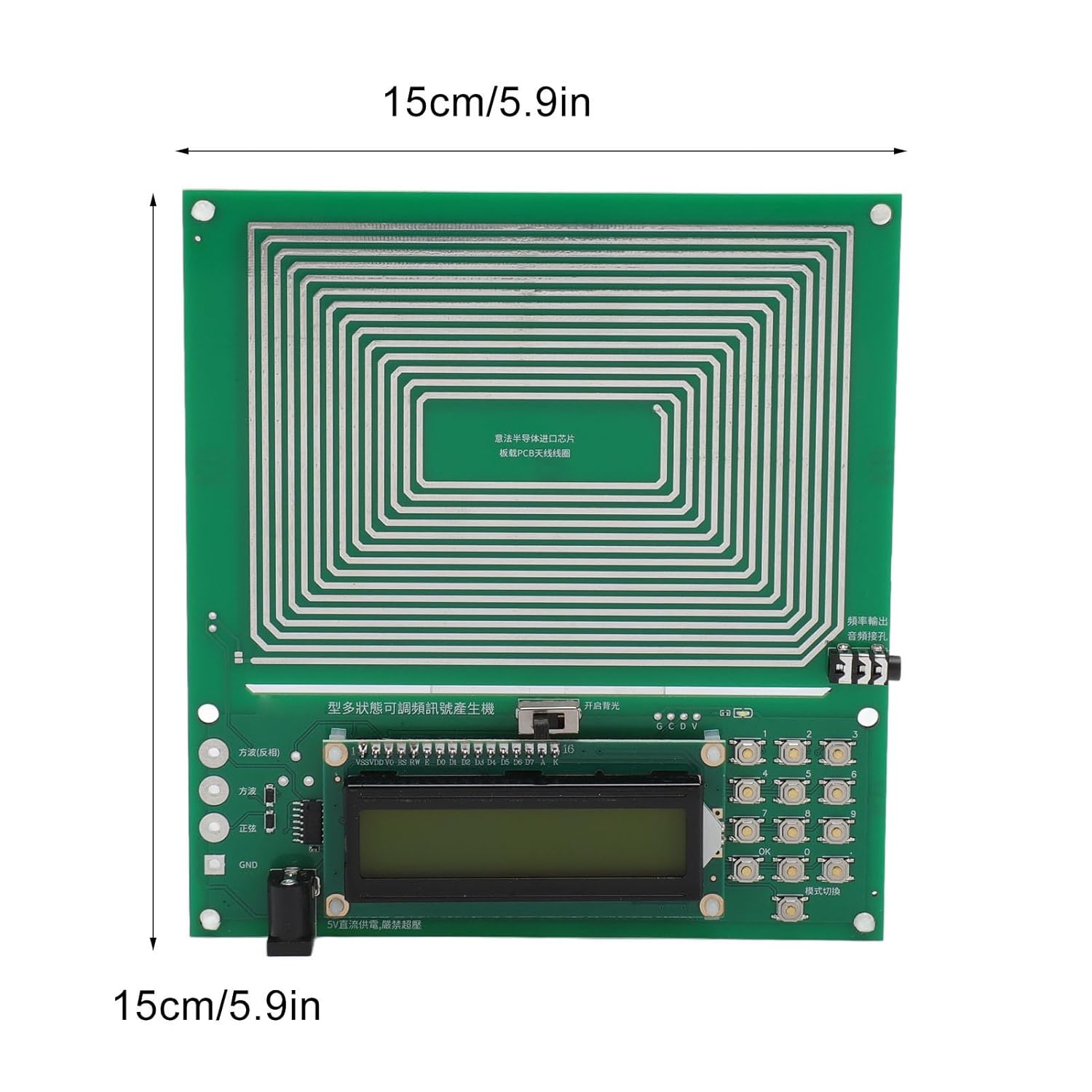
Image 9.1: The Annadue Pulse Generator board, illustrating its 15cm x 15cm dimensions.
- Item Type: Wave Generator
- Material: PCB
- Board Size: Approx. 15 x 15 cm (5.9 x 5.9 in)
- Antenna Waveform: Sine wave
- Interface Waveform: Sine wave, Square wave, Inverted square wave (simultaneous output from bottom left interface)
- Power Interface: DC5.5x2.1
- Power Voltage: 5V
- Standard Frequency: 7.83Hz
- Adjustment Range: 0.01Hz - 100,000Hz
- Sine Signal Voltage Amplitude: 3V
- Square Wave Signal Voltage Amplitude: 5V
- Color: Green
- Model Number: Annaduew79qu1xmve
- Manufacturer: Annadue
- Package Dimensions: 23 x 19 x 4 cm; 142 g
Note: All data is measured manually, and measurement results may contain slight errors.
10. Warranty and Support
For warranty information and customer support, please refer to the documentation provided with your purchase or contact the retailer. Keep your proof of purchase for any warranty claims.