1. Introduction
This manual provides detailed instructions for the setup, operation, and maintenance of your Vanzon V40 Portable Wireless Speaker. Please read this manual thoroughly before using the product to ensure proper function and longevity.
2. Package Contents
Verify that all items listed below are included in your package:
- 1 x Vanzon V40 Bluetooth Speaker
- 1 x Type C Charging Cable
- 1 x Portable Rope
- 1 x User Manual (this document)
3. Product Overview
The Vanzon V40 is a versatile portable wireless speaker designed for various environments, offering robust sound and durability.
3.1 Key Features
- Bluetooth 5.0 Connectivity: Ensures fast pairing and stable connection up to 66 feet.
- 24W Stereo Sound: Equipped with a 24W audio driver and dual passive radiators for immersive sound.
- 24-Hour Playtime: Efficient 3600mAh lithium-ion battery provides extended playback.
- IPX7 Waterproof: Designed for strong waterproof protection, suitable for outdoor use.
- True Wireless Stereo (TWS) Function: Allows pairing two V40 speakers for enhanced stereo sound.
- Multiple Playback Modes: Supports Bluetooth, AUX-IN, and TF card (WAV/FLAC/APE/MP3 formats).
- Built-in Microphone: Enables hands-free calling.
- RGB Lights: Integrated LED lights enhance the listening experience.
3.2 Speaker Components and Controls
Familiarize yourself with the speaker's layout:

Image 1: Vanzon V40 Portable Wireless Speaker. This image shows the speaker's cylindrical design with control buttons on top and RGB lighting on the ends, surrounded by water splashes, highlighting its waterproof feature.
- Power Button: Press and hold to power on/off.
- Mode Button (M): Switches between Bluetooth, AUX, and TF card modes.
- Play/Pause Button (►): Plays or pauses audio. Also answers/ends calls.
- Volume Down (-): Decreases volume. Press and hold for previous track.
- Volume Up (+): Increases volume. Press and hold for next track.
- Charging Port (Type-C): For charging the speaker.
- AUX-IN Port: For wired connection to non-Bluetooth devices.
- TF Card Slot: For playing music directly from a TF (Micro SD) card.
4. Setup Instructions
4.1 Charging the Speaker
- Connect the provided Type-C charging cable to the speaker's charging port.
- Connect the other end of the cable to a USB power adapter (not included) or a computer's USB port.
- The LED indicator will show charging status. It will turn off or change color when fully charged.
4.2 Powering On/Off
- To Power On: Press and hold the Power Button (⌛) for approximately 3 seconds until you hear an audible prompt and the RGB lights illuminate.
- To Power Off: Press and hold the Power Button (⌛) for approximately 3 seconds until you hear an audible prompt and the RGB lights turn off.
4.3 Bluetooth Pairing
- Ensure the speaker is powered on and in Bluetooth mode (indicated by a flashing blue LED). If not, press the Mode Button (M) to switch.
- Enable Bluetooth on your device (smartphone, tablet, etc.).
- Search for "Vanzon V40" in your device's Bluetooth list and select it to pair.
- Once successfully paired, you will hear a confirmation sound, and the blue LED will stop flashing.

Image 2: Bluetooth 5.0 connectivity. This image illustrates the Vanzon V40 speaker wirelessly connected to a smartphone via Bluetooth 5.0, with icons indicating support for Micro SD and AUX inputs.
4.4 True Wireless Stereo (TWS) Pairing
To achieve a true stereo sound experience, you can pair two Vanzon V40 speakers together:
- Ensure both Vanzon V40 speakers are powered on and disconnected from any Bluetooth devices.
- On one speaker (this will be the primary speaker), press and hold the Mode Button (M) for 2-3 seconds until you hear a TWS pairing prompt.
- The two speakers will automatically search for and connect to each other. Once connected, you will hear a confirmation sound.
- Now, connect your device to the primary speaker via Bluetooth as described in Section 4.3. Both speakers will play audio in stereo.
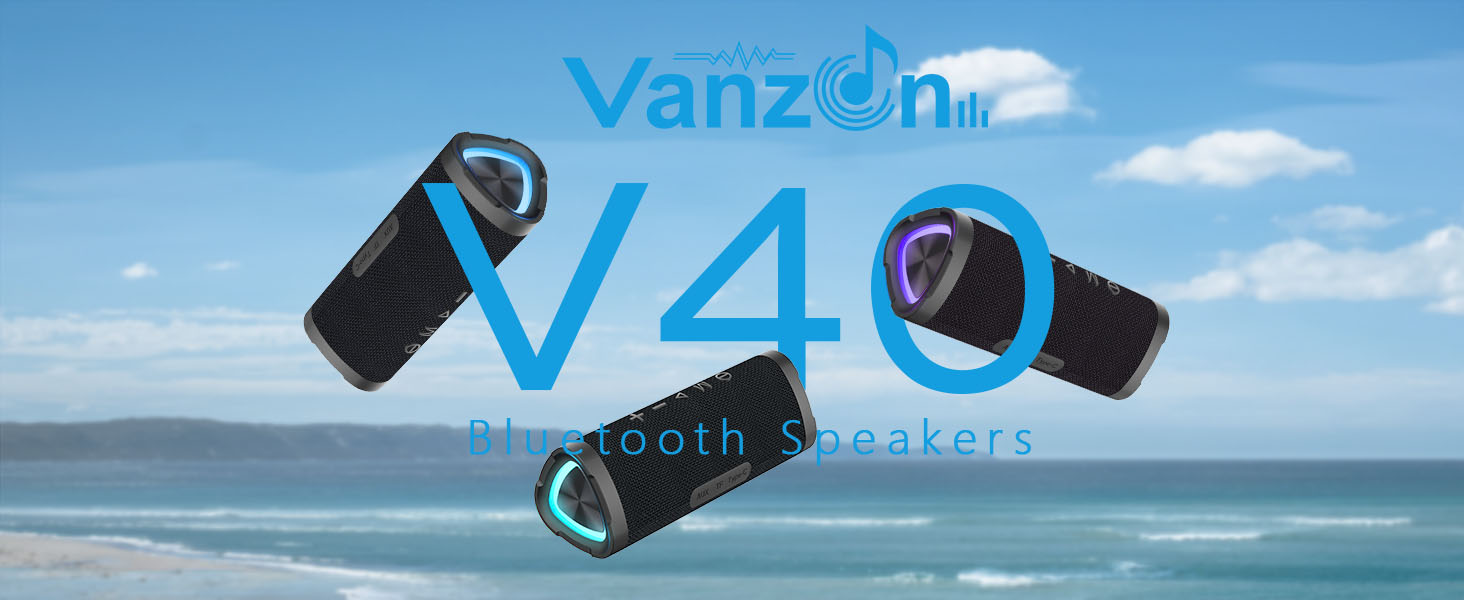
Image 3: TWS pairing. This image shows two Vanzon V40 speakers wirelessly connected to each other, demonstrating the True Wireless Stereo function for an enhanced audio experience.
4.5 Connecting via AUX-IN or TF Card
- AUX-IN: Connect a 3.5mm audio cable (not included) from your non-Bluetooth device to the speaker's AUX-IN port. The speaker will automatically switch to AUX mode.
- TF Card: Insert a TF (Micro SD) card with supported audio files (WAV/FLAC/APE/MP3) into the TF card slot. The speaker will automatically switch to TF card mode and begin playback.
5. Operating Instructions
5.1 Music Playback
- Play/Pause: Press the Play/Pause Button (►).
- Volume Adjustment: Press the Volume Up (+) or Volume Down (-) buttons.
- Next Track: Press and hold the Volume Up (+) button.
- Previous Track: Press and hold the Volume Down (-) button.
5.2 Call Handling
When connected via Bluetooth, the built-in microphone allows for hands-free calls:
- Answer Call: Press the Play/Pause Button (►).
- End Call: Press the Play/Pause Button (►).
- Reject Call: Press and hold the Play/Pause Button (►).
5.3 RGB Light Control
The speaker features integrated RGB lights. Specific controls for these lights are typically integrated with the mode or power button, or may cycle automatically. Refer to the quick start guide for specific light mode adjustments if available.
6. Maintenance
- Cleaning: Use a soft, damp cloth to clean the speaker's exterior. Do not use harsh chemicals or abrasive cleaners.
- Water Resistance: The IPX7 rating means the speaker can be submerged in up to 1 meter of water for 30 minutes. Ensure the charging port cover is securely closed before exposure to water. Do not expose to saltwater or other chemicals.
- Storage: Store the speaker in a cool, dry place away from direct sunlight and extreme temperatures.

Image 4: IPX7 Waterproof. This image shows the Vanzon V40 speaker partially submerged in water, emphasizing its IPX7 waterproof capability for outdoor and poolside use.
7. Troubleshooting
| Problem | Possible Solution |
|---|---|
| Speaker does not power on. | Ensure the speaker is charged. Connect to a power source and try again. |
| Cannot pair via Bluetooth. |
|
| No sound or low volume. |
|
| TWS pairing fails. |
|
8. Specifications
| Feature | Detail |
|---|---|
| Model Name | V40 |
| Bluetooth Version | 5.0 |
| Speaker Maximum Output Power | 24 Watts |
| Audio Driver Type | Dynamic Driver |
| Battery Capacity | 3600 mAh |
| Playtime | Up to 24 hours (varies with volume and content) |
| Water Resistance Level | IPX7 |
| Wireless Communication Technology | Bluetooth |
| Maximum Range | 66 Feet |
| Connectivity Technology | Bluetooth, AUX, TF Card |
| Product Dimensions | 7.32"D x 3.19"W x 2.17"H |
| Item Weight | 1.28 pounds (0.58 Kilograms) |
| Material | Silicone |
| Control Method | Touch |
| Included Components | Bluetooth Speaker, Portable Rope, Type C Charging Cable, User Manual |
9. Warranty and Support
The Vanzon V40 Portable Wireless Speaker comes with a Limited Warranty. For detailed warranty information or technical support, please refer to the contact information provided on the product packaging or the official Vanzon website.


