
ECOTOUCH CRAH950i-Z
ECOTOUCH 36-Inch Electric Cooktop User Manual
Model: CRAH950i-Z
1. Introduction
This user manual provides comprehensive instructions for the installation, operation, and maintenance of your ECOTOUCH 36-Inch Electric Cooktop. Please read this manual thoroughly before using the appliance to ensure safe and efficient operation. Keep this manual for future reference.

Figure 1: ECOTOUCH 36-Inch Electric Cooktop
2. Safety Information
Your safety and the safety of others are paramount. This section outlines important safety precautions to prevent injury and damage. Always follow these basic precautions:
- Electrical Safety: This appliance requires a 220-240V, 40A hardwired connection. Ensure installation is performed by a qualified electrician in accordance with local electrical codes.
- Burn Hazard: The ceramic cooktop surface remains hot after use. Do not touch the surface until it has cooled down. The Residual Hot Indicator (H) will remain lit until safe to touch.
- Child Safety Lock: Utilize the child safety lock feature to prevent accidental operation by children.
- Over-heating Protection: The cooktop is equipped with an over-heating protection system that automatically shuts off the unit if excessive temperatures are detected.
- Proper Cookware: Use flat-bottomed cookware that matches the size of the heating zones for optimal performance and safety.
- Ventilation: Ensure adequate ventilation around the cooktop during operation.

Figure 2: Multiple Safety Protections
3. Product Overview
3.1 Components
- High-end ceramic glass surface
- 5 Radiant heating elements (burners)
- Touch control panel
- Digital display for heat levels and timer
3.2 Control Panel
The cooktop features a sleek touch control panel for easy operation. Key functions include:
- Power Button: Turns the cooktop on/off.
- Child Lock Button: Activates/deactivates the child safety lock.
- Burner Selection: Individual controls for each of the 5 burners.
- Heat Level Slider: Adjusts heating power from 1 to 9.
- Timer Button: Sets cooking time (up to 99 minutes).
- Pause/Go Button: Pauses or resumes cooking.

Figure 3: Cooktop with Burners and Control Panel
4. Installation
Proper installation is crucial for the safe and efficient operation of your cooktop. It is recommended that installation be performed by a qualified professional.
4.1 Pre-Installation Checklist
- Verify power supply: 220-240V, 40A hardwired connection.
- Ensure countertop cutout dimensions are compatible: 34 1/4" x 19 3/10".
- Confirm adequate clearance around the cooktop for ventilation.
- Unpack the cooktop and inspect for any shipping damage.
4.2 Installation Steps
- Prepare the countertop cutout according to the specified dimensions.
- Carefully lower the cooktop into the cutout. Ensure it sits flush with the countertop.
- Connect the electrical wiring (Red, Black, Green) to the appropriate terminals of your 240V 40A double pole breaker, following the wiring diagram provided.
- Secure the cooktop using the provided mounting brackets, if applicable.
- Test all burners and functions to ensure proper operation.

Figure 4: Installation Dimensions and Wiring Diagram
5. Operation
5.1 Turning On/Off
- To turn on: Press the Power button (I). The display will show "Lo" or "0".
- To turn off: Press the Power button (I) again.
5.2 Unlocking the Control Panel
The control panel automatically locks after a period of inactivity or when the child lock is activated. To unlock:
- Press and hold the Child Lock button (key icon) for a few seconds until the lock indicator disappears.
5.3 Selecting a Burner and Adjusting Heat
- Ensure the cooktop is unlocked.
- Select the desired burner by touching its corresponding control icon. The display for that burner will show "0" or "--".
- Adjust the heat level by sliding your finger along the heat level slider (from 1 to 9). The selected burner's display will show the chosen heat level.
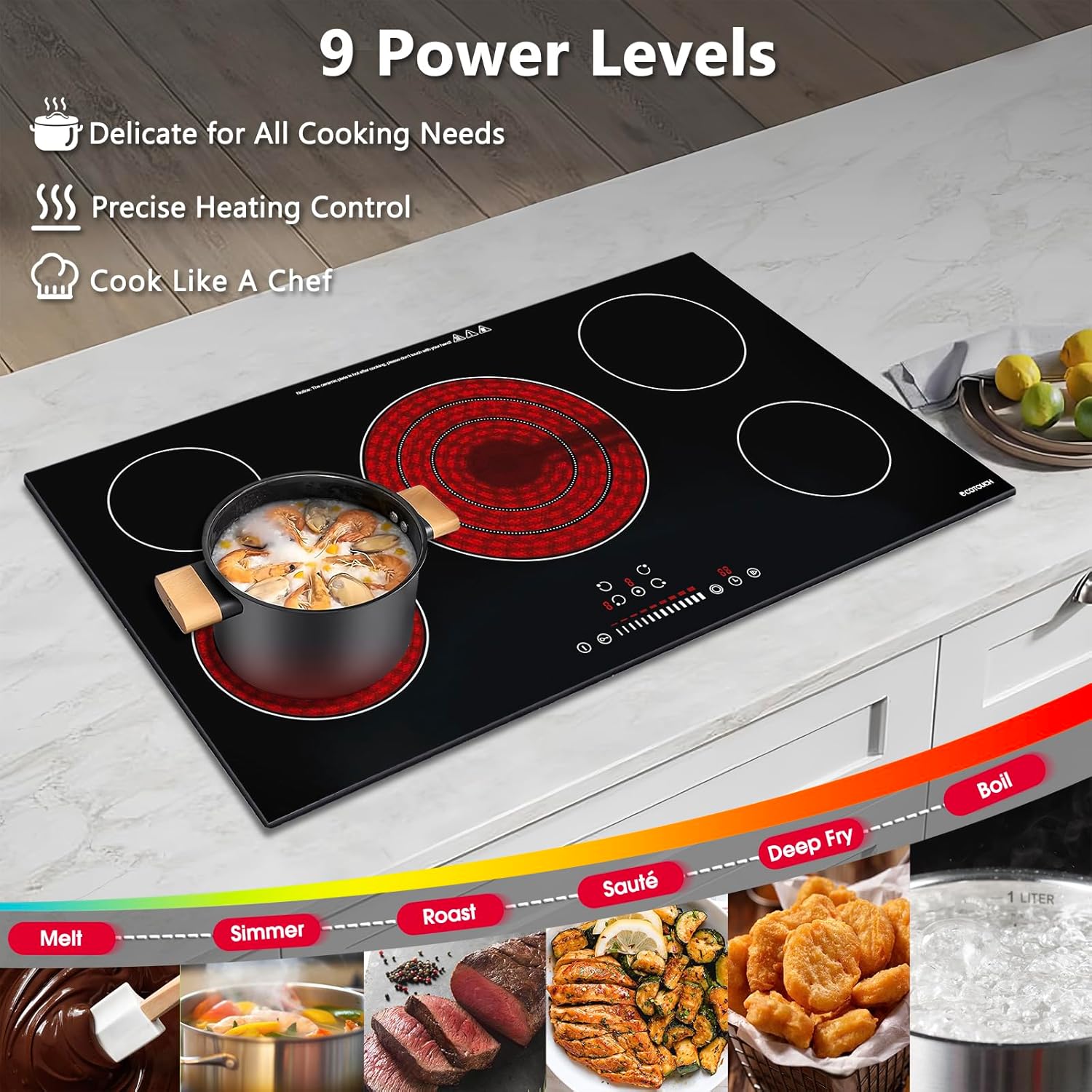
Figure 5: 9 Power Levels for Diverse Cooking
5.4 Using the Timer
The cooktop features a timer function for precise cooking control.
- Select the burner you wish to set a timer for.
- Press the Timer button (clock icon). The timer display will flash.
- Adjust the time using the heat level slider. The timer can be set from 1 to 99 minutes.
- The timer will begin counting down. Once the time expires, the burner will automatically turn off.
5.5 Child Safety Lock
To activate the child safety lock, press the Child Lock button (key icon). The lock indicator will illuminate, and the control panel will become unresponsive. To deactivate, press and hold the Child Lock button again until the indicator turns off.
5.6 Residual Heat Indicator
After a burner is turned off, the display may show an "H" (Hot) indicator. This indicates that the cooking zone is still hot and should not be touched. The "H" will disappear once the surface has cooled to a safe temperature.
Video 1: Demonstrating the ECOTOUCH Electric Cooktop's touch controls, including power on/off, burner selection, heat adjustment, and child lock functionality.
6. Maintenance & Cleaning
Regular cleaning and maintenance will ensure the longevity and optimal performance of your cooktop.
6.1 Daily Cleaning
- Allow the cooktop to cool completely before cleaning.
- Wipe the ceramic glass surface with a damp cloth and mild dish soap.
- For stubborn stains, use a non-abrasive ceramic cooktop cleaner.
- Dry the surface thoroughly with a clean cloth to prevent water spots.
6.2 Preventing Scratches and Damage
- Avoid dragging pots and pans across the surface.
- Do not use abrasive cleaners, scouring pads, or sharp objects on the cooktop.
- Clean spills immediately, especially sugary liquids, to prevent pitting or permanent stains.

Figure 6: High-End Ceramic Glass Cooktop Features
7. Troubleshooting
This section provides solutions to common issues you might encounter with your ECOTOUCH Electric Cooktop. If the problem persists, please contact customer support.
| Problem | Possible Cause | Solution |
|---|---|---|
| Cooktop does not turn on. | No power supply; Child lock activated. | Check circuit breaker; Deactivate child lock by pressing and holding the key button. |
| Burner not heating. | Incorrect heat level selected; Cookware not suitable. | Adjust heat level; Ensure cookware has a flat bottom and is compatible with radiant cooktops. |
| "H" indicator remains lit. | Residual heat. | This is normal. Wait for the surface to cool down. |
| Cooktop shuts off unexpectedly. | Over-heating protection activated; Timer expired. | Allow cooktop to cool; Check if a timer was set. |
8. Specifications
| Feature | Detail |
|---|---|
| Brand | ECOTOUCH |
| Model Number | CRAH950i-Z |
| Installation Type | Built-In |
| Heating Elements | 5 Radiant Burners |
| Voltage | 220-240 Volts |
| Wattage | 9600 Watts |
| Product Dimensions (D x W x H) | 20.5" x 35.45" x 2.05" |
| Cutout Dimensions (W x D) | 34 1/4" x 19 3/10" |
| Material Type | Glass-Ceramic |
| Control Console | Touch Control |
| Certification | FCC Certificated, ETL & UL standards met |
9. Warranty & Support
ECOTOUCH is committed to providing high-quality products and excellent customer service.
9.1 Manufacturer's Warranty
This ECOTOUCH Electric Cooktop (Model CRAH950i-Z) comes with a 5-Year (60 Months) Worry-Free Manufacturer's Warranty. This warranty covers defects in materials and workmanship under normal use. Please retain your proof of purchase for warranty claims.

Figure 7: Warranty and Service Life Information
9.2 Customer Support
For any questions, technical assistance, or warranty claims, please contact ECOTOUCH customer support. Detailed installation guidance and quick-acting consultation are available.
Visit the official ECOTOUCH store for more information: ECOTOUCH Store
Ask a question about this manual
Ask about setup, troubleshooting, compatibility, parts, safety, or missing instructions. Manuals+ will review the question and use this page’s manual context to help answer it.