
midlocater HB02A
Midlocater HB02A Air Tracker Tag User Manual
Model: HB02A | Brand: midlocater
1. Introduction
The Midlocater HB02A Air Tracker Tag is an Apple MFi Certified smart Bluetooth item locator designed exclusively for iOS devices. It helps you effortlessly find your belongings by integrating with the Apple Find My app. Whether it's your keys, wallet, luggage, or bags, this tracker provides peace of mind by allowing you to locate items within Bluetooth range or pinpoint their last known location on a map via the Find My network.
This manual provides detailed instructions for setting up, operating, and maintaining your Midlocater Air Tracker Tag to ensure optimal performance and longevity.
2. Safety Information
- WARNING: CHOKING HAZARD - Small parts. Not for children under 3 years.
- INGESTION HAZARD - This product contains a button cell or coin battery. Hazardous if swallowed. Seek immediate medical attention if a battery is suspected to be swallowed or inserted into any part of the body.
- Keep the device and its components out of reach of young children and pets.
- Do not attempt to disassemble, repair, or modify the device yourself. This may void the warranty and cause damage.
- Avoid exposing the device to extreme temperatures, direct sunlight, or fire.
3. Package Contents
Please check the package for the following items:
- Midlocater HB02A Air Tracker Tag
- CR2032 Battery (pre-installed or included separately)
- Key Ring (may be included depending on package)
- User Manual (this document)
4. Setup
4.1. Battery Installation/Activation
Your Midlocater Air Tracker Tag comes with a CR2032 battery. If not pre-installed, or if you need to replace it, follow these steps:
- Locate the small notch on the side of the tracker.
- Use a small tool (like the provided opening tool or a coin) to gently pry open the tracker casing.
- Insert the CR2032 battery with the positive (+) side facing upwards.
- Align the two halves of the tracker and press firmly until it clicks shut.

Figure 4.1: Opening the tracker for battery access.
4.2. Pairing with Apple Find My App
The Midlocater Air Tracker Tag works exclusively with the Apple Find My app on iOS devices. Ensure your iOS device is updated to the latest version for full functionality (iOS 17 or later for sharing features).
- Open the Find My app on your iPhone, iPad, or Mac.
- Navigate to the Items tab.
- Tap the + icon and select Add Other Item.
- Press and hold the button on your Midlocater Air Tracker Tag for 3 seconds until you hear a beep, indicating it's in pairing mode.
- Your iOS device will detect the tracker. Follow the on-screen prompts to name your item and link it to your Apple ID.

Figure 4.2: Midlocater Air Tracker Tag working with Apple Find My.
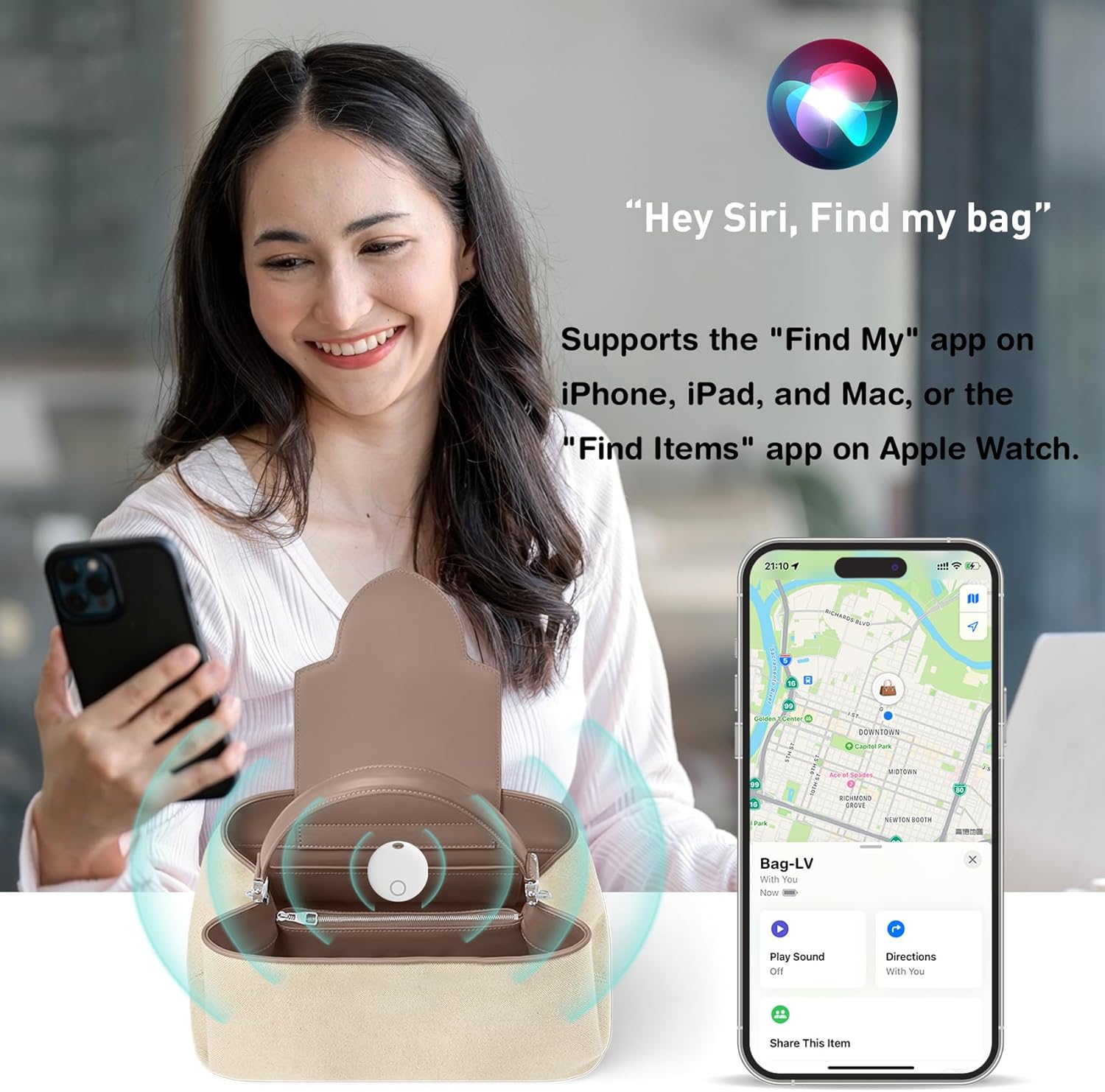
Figure 4.3: Locating an item using the Find My app and Siri.
Video 4.1: Official product video demonstrating the Midlocater Smart Tag Tracker, Bluetooth Luggage Tracker with Keychain, and its compatibility with iOS Find My.
5. Operating Instructions
5.1. Finding Your Items
Once your Midlocater Air Tracker Tag is paired, you can locate your items in several ways:
- Play Sound: If your item is within Bluetooth range (up to 100m/350ft), open the Find My app, select your item, and tap 'Play Sound'. The tracker will emit a loud beep (up to 90dB) to help you locate it.
- View on Map: If your item is out of Bluetooth range, the Find My network (a vast network of Apple devices) will anonymously and securely update its last known location on the map in your Find My app.
- Ask Siri: You can also use Siri to locate your items by saying, for example, "Hey Siri, find my keys."
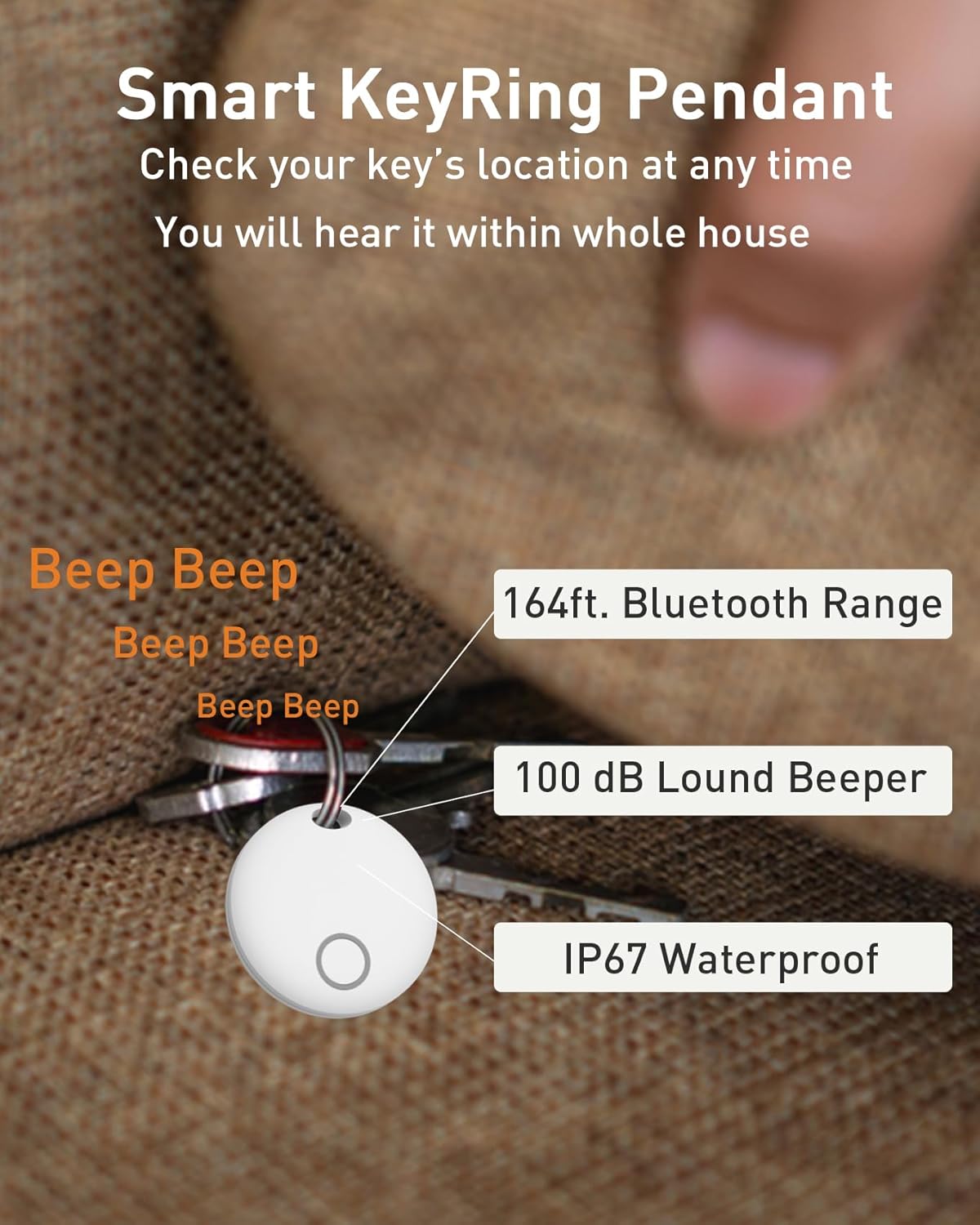
Figure 5.1: Smart KeyRing Pendant features.
5.2. Left-Behind Reminder Function
To prevent leaving your valuables behind, enable the 'Notify When Left Behind' feature in the Find My app. If your item moves out of Bluetooth range, the tracker will send a reminder notification to your iOS device within 10 minutes (ensure notifications are enabled for the Find My app).

Figure 5.2: Left-Behind Reminder notification.
5.3. Managing Multiple Trackers
You can link and manage up to 32 Midlocater Smart Tracker Tags simultaneously within the Find My app, allowing you to track multiple items efficiently.

Figure 5.3: Managing multiple devices in the Find My app.
5.4. Sharing Your Item's Location
With iOS 17 or later, you can share the location of your items with contacts. This allows all shared parties to locate the item within their Find My app. All communications on the Find My network are anonymous and encrypted to protect your privacy.

Figure 5.4: Sharing item location via the Find My app.
6. Maintenance
6.1. Battery Replacement
The Midlocater Air Tracker Tag uses a high-capacity CR2032 battery, providing continuous use for up to 12 months. You can check the battery status in the Find My app. When the battery is low, replace it by following the steps in Section 4.1. Battery Installation/Activation.
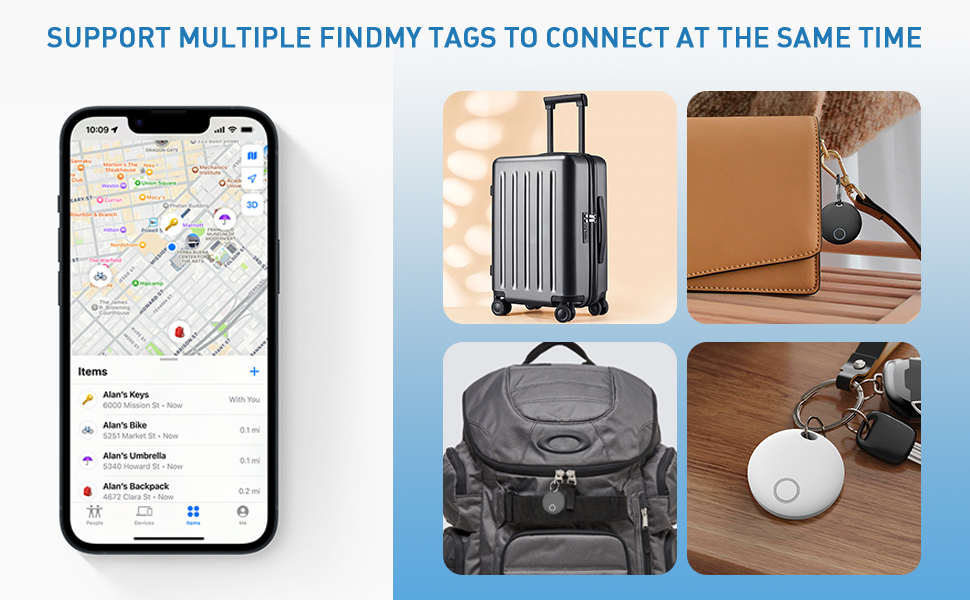
Figure 6.1: Long battery life and CR2032 battery type.
6.2. Waterproof Care
The tracker features IP67 waterproof protection, meaning it is resistant to dust and can withstand immersion in water up to 1 meter for up to 30 minutes. While it can handle splashes and brief immersion, it is not recommended for prolonged underwater use. Ensure the casing is securely closed after battery replacement to maintain its waterproof integrity.

Figure 6.2: IP67 Waterproof Grade.
7. Troubleshooting
| Problem | Possible Cause | Solution |
|---|---|---|
| Tracker not pairing | Battery low or not installed correctly; not in pairing mode; iOS device out of range. | Check/replace battery; ensure tracker button is pressed for 3 seconds; bring iOS device closer; restart iOS device. |
| No sound from tracker | Tracker out of Bluetooth range; battery low; sound feature not activated in app. | Bring tracker closer to iOS device; replace battery; ensure 'Play Sound' is selected in Find My app. |
| Location not updating | Tracker out of range of Find My network; low battery. | Ensure tracker is in an area with other Apple devices (for network updates); replace battery. |
| Left-behind reminders not working | Feature not enabled; notifications disabled for Find My app. | Enable 'Notify When Left Behind' in Find My app settings; check iOS notification settings for Find My. |
8. Specifications
- Brand: midlocater
- Model Number: HB02A
- Connectivity Technology: Bluetooth
- Special Feature: Waterproof (IP67)
- Supported Application: Apple Find My (iOS Only)
- Included Components: Battery (CR2032)
- Battery Average Life: 12 months
- Compatible Devices: iPhone, iPad, Mac, Apple Watch (iOS 17+ for sharing)
- Item Dimensions: 1.46 x 1.46 x 0.33 inches
- UPC: 749799981052
9. Warranty & Support
Warranty Description: This product comes with a 12-month warranty from the date of purchase, covering manufacturing defects. Please retain your proof of purchase for warranty claims.
For technical support, troubleshooting assistance, or warranty inquiries, please contact midlocater customer service through the retailer's platform or visit the official midlocater website for contact information.
Ask a question about this manual
Ask about setup, troubleshooting, compatibility, parts, safety, or missing instructions. Manuals+ will review the question and use this page’s manual context to help answer it.