
1. Introduction
Thank you for choosing the NOVOPAL 2500W Pure Sine Voltage Converter. This device is designed to convert 12V DC power from your vehicle's battery into high-quality 230V/240V AC power, suitable for a wide range of electronic devices and appliances. This manual provides essential information for the safe and efficient operation of your inverter.
2. Safety Instructions
Please read all safety instructions carefully before operating the inverter. Failure to follow these instructions may result in electric shock, fire, or serious injury.
- Reverse Polarity Warning: Damage due to reverse polarity connection is not covered by the warranty. Always ensure correct positive (+) and negative (-) connections.
- Ventilation: Ensure adequate ventilation around the inverter. Do not block the cooling fans or vents.
- Environment: Operate the inverter in a dry, well-ventilated area, away from direct sunlight, heat sources, and flammable materials.
- Load Capacity: Do not exceed the continuous output power of 2500W. The maximum active surge rate is 5000W for less than 1 second. Overloading can damage the inverter and connected devices.
- Grounding: Ensure the AC ground terminal is properly connected.
- Protection Features: The inverter is equipped with multiple protective features including over-temperature shutdown, auto overload protection, over-voltage and under-voltage protection, low voltage audible alarm, and short-circuit protection.

Figure 2.1: Multi-Security Protection features of the NOVOPAL inverter, including overvoltage, undervoltage, short-circuit, high temperature, overload, and overcurrent protection.
3. Product Features
The NOVOPAL 2500W Pure Sine Voltage Converter offers advanced features for reliable power conversion:
- Pure Sine Wave Output: Converts 12V DC to high-quality 230V/240V AC, ensuring stable power for sensitive electronics with less than 3% Total Harmonic Distortion (THD).
- Robust Protection: Includes over-temperature, overload, over-voltage, under-voltage, short-circuit, and low voltage audible alarm.
- Efficient Cooling: Equipped with two intelligent cooling fans that operate based on load or temperature. Fans activate when internal temperature reaches 45°C or when loads exceed 500W.
- Dual AC Outlets & USB Ports: Features two EU standard AC outlets and dual 2.1A USB ports for versatile connectivity.
- Remote Control: Comes with a 5-meter remote control (RJ45 plug) with a DC battery display, allowing convenient remote operation and monitoring of performance parameters.
- High Efficiency: Achieves an efficiency of 90% or greater (at 12V DC).
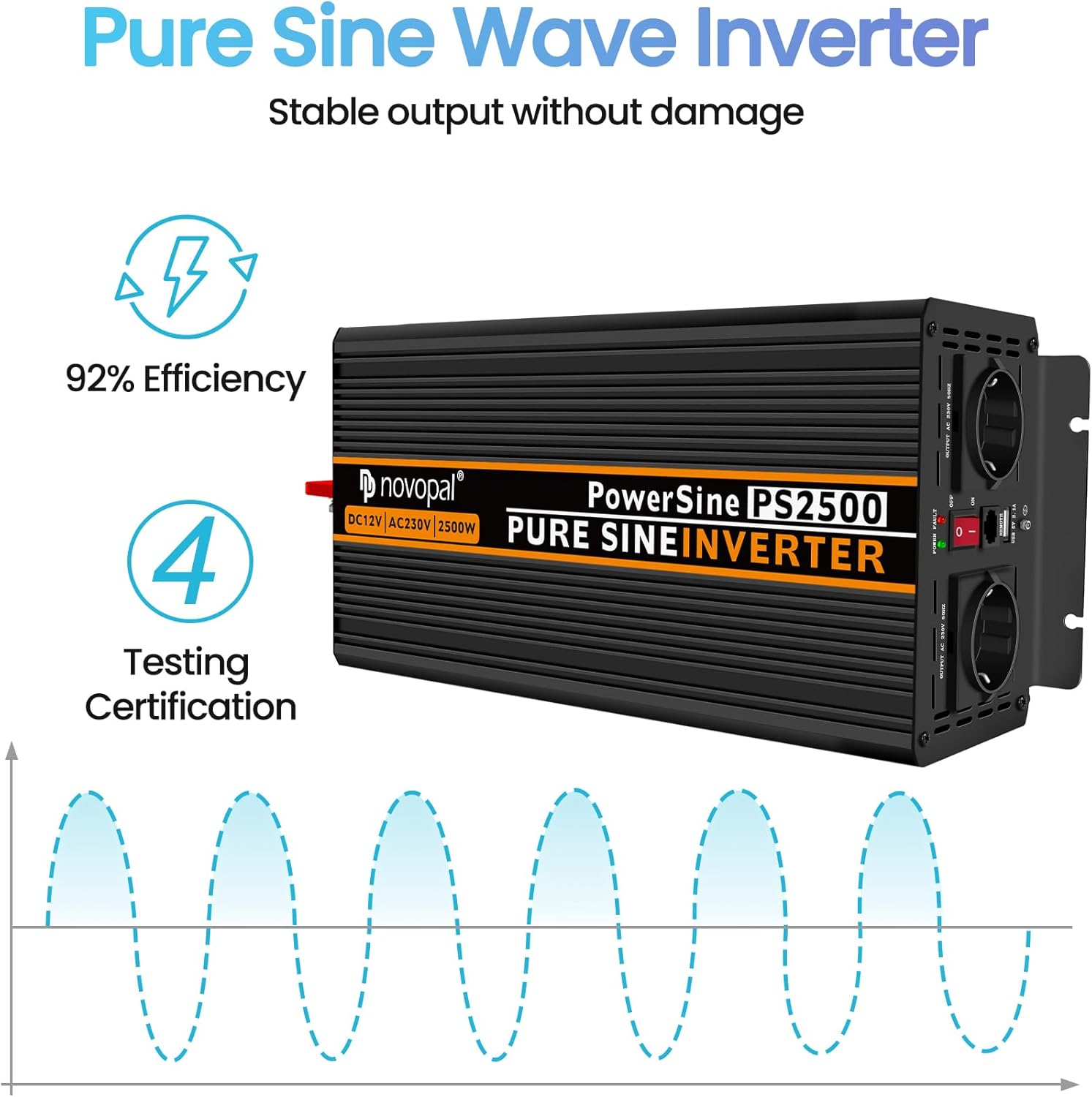
Figure 3.1: Illustration of Pure Sine Wave output and the inverter's 92% efficiency.
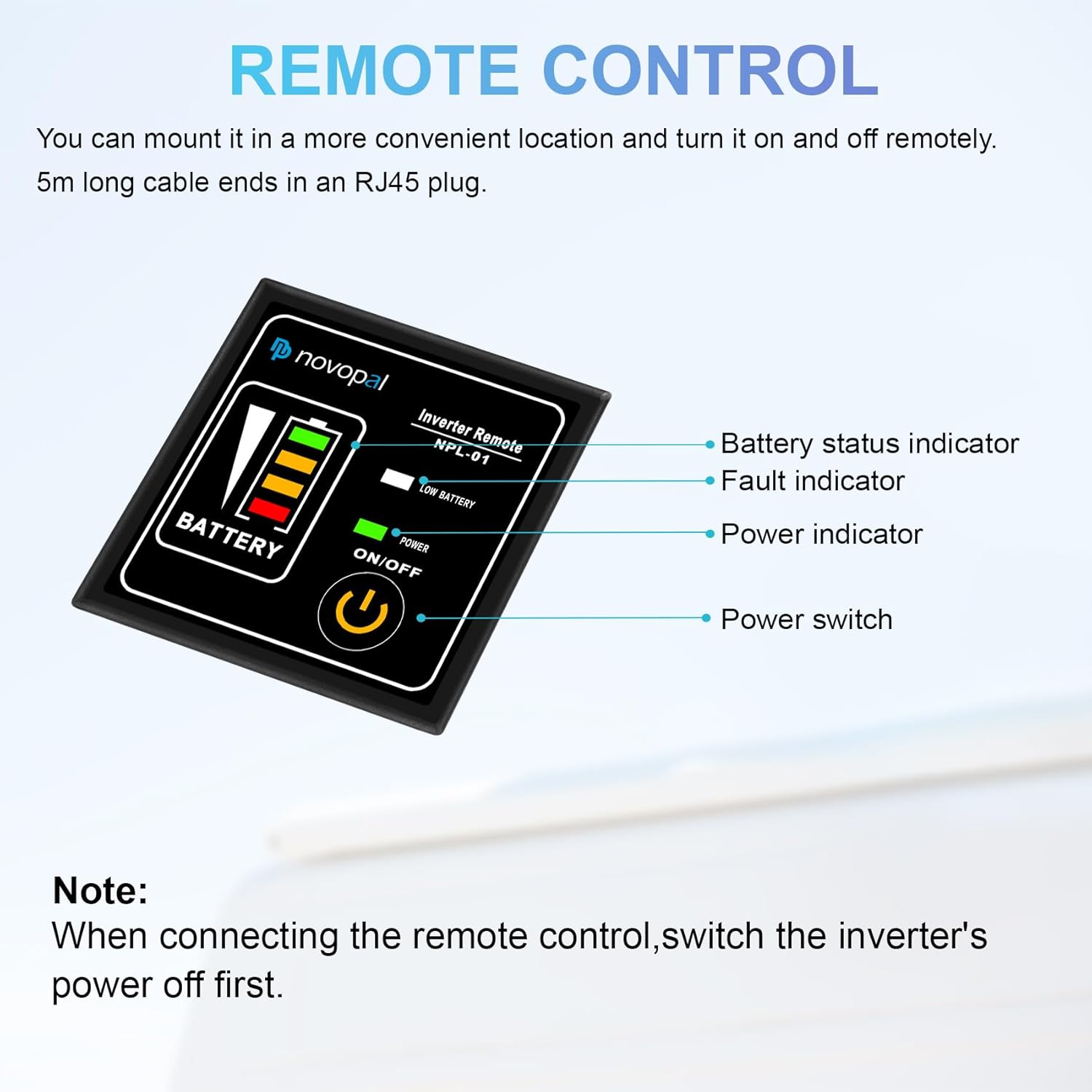
Figure 3.2: Benefits of the NOVOPAL Pure Sine Wave Inverter, including high efficiency, long lifespan, support for sensitive electronics, and lower power loss.
4. Package Contents
Upon unpacking, please verify that all items listed below are included and in good condition:
- 1 x NOVOPAL 12V to 230V 2500W Voltage Converter (Model: PS2500)
- 1 x Set of Connection Cables for Battery
- 1 x Remote Control (5-meter cable)
- 1 x Detailed User Manual (German and English)

Figure 4.1: The NOVOPAL 2500W Pure Sine Inverter shown with its included battery connection cables.
5. Setup
Follow these steps to set up your NOVOPAL inverter:
- Placement: Choose a dry, cool, and well-ventilated location for the inverter. Ensure there is sufficient space around the unit for airflow.
- Battery Connection:
- Ensure the inverter is switched OFF before connecting to the battery.
- Connect the red battery cable to the positive (+) terminal of the inverter and the positive (+) terminal of the 12V battery.
- Connect the black battery cable to the negative (-) terminal of the inverter and the negative (-) terminal of the 12V battery.
- Tighten all connections securely to prevent loose contacts and arcing.
- Remote Control Connection:
- With the inverter's power switched OFF, connect the RJ45 plug of the remote control cable into the designated remote port on the inverter.
- Mount the remote control in a convenient location for easy access.

Figure 5.1: Close-up view of the DC12V input terminals, showing positive and negative connections, along with the cooling fans. Note the 'DO NOT REVERSE POLARITY' warning.

Figure 5.2: The NOVOPAL remote control (NPL-01) with indicators for battery status, fault, power, and the main power switch.
6. Operating Instructions
Once the inverter is properly set up, you can begin operation:
- Power On: Switch the inverter ON using the power switch on the unit or the remote control. The power indicator light should illuminate.
- Connect Devices: Plug your 230V/240V AC devices into the inverter's AC outlets. For USB charging, use the dual 2.1A USB ports.
- Monitor Load: Ensure the total power consumption of connected devices does not exceed the inverter's continuous output power of 2500W.
- Fan Operation: The cooling fans have two operation modes:
- Load Dependent: If connected loads exceed 500W, the fans will start immediately.
- Temperature Dependent: If loads are less than 500W, the fans will start when the internal temperature reaches 45°C.
- Power Off: When finished, switch off the inverter before disconnecting any devices or the battery.

Figure 6.1: Examples of applications for the NOVOPAL inverter, such as printers, sweepers, fans, laptops, cameras, drones, angle grinders, chainsaws, and drills. Note: Maximum operating power for tools must not exceed 1500W.
7. Maintenance
Regular maintenance ensures the longevity and optimal performance of your inverter:
- Cleaning: Keep the inverter clean and free from dust and debris. Use a dry, soft cloth for cleaning. Do not use liquid cleaners.
- Ventilation: Periodically check that the cooling vents and fans are not obstructed.
- Connections: Ensure all electrical connections (battery cables, AC plugs) remain tight and free from corrosion.
- Storage: If storing the inverter for an extended period, disconnect it from the battery and store it in a cool, dry place.
8. Troubleshooting
This section addresses common issues you might encounter with your inverter.
| Problem | Possible Cause | Solution |
|---|---|---|
| Inverter does not turn on | Loose battery connections Low battery voltage Reverse polarity connection Inverter fault | Check and tighten battery cables Recharge or replace battery Verify correct positive/negative connections Contact support |
| No AC output | Overload protection activated Over-temperature protection activated Short-circuit protection activated Device not properly plugged in | Reduce connected load Allow inverter to cool down, ensure ventilation Remove short-circuit, restart inverter Check AC plug connection |
| Audible alarm sounds | Low battery voltage Overload Over-temperature | Recharge battery Reduce connected load Allow inverter to cool down, ensure ventilation |
| Fans not running | Load is below 500W and temperature is below 45°C Fan malfunction | This is normal operation Contact support if fans never run under load/high temp |
9. Specifications
Detailed technical specifications for the NOVOPAL 2500W Pure Sine Voltage Converter:
| Parameter | Value |
|---|---|
| Continuous Output Power | 2500 W |
| Maximum Active Surge Rate (<1 sec) | 5000 W |
| AC Output Voltage (Idle) | 230/240 VAC +/-3V |
| Output Frequency | 50 Hz +/-1Hz |
| Output Wave Form | True / Pure Sine Wave (<3% THD) |
| Efficiency (12V DC) | ≥ 90% |
| No Load Current Drawing (DC side) | <1A |
| Input Voltage | 12 Volts (DC) |
| Recommended Battery Capacity | 300 Amp Hours |
| Product Dimensions (L x W x H) | 40.5 x 11 x 16.5 cm |
| Product Weight | 5.56 kg |
| Model Number | PT2500W 12V |
| Part Number | NP2500PEU12G-FX |
10. Warranty and Support
NOVOPAL offers a one-year limited warranty for this product. Please note that damage due to reverse polarity is not covered by the warranty.
For further information, technical assistance, or warranty claims, please refer to the official NOVOPAL website or contact their customer support directly. Details can typically be found in the included user manual or on the product packaging.