
1. Introduction
This manual provides essential information for the safe and effective use of your XML Battery 14.4V 5600mAh Rechargeable Lithium-ion Battery. This battery is designed as a replacement for various vacuum cleaner models. Please read this manual thoroughly before installation and use.
2. Safety Information
Lithium-ion batteries require careful handling. Failure to follow these safety instructions can result in fire, electric shock, injury, or damage to the battery or vacuum cleaner.
- Do not disassemble, crush, puncture, or short-circuit the battery.
- Do not expose the battery to high temperatures (above 60°C / 140°F) or direct sunlight.
- Do not immerse the battery in water or other liquids.
- Use only the charger specified for your vacuum cleaner model.
- Keep the battery away from children and pets.
- If the battery shows signs of damage, swelling, or leakage, discontinue use immediately and dispose of it properly.
- Battery must be recycled or disposed of properly. Refer to local regulations for disposal.

Image: The XML Battery with visible warning labels indicating proper disposal and handling.
3. Product Overview and Specifications
The XML Battery VC-XML1456 is a high-capacity lithium-ion replacement battery designed for extended performance in compatible vacuum cleaners.
Key Features:
- Brand New, direct replacement.
- High capacity for longer run times.
- Reliable Lithium-ion chemistry.
Specifications:
| Voltage | 14.4 Volt |
| Capacity | 5600mAh |
| Battery Chemistry | Li-ion |
| Part Number | VC-XML1456 |
| Dimensions | 5.25" x 1.50" x 1.50" |
| Weight | 14 oz |
| Connector Type | 4 Pin Connector |
| Cell Size | 18650 |
| Rechargeable | Yes |
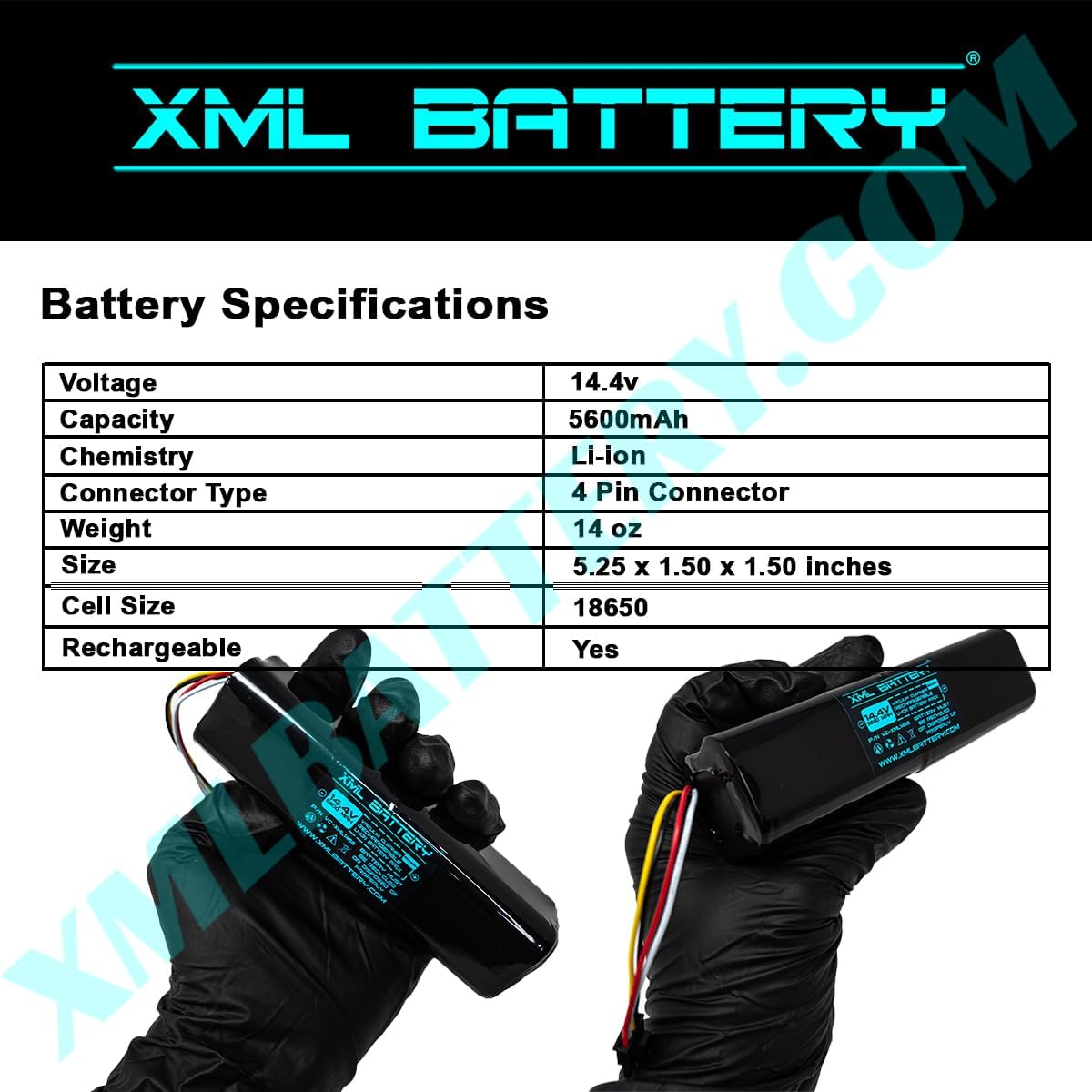
Image: Detailed specifications of the XML Battery.
4. Compatibility
This XML Battery is compatible with the following vacuum cleaner models:
- Xiaomi Mijia Xiaowa Roborock Robot
- Mijia 1 2 generation
- Mijia 1S 1C 1T G1
- Xiaowa C10 E20 E35
- Roborock S50 S51 S52 S55
- Roborock S4/S5/S6
- Roborock T4 T6 T7 T60 T61 T65
- Coredy L900 L900W L900X
- Mop Series
- 14.8V Compatible Voltage
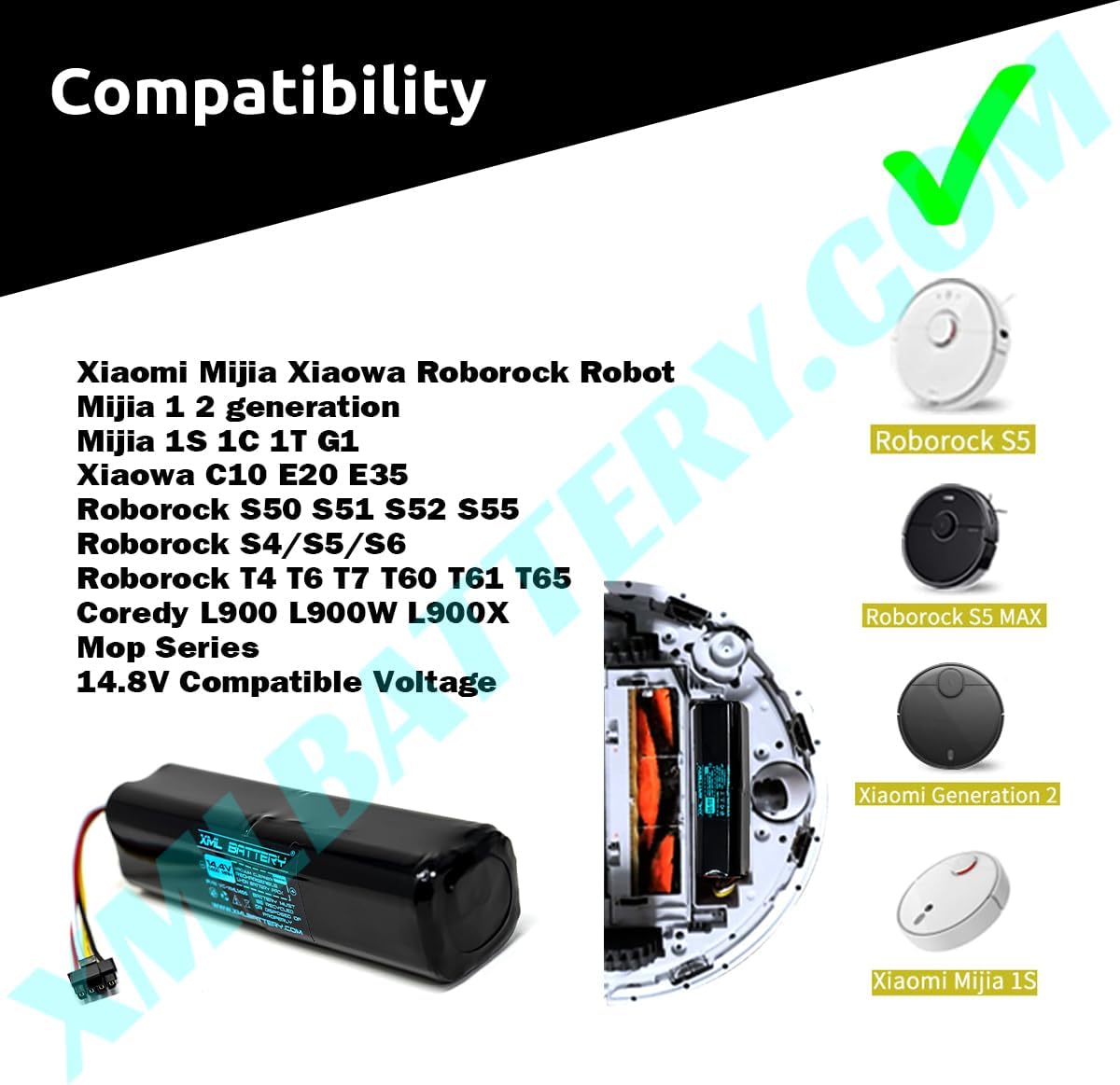
Image: Visual representation of compatible vacuum cleaner models.
5. Setup (Installation)
Follow these general steps to replace the battery in your compatible vacuum cleaner. Always refer to your vacuum cleaner's specific instruction manual for detailed battery replacement procedures.
- Power Off: Ensure your vacuum cleaner is completely powered off and unplugged from any charging source.
- Locate Battery Compartment: Identify the battery compartment on your vacuum cleaner. This is typically on the underside or rear of the unit.
- Remove Old Battery: Open the compartment cover (you may need a screwdriver) and carefully disconnect the old battery's connector. Remove the old battery.
- Install New Battery: Connect the 4-pin connector of the new XML Battery to the corresponding port in the vacuum cleaner. Ensure the connection is secure.
- Secure Compartment: Place the new battery into the compartment and close the cover securely.

Image: The XML Battery showing its 4-pin connector for installation.
6. Operating
After installation, the battery is ready for use. For optimal performance, follow these guidelines:
- Initial Charge: It is recommended to fully charge the new battery before its first use. Place your vacuum cleaner on its charging dock or connect it to its charger.
- Regular Charging: Charge the battery regularly according to your vacuum cleaner's instructions. Avoid completely draining the battery frequently, as this can reduce its lifespan.
- Usage: Operate your vacuum cleaner as usual. The 5600mAh capacity provides extended run time compared to lower capacity batteries.
7. Maintenance
Proper maintenance can extend the life and performance of your battery.
- Storage: If storing the battery for an extended period, ensure it is charged to approximately 50-70% and stored in a cool, dry place away from direct sunlight. Avoid storing fully charged or fully discharged.
- Cleaning: Keep the battery and its contacts clean and free from dust or debris. Use a dry cloth to wipe if necessary.
- Temperature: Avoid operating or charging the battery in extreme temperatures. Optimal operating temperature is typically between 0°C and 45°C (32°F and 113°F).

Image: The XML Battery, demonstrating its size for handling and storage considerations.
8. Troubleshooting
If you encounter issues with your battery, consider the following common troubleshooting steps:
- Battery Not Charging:
- Ensure the battery is correctly installed and its connector is firmly seated.
- Verify that the vacuum cleaner's charging dock or power adapter is functioning correctly and plugged in.
- Check for any debris on the charging contacts of both the vacuum and the battery.
- Short Run Time:
- Ensure the battery has been fully charged.
- Over time, all rechargeable batteries experience a decrease in capacity. If the battery is old, it may be reaching the end of its lifespan.
- Check if the vacuum cleaner itself has any blockages or issues that might cause it to draw excessive power.
- Vacuum Not Powering On:
- Confirm the battery is fully charged and properly installed.
- If the issue persists, the problem might be with the vacuum cleaner itself, not the battery.
If these steps do not resolve the issue, please contact customer support.
9. Disposal Information
This product contains a Lithium-ion battery. Lithium-ion batteries must be recycled or disposed of properly. Do not dispose of the battery in household waste or by incineration. Contact your local waste management authority or recycling center for information on proper disposal and recycling options for rechargeable batteries.
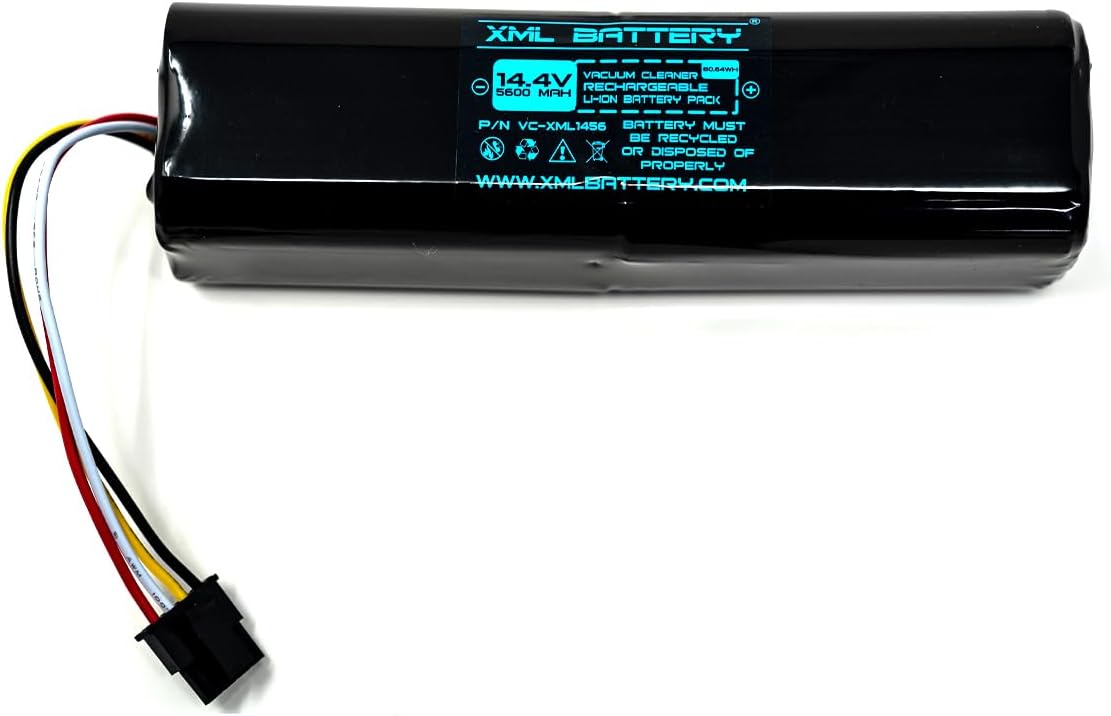
Image: The XML Battery displaying recycling and disposal symbols.
10. Warranty and Support
For warranty information or technical support regarding your XML Battery, please refer to the purchase documentation or contact the seller directly. Keep your proof of purchase for any warranty claims.