
LANRU P100
LANRU P100 Industrial Endoscope User Manual
Model: P100 | Brand: LANRU
1. Introduction
The LANRU P100 Industrial Endoscope is a versatile digital borescope designed for detailed inspection in various environments. Featuring a 2.4-inch full-color IPS screen and 1080P high-resolution image capture, it provides clear real-time viewing. Its IP67 waterproof camera head with 6 adjustable LED lights ensures effective operation even in dark or wet conditions. The ergonomic design and one-button operation make it user-friendly for a wide range of applications, including auto repair, pipeline inspection, and industrial maintenance.
Key Features:
- 2.4-inch full-color IPS screen for real-time viewing.
- Up to 1080P high resolution for clear image capture.
- IP67 waterproof camera head for challenging environments.
- 6 adjustable LED lights for illumination in dark areas.
- Ergonomic design for comfortable handling.
- Simple one-button operation, no BT or Wi-Fi connection required.
- Built-in 2600mAh rechargeable lithium battery for extended use.
2. Package Contents
Please verify that all items listed below are included in your package:
- 1 x Digital Endoscope (P100 Main Unit)
- 1 x Type C Charging Cable
- 1 x User Manual
- 1 x Accessory Set (e.g., hook, magnet, side mirror - specific accessories may vary based on model)
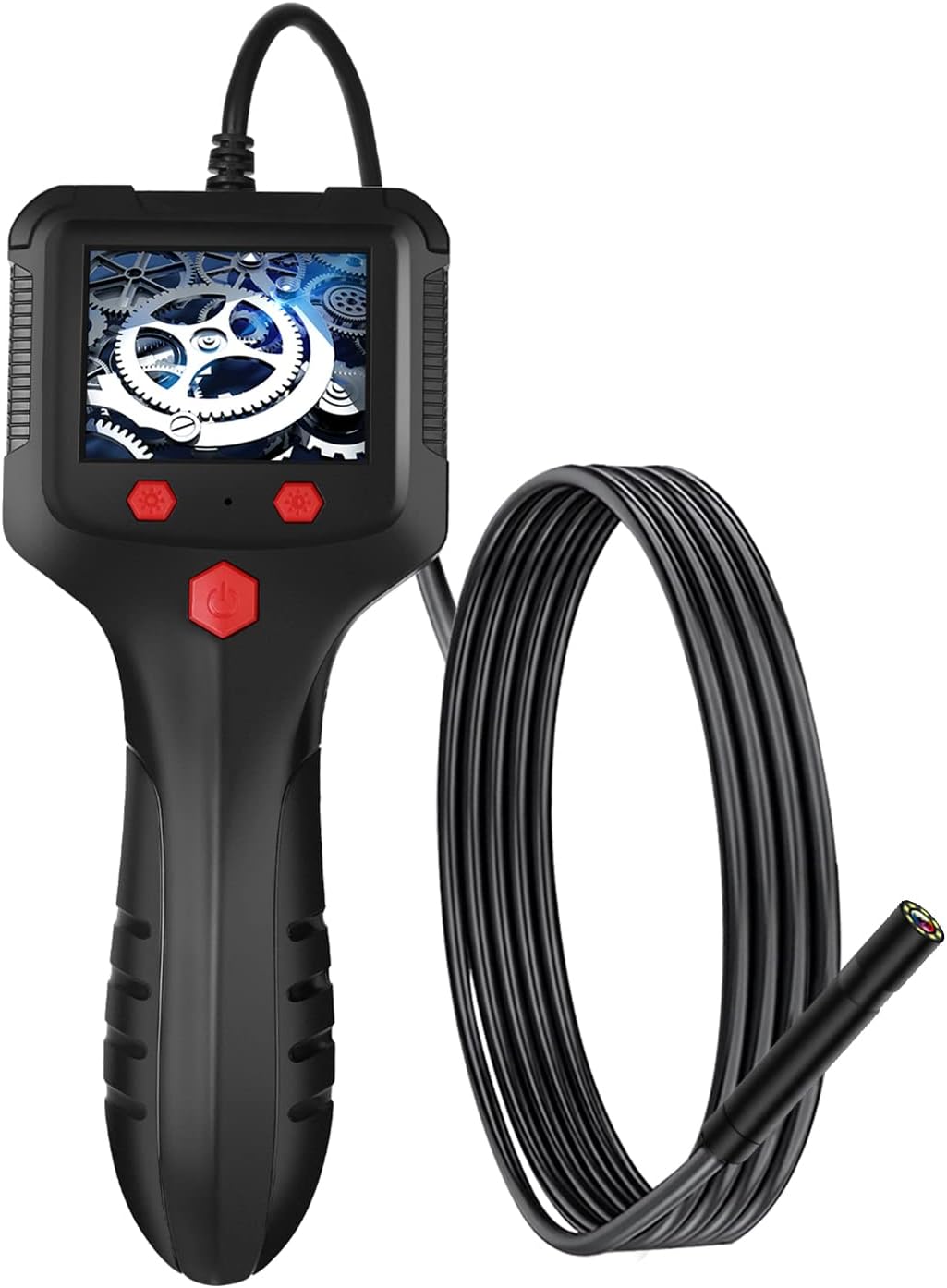
Image: The LANRU P100 Industrial Endoscope with its flexible cable and camera head, alongside the main display unit.
3. Setup
3.1 Charging the Device
Before first use, fully charge the endoscope. Connect the provided Type C charging cable to the device's Type C interface and plug the other end into a DC 5V 800mA/1A power adapter (not included). The charging indicator will show the charging status. A full charge takes approximately 4.5 hours and provides up to 5 hours of working time.

Image: Rear view of the endoscope handle, highlighting the Type C charging port and product label.
3.2 Initial Assembly and Power On
- Ensure the camera cable is securely connected to the main unit. The cable is permanently attached for this model.
- Press and hold the power button (usually located on the front panel) for a few seconds until the screen illuminates.
- The device will boot up and display the live feed from the camera.

Image: Detailed view of the endoscope's 2.4-inch IPS screen and the red control buttons, including the power button.
4. Operating Instructions
4.1 Basic Operation
- Power On/Off: Press and hold the power button to turn the device on or off.
- Screen Display: The 2.4-inch IPS screen provides a real-time view from the camera.
- Adjusting LED Lights: The camera head is equipped with 6 LED lights. Use the designated buttons (often marked with light bulb icons or arrows) to adjust the brightness through 3 levels. This helps illuminate dark inspection areas.
- Focal Length: The optimal focal length for clear viewing is between 4cm and 10cm from the object.

Image: Exploded view illustrating the components of the IPS screen: original screen, liquid crystal display layer, and high transparent glass hard screen.
4.2 Image Capture
The P100 endoscope supports image capture at 1080P resolution. To capture an image, press the dedicated capture button (often marked with a camera icon). Captured images are saved internally. Refer to the on-screen menu for options to review or manage saved images.

Image: The LANRU P100 Industrial Endoscope displayed in a professional setting, emphasizing its robust design and application.
5. Maintenance
5.1 Cleaning
- Camera Lens: The camera lens is IP67 waterproof. After use in wet or dirty environments, gently wipe the lens with a soft, damp cloth. Do not use abrasive cleaners or solvents.
- Main Unit: The main unit (handle and screen) is NOT waterproof. Clean it with a dry, soft cloth. Avoid getting any liquids into the ports or buttons.
- Cable: Wipe the flexible cable with a damp cloth to remove any debris.
5.2 Storage
Store the endoscope in a cool, dry place away from direct sunlight and extreme temperatures. Ensure the cable is coiled loosely to prevent damage. Keep out of reach of children.
5.3 Battery Care
To prolong battery life, avoid fully discharging the battery frequently. If storing for an extended period, charge the device to about 50% capacity every few months.
6. Troubleshooting
If you encounter any issues with your LANRU P100 Industrial Endoscope, please refer to the table below for common problems and solutions.
| Problem | Possible Cause | Solution |
|---|---|---|
| Device does not power on. | Low battery; Power button not pressed long enough; Device malfunction. | Charge the device fully. Press and hold the power button for 3-5 seconds. If problem persists, contact customer support. |
| No image on screen. | Camera cable not properly connected; Camera lens obstructed; Device malfunction. | Ensure the camera cable is securely attached. Check if the lens is dirty or covered. Restart the device. |
| Image is blurry or unclear. | Lens is dirty; Object is outside focal range; Insufficient lighting. | Clean the camera lens. Adjust the distance to the object (optimal 4-10cm). Increase LED light brightness. |
| LED lights are not working. | Brightness set to minimum; Device malfunction. | Press the LED brightness adjustment buttons to increase illumination. Restart the device. |
7. Specifications
| Feature | Detail |
|---|---|
| Model | P100 |
| Material | ABS |
| Lens Diameter | 8mm (as per current model) |
| Cable Length | 2m (as per current model) |
| Color | Black |
| Screen | 2.4" IPS Screen |
| Resolution | 1920 * 1080px (1080P) |
| Focal Length | 4-10cm |
| Horizontal Viewing Angle | 70° |
| Waterproof Level | IP67 (ONLY for lens) |
| Battery | 3.7V / 2600mAh Lithium Battery |
| Charging Time | 4.5 hours |
| Working Time | 5 hours |
| Power Supply | DC 5V 800mA/1A |
| Interface | Type C |
| Image Format | JPG |
| Cable Diameter | 4.2mm |
| Item Size (without cable) | 19.81 * 8cm / 7.8 * 3.15in |
| Item Weight (without cable) | 122g / 4.3oz |
8. Warranty Information
This product comes with a standard limited warranty. For specific warranty terms and conditions, please refer to the warranty card included in your product packaging or contact the seller directly. Keep your purchase receipt as proof of purchase for warranty claims.
9. Customer Support
If you have any questions, require technical assistance, or need to report an issue that is not covered in the troubleshooting section, please contact the seller or manufacturer through the platform where you purchased the product. Provide your model number (P100) and a detailed description of the issue for faster service.
Ask a question about this manual
Ask about setup, troubleshooting, compatibility, parts, safety, or missing instructions. Manuals+ will review the question and use this page’s manual context to help answer it.