
1. Introduction and Overview
The Lancoon Digital Alarm Clock, Model LK-AD21, is a versatile and user-friendly device designed to provide essential timekeeping and environmental information. This multifunctional clock features a large, clear LCD display, making it suitable for various users, including those with impaired vision. It integrates several functions into one compact unit, serving as a clock, calendar, alarm with snooze, and thermometer.
Its design allows for placement on a tabletop using the integrated bracket or wall-mounting via the hook hole. The clock operates on two AAA batteries, offering portability and freedom from power outlets.
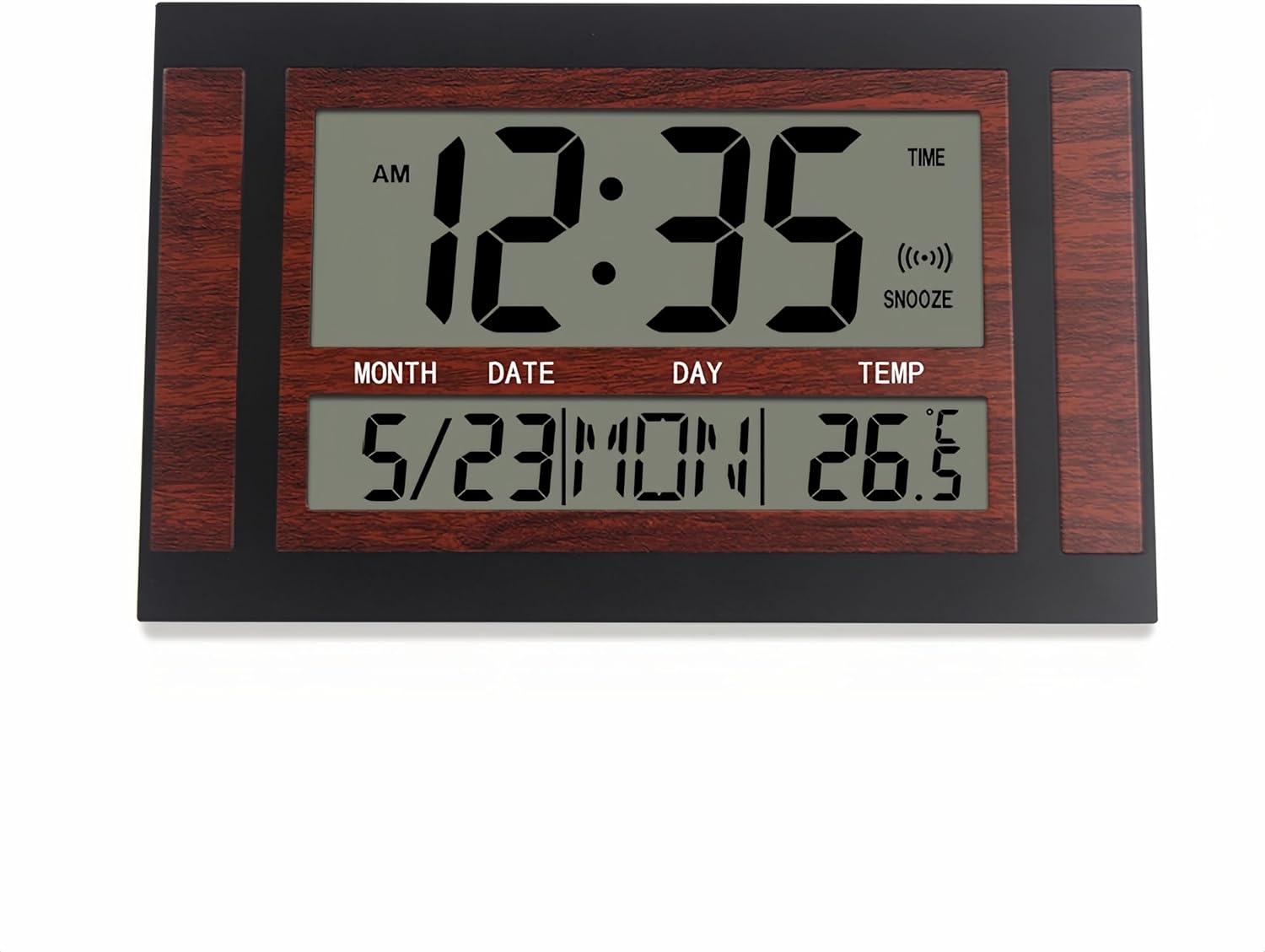
Figure 1.1: Front view of the Lancoon Digital Alarm Clock, displaying time, date, day, and temperature.
2. Product Features
- Large LCD Display: High-definition screen with clear, large digits for easy readability.
- Multifunctional: Displays time (AM/PM), date (month/day), day of the week, and temperature.
- Alarm Function: Includes a single alarm setting with a convenient snooze feature.
- Temperature Display: Switchable between Celsius (°C) and Fahrenheit (°F).
- Battery Operated: Requires two AAA batteries (not included) for wireless operation.
- Versatile Placement: Can be placed on a tabletop using the integrated bracket or mounted on a wall.
3. Package Contents
- 1 x Lancoon Digital Alarm Clock Unit
- 1 x User Manual
Note: AAA batteries are not included and must be purchased separately.
4. Setup
4.1 Battery Installation
- Locate the battery compartment on the back of the clock.
- Open the battery compartment cover.
- Insert two (2) AAA batteries, ensuring correct polarity (+/-).
- Close the battery compartment cover securely.

Figure 4.1: Rear view of the clock, highlighting the battery compartment and control buttons.
4.2 Placement
The clock can be placed in two ways:
- Tabletop: Extend the integrated bracket on the back of the clock to stand it upright on any flat surface.
- Wall-Mounted: Use the hook hole located on the back of the clock to hang it on a nail or screw (not included) on a wall.

Figure 4.2: The alarm clock placed on a table.

Figure 4.3: The alarm clock mounted on a wall.
5. Operating Instructions
The clock features five function buttons on the back: MODE, UP, DOWN, C/F, and SNZ.
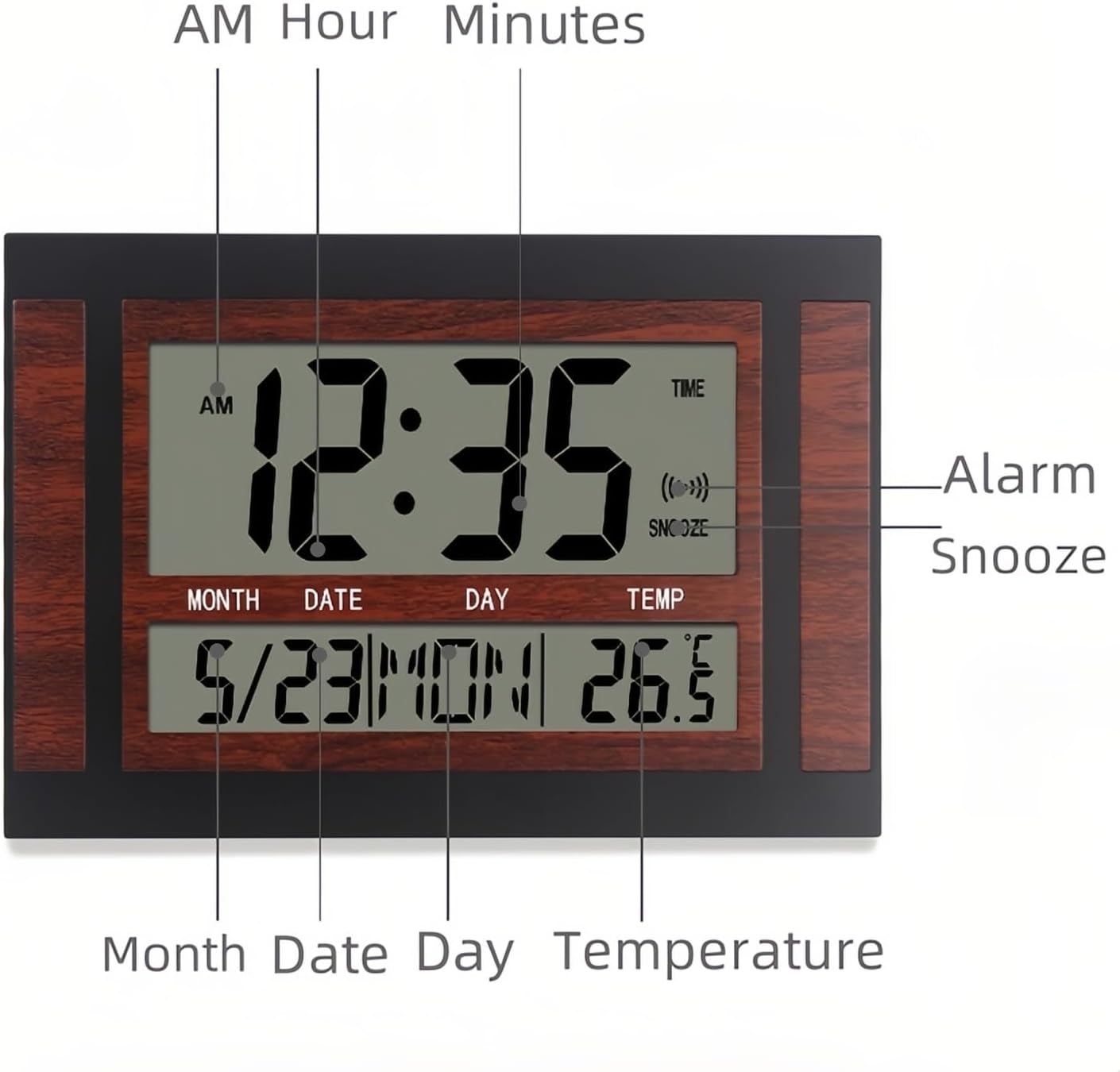
Figure 5.1: Front display elements of the alarm clock.
5.1 Setting Time and Date
- Press the MODE button once to enter Time Setting mode. The hour digits will flash.
- Use the UP and DOWN buttons to adjust the hour.
- Press MODE again to move to minute setting. Use UP and DOWN to adjust minutes.
- Continue pressing MODE to cycle through setting the year, month, and date. Use UP and DOWN to adjust each value.
- After setting the date, press MODE one last time to exit setting mode and return to normal display.
5.2 Setting the Alarm
- From the normal time display, press the MODE button twice to enter Alarm Setting mode. The alarm hour digits will flash.
- Use the UP and DOWN buttons to set the desired alarm hour.
- Press MODE again to move to alarm minute setting. Use UP and DOWN to set the desired alarm minutes.
- Press MODE one last time to exit alarm setting mode.
5.3 Activating/Deactivating Alarm and Snooze
- To activate or deactivate the alarm, press the UP button while in normal time display mode. An alarm icon will appear or disappear on the display.
- When the alarm sounds, press the SNZ button to activate the snooze function. The alarm will temporarily stop and sound again after a few minutes (default snooze duration).
- To turn off the alarm completely when it is sounding, press any button other than SNZ.
5.4 Changing Temperature Unit (°C/°F)
Press the C/F button on the back of the clock to switch between Celsius and Fahrenheit temperature display.
6. Maintenance
- Cleaning: Wipe the clock with a soft, dry cloth. Do not use abrasive cleaners or solvents.
- Battery Replacement: Replace batteries when the display becomes dim or functions become erratic. Always replace both batteries at the same time.
- Storage: If storing the clock for an extended period, remove the batteries to prevent leakage.
- Environment: Avoid exposing the clock to extreme temperatures, direct sunlight, or high humidity.
7. Troubleshooting
- Display is blank or dim: Check if batteries are installed correctly. Replace with fresh AAA batteries.
- Alarm does not sound: Ensure the alarm is activated (alarm icon visible on display). Verify alarm time is set correctly.
- Incorrect time/date: Follow the instructions in Section 5.1 to reset the time and date.
- Temperature reading seems inaccurate: Ensure the clock is not placed near heat sources or in direct sunlight, which can affect sensor readings.
8. Specifications
| Brand | Lancoon |
| Model Number | LK-AD21 |
| Display Type | Digital LCD |
| Power Source | 2 x AAA Batteries (not included) |
| Material | Plastic |
| Item Weight | 346 Grams (approx. 12.2 oz) |
| Item Dimensions (W x H) | 23W x 155H millimeters (approx. 9.84 x 0.91 x 6.10 inches) |
| Special Features | Multifunction (Time, Date, Day, Temperature, Alarm, Snooze) |
9. Product Demonstration
Video 9.1: A brief demonstration of the Lancoon Digital Alarm Clock, showcasing its display and physical design from various angles.
10. Warranty and Support
Lancoon products are manufactured with quality and reliability in mind. This product comes with a standard manufacturer's warranty against defects in materials and workmanship. For specific warranty details, please refer to the product packaging or contact Lancoon customer support.
If you encounter any issues or have questions regarding your Lancoon Digital Alarm Clock, please contact our customer support team for assistance. Contact information can typically be found on the product packaging or our official website.