
1. Introduction
Thank you for choosing the Marg 48V 2A AC-DC Power Adapter. This manual provides essential information for the safe and efficient use of your power supply. Please read this manual thoroughly before using the product and retain it for future reference.
2. Product Overview
The Marg 48V 2A AC-DC Power Adapter is designed to provide stable and efficient power to compatible electronic devices, such as ZOSI ZR08RN CCTV NVR boxes, laptops, monitors, printers, speakers, and tablets. It features a compact design for portability and incorporates advanced safety features.
Key Features:
- Efficient Charging: Ensures rapid and efficient power delivery.
- Compact Design: Sleek and portable, ideal for travel and on-the-go use.
- Reliable Performance: Provides stable and consistent power output.
- Safety Features: Includes protection against overcharging and overheating.
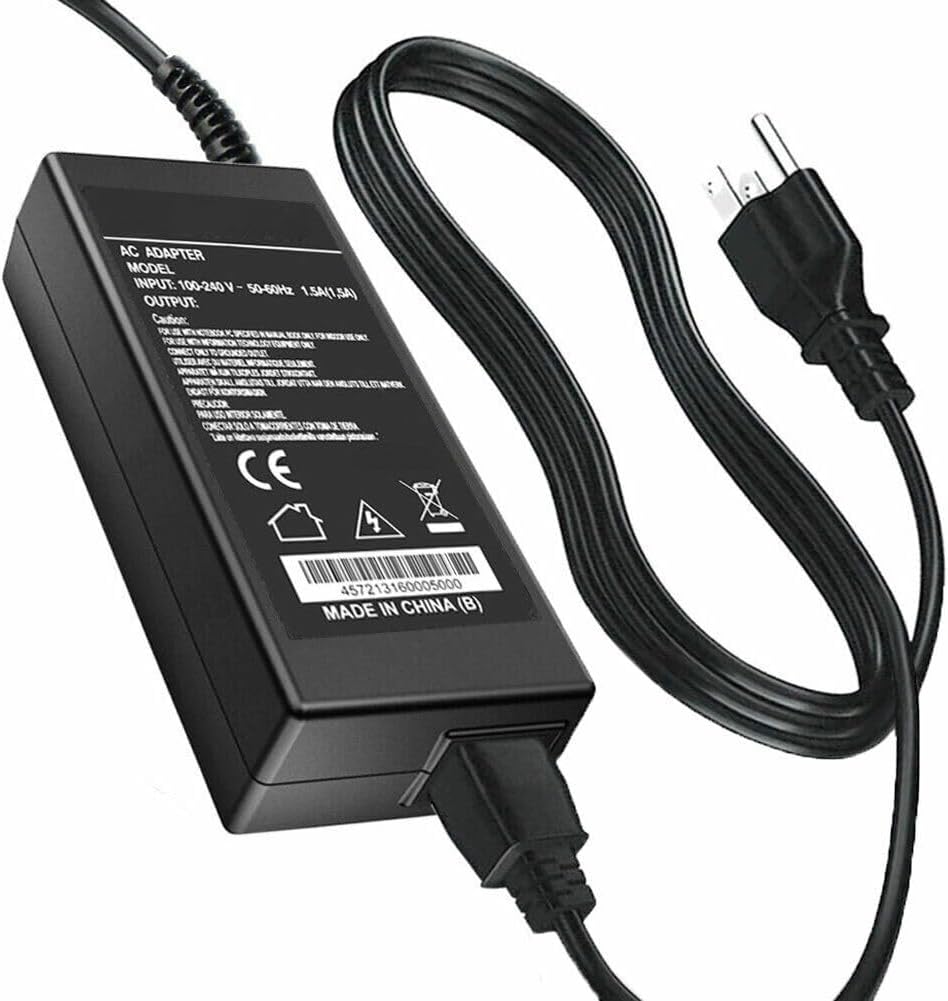
Image 1: The Marg 48V 2A AC-DC Power Adapter, showing the main unit and attached power cord.
3. Safety Information
To prevent injury or damage to your device, please observe the following safety precautions:
- Use only with devices that match the specified voltage (48V) and current (2A) requirements.
- Do not expose the adapter to water, moisture, or extreme temperatures.
- Avoid dropping or subjecting the adapter to severe impact.
- Do not attempt to open or modify the adapter. There are no user-serviceable parts inside.
- Ensure the power outlet is easily accessible and properly grounded.
- Unplug the adapter during lightning storms or when unused for extended periods.
- Keep out of reach of children.
This product is certified with CE and FCC standards, indicating compliance with health, safety, and environmental protection standards.
4. Setup
Follow these steps to set up your Marg 48V 2A AC-DC Power Adapter:
- Verify Compatibility: Ensure your device requires a 48V DC input and draws no more than 2A of current. Check your device's specifications or existing power supply.
- Connect to Device: Plug the DC output connector of the adapter into the power input port of your electronic device.
- Connect to Power Outlet: Insert the AC input plug of the adapter into a standard wall power outlet (100-240V AC).
- Power On: Once connected, your device should receive power. If your device has a power switch, turn it on.

Image 2: The power adapter connected to a wall outlet and powering a device, demonstrating a typical setup.
5. Operating Instructions
The Marg 48V 2A AC-DC Power Adapter operates automatically once connected. It converts the alternating current (AC) from your wall outlet into direct current (DC) required by your device.
- The adapter is designed for continuous operation within its specified limits.
- Its built-in safety features protect against overcharging and overheating, ensuring stable power delivery.
- Disconnect the adapter from the power outlet and your device when not in use for extended periods to conserve energy and prolong product life.
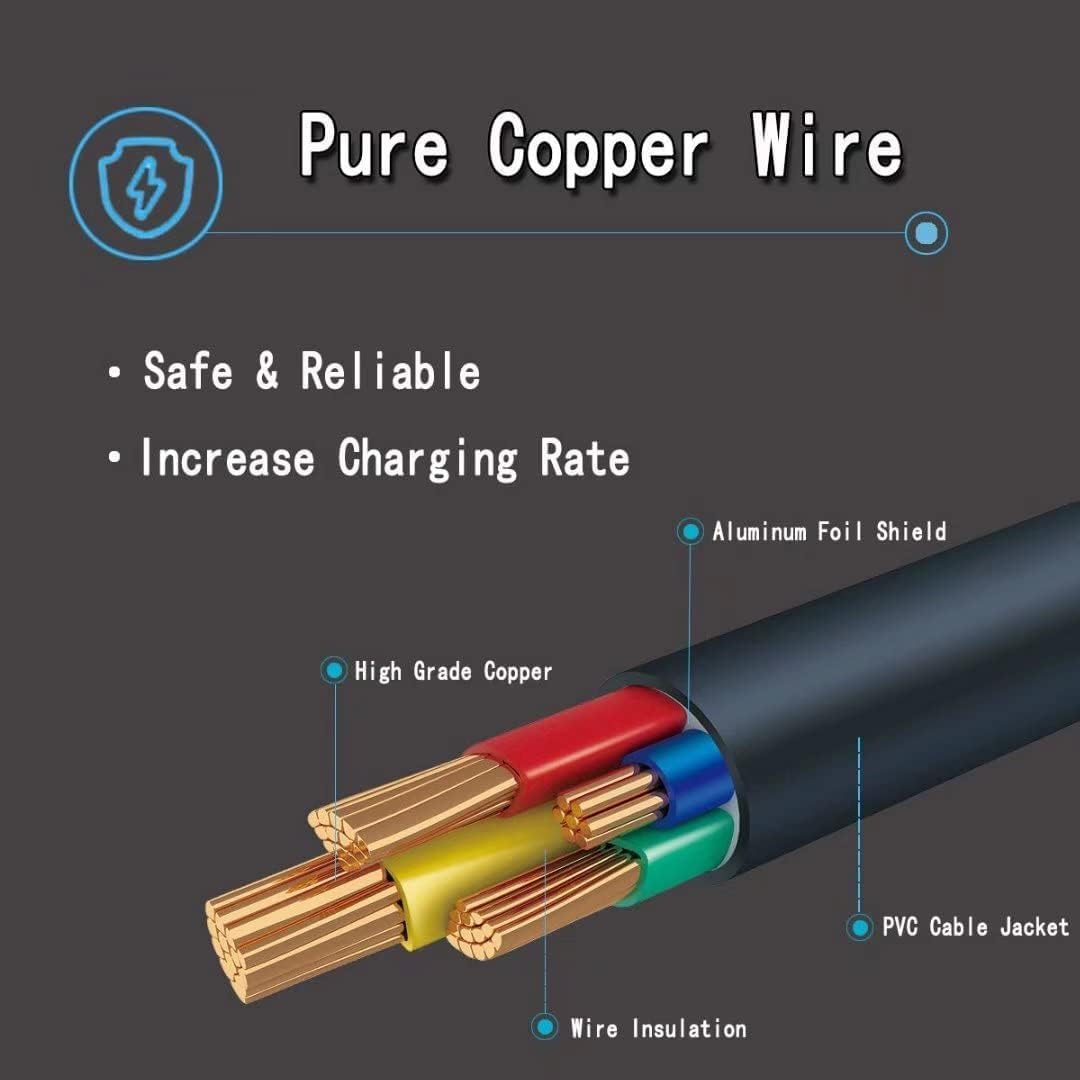
Image 3: An illustration detailing the internal composition of the power cable, highlighting the pure copper wire, insulation, and aluminum foil shield for safe and reliable performance.
6. Maintenance
Proper maintenance ensures the longevity and optimal performance of your power adapter:
- Cleaning: Disconnect the adapter from all power sources before cleaning. Use a soft, dry cloth to wipe the exterior. Do not use liquid cleaners or aerosols.
- Storage: Store the adapter in a cool, dry place away from direct sunlight and extreme temperatures. Avoid tightly coiling the cable to prevent damage.
- Inspection: Periodically inspect the adapter and its cables for any signs of damage, such as frayed wires, cracks, or loose connections. If damage is found, discontinue use immediately.
7. Troubleshooting
If you encounter issues with your power adapter, refer to the following common problems and solutions:
| Problem | Possible Cause | Solution |
|---|---|---|
| Device not powering on. |
|
|
| Adapter feels excessively hot. |
|
|
| Intermittent power. |
|
|
If the problem persists after trying these solutions, please contact customer support.
8. Specifications
| Feature | Detail |
|---|---|
| Model Number | B6945588 |
| Brand | Marg (Generic) |
| Input Voltage | 100-240 Volts AC |
| Output Voltage | 48 Volts DC |
| Current Rating | 2 Amps |
| Connector Type | ACC (DC Barrel Connector) |
| Compatible Devices | ZOSI ZR08RN CCTV NVR Box, Laptops, Monitors, Printers, Speakers, Tablets (requiring 48V 2A) |
| Material | Plastic |
| Color | BLACK |
| Certifications | CE, FCC |
9. Warranty and Support
This Marg 48V 2A AC-DC Power Adapter comes with a 2-year warranty from the date of purchase. This warranty covers manufacturing defects and material faults under normal use.
The warranty does not cover damage caused by misuse, accidents, unauthorized modifications, or use with incompatible devices.
Customer Support:
For technical assistance, warranty claims, or any questions regarding your product, please contact Marg customer support through your retailer or the official Marg website. Please have your model number (B6945588) and proof of purchase ready when contacting support.