
Cousopo 40LEDs Clip-on Solar Motion Sensor Light (ASIN: B0CQJB9PRW)
Cousopo 40LEDs Clip-on Solar Motion Sensor Light User Manual
Model: 40LEDs Clip-on Solar Motion Sensor Light (ASIN: B0CQJB9PRW)
1. Introduction
Thank you for choosing the Cousopo 40LEDs Clip-on Solar Motion Sensor Light. This versatile outdoor lamp is designed for easy installation and efficient illumination in various outdoor settings. Featuring a high-efficiency solar panel and an intelligent motion sensor, it provides reliable lighting while conserving energy. Please read this manual thoroughly before installation and use to ensure optimal performance and longevity of your product.
2. Safety Information
- Ensure the solar panel is exposed to direct sunlight for at least 8 hours daily for optimal charging.
- Do not disassemble or modify the product. This may cause damage and void the warranty.
- Keep the product away from fire or high temperatures.
- Avoid submerging the product in water, despite its IP65 rating, prolonged submersion is not recommended.
- Handle with care to prevent damage to the solar panel or LED array.
- Dispose of the product and its battery responsibly according to local regulations.
3. Package Contents
- Cousopo 40LEDs Clip-on Solar Motion Sensor Light
- Mounting Screws and Wall Anchors
- User Manual (this document)

Image: One Cousopo 40LEDs Clip-on Solar Motion Sensor Light shown alongside two wall anchors and three screws, indicating included mounting hardware.
4. Product Features
- Versatile Clamp-on Design: Easy installation on fences, decks, walls, garages, patios, and more without wiring or drilling.
- High-Efficiency Solar Panel: Enlarged polycrystalline silicon solar panel for efficient sunlight conversion and energy saving.
- Automatic Operation: Auto turn on at night, auto off at dawn, working for over 12 hours on a full charge.
- Infrared Motion Sensor: Switches from dim brightness to full brightness when motion is detected, then reverts to dim mode to conserve power.
- Durable & Weatherproof: IP65 waterproof rating, resistant to heat and frost, made of premium ABS material.
- 40 Bright LEDs: Provides 600 lumens of cool white light.

Image: Two units of the Cousopo 40LEDs Clip-on Solar Motion Sensor Light, showcasing their compact design and integrated solar panel and LED array.

Image: A close-up of the solar panel on the light, with arrows indicating sunlight being converted into energy, highlighting its efficient charging capability.

Image: Demonstrates the IP65 waterproof rating with water droplets, and shows the light's resistance to heat and frost in different environmental settings.

Image: Illustrates the automatic on/off function at dusk/dawn and the motion sensor's behavior, showing the light dimming and brightening based on detected movement.
5. Specifications
| Bulb Type | 4010 LED bulb (40LEDs) |
| Light Color | Cool white |
| Light Modes | Dim/Full brightness (Motion Sensor) |
| Light Wattage | 3.5W (600 lumens) |
| Switch Mode | Manual + Infrared Induction |
| Induction Distance | 3 meters (125°) |
| Illumination Area | 10-15 meters |
| Waterproof Rating | IP65 |
| Solar Panel | 5.5V 230MA polycrystalline silicon (8.5*4.5cm) |
| Battery Capacity | 2000mAh |
| Working Time | Over 12 hours (on full charge) |
| Charging Time | 8-10 hours (direct sunlight) |
| Material | ABS + electronic components |
| Color | Black |
| Item Size | Approx. 11.5*6.4*5.8cm (4.52*2.51*2.28in) |
| Item Weight | Approx. 147g (5.18oz) |
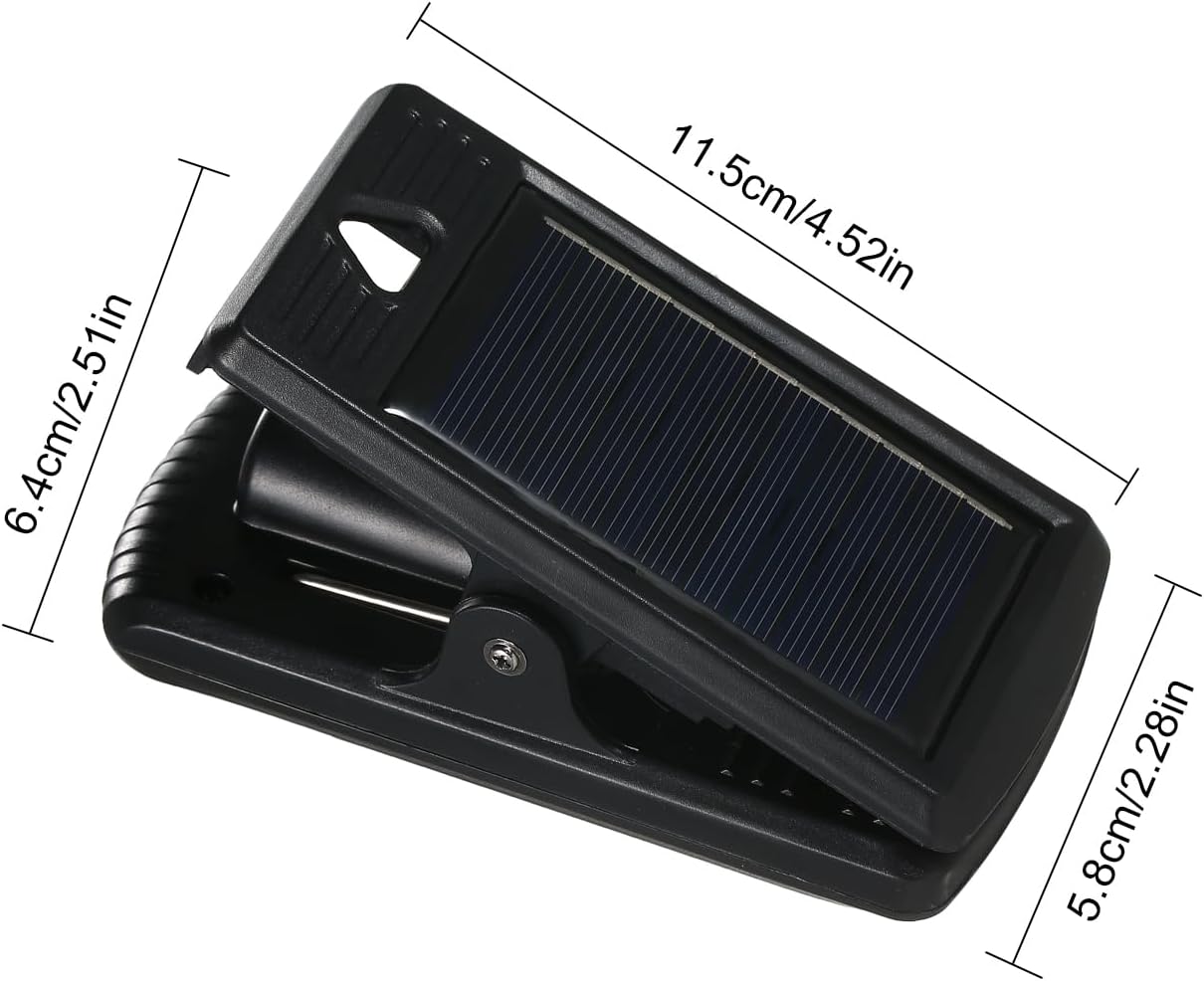
Image: A diagram showing the dimensions of the solar light: length 11.5cm (4.52in), width 6.4cm (2.51in), and height 5.8cm (2.28in).
6. Setup and Installation
6.1 Choosing a Location
Select a location where the solar panel can receive direct sunlight for at least 8 hours a day. Avoid areas under trees, eaves, or other obstructions that may block sunlight, as this will significantly reduce charging efficiency and operating time.
6.2 Initial Activation
Before first use, locate the "ON/OFF" switch on the light. Switch it to the "ON" position. Allow the light to charge in direct sunlight for 8-10 hours to ensure the battery is fully charged.

Image: A detailed view of the front of the solar light, showing the LED array, the motion sensor, and the "ON" and "OFF" switch buttons.
6.3 Mounting Options
The versatile clamp-on design allows for multiple installation methods:
- Clip-on Installation: Use the integrated clamp to attach the light directly to fences, decks, poles, or other suitable edges. Ensure the clamp is securely fastened.
- Wall Mounting: For a more permanent installation on walls or flat surfaces, use the provided screws and wall anchors. Mark the desired drilling points, drill holes, insert anchors, and then secure the light using the screws through the designated mounting holes.

Image: A collage showing the solar light installed in various outdoor locations: clipped onto a tent pole, attached to a fence, mounted on a wooden fence, and placed on a garden wall, demonstrating its versatile clamp-on design.
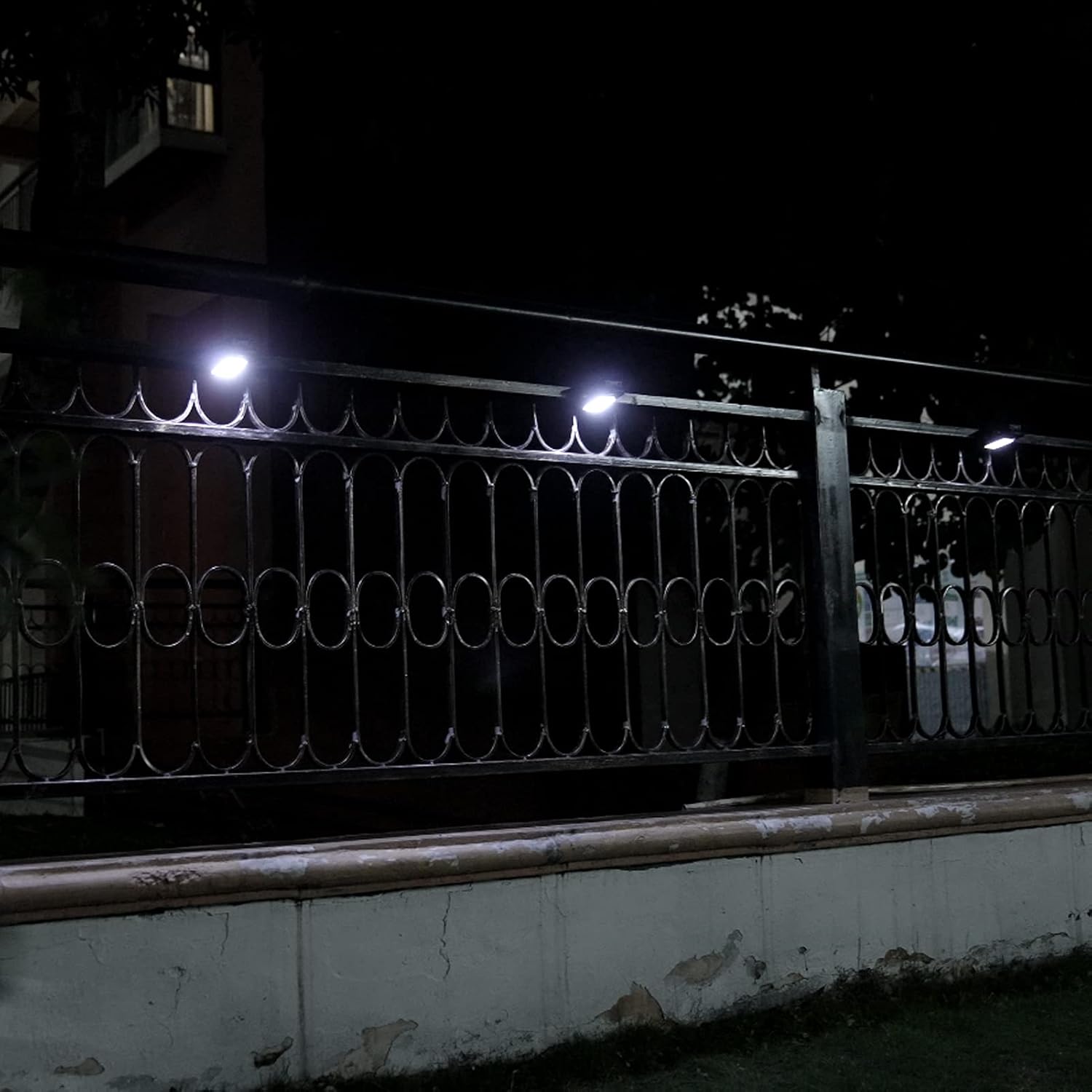
Image: Multiple solar lights are shown installed along a dark metal fence at night, emitting bright light, illustrating their effectiveness in illuminating outdoor areas.
7. Operating Instructions
Once installed and fully charged, the light operates automatically:
- Daytime: The solar panel converts sunlight into electricity and charges the internal battery. The light will remain off.
- Nighttime (Dim Mode): As dusk falls, the light will automatically turn on at a dim brightness level.
- Motion Detection (Full Brightness): When the infrared motion sensor detects movement within its 3-meter (125°) range, the light will automatically switch to full brightness (600 lumens).
- After Motion Ceases: Approximately 15-20 seconds after motion is no longer detected, the light will revert back to the dim brightness mode to conserve battery power.
- Dawn: At dawn, the light will automatically turn off and begin recharging.
8. Maintenance
- Cleaning: Regularly wipe the solar panel with a soft, damp cloth to remove dust, dirt, or debris. A clean solar panel ensures maximum charging efficiency.
- Battery: The integrated battery is designed for long-term use. If the light's performance significantly degrades over time, it may indicate the battery is reaching the end of its lifespan. Battery replacement is not user-serviceable.
- Inspection: Periodically check the mounting for security, especially after strong winds or storms.
9. Troubleshooting
| Problem | Possible Cause | Solution |
|---|---|---|
| Light does not turn on at night. |
|
|
| Light stays dim or only lights for a short period. |
|
|
| Motion sensor not working or too sensitive. |
|
|
10. Warranty and Support
Cousopo products are designed for durability and performance. For warranty information or technical support, please refer to the contact details provided at the point of purchase or visit the official Cousopo website. Please have your product model (40LEDs Clip-on Solar Motion Sensor Light) and ASIN (B0CQJB9PRW) ready when contacting support.
For further assistance, you may also refer to the seller's information on Amazon: JIN JUNZHENXIANG.
Ask a question about this manual
Ask about setup, troubleshooting, compatibility, parts, safety, or missing instructions. Manuals+ will review the question and use this page’s manual context to help answer it.