
1. Introduction
The ASOFTY Motion Sensor Outdoor Light is a battery-operated, wireless spotlight designed to provide bright, motion-activated illumination for various outdoor areas. Featuring 6 super bright LEDs, 1000 lumens of 6000K natural white light, and an IP65 waterproof rating, this light is ideal for enhancing security and convenience in your garage, yard, porch, or patio. It includes a remote control for manual operation and integrates light and human sensing for efficient energy use.

Image: The ASOFTY Motion Sensor Outdoor Light, a white cylindrical spotlight mounted on a wall, with its remote control shown to the side. This image provides a general overview of the product.
2. Package Contents
Please verify that all items listed below are included in your package. If any items are missing or damaged, please contact customer support.
- 1 x Motion Sensor Light
- 1 x Remote Control
- 1 x Set of Mounting Screws
- 1 x User Manual

Image: A visual representation of the product packaging and its contents, including the motion sensor light, remote control, mounting screws, and user manual.
3. Safety Information
- Battery Safety: This device requires 4 D-cell alkaline batteries (not included). Ensure correct polarity (+/-) when inserting batteries. Do not mix old and new batteries, or different types of batteries. Remove batteries if the device will not be used for an extended period to prevent leakage. Dispose of used batteries responsibly according to local regulations.
- Installation Location: Choose a stable mounting surface that can support the weight of the light. Avoid installing near heat sources, flammable materials, or in locations where it could be easily struck or damaged.
- Waterproof Rating: The light has an IP65 waterproof rating, meaning it is protected against dust ingress and low-pressure water jets from any direction. While suitable for outdoor use in various weather conditions, avoid submerging the unit in water.
- Light Source: Do not stare directly into the LED light when it is illuminated, as this may cause eye strain or temporary vision impairment.
- Children and Pets: Keep the device and its components out of reach of children and pets to prevent accidental ingestion or injury.
4. Product Features
- Super Bright Illumination: Equipped with 6 x 3W LED lamp beads, providing 1000 lumens of 6000K super bright natural white light.
- Light and Human Sensing: Automatically turns on at night or in dark conditions when motion is detected. Remains off during daylight or when sufficient ambient light is present.
- Wide Sensing Range: Motion detection up to 5 meters (16 feet) with a horizontal sensing angle of 120° and a vertical angle of 90°.
- Automatic Shut-off: The light automatically turns off after 20 seconds if no further motion is detected.
- Battery Powered: Operates on 4 D-cell alkaline batteries, offering up to 3,600 activations.
- Remote Control: Allows for manual ON/OFF control. When manually turned off, the sensor mode will automatically reactivate after 5 minutes.
- IP65 Waterproof: Designed with a unique gasket and sealed waterproof ring for reliable performance in all kinds of bad weather.
- Adjustable Design: The mount base can be rotated 360°, and the light head can be rotated 180° for optimal light direction.
- Easy Wireless Installation: No wiring required, allowing for quick and simple setup.

Image: An illustration highlighting the key features of the light: 6 LED, 1000 lumens, light-sensitive, human body induction, and remote control.
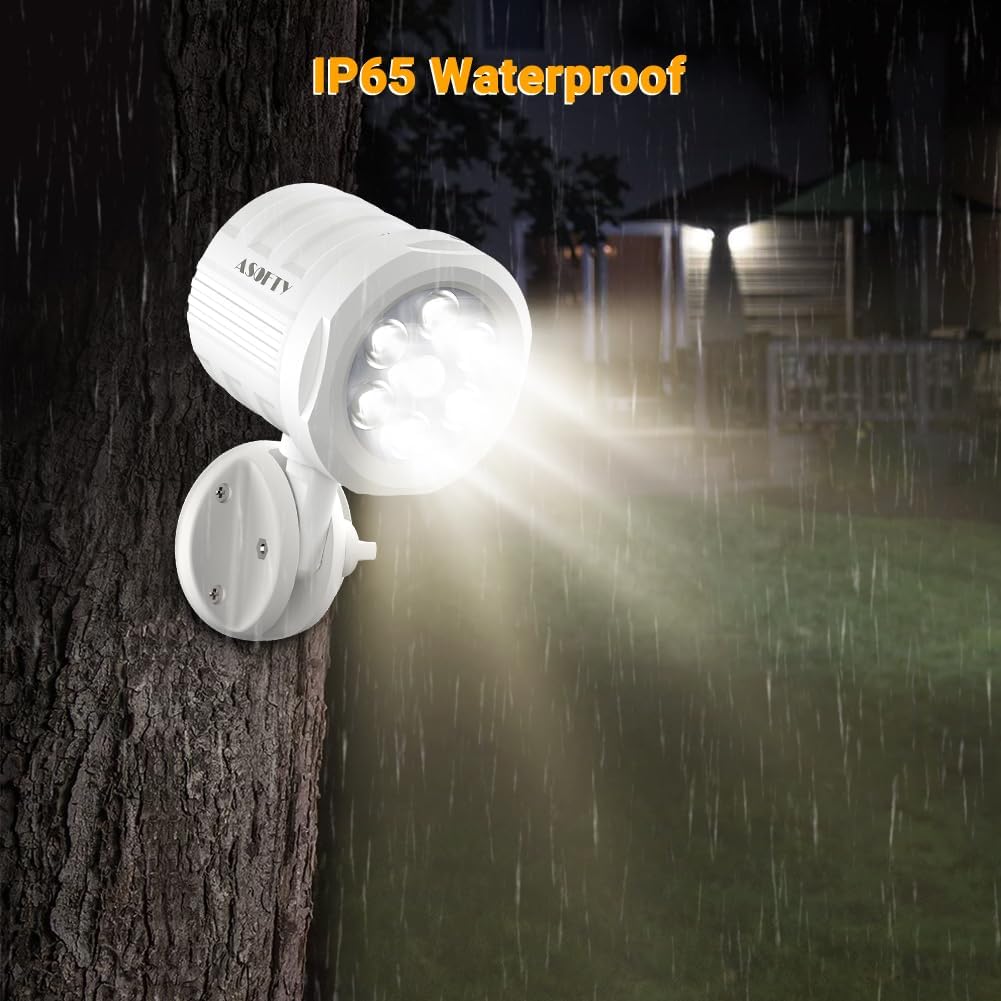
Image: The ASOFTY light mounted outdoors during rainfall, illustrating its IP65 waterproof capability.
5. Setup and Installation
5.1 Battery Installation
- Locate the battery compartment on the light unit.
- Open the battery compartment cover.
- Insert 4 D-cell alkaline batteries (not included) into the compartment, ensuring correct alignment with the anode (+) and cathode (-) markings.
- Close the battery compartment cover securely.

Image: A diagram showing the internal components of the light, including the battery compartment, motion sensor, and remote control sensor, along with instructions for battery insertion and remote control functions.
5.2 Mounting the Light
The ASOFTY Motion Sensor Outdoor Light is designed for wireless installation, requiring no electrical wiring. The best installation height is within 3 meters (approximately 9.8 feet) for optimal motion detection.
- Choose a suitable mounting location on a wall or other stable surface.
- Use the provided mounting screws to securely attach the mounting base to the chosen surface.
- Align the light unit with the mounting base's pillar and rotate it to lock it into place. Ensure it is firmly attached.
- Adjust the light head and mounting base to achieve the desired illumination angle. The mount base can rotate 360°, and the light head can rotate 180°.

Image: A step-by-step visual guide demonstrating the easy wireless installation process, including battery insertion and mounting the light to a wall.
6. Operating Instructions
6.1 Automatic Motion Sensing Mode
- The light is designed with both light and human sensing capabilities.
- During daylight hours or in well-lit conditions, the light will remain off to conserve battery power.
- At night or in dark environments, the light will automatically activate when it detects motion within its sensing range.
- The sensing distance is a maximum of 5 meters (16 feet).
- The sensing angle covers 120° horizontally and 90° vertically.
- Once motion is no longer detected, the light will automatically turn off after approximately 20 seconds.

Image: An illustration showing the motion sensor's detection angle (90° vertical, 120° horizontal) and maximum sensing distance of 5 meters (16 feet).

Image: A scene depicting the light illuminating an area, with text indicating that the light will automatically turn off after 20 seconds when no object motion is detected.
6.2 Remote Control Operation
- The included remote control allows you to manually turn the spotlight ON or OFF.
- Press the "ON" button to manually activate the light.
- Press the "OFF" button to manually turn off the light.
- Important Note: If you manually turn off the light using the remote control, the automatic motion sensor mode will reactivate after 5 minutes.

Image: A visual showing the remote control with its ON and OFF buttons, and a hand using the remote to control the light.
7. Maintenance
- Cleaning: To clean the light, gently wipe the exterior with a soft, damp cloth. Do not use abrasive cleaners or solvents, as these may damage the finish or electronic components.
- Battery Replacement: When the light's brightness diminishes or it stops activating, it is likely time to replace the batteries. Follow the battery installation steps in Section 5.1. Always replace all 4 D-cell batteries at the same time with new ones.
- Sensor Area: Periodically check that the motion sensor lens is clean and free from obstructions (e.g., dirt, leaves, spiderwebs) to ensure optimal performance.
8. Troubleshooting
| Problem | Possible Cause | Solution |
|---|---|---|
| Light does not turn on at night. |
|
|
| Light stays on constantly. |
|
|
| Light is dim. |
|
|
| Remote control not working. |
|
|
9. Specifications
| Feature | Detail |
|---|---|
| Model Number | ASGR29-WT |
| Light Source | 6 x LED (3W each) |
| Brightness | 1000 Lumens |
| Color Temperature | 6000K (Natural White Light) |
| Power Source | 4 x D-cell Alkaline Batteries (Not Included) |
| Voltage | 6 Volts |
| Wattage | 18 Watts |
| Motion Sensing Distance | Max 5M / 16ft |
| Motion Sensing Angle | Horizontal 120°, Vertical 90° |
| Auto-off Delay | 20 seconds (after no motion) |
| Waterproof Rating | IP65 |
| Material | Acrylonitrile Butadiene Styrene (ABS) |
| Finish Type | Matte |
| Color | White |
| Product Dimensions (L x W x H) | 4.02" x 3.11" x 6.61" (102mm x 79.5mm x 168mm) |
| Item Weight | 14 ounces |
| Mounting Type | Wall Mount |
| Adjustability | Mount base 360° rotation, Light head 180° rotation |

Image: A diagram illustrating the dimensions of the light in both millimeters and inches, and showing the 360° rotation capability of the base and 180° rotation of the light head.
10. Warranty and Support
For any questions, concerns, or technical support regarding your ASOFTY Motion Sensor Outdoor Light, please contact our customer service team.
- Manufacturer: SHEN ZHEN SHI XIN HONG JU KE JI YOU XIAN GONG SI
- Customer Service Email: amy@asofty.cn
- Official Website: www.asofty.cn
Please retain your purchase receipt for any warranty claims. Specific warranty terms may vary; refer to your purchase documentation or contact customer support for details.