
1. Introduction
This user manual provides essential information for the safe and efficient operation of your White Point El-Abd WPR483S Refrigerator. Please read these instructions carefully before using the appliance and retain them for future reference. Proper installation, use, and maintenance will ensure optimal performance and extend the lifespan of your refrigerator.
Safety Information
- Ensure the appliance is properly grounded.
- Do not damage the refrigerant circuit.
- Keep ventilation openings clear of obstruction.
- Do not use mechanical devices or other means to accelerate the defrosting process, other than those recommended by the manufacturer.
- Do not use electrical appliances inside the food storage compartments, unless they are of the type recommended by the manufacturer.
2. Product Overview
The White Point El-Abd WPR483S is a No Frost refrigerator with a total capacity of 451 liters. It features internal LED lighting, a chilled food storage compartment, and two drawers designed for fruits and vegetables. The appliance incorporates a humidity control system (Fresh Zone) and a multi-flow cooling system to ensure even distribution of cold air, maintaining optimal freshness for your stored items.
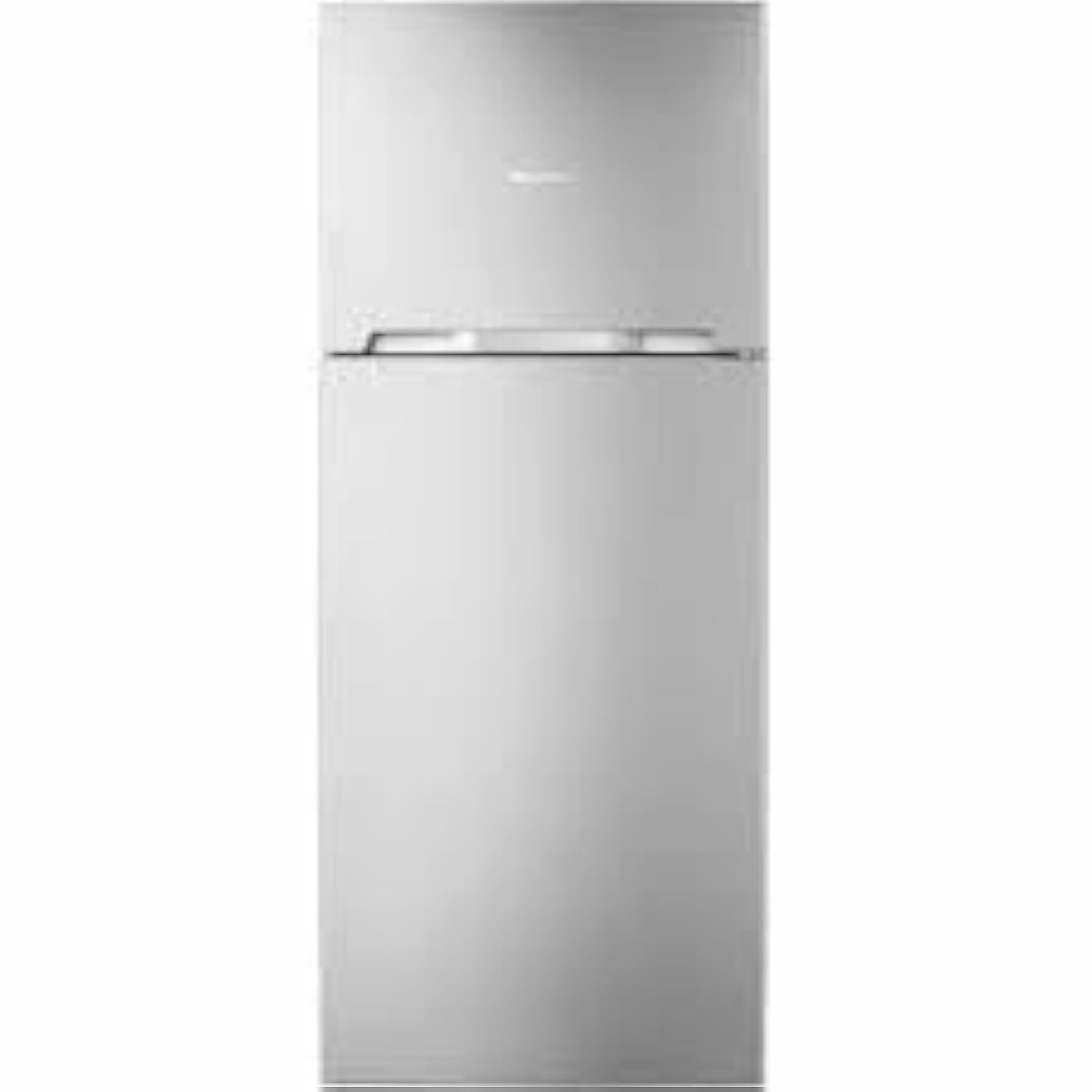
Figure 2.1: Front view of the White Point El-Abd WPR483S Refrigerator. This image shows the overall design and door configuration of the appliance.
Key Features:
- Total Capacity: 451 Liters
- Cooling Type: No Frost system
- Internal Lighting: Energy-efficient LED lights
- Storage: Chilled food storage compartment, 2 fruit and vegetable drawers
- Humidity Control: Fresh Zone system
- Air Distribution: Multi-flow cooling system for even temperature
- Shelves: Glass shelves
3. Setup and Installation
3.1 Unpacking
Carefully remove all packaging materials, including foam, tape, and protective films. Inspect the refrigerator for any signs of damage during transit. Keep packaging materials out of reach of children.
3.2 Placement
- Place the refrigerator on a firm, level surface.
- Ensure adequate ventilation around the appliance. Leave at least 10 cm (4 inches) of space at the back and sides, and 30 cm (12 inches) at the top for proper air circulation.
- Avoid direct sunlight and heat sources (e.g., stoves, radiators) as these can increase energy consumption.
- Do not install in areas where the temperature is likely to fall below 10°C (50°F) or rise above 43°C (110°F).
3.3 Leveling the Appliance
Adjust the leveling feet at the bottom front of the refrigerator to ensure it is stable and level. This prevents vibrations and ensures proper door sealing.
3.4 Power Connection
- Connect the refrigerator to a dedicated, grounded electrical outlet.
- Do not use extension cords or adapters.
- Allow the refrigerator to stand upright for at least 2-4 hours before plugging it in. This allows the refrigerant to settle.
4. Operating Instructions
4.1 Initial Operation
After plugging in the appliance, allow it to operate for 2-3 hours before placing food inside. This ensures the interior reaches the desired temperature.
4.2 Temperature Control
The refrigerator is equipped with a temperature control system, typically located inside the fresh food compartment. Adjust the thermostat dial or digital controls to your desired setting. A medium setting is usually recommended for general use. Higher settings provide colder temperatures.
4.3 Food Storage
- Glass Shelves: Use for general food items. Ensure items are covered to prevent moisture loss and odor transfer.
- Fruit and Vegetable Drawers: Utilize the two dedicated drawers for fresh produce. The humidity control system (Fresh Zone) helps maintain optimal conditions for fruits and vegetables.
- Chilled Food Storage Compartment: Ideal for dairy products, deli meats, or items requiring slightly colder temperatures than the main compartment.
- Door Bins: Suitable for bottles, jars, and smaller items.
4.4 Multi-Flow Cooling System
The multi-flow cooling system circulates cold air evenly throughout the refrigerator compartment, helping to maintain a consistent temperature and quickly restore cooling after the door has been opened.
5. Maintenance
5.1 Cleaning the Interior
- Unplug the refrigerator before cleaning.
- Wash the interior surfaces with a solution of mild soap and warm water. Rinse thoroughly and dry with a soft cloth.
- Remove shelves and drawers for easier cleaning. They can be washed with mild detergent and water.
- Do not use abrasive cleaners, scouring pads, or harsh chemicals, as these can damage surfaces.
5.2 Cleaning the Exterior
- Wipe the exterior with a soft cloth dampened with mild soap and water.
- For glass doors, use a glass cleaner.
- Clean the condenser coils at the back of the refrigerator periodically (at least once a year) to ensure efficient operation. Use a soft brush or vacuum cleaner.
5.3 Defrosting
This refrigerator features a No Frost system, which automatically prevents ice buildup in the freezer compartment. Therefore, manual defrosting of the freezer is not required. However, regular cleaning of both compartments is still necessary.
5.4 Door Seals
Regularly check and clean the door seals to ensure they are free from food particles and debris. A clean and tight seal is crucial for maintaining proper cooling and energy efficiency.
6. Troubleshooting
Before contacting service, please check the following common issues and solutions:
| Problem | Possible Cause | Solution |
|---|---|---|
| Refrigerator does not operate. | No power, plug loose, circuit breaker tripped. | Check power supply, ensure plug is secure, reset circuit breaker. |
| Temperature is not cold enough. | Door left open, thermostat setting too high, too much food, poor ventilation. | Ensure door is closed, adjust thermostat to a colder setting, do not overload, check ventilation. |
| Unusual noises. | Appliance not level, items vibrating inside, compressor noise (normal). | Level the refrigerator, rearrange items, compressor noise is normal during operation. |
| Water on the floor. | Drain tube blocked, drip tray overflowing. | Clear the drain tube, ensure drip tray is correctly positioned. |
7. Specifications
| Feature | Detail |
|---|---|
| Brand Name | White Point |
| Model Number | WPR483S |
| Total Capacity | 451 Liters |
| Fresh Food Capacity | 451 Liters |
| Freezer Capacity | 451 Liters (Note: This value may represent total capacity or a specific compartment. Please refer to product labeling for exact breakdown.) |
| Dimensions (H x W x D) | 187 x 70 x 72 cm |
| Installation Type | Freestanding |
| Color | White |
| Defrost System Type | Automatic (No Frost) |
| Door Material Type | Glass |
| Shelf Type | Glass |
| Energy Rating | Star Rating |
8. Warranty and Support
For warranty information, please refer to the warranty card included with your appliance at the time of purchase. This document outlines the terms and conditions of your product's warranty coverage.
For technical support, service requests, or to purchase genuine spare parts, please contact White Point customer service. Contact details can typically be found on the warranty card, the manufacturer's official website, or on the product's rating label.
Always ensure that any repairs or maintenance beyond routine cleaning are performed by qualified service personnel to maintain safety and warranty validity.