
1. Introduction
Thank you for choosing the HINISO 10L Smart Compressor Dehumidifier. This manual provides essential information for the safe operation, installation, maintenance, and troubleshooting of your new appliance. Please read it thoroughly before use and retain it for future reference.
2. Safety Instructions
To reduce the risk of fire, electric shock, or injury, always follow these basic precautions:
- Ensure the dehumidifier is placed on a level, stable surface to prevent tipping.
- Do not operate the unit with a damaged cord or plug. If the cord is damaged, it must be replaced by the manufacturer or a qualified service agent.
- Do not block air inlets or outlets. Maintain at least 20 cm (8 inches) clearance around the unit.
- Unplug the dehumidifier before cleaning or performing any maintenance.
- Do not use the appliance near water or in excessively damp environments where water may splash onto it.
- This appliance is not intended for use by persons (including children) with reduced physical, sensory or mental capabilities, or lack of experience and knowledge, unless they have been given supervision or instruction concerning use of the appliance by a person responsible for their safety.
- Do not insert objects into the air vents or openings.
- Use only the power supply specified for this unit.
3. Product Overview
The HINISO 10L Smart Compressor Dehumidifier is designed to efficiently remove excess moisture from your home or basement, covering areas up to 2000 sq.ft. It features smart controls, auto defrost, and multiple operating modes.
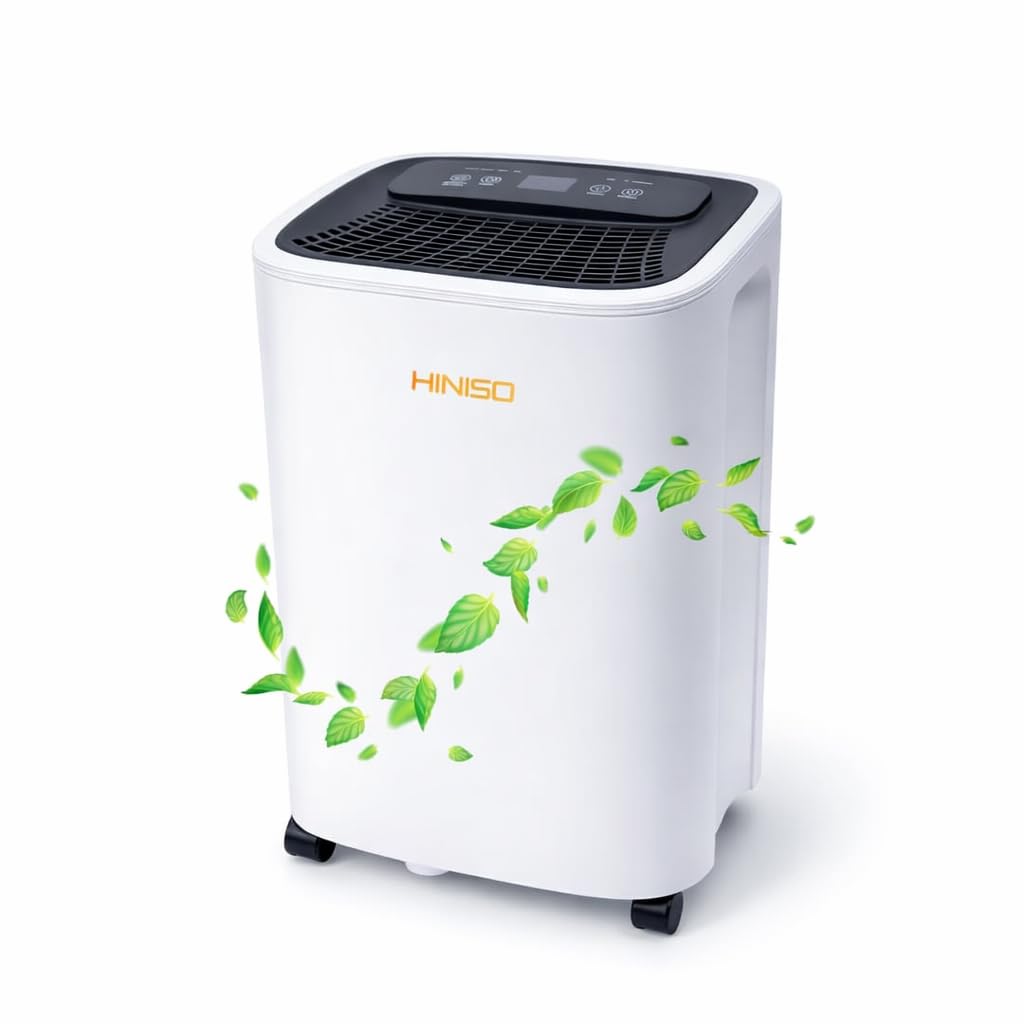
Figure 3.1: Front view of the HINISO 10L Smart Compressor Dehumidifier.
3.1 Control Panel
The intuitive control panel allows for easy adjustment of settings and monitoring of the dehumidifier's status.
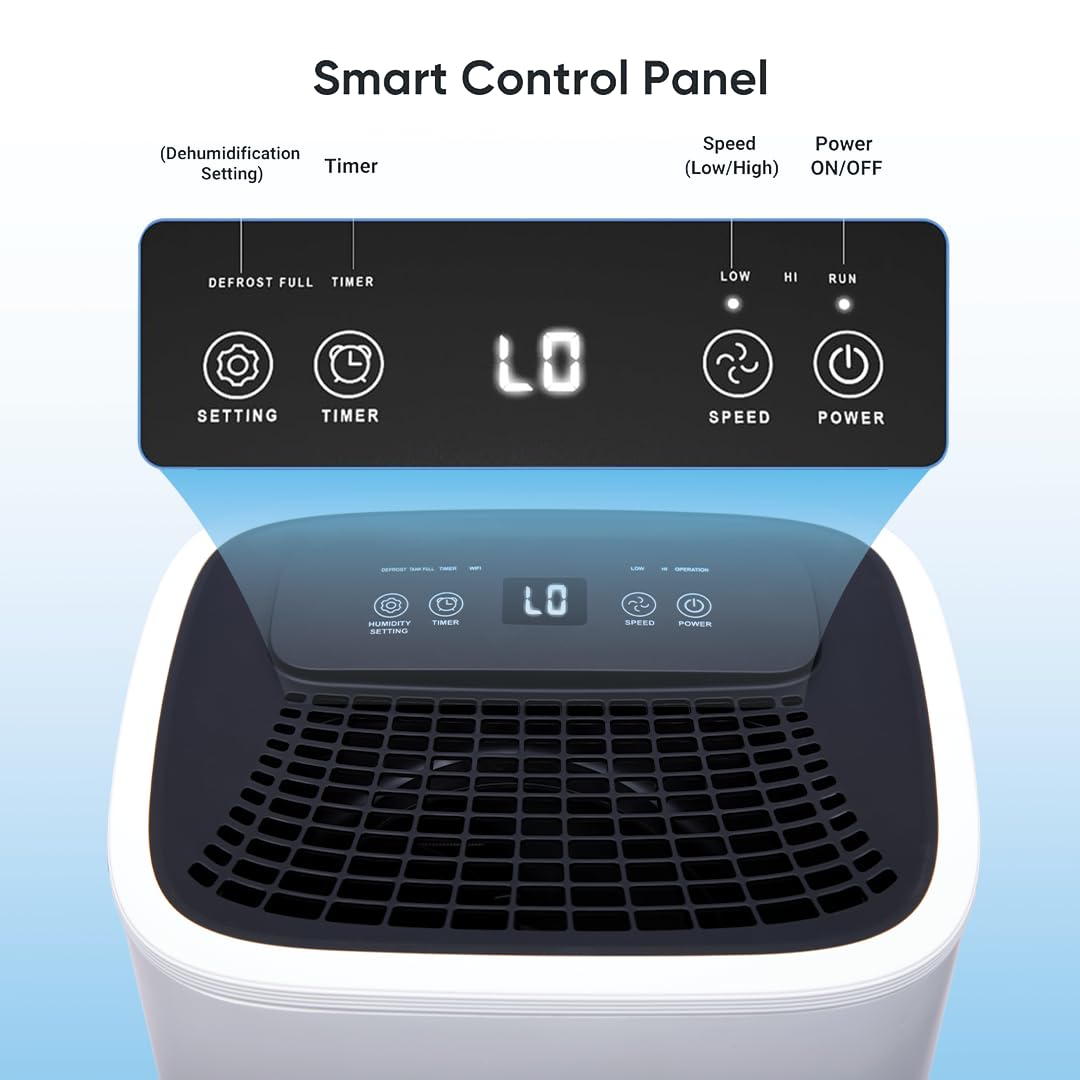
Figure 3.2: Detailed view of the Smart Control Panel. Buttons include Setting (for humidity), Timer, Speed (Low/High), and Power ON/OFF. Indicators show Defrost, Full (water tank), Timer, and current speed (LO/HI).
- Setting Button: Adjusts the desired humidity level.
- Timer Button: Sets the 24-hour programmable timer for automatic operation.
- Speed Button: Toggles between Low and High fan speeds.
- Power Button: Turns the unit ON or OFF.
- Indicators: Lights for Defrost, Full Water Tank, Timer active, and current fan speed (LO/HI).
4. Setup
- Unpacking: Carefully remove the dehumidifier from its packaging. Retain packaging for future storage or transport.
- Placement: Place the unit upright on a firm, level surface in the desired location. Ensure there is at least 20 cm (8 inches) of clear space around all sides for proper airflow. Do not place it against a wall or near heat sources.
- Power Connection: Plug the power cord into a grounded electrical outlet. Ensure the voltage matches the specifications of the unit.
- Initial Operation: Allow the unit to stand upright for at least 2 hours before plugging it in and turning it on, especially if it was transported on its side. This allows the refrigerant to settle.
5. Operating Instructions
5.1 Power On/Off
Press the Power button on the control panel to turn the dehumidifier ON or OFF.
5.2 Operating Modes
The dehumidifier offers various modes for different needs:

Figure 5.1: Visual representation of the dehumidifier's operating modes in different environments.
- Auto Mode: The unit automatically adjusts its operation based on the ambient humidity to maintain a comfortable level.
- Dry Mode (Clothes Drying): This mode is specifically designed to rapidly remove moisture from the air, assisting in drying clothes indoors.
- Fan Mode: The unit operates as a fan, circulating air without dehumidification.
5.3 Setting Humidity Level
Press the Setting button to cycle through desired humidity levels. The unit will operate until the set humidity is reached, then cycle on and off to maintain it.
5.4 Fan Speed Adjustment
Press the Speed button to switch between Low (LO) and High (HI) fan speeds.
5.5 Timer Function
Use the Timer button to set a delayed start or stop time for the dehumidifier, up to 24 hours.
5.6 Quiet Operation & Sleep Mode
The dehumidifier is designed for quiet operation, making it suitable for bedrooms and living spaces. In Sleep Mode (if available, typically activated via app or specific button combination), the fan speed is reduced, and display lights are dimmed for minimal disturbance.

Figure 5.2: The dehumidifier operates quietly, suitable for nighttime use in bedrooms.
5.7 Auto Defrost
The unit features an automatic defrost function. If frost builds up on the evaporator coils, the compressor will temporarily turn off, and the fan will continue to run until the frost melts. This ensures efficient operation in cooler environments.

Figure 5.3: Illustration of Auto Defrost and the 2.5 Litre water tank with full water indicator and sensor.
6. Drainage Methods
The HINISO dehumidifier offers two methods for water drainage:
6.1 Manual Tank Drainage
When the 2.5-liter water tank is full, the unit will automatically shut off, and the "Full" indicator light will illuminate. To empty the tank:
- Gently pull out the water tank from the back of the unit.
- Carefully empty the collected water.
- Slide the empty tank back into the unit until it clicks into place. The unit will resume operation.
Video 6.1: Demonstration of how to remove and reinsert the water tank for manual drainage.
6.2 Continuous Drainage
For continuous operation without needing to empty the tank, you can attach the included drain hose:
- Locate the continuous drainage outlet at the back of the unit.
- Remove the rubber stopper (if present).
- Connect one end of the drain hose to the outlet.
- Direct the other end of the hose to a suitable drain (e.g., floor drain, large bucket), ensuring it is sloped downwards for gravity drainage.
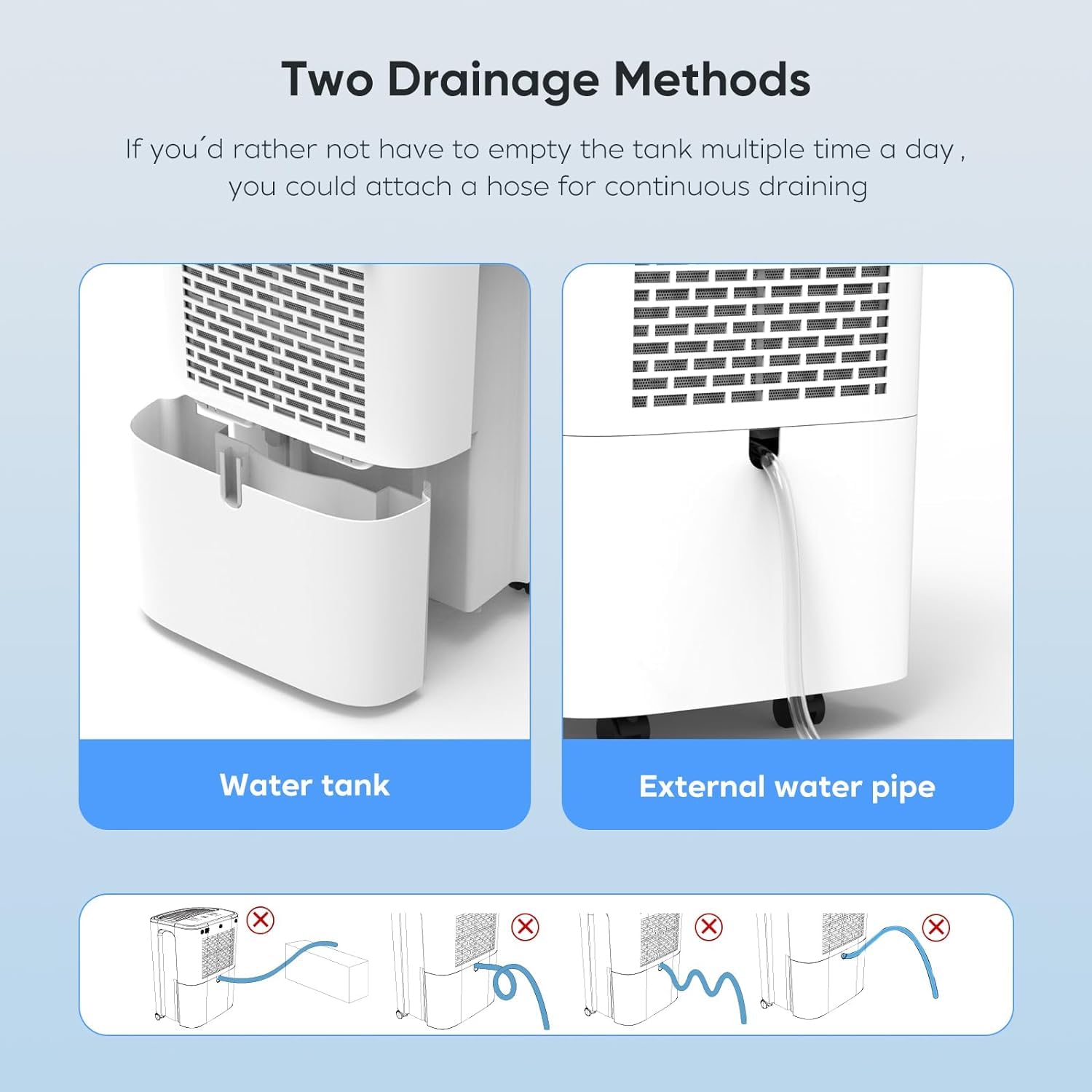
Figure 6.1: Comparison of water tank drainage and external water pipe (continuous) drainage methods. Ensure the hose is not kinked or elevated.
7. Maintenance
Regular maintenance ensures optimal performance and longevity of your dehumidifier.
7.1 Cleaning the Water Tank
Clean the water tank every few weeks or as needed to prevent mold and mildew growth:
- Remove the water tank as described in Section 6.1.
- Wash the tank with mild detergent and warm water.
- Rinse thoroughly and dry before reinserting.
7.2 Cleaning the Air Filter
A clogged filter reduces efficiency. Clean the air filter every two weeks or more frequently if used in dusty environments:
- Turn off and unplug the dehumidifier.
- Locate the air filter (usually at the back or side of the unit).
- Remove the filter.
- Wash the filter with warm, soapy water. Rinse thoroughly and allow it to air dry completely before reinserting. Do not use a dishwasher.
7.3 Storage
If storing the unit for an extended period:
- Empty and clean the water tank.
- Clean the air filter.
- Wrap the power cord neatly.
- Store the unit upright in a cool, dry place.
8. Troubleshooting
| Problem | Possible Cause | Solution |
|---|---|---|
| Dehumidifier does not turn on. | No power; Water tank full or incorrectly placed; Temperature too low. | Check power connection; Empty and reinsert water tank correctly; Ensure room temperature is above 5°C (41°F). |
| No water collected. | Humidity level too low; Room temperature too low; Air filter clogged; Unit size too small for area. | Adjust desired humidity setting lower; Ensure room temperature is adequate; Clean air filter; Consider unit placement or larger capacity if needed. |
| Unit is noisy. | Unit not on a level surface; Air filter clogged; Internal components loose. | Place on a firm, level surface; Clean air filter; Contact customer support if noise persists. |
| "Full" indicator light is on, but tank is not full. | Water tank sensor malfunction; Tank not seated correctly. | Remove and reinsert the water tank firmly; Contact customer support if issue persists. |
9. Specifications
Below are the technical specifications for the HINISO 10L Smart Compressor Dehumidifier:

Figure 9.1: Product dimensions of the HINISO 10L Smart Compressor Dehumidifier.
| Feature | Detail |
|---|---|
| Brand | HINISO |
| Model Name | HINISO 10L Smart Compressor Dehumidifier |
| Model Number | PMHINDEHUMI |
| Dehumidification Capacity | 10 Liters per Day |
| Tank Volume | 2.5 Litres |
| Coverage Area | Up to 2000 Square Feet |
| Product Dimensions (D x W x H) | 30D x 34W x 46H Centimeters |
| Item Weight | 10 Kilograms |
| Colour | White |
| Material Type | Plastic |
| Number of Speeds | 3 |
| Special Features | Automatic Defrost, Quiet Operation, Sleep Mode, WiFi Remote App Control, Overflow Protection, Timer |
| Included Components | Drain Hose, User Manual |
| Wattage | 200W |
| Voltage | 500V |
10. Warranty and Support
The HINISO 10L Smart Compressor Dehumidifier comes with a 1-year warranty from the date of purchase, as per the product specifications. Some retailers or promotions may offer an extended 2-year warranty. Please refer to your purchase documentation for specific warranty terms.
For technical support, warranty claims, or any questions regarding your product, please contact HINISO customer service through the retailer where you purchased the product or visit the official HINISO website for contact information.
Manufacturer: Hiniso
Importer/Packer: Photo Media / Photomedia