
Introduction
This user manual provides detailed instructions for the safe and effective operation of your Demwa HT123 Digital Multimeter. Please read this manual carefully before using the instrument to ensure proper function and to prevent potential electric shock or personal injury.
The Demwa HT123 is a compact, intelligent, and user-friendly True RMS digital multimeter designed for various electrical measurements, including AC/DC voltage, resistance, and Non-Contact Voltage (NCV) detection. Its automatic recognition feature simplifies operation, making it suitable for both beginners and experienced users.
Safety Information
Always adhere to the following safety precautions to avoid personal injury and prevent damage to the multimeter or the equipment under test.
- Do not exceed the maximum input value specified for each measurement range.
- Do not use the multimeter if it appears damaged or if the test leads are damaged.
- Exercise extreme caution when working with voltages above 30V AC RMS, 42V peak, or 60V DC. Such voltages pose a shock hazard.
- Always disconnect the test leads from the circuit before changing functions.
- Ensure the battery compartment is securely closed before operation.
- Do not operate the multimeter in explosive gas, vapor, or dusty environments.
- Use the correct terminals, function, and range for your measurements.
Product Overview
The Demwa HT123 is a compact and intelligent digital multimeter. Below is an overview of its components and features.

Figure 1: Front view of the Demwa HT123 Digital Multimeter, showing the display, function buttons, and input jacks.

Figure 2: Labeled diagram of the Demwa HT123 Multimeter, indicating the NCV induction area, display, power key, backlight/flashlight key, data hold/NCV key, COM socket, and signal input socket. Dimensions are also shown.
Key Features:
- True RMS Measurement: Provides accurate readings for non-sinusoidal waveforms.
- 2,000 Counts Display: High-resolution display for precise measurements.
- Auto Multimeter: Automatically identifies AC/DC voltage and switches ranges, eliminating manual gear changes.
- NCV (Non-Contact Voltage) Detection: Safely detects the presence of AC voltage without direct contact.
- Resistance Measurement: Measures electrical resistance.
- Continuity Test: Features an on-off buzzer for quick continuity checks.
- Data Hold: Freezes the displayed reading for convenient recording.
- LCD Backlight: Improves readability in low-light conditions.
- Flashlight: Integrated LED flashlight for illuminating dark work areas.
- Automatic Shutdown: Conserves battery life by powering off after a period of inactivity.
- Low Battery Indicator: Alerts when battery replacement is needed.
- Compact and Portable: Smaller than a smartphone, designed for easy one-hand operation and portability.
Setup
Package Contents:
Verify that all items are present in the package:
- 1 x Demwa HT123 Digital Multimeter
- 1 x Pair of Test Leads (Red and Black)
- 1 x User Manual (English)
Battery Installation:
The Demwa HT123 Multimeter requires 2 x 1.5V AAA batteries (not included).
- Locate the battery compartment cover on the back of the multimeter.
- Use a screwdriver (if necessary) to loosen the screw on the battery compartment cover.
- Remove the cover.
- Insert two 1.5V AAA batteries, observing the correct polarity (+ and -) as indicated inside the compartment.
- Replace the battery compartment cover and secure it with the screw.
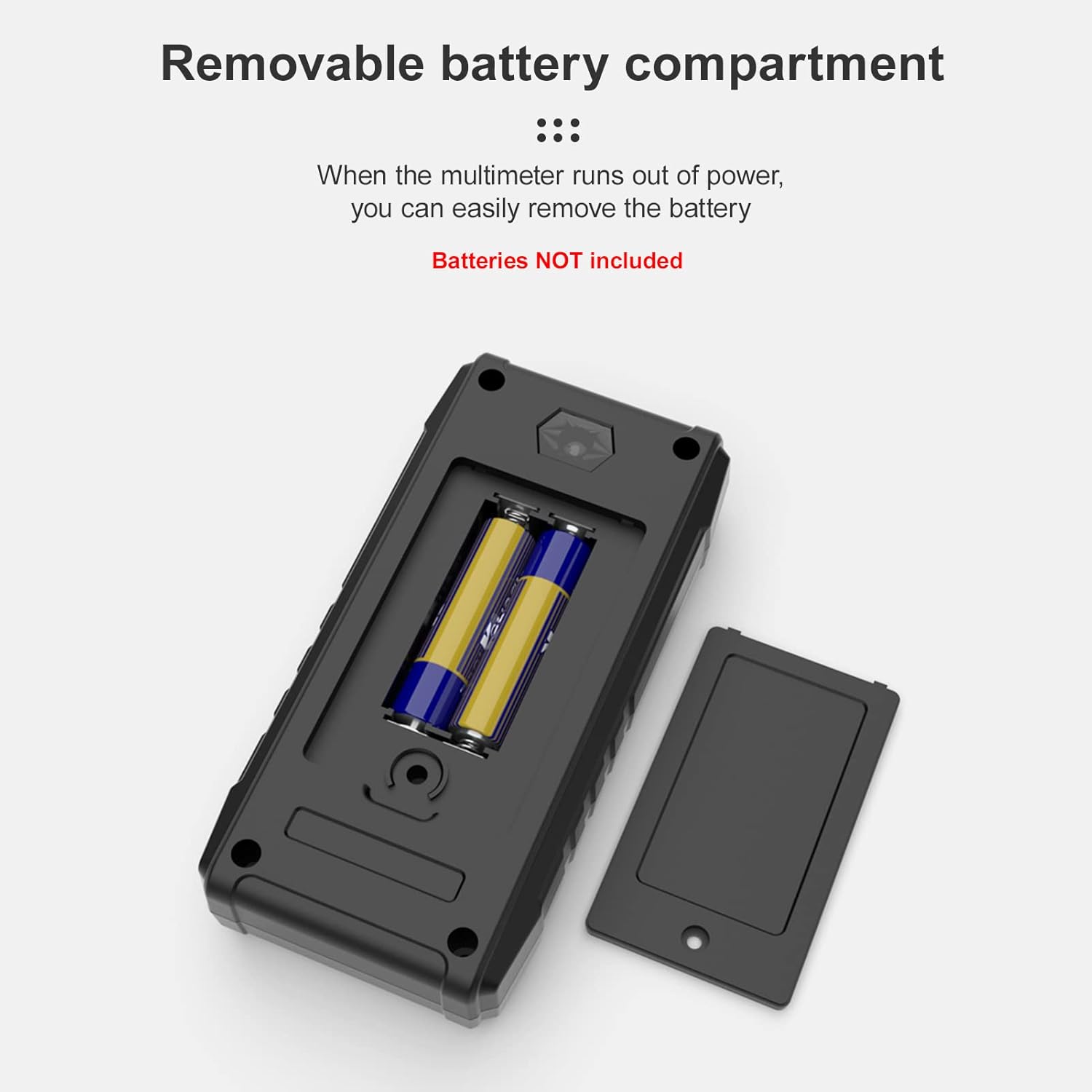
Figure 3: Removable battery compartment, illustrating the insertion of 1.5V AAA batteries.
Note: Always remove batteries if the multimeter will not be used for an extended period to prevent battery leakage.
Connecting Test Leads:
Connect the test leads to the appropriate input jacks:
- Insert the black test lead into the COM (Common) jack.
- Insert the red test lead into the INPUT jack (for voltage, resistance, continuity, etc.).

Figure 4: The Demwa HT123 Multimeter with test leads properly connected to the COM and INPUT jacks.
Operating Instructions
Power On/Off:
Press the Power button () to turn the multimeter on or off.
Automatic Measurement Mode:
The HT123 features an intelligent automatic recognition function. When powered on, it defaults to auto mode, which can automatically identify and measure AC/DC voltage and resistance without manual range selection.

Figure 5: The HT123 in automatic mode, capable of measuring AC/DC voltage, continuity, resistance, NCV, and displaying data hold and backlight functions.

Figure 6: Comparison highlighting the simplicity of the HT123's automatic operation versus a traditional manual multimeter with multiple rotary switch positions.
Specific Measurement Functions:
While the multimeter is largely automatic, specific functions can be accessed or enhanced using the dedicated buttons.
1. AC/DC Voltage Measurement:
The multimeter automatically detects and measures AC or DC voltage.
- Ensure test leads are connected correctly (Black to COM, Red to INPUT).
- Touch the test probes to the circuit points where voltage is to be measured.
- The display will show the voltage reading and automatically indicate AC (~) or DC (---).

Figure 7: Measuring home AC voltage with the HT123, showing a reading of 220.3V AC.

Figure 8: Examples of various measurements: Home 220V AC voltage, Direct current voltage, Resistance, Continuity, NCV, and Neutral line and live line measurement.
2. Resistance Measurement:
The multimeter automatically enters resistance measurement mode when connected to a resistive circuit.
- Ensure the circuit is de-energized before measuring resistance.
- Connect the test probes across the component or circuit to be measured.
- The display will show the resistance value in Ohms (Ω), kilo-Ohms (kΩ), or Mega-Ohms (MΩ).
3. NCV (Non-Contact Voltage) Test:
The NCV function allows for safe detection of AC voltage without direct contact with live wires.
- Press the H/NCV button to activate NCV mode.
- Place the top part of the multimeter (NCV induction area) near the conductor or outlet.
- The multimeter will beep and the NCV indicator light will flash with increasing frequency as it approaches a live AC voltage source.
4. Data Hold:
To freeze the current reading on the display:
- Press the H/NCV button briefly during a measurement. The "H" symbol will appear on the display.
- Press the H/NCV button again to release the data hold function.
5. Backlight and Flashlight:
To activate the display backlight or the integrated flashlight:
- Press the Backlight/Flashlight button () briefly to toggle the backlight on/off.
- Press and hold the Backlight/Flashlight button to turn the LED flashlight on/off.
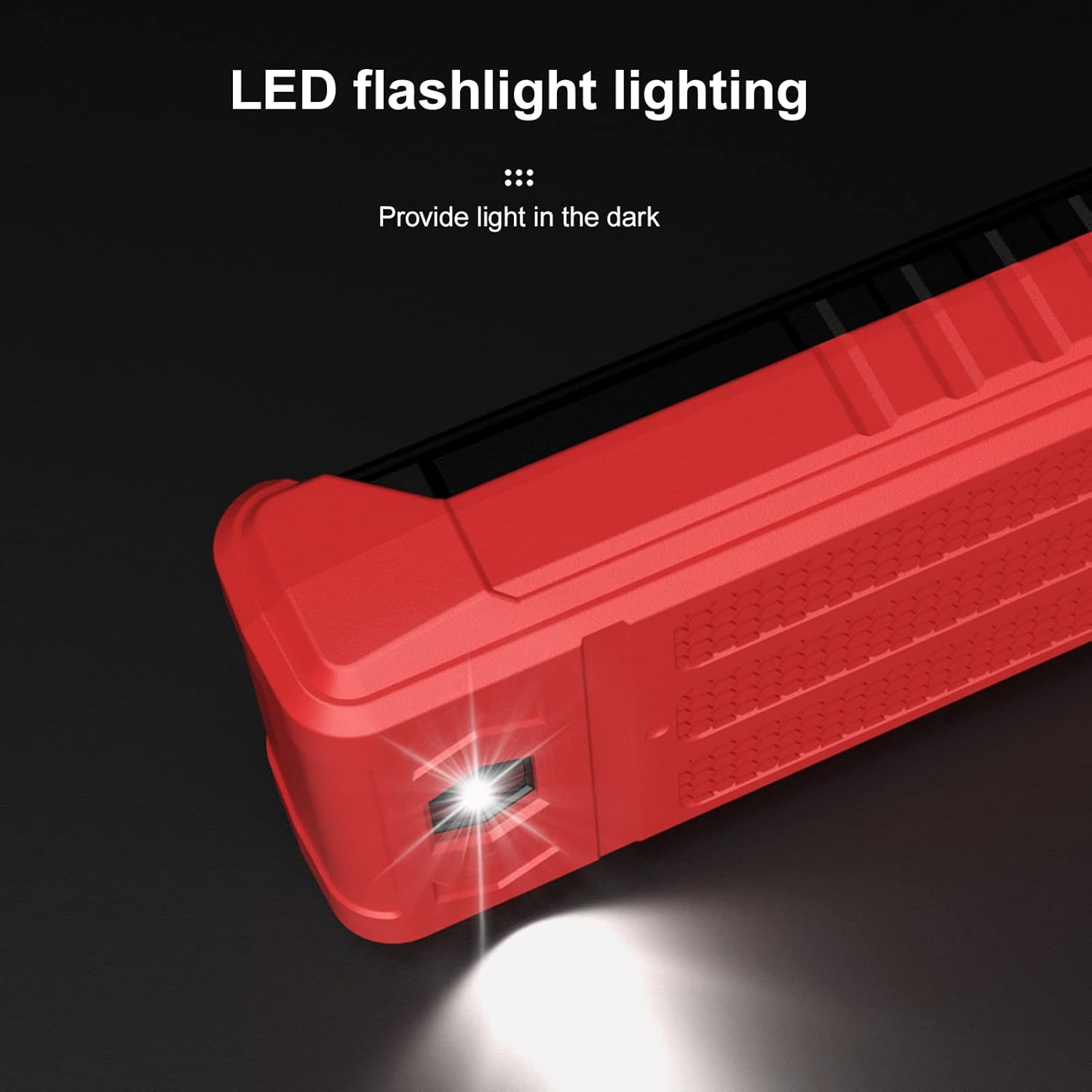
Figure 9: The integrated LED flashlight providing illumination in a dark environment.
Maintenance
Cleaning:
Wipe the case with a damp cloth and mild detergent. Do not use abrasives or solvents.
Battery Replacement:
When the low battery indicator appears on the display, replace the batteries immediately to ensure accurate readings. Refer to the "Battery Installation" section under Setup for detailed steps.
Storage:
If the multimeter is not used for a long period, remove the batteries to prevent leakage and store it in a cool, dry place away from direct sunlight.
Troubleshooting
| Problem | Possible Cause | Solution |
|---|---|---|
| Multimeter does not power on. | Dead or incorrectly installed batteries. | Check battery polarity; replace batteries. |
| Inaccurate readings. | Low battery; incorrect connection; exceeding input limits. | Replace batteries; ensure test leads are properly connected; verify measurement range is not exceeded. |
| No NCV detection. | NCV function not activated; no AC voltage present. | Press the H/NCV button to activate NCV mode; ensure there is an AC voltage source. |
| Display shows "OL" (Overload). | Input value exceeds the maximum range. | Disconnect from the circuit; ensure the measured value is within the multimeter's specifications. |
Specifications
Technical specifications for the Demwa HT123 Digital Multimeter:
| Parameter | Value |
|---|---|
| DC Voltage | 0.8-600V (Max: 610V) |
| AC Voltage | 0.8~600V (Max: 610V) |
| Resistance | 600kΩ |
| Counts | 2,000 counts |
| NCV | Yes |
| Display with Gear Display | Yes |
| Data Hold | Yes |
| Backlight | Yes |
| Flashlight | Yes |
| Low Battery Indication | Yes |
| Auto Power-off | Yes |
| Material | ABS |
| Power Supply | 2 * 1.5V AAA battery (NOT included) |
| Item Size | 122 * 61 * 29mm / 4.81 * 2.40 * 1.14in |
| Item Weight | 100g / 3.54oz |
Figure 10: Detailed specifications table and physical dimensions of the HT123 Multimeter.
Warranty and Support
For warranty information and technical support, please refer to the contact details provided with your purchase or visit the official Demwa website. Keep your purchase receipt as proof of purchase for warranty claims.