
1. Introduction
This user manual provides essential information for the safe and effective operation, assembly, and maintenance of your BH B0xster Plus Multimedia II Treadmill. Please read this manual thoroughly before initial use and retain it for future reference. This treadmill is designed for intensive home use, offering a robust and quiet exercise experience with advanced features.

Figure 1.1: Overview of the BH B0xster Plus Multimedia II Treadmill. This image shows the complete treadmill unit from a front-side angle, highlighting its sleek black design and the integrated console.
2. Safety Information
Your safety is paramount. Adhere to the following guidelines to prevent injury and ensure proper operation of the treadmill.
- Always read the entire manual before operating the treadmill.
- Keep children and pets away from the treadmill during operation.
- Wear appropriate athletic footwear and clothing. Avoid loose clothing that could get caught.
- Always attach the safety key clip to your clothing before starting the treadmill. In case of an emergency, pulling the safety key will immediately stop the machine.
- Place the treadmill on a flat, stable surface. Ensure adequate clear space (at least 2 meters behind and 1 meter on each side) around the treadmill.
- Do not exceed the maximum user weight of 130 kg (286 lbs).
- If you experience pain, dizziness, or shortness of breath, stop exercising immediately.
- Unplug the treadmill from the power outlet when not in use or before cleaning/maintenance.
3. Package Contents
Carefully unpack all components and verify that you have received the following items:
- BH B0xster Plus Multimedia II Treadmill Main Unit
- Safety Key
- Power Cord
- User Manual (this document)
If any items are missing or damaged, please contact customer support immediately.
4. Setup and Assembly
The BH B0xster Plus Multimedia II Treadmill requires some assembly. Follow the instructions provided in the separate assembly guide (if included) or the detailed diagrams. Ensure all connections are secure before use.
4.1. Unfolding the Treadmill
The treadmill features a vertical folding system for convenient storage. To unfold:
- Gently lift the running deck until it locks into the horizontal position.
- Ensure the locking mechanism is fully engaged before stepping onto the belt.

Figure 4.1: Side view of the treadmill, illustrating its robust frame and potential for incline. This image shows the treadmill from the side, highlighting its sturdy construction and the angle of the running deck, which can be adjusted for incline training.
4.2. Moving the Treadmill
The treadmill is equipped with transport wheels for easy relocation. When folded, tilt the unit and roll it to your desired location.
5. Operating Instructions
Familiarize yourself with the control panel and its functions before beginning your workout.
5.1. Control Panel Overview
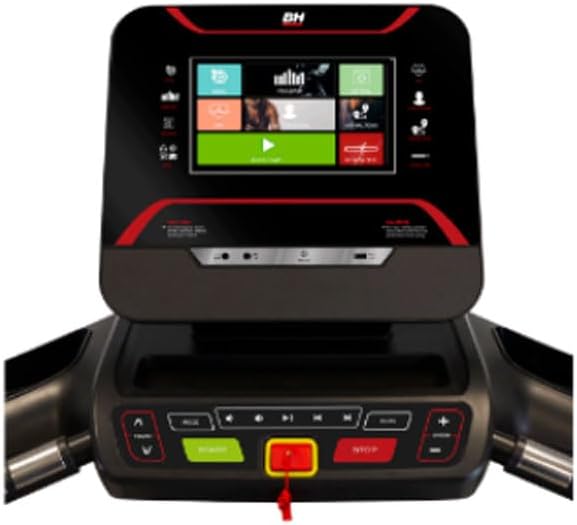
Figure 5.1: Detailed view of the treadmill's console. This image provides a close-up of the 10-inch LCD screen and the surrounding control buttons, showing the user interface for various functions.

Figure 5.2: Close-up of the main control buttons including START, STOP, and the safety key slot. This image focuses on the lower part of the console, showing the primary operational buttons and the red safety key, which is crucial for immediate stops.
5.2. Starting a Workout
- Connect the power cord to a grounded outlet.
- Attach the safety key to the designated slot on the console and clip the other end to your clothing.
- Step onto the side rails of the treadmill.
- Press the START button. The belt will begin to move at a low speed.
- Adjust speed using the SPEED +/- buttons (range: 1 to 22 km/h).
- Adjust incline using the INCLINE +/- buttons (range: 0% to 12% electronic incline).
5.3. Using Predefined Programs
The treadmill offers 32 predefined programs. To select a program:
- From the main menu, navigate to the "Programs" section.
- Select your desired program. Each program is designed for specific goals such as fat burning, endurance, or performance.
- Follow the on-screen prompts to begin the program.
5.4. Heart Rate Monitoring
Grip the heart rate sensors located on the handlebars to display your current heart rate on the console.
5.5. Bluetooth Connectivity and Multimedia
The treadmill features i.Concept 3.0 connectivity and Bluetooth for enhanced training and entertainment.
- App Synchronization: Connect your smartphone or tablet via Bluetooth to synchronize with fitness applications like Zwift or Kinomap for interactive workouts and virtual routes.
- Bluetooth Speakers: Connect your device to the integrated Bluetooth speakers to enjoy music or audio during your workout.
- Pre-installed Multimedia: The console includes several pre-installed multimedia applications.
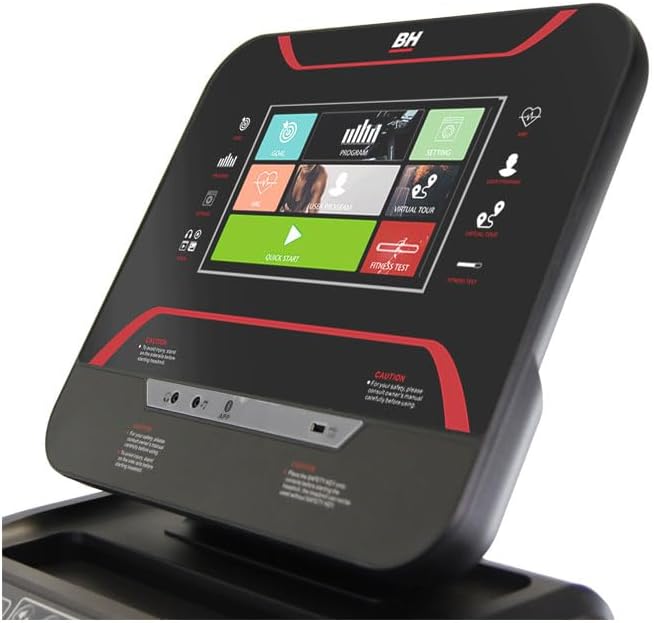
Figure 5.3: The treadmill's console screen displaying various application icons and options. This image illustrates the multimedia capabilities and the user-friendly interface for selecting different workout modes or entertainment.
5.6. Stopping the Treadmill
To stop your workout:
- Press the STOP button. The belt will gradually slow down and stop.
- Alternatively, pull the safety key to immediately stop the treadmill.
6. Features
The BH B0xster Plus Multimedia II Treadmill is engineered with features to enhance your training experience:
- Powerful Motor: Equipped with a 2.5 HP continuous duty motor (4.0 HP peak), providing smooth and consistent power for speeds up to 22 km/h, suitable for intensive use (7-20 hours per week).
- Spacious Running Surface: A generous 150 x 51 cm (59 x 20 inches) running deck offers ample space for comfortable and unrestricted movement.
- Advanced Shock Absorption: Features 6 elastomers and the K-Dumper system, complemented by an Air Cushion system, designed to significantly reduce impact on joints, providing a natural and comfortable running sensation.
- Electronic Incline: Adjust the incline up to 12% electronically to simulate varied terrains and intensify your cardiovascular and muscular workout.
- Eco-Mode Function: Reduces energy consumption by up to 25%, promoting environmental responsibility without compromising performance.
- Integrated Multimedia: Beyond fitness apps, the 10-inch LCD screen offers pre-installed multimedia applications and Bluetooth speaker connectivity for an engaging workout.

Figure 6.1: Top-down view of the treadmill's running deck, showcasing its wide surface. This image emphasizes the spaciousness of the running belt, which is designed for user comfort and freedom of movement during exercise.
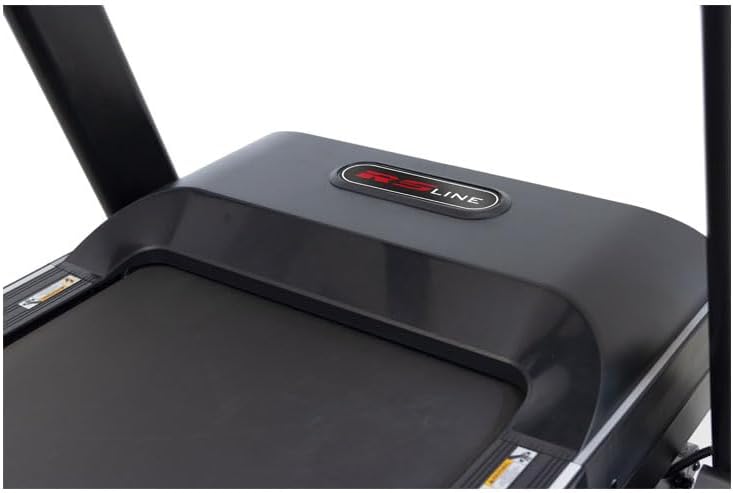
Figure 6.2: Close-up view of the treadmill's motor cover, indicating the location of the powerful motor and potentially the cushioning system. This image provides a detailed look at the front section of the treadmill, where the motor is housed, suggesting the robust engineering beneath.
7. Maintenance
Regular maintenance ensures the longevity and optimal performance of your treadmill.
- Cleaning: Wipe down the treadmill surfaces with a damp cloth after each use to remove sweat and dust. Do not use abrasive cleaners.
- Belt Lubrication: Periodically check the running belt for proper lubrication. Refer to the separate maintenance guide or contact customer support for recommended lubrication intervals and procedures.
- Belt Tension and Alignment: Inspect the running belt for proper tension and alignment. If the belt slips or drifts to one side, consult the troubleshooting section or contact customer support for adjustment instructions.
- Power Cord Inspection: Regularly check the power cord for any damage. Do not use the treadmill if the cord is damaged.
8. Troubleshooting
If you encounter issues with your treadmill, refer to the following common problems and solutions:
| Problem | Possible Cause | Solution |
|---|---|---|
| Treadmill does not power on. | Power cord not connected; circuit breaker tripped; safety key not inserted. | Ensure power cord is securely plugged in. Check household circuit breaker. Insert safety key fully into its slot. |
| Running belt slips or hesitates. | Belt tension too loose; belt requires lubrication; user weight exceeds limit. | Adjust belt tension (refer to maintenance section or contact support). Lubricate belt if necessary. Ensure user weight is within specifications. |
| Console display is blank or unresponsive. | Loose cable connection; power issue. | Check all cable connections to the console. Unplug and re-plug the treadmill. If issue persists, contact customer support. |
| Unusual noise during operation. | Loose components; motor issue; belt friction. | Inspect for any loose screws or parts. Ensure belt is lubricated. If noise persists, discontinue use and contact customer support. |
For issues not listed here or if solutions do not resolve the problem, please contact BH customer support.
9. Specifications
Key technical specifications for the BH B0xster Plus Multimedia II Treadmill:
| Feature | Specification |
|---|---|
| Model | B0xster Plus Multimedia II |
| Brand | BH |
| Motor (Continuous/Peak) | 2.5 HP / 4.0 HP |
| Speed Range | 1 - 22 km/h (0.6 - 13.7 mph) |
| Incline Range | 0 - 12% (Electronic) |
| Running Surface (L x W) | 150 x 51 cm (59 x 20 inches) |
| Max User Weight | 130 kg (286 lbs) |
| Display Type | 10-inch LCD |
| Programs | 32 Predefined Programs |
| Connectivity | i.Concept 3.0, Bluetooth |
| Folded Dimensions (L x W x H) | 119 x 91 x 164 cm (46.9 x 35.8 x 64.6 inches) |
| Unfolded Dimensions (L x W x H) | 195 x 91 x 155 cm (76.8 x 35.8 x 61 inches) |
| Product Weight | 86 kg (189.6 lbs) |
| Frame Material | Carbon Steel |
| Special Features | Transport Wheels, Integrated Speaker, Manual Incline (likely refers to initial setup or emergency), Foldable, Bottle Holder, Safety Key |
10. Warranty and Support
For warranty information, please refer to the documentation provided at the time of purchase or visit the official BH Fitness website. If you require technical assistance, spare parts, or have any questions regarding your BH B0xster Plus Multimedia II Treadmill, please contact BH customer support through their official channels.


