
1. Introduction
Thank you for choosing the LORDEM 10" Full Spectrum Plant Light. This grow light is designed to provide optimal lighting conditions for your indoor plants, promoting healthy growth from seedling to maturity. Featuring a 10-inch extra-large halo design, 160 super bright LEDs, three spectrum modes, 10 dimmable levels, and an auto on/off timer, this light is suitable for a wide variety of tall indoor plants.

The LORDEM 10" Full Spectrum Plant Light is ideal for large, tall indoor plants.
2. Package Contents
Please verify that all components are present in your package:
- 2 x 10" Grow Light with Timer Controller
- 2 x Telescopic Rod (extendable up to 65 inches)
- 1 x User Manual
- 2 x Power Adapter

All components included in the LORDEM Grow Light package.
3. Setup Instructions
- Assemble the Telescopic Rod: Carefully extend the telescopic rod to your desired height. The rod can reach a maximum height of 65 inches, suitable for tall plants.
- Attach the Light Panel: Securely fix the 10-inch halo light panel to the top of the telescopic rod. Ensure it is firmly attached to prevent wobbling.
- Insert into Plant Pot: Gently insert the pointed end of the telescopic rod into the soil of your plant pot. Ensure the rod is stable and upright.
- Connect Power: Plug the power adapter into the timer controller, and then plug the adapter into a standard electrical outlet. The power cord is 106 inches long for convenient placement.

Proper setup of the LORDEM Grow Light in a plant pot.
The telescopic rod allows for height adjustment to suit various plant sizes.
4. Operating Instructions
The LORDEM Plant Light features an intuitive controller for easy operation:
- Power Button (⏻): Press to turn the light On or Off.
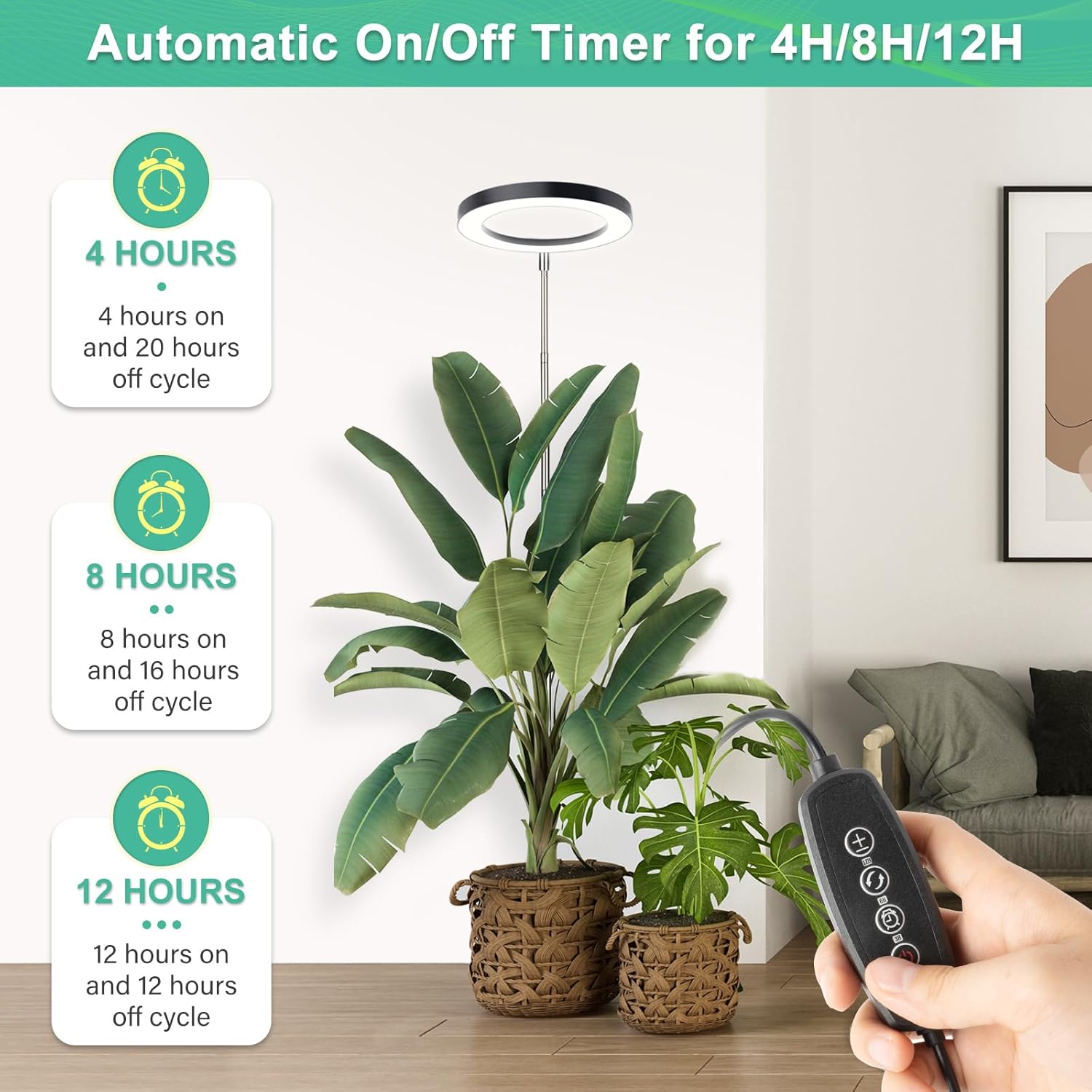
- Timer Button (◷): Cycle through the automatic timer settings: 4 hours, 8 hours, or 12 hours. Once set, the light will automatically turn on and off at the same time each day.
- Spectrum Mode Button (↻): Switch between the three available spectrum modes:
- 5500K (All LEDs On): Full spectrum, ideal for all growth stages, mimicking natural sunlight.
- 5000K (Warm White and Cool White LEDs On): Promotes compact plant growth and is suitable for blue light-demanding plants.
- 2500K (Red and Blue LEDs On): Enhances flowering, fruit development, and increased plant yield.
- Brightness Adjustment Buttons (+ / −): Adjust the light intensity across 10 dimmable levels (from 10% to 100%).

Automatic On/Off Timer settings.

Three distinct lighting spectrum modes and dimming capabilities.

Detailed spectrum range and LED composition.
5. Maintenance
- Cleaning: Periodically wipe the light panel and rod with a soft, dry cloth to remove dust and debris. Do not use abrasive cleaners or immerse the light in water.
- Storage: If storing the light for an extended period, disconnect it from power, clean it, and store it in a cool, dry place.
6. Troubleshooting
| Problem | Possible Cause | Solution |
|---|---|---|
| Light does not turn on or flickers. | Loose power connection, faulty adapter, or internal component issue. | Check all power connections. Ensure the adapter is securely plugged into both the controller and the outlet. Try a different outlet. If the issue persists, contact customer support. |
| Timer function not working. | Timer not set correctly. | Press the timer button repeatedly until the desired duration (4H, 8H, or 12H) is indicated by the blue light. Ensure the light is not manually turned off after setting the timer. |
| Light intensity or spectrum cannot be changed. | Controller malfunction. | Ensure the controller is not damaged. Try unplugging and re-plugging the power. If buttons are unresponsive, contact customer support. |
7. Specifications
| Feature | Detail |
|---|---|
| Model Number | HL-116 |
| Light Source Type | LED (160 pcs) |
| Light Panel Size | 10 inches (Diameter) |
| Spectrum Modes | 3 (5500K Full Spectrum, 5000K Warm/Cool White, 2500K Red/Blue) |
| Dimmable Levels | 10 (10% to 100%) |
| Auto Timer | 4H / 8H / 12H |
| Height Adjustable | Up to 65 inches |
| Material | Aluminum |
| Voltage | 12 Volts |
| Brightness | 2720 Lumen |
| Product Dimensions | 10.23"L x 10.23"W x 62"H |
| Item Weight | 2.2 pounds |
8. Warranty & Support
LORDEM products come with a commitment to quality and customer satisfaction. For any questions, concerns, or technical support regarding your 10" Full Spectrum Plant Light, please do not hesitate to contact our customer service team. We are dedicated to providing you with the most concerned services and answers to your questions.
Please refer to your purchase documentation or the official LORDEM website for specific warranty details and contact information.