
Introduction
This manual provides essential information for setting up, operating, maintaining, and troubleshooting your Hipipooo Mini Smartphone S23Pro. Please read this guide thoroughly to ensure proper use and to maximize the device's performance and longevity.
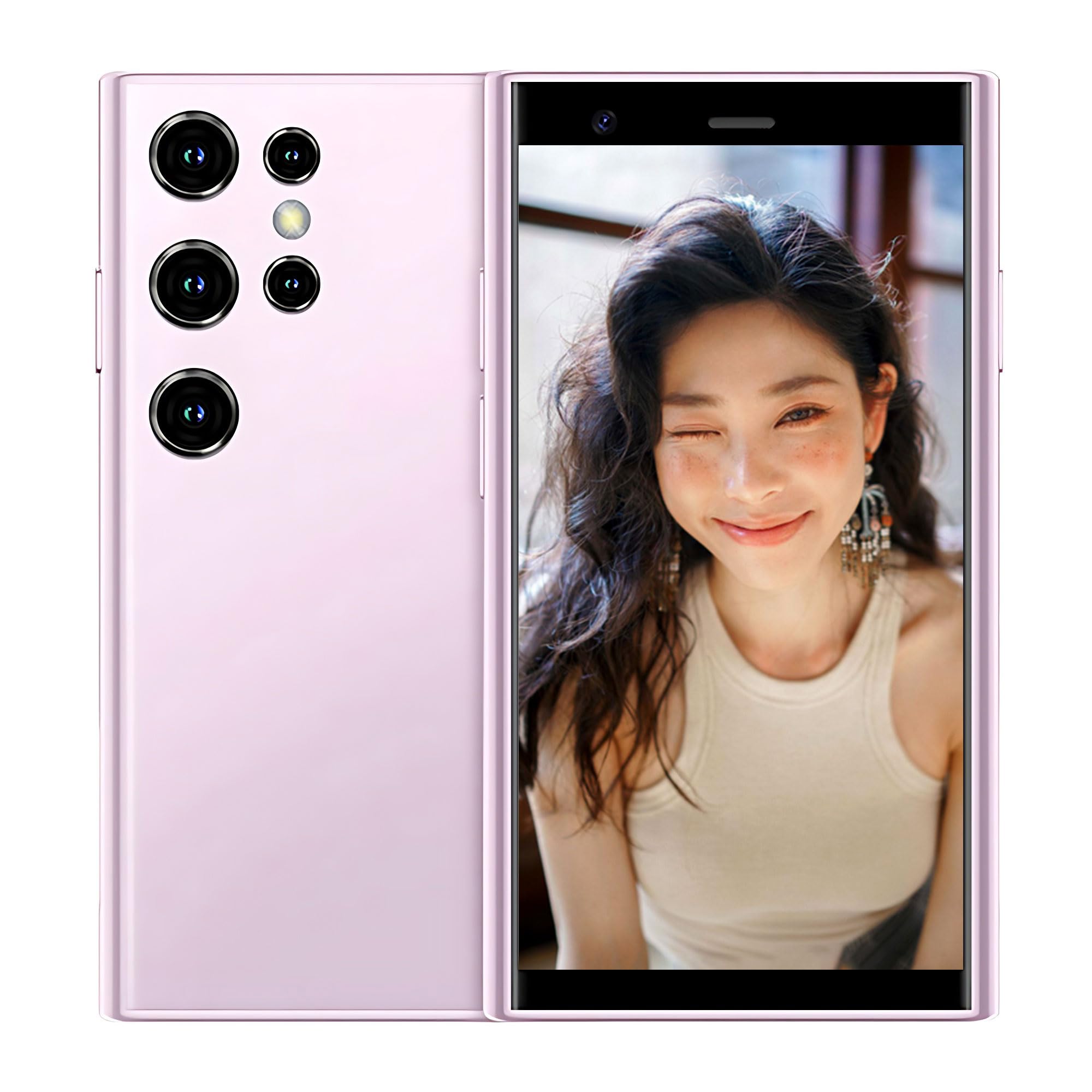
Image: Front and back view of the Hipipooo Mini Smartphone S23Pro, showcasing its compact design and camera layout.
Setup
1. SIM Card and Memory Card Installation
The S23Pro supports dual SIM cards and a memory card for expanded storage.
- Locate the SIM/Memory Card Tray: Carefully locate the SIM card tray on the side of the device.
- Open the Tray: Use the provided SIM ejector tool to open the tray. Insert the tool into the small hole next to the tray and push gently until the tray pops out.
- Insert Cards: Place your Nano-SIM cards and/or microSD card into the designated slots on the tray. Ensure the metal contacts face downwards and the cards are correctly oriented.
- Close the Tray: Gently push the tray back into the slot until it is flush with the phone's body.
2. Charging the Battery
Before first use, fully charge the device battery.
- Connect Charger: Plug the USB Type-C cable into the charging port at the bottom of the phone.
- Connect to Power: Connect the other end of the cable to a compatible power adapter and plug it into a wall outlet.
- Charging Indicator: The screen will display a charging indicator. Allow the phone to charge until the battery icon shows full.

Image: The Hipipooo S23Pro with its screen illuminated, demonstrating the display quality.
3. Powering On/Off
- Power On: Press and hold the Power button (usually on the right side) until the Hipipooo logo appears.
- Power Off: Press and hold the Power button, then select "Power off" from the options on the screen.
4. Initial Setup Wizard
Upon first power-on, follow the on-screen instructions to set up your device, including language selection, Wi-Fi connection, Google account login, and security settings.
Operating Instructions
1. Basic Navigation
The S23Pro runs on Android 8.1. Navigate the 3-inch touchscreen using standard Android gestures:
- Tap: Select an item or open an app.
- Swipe: Scroll through screens, menus, or web pages.
- Pinch: Zoom in or out on images and web pages.
- Long Press: Access contextual menus or move app icons.
2. Making Calls and Sending Messages
- Calls: Open the "Phone" app, enter the number, and tap the call icon.
- Messages: Open the "Messages" app, tap the new message icon, enter the recipient and your message.
3. Camera Usage
The S23Pro features a 0.3 MP front camera and a 2 MP rear camera.
- Open Camera: Tap the "Camera" app icon.
- Switch Cameras: Tap the camera switch icon to toggle between front and rear cameras.
- Take Photo: Tap the shutter button to capture an image.
- Record Video: Switch to video mode and tap the record button to start/stop recording.

Image: A detailed view of the S23Pro's camera setup, indicating the front and rear camera specifications.
4. Internet and Connectivity
Connect to the internet via Wi-Fi or 3G mobile data.
- Wi-Fi: Go to Settings > Network & Internet > Wi-Fi, turn Wi-Fi on, and select your network.
- Mobile Data: Ensure your SIM card is active and mobile data is enabled in Settings > Network & Internet > Mobile network. The device supports GSM and WCDMA (B1/B2/B5/B8) 3G networks.
5. Security and Privacy
Protect your device and data using screen lock options:
- Screen Lock: Go to Settings > Security & location > Screen lock to set up a pattern, PIN, or password.
Maintenance
1. Cleaning the Device
Use a soft, lint-free cloth to clean the screen and body of the phone. Avoid harsh chemicals or abrasive materials.
2. Battery Care
- Avoid extreme temperatures.
- Do not let the battery fully discharge frequently.
- Use only Hipipooo-approved chargers and cables.
3. Software Updates
Periodically check for system updates to ensure optimal performance and security. Go to Settings > System > About phone > System update. Note that guaranteed software updates for this model are not available.
4. Storage Management
With 16GB of internal storage, regularly manage your files and applications. Delete unnecessary apps, clear cache, and transfer large files to a memory card or cloud storage to free up space.
Troubleshooting
This section addresses common issues you might encounter with your S23Pro.
| Problem | Solution |
|---|---|
| Device does not power on | Ensure the battery is charged. Connect the charger and wait a few minutes before attempting to power on again. |
| Cannot connect to network (3G/Wi-Fi) | Check if your SIM card is properly inserted and active. Verify mobile data is enabled. For Wi-Fi, ensure the password is correct and you are within range. Try restarting the device. |
| Apps are slow or crashing | Close background apps. Clear app cache (Settings > Apps & notifications > App info > [App Name] > Storage & cache > Clear cache). Free up storage space. |
| Screen is unresponsive | Restart the device by holding the power button. If unresponsive, force restart by holding the power button for an extended period (e.g., 10-15 seconds). |
| Poor camera quality | Ensure camera lenses are clean. Take photos in well-lit environments. |
Factory Reset
If persistent issues occur, a factory reset may be necessary. This will erase all data on your phone. Back up important data before proceeding. Go to Settings > System > Reset options > Erase all data (factory reset).
Specifications
Below are the technical specifications for the Hipipooo Mini Smartphone S23Pro:

Image: Overview of the Hipipooo Mini Smartphone S23Pro's core features and specifications.
| Feature | Detail |
|---|---|
| Brand | Hipipooo |
| Model Number | S23Pro |
| Operating System | Android 8.1 |
| Screen Size | 3 Inches |
| Display Resolution | 480 x 854 |
| Processor | MTK6580 (Cortex) |
| RAM | 2 GB |
| Internal Storage (ROM) | 16 GB |
| Rear Camera | 2 MP |
| Front Camera | 0.3 MP |
| Battery Capacity | 1000 mAh (Lithium-ion) |
| SIM Support | Dual SIM |
| Cellular Technology | 3G (GSM 850/900/1800/1900, WCDMA B1/B2/B5/B8) |
| Connectivity | Wi-Fi, Bluetooth, GPS, USB Type-C |
| Special Features | Smartphone, Touchscreen |
Warranty and Support
For warranty information and customer support, please refer to the documentation included with your purchase or visit the official Hipipooo website. Specific details regarding warranty duration and support channels are not provided in this manual.