
1. Product Overview
The EASYGUARD EC002-F02-NFC-NS is an advanced passive keyless entry (PKE) car alarm system designed to enhance vehicle security and convenience. This system integrates features such as passive keyless entry, push-button start, remote engine start, and NFC lock/unlock capabilities. This specific model includes a shock sensor for enhanced alarm functionality.

Figure 1: Complete EASYGUARD EC002-F02-NFC-NS product kit, showing two remote key fobs, the main control unit, wiring harnesses, push start button, NFC card, and antennas.
Key Features:
- Passive Keyless Entry (PKE): Automatic locking/unlocking when approaching or walking away from the vehicle.
- Push Start/Stop Button: Replaces traditional key ignition for engine start and stop.
- Remote Engine Start: Start or stop the engine remotely for climate control.
- NFC Lock/Unlock: Use an NFC-enabled smartphone or card to lock and unlock the vehicle.
- Shock Sensor Alarm: Triggers an alarm upon detecting vehicle vibration (included in this model).
- Rolling Code & FSK Technology: Enhanced security against code scanning and grabbing.
- Remote Trunk Release: Open the vehicle's trunk remotely.
- Central Door Locking Automation: Automatically locks doors when driving and unlocks when parked.
- Anti-Hijacking: Security feature to prevent vehicle theft during a hijacking attempt.
- Emergency Override: Manual method to disarm the system in case of remote failure.
2. Installation and Setup
Installation of the EASYGUARD EC002-F02-NFC-NS system requires professional expertise. It is strongly recommended that installation be performed by a certified car alarm installer to ensure proper functionality and avoid damage to the vehicle's electrical system.
2.1 Compatibility Requirements:
- Designed for DC12V petrol cars with a standard key start system.
- Compatible with both automatic and manual transmission vehicles.
- Not compatible with vehicles that already have an OEM push-start button.
- Not recommended for luxury vehicles such as BMW or Mercedes-Benz.
2.2 Additional Components:
If your vehicle's factory OEM key fob contains a chip immobilizer, an additional bypass module is required for the system to function correctly. Examples of compatible bypass modules include ASIN: B00MEHBVIC or B07NSLPBG7.
2.3 General Installation Steps (Professional Installation Recommended):
- Disconnect Battery: Ensure the vehicle's battery is disconnected before beginning any wiring.
- Mount Main Unit: Securely mount the main control unit in a discreet and protected location within the vehicle.
- Wiring Connections: Connect all necessary wiring harnesses, including power, ground, ignition, accessory, starter, door triggers, and turn signal wires, according to the detailed wiring diagram provided with the product.
- Install Push Start Button: Replace the original ignition cylinder with the supplied push-start button.
- Install Antennas: Position the PKE and NFC antennas for optimal signal reception.
- Connect Shock Sensor: If applicable, connect the shock sensor module.
- Bypass Module Integration: If required, install and integrate the immobilizer bypass module.
- Reconnect Battery & Test: Reconnect the battery and perform thorough testing of all system functions.
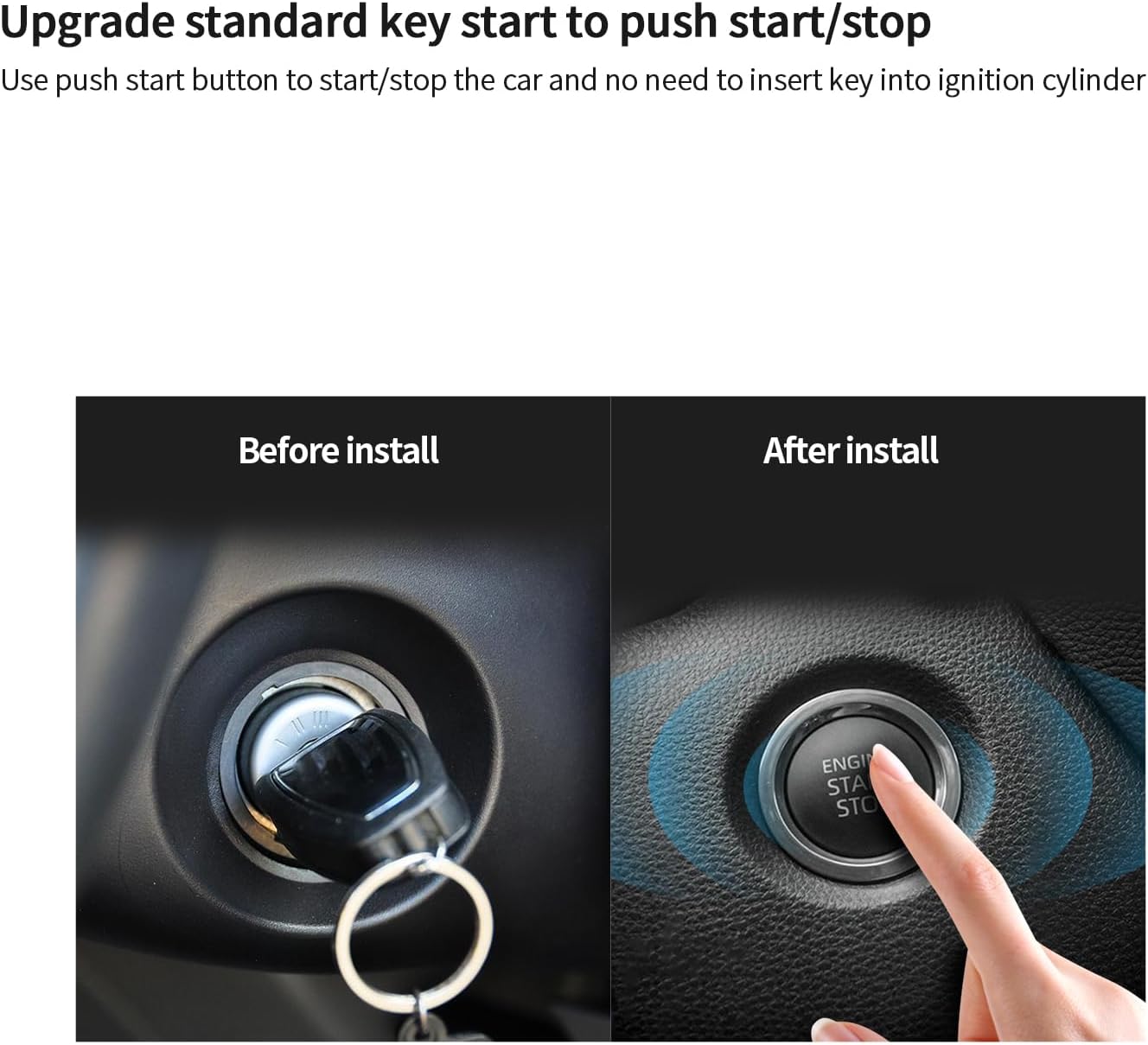
Figure 2: Visual representation of upgrading from a standard key start to a push start button.
3. Operating Instructions
3.1 Passive Keyless Entry (PKE)
The PKE feature automatically locks and unlocks your vehicle as you approach or walk away, provided the remote key fob is within range.
- Automatic Unlock: When the remote key fob is within 1-2 meters of the vehicle, the doors will automatically unlock.
- Automatic Lock: When the remote key fob moves 2-3 meters away from the vehicle, the doors will automatically lock.

Figure 3: PKE function showing automatic lock and unlock zones around the vehicle.
3.2 Push Start/Stop Engine
To start or stop the engine using the push button:
- To Start: Ensure the vehicle is in Park (P) or Neutral (N). Press the brake pedal and then press the "ENGINE START STOP" button.
- To Stop: With the vehicle in Park (P), press the "ENGINE START STOP" button.
3.3 Remote Engine Start
This feature allows you to start the engine remotely, useful for pre-cooling in summer or pre-warming in winter.
- Refer to the specific instructions in your product manual for the exact button sequence on your remote key fob to activate remote start. Typically, it involves pressing a specific button multiple times or holding it down.
- The engine will run for a preset duration (e.g., 10-15 minutes) and then shut off automatically if not entered.

Figure 4: Remote engine start function for climate control.
3.4 NFC Lock/Unlock (Optional)
The system supports NFC functionality for locking and unlocking the vehicle using an NFC card or an NFC-enabled smartphone.
- To Use NFC Card: Tap the NFC card against the designated NFC reader area on your vehicle (usually on the windshield or door handle) to lock or unlock.
- To Use Smartphone: Ensure your smartphone has NFC enabled and is paired with the system. Tap your smartphone against the NFC reader area.
- Up to 4 NFC cards can be added to the system.

Figure 5: NFC lock/unlock feature in action.
3.5 Shock Sensor Alarm
This model includes a shock sensor that triggers an alarm if significant vibration or impact is detected on the vehicle.
- The sensitivity of the shock sensor can typically be adjusted by a professional installer.
- Upon detection of vibration, the siren will sound to alert the owner.

Figure 6: Shock sensor alarm indicating a vibration trigger.
3.6 Remote Trunk Release
To open the vehicle's trunk remotely:
- Press and hold the designated trunk release button on your remote key fob.

Figure 7: Remote trunk release functionality.
3.7 Central Door Locking Automation
This feature automatically locks the doors when the vehicle begins moving and unlocks them when the engine is turned off or the vehicle is put into Park (P).
- This feature can be enabled or disabled by the owner through programming, as detailed in the full product manual.

Figure 8: Central door locking automation indicators within a car interior.
3.8 Other Functions:
- Mute/Audible Alarm: Switch between silent and audible arming/disarming confirmations.
- Panic Mode: Activate the alarm siren and flashing lights to deter threats or locate your vehicle.
- Valet Mode: Temporarily disable security features for vehicle servicing without giving away your remote.
- Anti-Hijacking: A security measure that can be activated to prevent vehicle theft during a forced entry or hijacking.
- Emergency Override: A manual procedure to disarm the system if the remote control is lost or malfunctioning. Refer to the full manual for specific steps.
- Can Programming: The system allows for customization of various functions. Consult a professional installer for programming options.
- Automatic Window Closing (Optional): If supported by your vehicle and configured, windows can automatically close upon arming the system.
4. Maintenance
To ensure the longevity and optimal performance of your EASYGUARD EC002-F02-NFC-NS system, follow these maintenance guidelines:
- Remote Key Fob Batteries: The remote key fobs require 2 CR2 batteries. Replace them when the signal strength weakens or the indicator light on the remote does not illuminate.
- Keep Components Dry: Protect all system components, especially the main control unit and remote key fobs, from water and excessive moisture.
- Avoid Extreme Temperatures: Do not expose the system components to extreme heat or cold for extended periods.
- Regular Checks: Periodically test all functions of the system (locking, unlocking, remote start, alarm) to ensure they are working correctly.
- Professional Inspection: Consider having the system professionally inspected during routine vehicle maintenance.
5. Troubleshooting
This section addresses common issues you might encounter with your EASYGUARD EC002-F02-NFC-NS system. For complex problems, contact professional support.
5.1 System Not Responding to Remote:
- Check Battery: The most common cause is a dead or low battery in the remote key fob. Replace the 2 CR2 batteries.
- Out of Range: Ensure you are within the operating range of the system.
- Interference: Strong radio frequency interference can affect remote operation. Try moving to a different location.
- Remote Pairing: The remote may have lost its pairing with the main unit. Refer to the full manual for re-pairing instructions or consult an installer.
5.2 Engine Does Not Start with Push Button:
- Brake Pedal: Ensure the brake pedal is fully depressed when attempting to start the engine.
- Gear Position: Verify the vehicle is in Park (P) or Neutral (N).
- Immobilizer Bypass: If your vehicle has a chip immobilizer, ensure the bypass module is correctly installed and functioning.
- System Disarmed: Confirm the alarm system is disarmed before attempting to start.
5.3 PKE (Passive Keyless Entry) Not Working:
- Remote Battery: Check and replace the remote key fob battery.
- Remote Location: Ensure the remote is not obstructed or in a location where its signal might be blocked (e.g., deep in a bag with other electronics).
- PKE Antenna: The PKE antenna might be improperly installed or obstructed. Professional inspection may be required.
5.4 Alarm Triggers Randomly:
- Shock Sensor Sensitivity: The shock sensor may be set too high. Consult an installer to adjust its sensitivity.
- Loose Wiring: Check for any loose wiring connections that might be causing false triggers.
- Environmental Factors: Strong winds, heavy vibrations from passing vehicles, or other environmental factors can sometimes trigger the alarm if sensitivity is high.
6. Specifications
| Feature | Detail |
|---|---|
| Model Number | EC002-F02-NFC-NS |
| Brand | EASYGUARD |
| Compatible Devices | DC12V Petrol Cars with Key Start System (Automatic/Manual Transmission) |
| Item Weight | 2.86 pounds |
| Package Dimensions | 10.63 x 7.09 x 3.94 inches |
| Remote Control Included | Yes |
| Batteries Required | 2 CR2 batteries (for remote key fobs) |
| Manufacturer | ieasyguard.com |
| UPC | 769326453388 |
7. Warranty and Support
7.1 Product Warranty:
The EASYGUARD EC002-F02-NFC-NS system comes with a 1-year warranty from the date of purchase. This warranty covers manufacturing defects and malfunctions under normal use. Please retain your proof of purchase for warranty claims.
The warranty does not cover damage caused by improper installation, misuse, accidents, unauthorized modifications, or normal wear and tear.
7.2 Customer Support:
For technical assistance, installation inquiries, or warranty claims, please contact EASYGUARD customer support. You can typically find contact information on the manufacturer's website or through your point of purchase.
For further information or to customize functions, you are welcome to contact EASYGUARD directly.
Note: As no specific contact details were provided in the product data, please refer to the official EASYGUARD website or your retailer for the most current support information.
8. Important Notes
- This product is designed to be installed by qualified professionals. Improper installation can lead to vehicle damage or system malfunction.
- Always ensure your vehicle is in a safe and secure location before using remote start or other remote functions.
- Regularly check the functionality of your alarm system to ensure optimal security.
- Video Content: No official product videos from the seller were available in the provided data for embedding. If available, relevant instructional videos would be placed here.


