
1. Introduction
Thank you for choosing the DATOUBOSS 2000W/4000W Pure Sine Wave Inverter. This device is designed to convert 24V DC battery power into stable 230V AC power, suitable for a wide range of household appliances, power tools, and electronic devices. Its pure sine wave output ensures compatibility with sensitive electronics, providing clean and reliable electricity for your home, RV, or outdoor activities.
This manual provides essential information for the safe and efficient operation of your inverter. Please read it thoroughly before use and keep it for future reference.
2. Safety Instructions
WARNING: Failure to follow these safety instructions may result in electric shock, fire, serious injury, or death.
- Ensure the inverter is connected to a 24V DC power source only. Connecting to an incorrect voltage may damage the unit.
- Do not expose the inverter to water, rain, snow, or spray.
- Operate the inverter in a well-ventilated area. Do not block the ventilation openings.
- Avoid operating the inverter near flammable materials or in environments with explosive gases.
- Do not open the inverter casing. There are no user-serviceable parts inside. Refer all servicing to qualified personnel.
- Ensure proper grounding of the inverter.
- Disconnect the inverter from the battery before performing any maintenance or cleaning.
- Keep out of reach of children.

Image: Internal view of the inverter highlighting various protection mechanisms such as undervoltage, overvoltage, overload, short circuit, overheating, and reverse polarity protection.
3. Package Contents
Please check the package for the following items:
- 1 x DATOUBOSS 2000W Pure Sine Wave Inverter
- 1 x Pair of Battery Cables (Red for Positive, Black for Negative)
- 1 x Remote Control
- 1 x User Manual (This document)

Image: The inverter unit, remote control, battery connection cables, and a separate LCD display module.
4. Product Overview
Familiarize yourself with the components of your DATOUBOSS inverter:

Image: Detailed diagram of the inverter's front panel, indicating the LCD display, AC output socket, USB 2.1A port, Type-C port, GND (ground) terminal, and power switch.
- LCD Display: Shows battery voltage, AC output voltage, output power, and frequency.
- AC Output Socket: Standard European socket for connecting AC appliances.
- USB Ports: Includes USB 2.1A and Type-C ports for charging small electronic devices.
- Ground Terminal (GND): For safety grounding.
- Power Switch: To turn the inverter ON/OFF.
- Cooling Fans: Integrated smart fans for heat dissipation.
5. Setup and Installation
- Choose a Location: Select a dry, well-ventilated area away from direct sunlight, heat sources, and flammable materials. Ensure sufficient space around the inverter for proper airflow.
- Battery Connection:
- Ensure the inverter is OFF before connecting to the battery.
- Connect the red battery cable to the positive (+) terminal of the inverter and the positive (+) terminal of your 24V battery.
- Connect the black battery cable to the negative (-) terminal of the inverter and the negative (-) terminal of your 24V battery.
- Ensure all connections are tight and secure to prevent loose connections and sparking.
- Grounding: Connect the ground terminal of the inverter to a proper earth ground using a suitable grounding wire. This is crucial for safety.
- Remote Control Connection: Plug the remote control cable into the designated port on the inverter.

Image: The inverter with devices connected to its AC output and USB/Type-C ports, demonstrating its connectivity.
6. Operating Instructions
- Powering On: After all connections are secure, press the power button on the inverter or the ON button on the remote control. The LCD display will light up, showing the battery voltage and output status.
- Connecting Appliances: Plug your AC appliances into the AC output socket. For USB-powered devices, use the USB or Type-C ports.
- Monitoring: The LCD display provides real-time information:
- Battery Voltage (DC): Shows the current voltage of your 24V battery.
- AC Output Voltage (AC): Displays the output voltage (e.g., 230V).
- Output Power (W): Indicates the current power consumption of connected devices.
- Frequency (Hz): Shows the output frequency (50Hz or 60Hz).
- Powering Off: To turn off the inverter, press the power button on the unit or the OFF button on the remote control. Disconnect appliances before turning off the inverter for safety.
Important: Ensure the total power consumption of your connected devices does not exceed the inverter's continuous power rating (2000W). The inverter has a peak power rating of 4000W for starting inductive loads, but continuous operation should remain within 2000W.
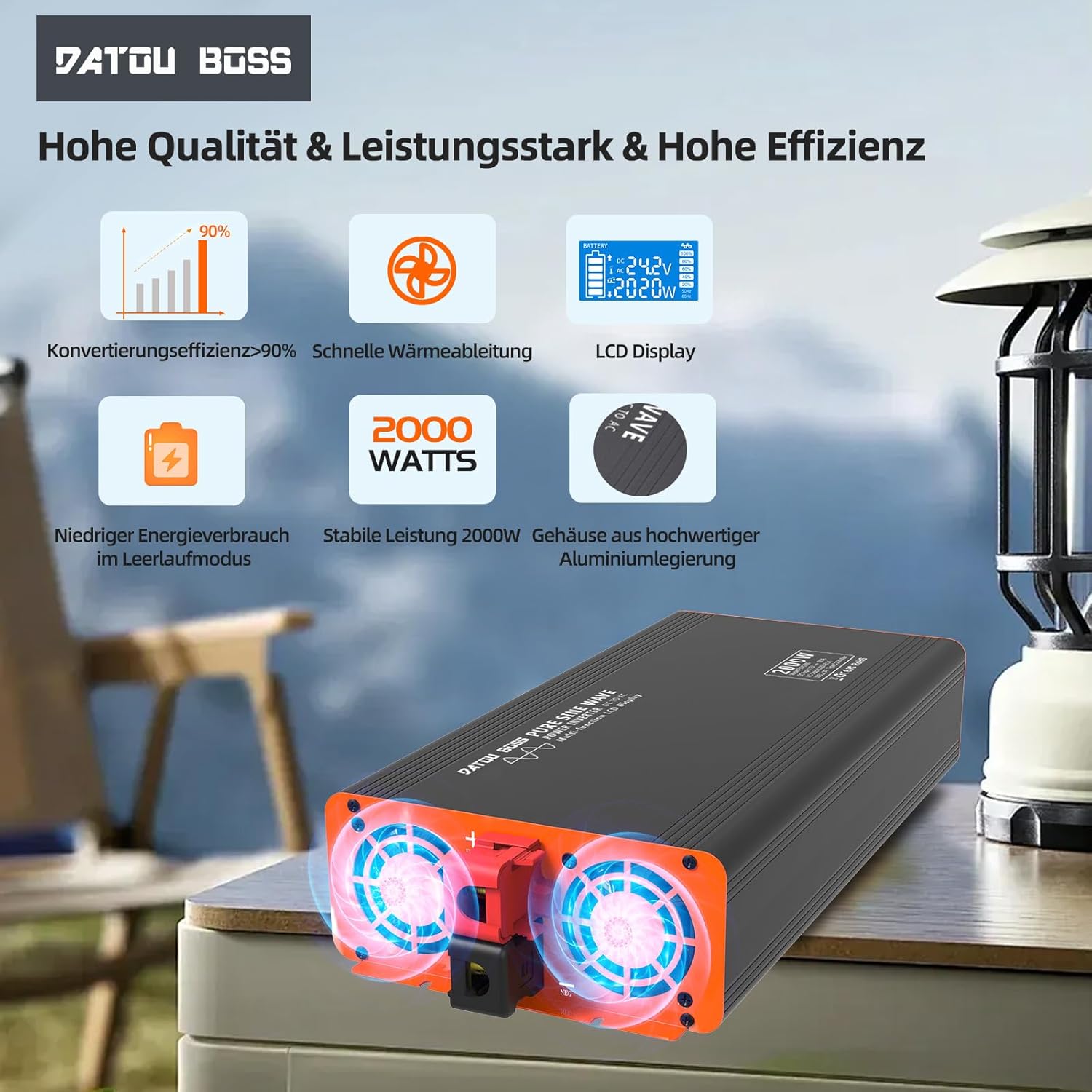
Image: Close-up of the inverter's cooling fans, showing their operation for efficient heat dissipation.
7. Maintenance
- Cleaning: Regularly clean the exterior of the inverter with a soft, dry cloth. Do not use liquid cleaners or solvents.
- Ventilation: Ensure the cooling vents are free from dust and debris. Blocked vents can lead to overheating.
- Connections: Periodically check battery cable connections to ensure they remain tight and free from corrosion.
- Storage: If storing the inverter for an extended period, disconnect it from the battery and store it in a cool, dry place.
8. Troubleshooting
| Problem | Possible Cause | Solution |
|---|---|---|
| Inverter does not turn on. | No battery connection, low battery voltage, loose cables, blown fuse. | Check battery connections, charge battery, tighten cables, check internal fuses (professional service recommended). |
| No AC output. | Overload, short circuit, overheating, low/high battery voltage. | Reduce load, check for short circuits, allow inverter to cool, check battery voltage. |
| Cooling fan constantly running. | High internal temperature due to heavy load or poor ventilation. | Ensure adequate ventilation, reduce load. Fan activates automatically when temperature exceeds 55°C. |
| LCD display shows error code. | Specific protection activated (e.g., overvoltage, undervoltage, overload). | Refer to the display for the specific error and consult the relevant section of this manual or contact support. |
9. Specifications
| Feature | Specification |
|---|---|
| Model Name | 2000W 24V EU |
| Continuous Power | 2000 Watts |
| Peak Power | 4000 Watts |
| Input Voltage | 24 Volts DC |
| Output Voltage | 230 Volts AC |
| Output Waveform | Pure Sine Wave |
| Conversion Efficiency | > 95% |
| USB Output | USB 2.1A, Type-C |
| Dimensions (L x W x H) | 36L x 17W x 8H centimeters |
| Cooling | Smart Integrated Fan |
| Protections | Low Voltage, Over Voltage, Overheat, Overload, Short Circuit, Reverse Polarity |
| Recommended Uses | Office, Home, Vehicle (RV, Camping, Car) |

Image: A clear representation of the LCD display interface, detailing battery level, DC input voltage, AC output voltage, power output, and frequency indicators.
10. Warranty and Support
DATOUBOSS products are manufactured to high-quality standards. For warranty information, technical support, or service inquiries, please contact your retailer or the manufacturer directly. Keep your purchase receipt as proof of purchase.
For further assistance, please visit the official DATOUBOSS website or contact their customer service department.


