
1. Introduction
The XFT-120G AED Trainer is a professional training device designed to simulate the operation of an Automatic External Defibrillator (AED) for first aid and CPR training. This device is intended for educational purposes only and does not deliver high-voltage shocks, ensuring a safe training environment. It features a voice prompt system, image prompts, and text prompts to guide users through simulated first aid processes, making it an effective tool for trainees and beginners.
2. Box Contents
Please verify that all items listed below are included in your package:
- AED Trainer (XFT-120G)
- Remote Control
- 1 Pair Adult Electrode Pads
- 1 Pair Child Electrode Pads
- 2 Pairs Adult Pad Sensors
- 2 Pairs Child Pad Sensors
- Rechargeable Lithium Battery
- Power Adapter
- Instruction Manual (this document)
- Carrying Case

Figure 2.1: The XFT-120G AED Trainer and its complete set of accessories, including the carrying case, electrode pads, pad sensors, rechargeable battery, power adapter, and instruction manual.
3. Product Overview
The XFT-120G AED Trainer is designed to closely mimic a real AED for realistic training. Its compact and portable design allows for easy transport and setup in various training environments.
3.1 Key Components
- Display Screen: A 4.3-inch TFT colorful screen provides visual prompts and feedback during training.
- Green Power Button: Used to manually turn the device on/off. The device also powers on automatically when the lid is opened.
- Orange Shock Button: Simulates the shock delivery.
- USB Interface: For potential firmware updates or data transfer.
- Electrode Socket: Connects the electrode pads to the trainer.
- Speaker: Delivers voice prompts and audio feedback.
- Setting Button: Accesses language, metronome, and system settings.
- Up/Down Buttons: Navigates through menu options.
- Signal Receiving Window: For communication with the remote control.

Figure 3.1: Overview of the XFT-120G AED Trainer highlighting its main features including the display, buttons, and ports.
3.2 Remote Control
The remote control allows instructors to select training scenarios and control various functions of the AED trainer, enhancing the training experience.
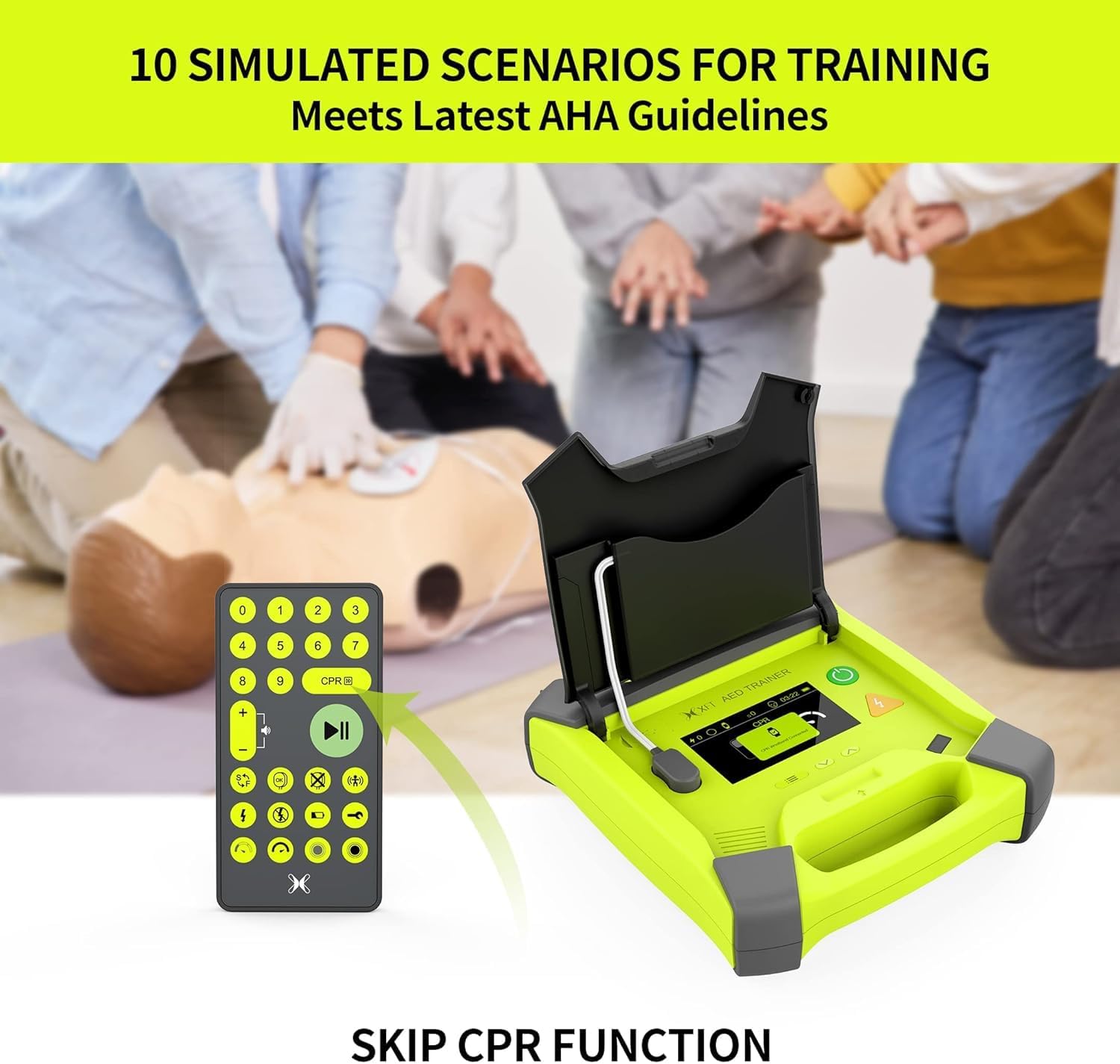
Figure 3.2: The XFT-120G AED Trainer shown with its remote control, which enables selection of 10 simulated scenarios for comprehensive training.
4. Setup
Follow these steps to prepare your AED Trainer for use:
- Charge the Battery: The AED Trainer is powered by a removable, rechargeable lithium battery. Connect the power adapter to the battery case and a power outlet to charge. A full charge provides up to 12 hours of working time.
- Insert Battery: Once charged, insert the battery case into the designated slot on the back of the trainer.
- Retrieve Remote Control: The remote control is conveniently stored in a compartment on the bottom of the trainer. Remove it for use.
- Connect Electrode Pads: Select either the adult or child electrode pads based on the training scenario. The trainer features auto-identification of electrodes and a hall sensor to automatically switch between adult/pediatric modes. Connect the electrode pads to the electrode socket on the trainer.
- Place Pad Sensors (Optional): For advanced CPR feedback, attach the pad sensors to the manikin's chest where the electrode pads will be placed.
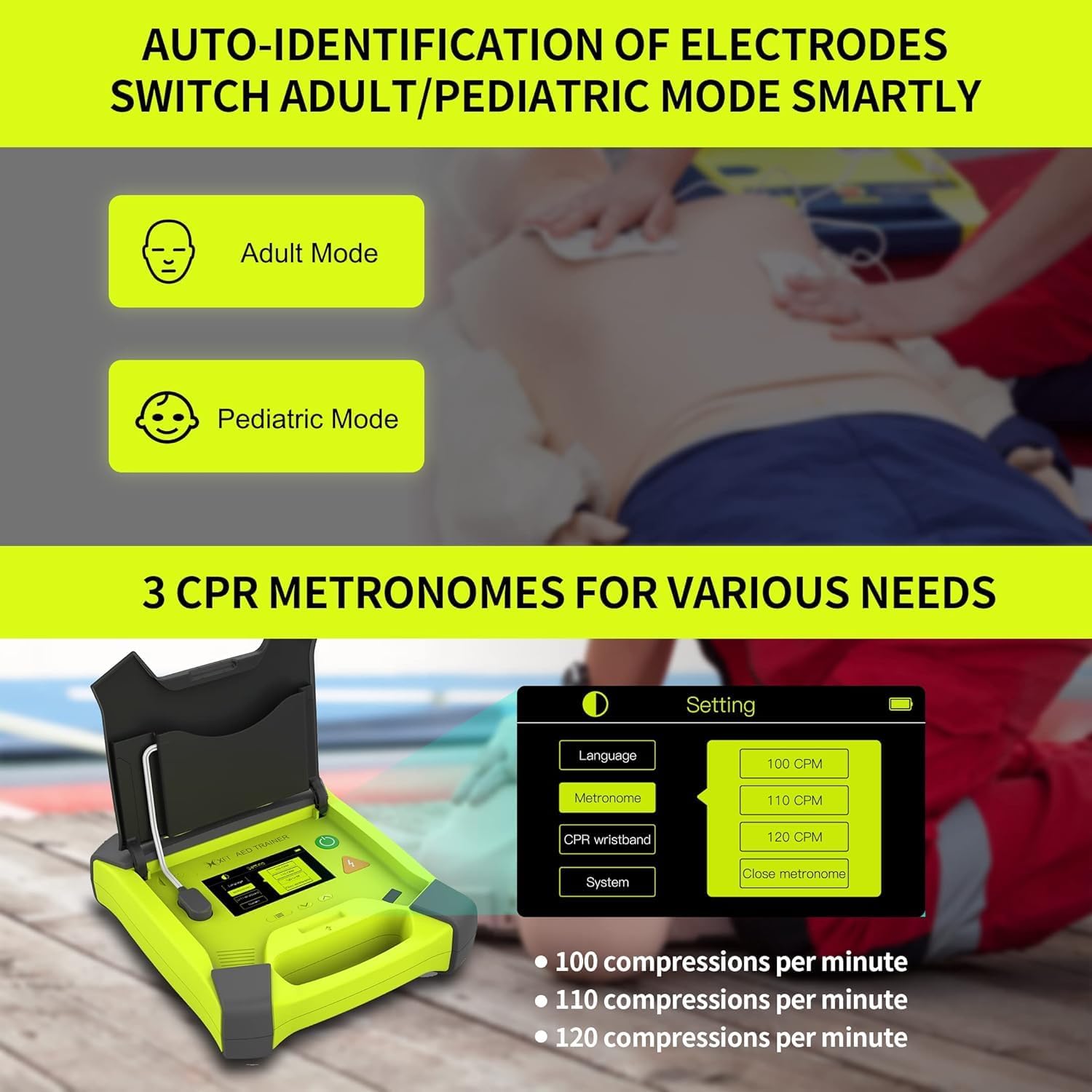
Figure 4.1: The AED Trainer's intelligent mode switching for adult and pediatric training, activated by the type of electrode pads connected.
5. Operating Instructions
The XFT-120G AED Trainer offers various modes and scenarios to facilitate comprehensive training.
5.1 Powering On and Initial Setup
- Turn On: Open the lid of the AED trainer, and it will automatically power on. Alternatively, press the green power button.
- Language Selection: Use the setting button and up/down buttons to select your preferred language (English, Spanish, French, Chinese).
- CPR Frequency Mode: Choose from 100, 110, or 120 beeps per minute for CPR guidance. The beep sound can also be turned off.
5.2 Running Training Scenarios
The trainer includes 10 basic training modes and 11 simulated realistic scenarios, compatible with most CPR manikins.
- Select Scenario: Use the remote control to select one of the 10 different program training scenarios (numbered 0-9).
- Start Training: Press the play/pause button on the remote control to begin the selected scenario.
- Follow Prompts: The trainer will provide voice, image, and text prompts to guide you through the first aid process, including applying pads, analyzing rhythm, and delivering simulated shocks.
- CPR Feedback: When connected to a CPR manikin with sensors, the trainer provides real-time feedback on CPR quality, frequency, and depth of compressions. It indicates if compressions are too fast, too slow, too deep, or too shallow.
- Simulate Conditions: The remote control allows instructors to simulate various conditions such as electrode not well connected, motion interference, low battery, system error, and incorrect compression (too soft, too hard).

Figure 5.1: The trainer's display showing real-time CPR feedback, indicating whether compressions are good, too hard, too soft, too fast, or too slow.
Video 5.1: An official demonstration of the XFT-120G AED Trainer in use, showcasing its features and how it guides users through a simulated AED and CPR scenario. This video illustrates the device's functionality and user interaction during training.
6. Maintenance
Proper maintenance ensures the longevity and optimal performance of your AED Trainer.
- Cleaning: Wipe the trainer and electrode pads with a soft, damp cloth. Do not use abrasive cleaners or immerse the device in water.
- Storage: Store the trainer and all accessories in the provided carrying case when not in use. Keep it in a cool, dry place away from direct sunlight and extreme temperatures. The electrode wires and pads can be stowed in the lid, and the remote control in the bottom of the machine.
- Battery Care: Recharge the lithium battery regularly, even if not in frequent use, to maintain its capacity. Avoid fully discharging the battery for extended periods.
- Pad Replacement: While the electrode pads are reusable for training, inspect them regularly for wear and tear. Replace them if they show signs of damage or loss of adhesion.
7. Troubleshooting
If you encounter issues with your XFT-120G AED Trainer, refer to the following common problems and solutions:
| Problem | Possible Cause | Solution |
|---|---|---|
| Trainer does not power on. | Battery is discharged or not properly inserted. | Ensure the battery is fully charged and correctly inserted. |
| No voice prompts or sound. | Volume is too low or muted. | Adjust the volume using the remote control or check settings on the trainer. |
| Electrode pads not recognized. | Pads not properly connected or damaged. | Ensure electrode pads are firmly connected to the socket. Inspect pads for damage and replace if necessary. |
| CPR feedback is inaccurate. | Pad sensors not correctly placed or connected. | Verify that the pad sensors are properly attached to the manikin and connected to the electrode pads. |
| Remote control not responding. | Remote control battery low or out of range. | Replace remote control batteries. Ensure remote is pointed towards the trainer's signal receiving window. |
8. Specifications
- Model: XFT-120G
- Power Source: 1 Lithium Polymer battery (included)
- Working Time: Up to 12 hours (on full charge)
- Display: 4.3-inch TFT Colorful Screen
- CPR Frequency Modes: 100, 110, 120 beeps per minute
- Supported Languages: English, Spanish, French, Chinese
- Simulated Scenarios: 10 basic training modes, 11 realistic scenarios
- Dimensions (Package): 11.77 x 10.83 x 4.84 inches
- Weight (Package): 4.23 ounces
- Manufacturer: SHENZHEN XFT MEDICAL LIMITED
9. Warranty and Support
The XFT-120G AED Trainer comes with a 2-year warranty from the date of purchase, covering manufacturing defects. For warranty claims or technical support, please contact the XFT-EU Official Store through your purchase platform or refer to the contact information provided in your purchase documentation.
For additional resources and frequently asked questions, you may visit the official X XFT Store online: X XFT Store